The Ultimate Guide to Nailing Your Logo Presentation for Clients
One thing is crystal clear when creating visual identities: a well-executed logo presentation can make or break your relationship with a client.
It’s not just about showing off a cool design; it’s about crafting a narrative that connects emotionally and intellectually with your audience.
- Importance of Presentation: A well-executed logo presentation is crucial for building a strong client relationship.
- Emotional Connection: The best logos connect emotionally, evoking feelings and thoughts about the brand.
- Client Research: Thorough research into the client's brand and audience is essential before crafting a presentation.
- Clear Objectives: Setting clear objectives keeps the presentation focused and engaging, guiding the client's understanding.
- Feedback Management: Handling client feedback gracefully and implementing revisions fosters collaboration and enhances the final design.
Impact of a Professional Logo
Remember the last time you came across a logo that genuinely stood out? You probably didn’t just glance at it and move on. Instead, it likely evoked a feeling or made you think of a particular experience. This is the true power of a professional logo.
A great logo acts like a brand’s handshake. It’s often the client’s first impression in the chaotic market landscape. When done right, it can be the very thing that sets a brand apart from its competitors. Consider these points:
- Recognition: The best logos are simple yet memorable, making them easy for customers to recall. Just think about Apple’s bitten apple or Nike’s swoosh. These logos are not just symbols; they are instantly recognisable worldwide.
- Trust: A professional logo conveys legitimacy. A clean, polished design indicates that a brand has invested time and resources into its identity. In a world swamped with options, this trust can drive customer loyalty.
- Versatility: A good logo works across various media. Whether on a business card, social media, or a billboard, a professional logo retains its impact.
Imagine scrolling through a social media feed, and a logo catches your eye. Why? Because it exudes professionalism and resonates with good design principles. You’re more likely to engage with a brand with a logo that feels right than an amateurish or cluttered design.
Building Brand Identity through Logos
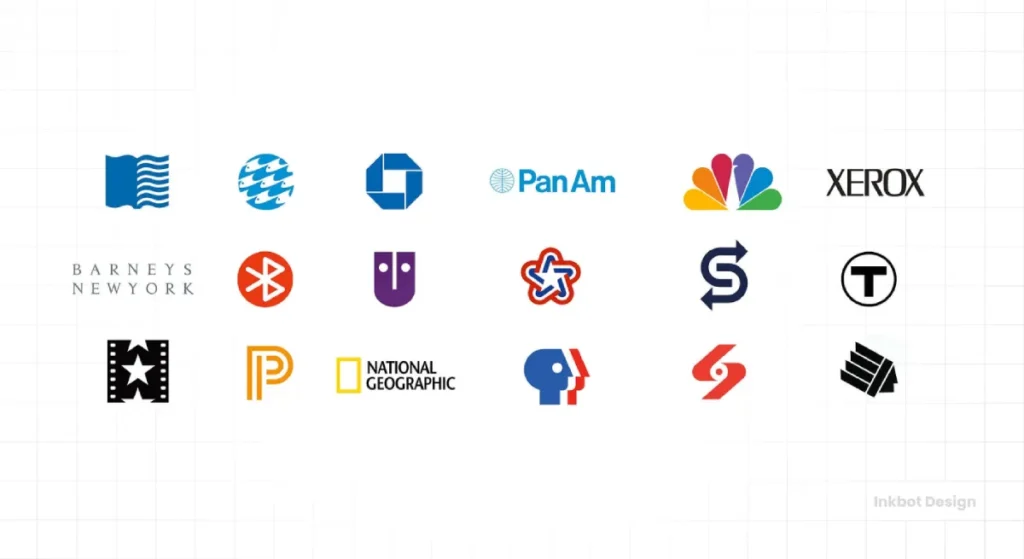
Logos serve as the backbone of a brand’s identity. They’re not just images; they tell stories. So when you’re presenting logos to clients, you’re not just showing them lovely designs—you’re communicating their brand’s essence.
- Emotional Connection: Consider how your favourite products make you feel and how their logos might relate to those feelings. A great logo taps into this emotional resonance, connecting the consumer and the brand.
- Storytelling: Each logo tells a unique story about the brand, reflecting its values, vision, and personality. A logo for a nature-focused business might include greens and earthy tones, while a tech company might use sleek lines and modern fonts to signal innovation.
- Consistency: Once a logo is defined, it sets the tone for brand assets. From colour palettes to typography, every element should communicate a cohesive message. When your brand visuals align, you create a consistency that consumers can trust.
Here’s how you can visualise this:
| Element | Value |
| Simplicity | Recognisability |
| Typography | Voice |
| Colour | Emotion |
| Shape | Personality |
For instance, when you combine the bright red of Coca-Cola with its iconic typography, you evoke feelings of joy and refreshment. This is the powerful interplay between visuals and brand identity.
Preparing for the Presentation
Now that you understand a logo’s significant impact on a brand’s identity, it’s time to prepare for the presentation. Preparation is your best ally—it separates a mediocre presentation from a stellar one. So, let’s dive into the nitty-gritty of ensuring you hit all the right notes during your pitch.
Researching the Client’s Brand and Audience

Before you even think about crafting a logo or putting together slides, you must immerse yourself in your client’s world. Research is king here! Understanding the client’s brand and target audience is essential, and here’s why.
Know the Brand
Every brand has its personality, values, and story. Your job is to sniff that out like a bloodhound. Here’s how to do it:
- Website Review: Start with their website. Get a feel for their aesthetic—do they convey a sense of friendliness or professionalism? Is it vibrant or minimalist?
- Social Media Presence: Check out their social media profiles. This is a goldmine for understanding their voice, how they interact with customers, and what content they share. Are they playful, informative, or authoritative?
- Competitor Analysis: Take a peek at their competitors. What logos, taglines, and marketing strategies do they use? This helps you pinpoint what makes your client unique and identify market gaps they can fill.
Discovery and Asset Intake Checklist
A strong logo presentation starts with the right inputs. Ask for these items up front to prevent rework and guesswork.
- Existing Marks: All current logos and submarks, vector masters, and raster exports.
- Guidelines: Any prior brand manuals, colour values, typography, usage rules, and tone notes.
- Colour References: Approved RGB, HEX, CMYK, and any Pantone codes in use.
- Typography: Primary and secondary fonts, EULAs or proof of licences, and fallbacks.
- Usage Samples: Screenshots of site, app, email, signage, and packaging in the wild.
- Legal Status: Trademark filings, classes, territories, and any pending disputes.
- Constraints: Print vendor specs, CMS or app limitations, and must retain legacy elements.
Understand the Audience
Knowing your audience helps tailor your pitch to meet their expectations. Here’s what to think about:
- Demographics: Who are they? Age, location, interests, and purchasing behaviours are all vital clues.
- Psychographics: What do they value? Are they environmentally conscious? Do they prioritise quality over price? Understanding their motivations can guide your design choices.
- User Experience: How do they interact with the brand? Discovering how current clients use the brand’s products or services can give insight into what the new logo should reflect.
Here’s a handy table to map it all out:
| Factor | Considerations |
| Target Age Group | 18-24, 25-34, 35-50, 50+ |
| Location | Urban, suburban, rural |
| Values | Sustainability, luxury, innovation, affordability |
| Buying Habits | Convenience-driven, brand-loyal, trend-conscious |
Setting Clear Objectives for the Presentation
With solid research under your belt, it’s time to think about your presentation objectives. What do you want your client to walk away with? Setting clear objectives keeps you focused and ensures your pitch is compelling.
Here’s a breakdown of how to define those objectives:
What Do You Want to Achieve?
- Begin with a Brief Overview:
- Share what you’ve learned about their brand and audience.
- Set the scene for why this logo matters.
- Present the Logo Concepts:
- Discuss various design options, focusing on attributes that resonate with their audience.
- Explain your choices regarding colours, typography, and symbolism, keeping the brand’s story front and centre.
- Encourage Interaction:
- Ask open-ended questions to invite feedback. What resonates with them? What are their initial thoughts?
- Conclude with a Call to Action:
- Discuss the following steps—what needs to happen to bring this vision to life?
- Agree a Decision Timeline: Dates for concept selection, revision rounds, and sign off milestones.
- Define Acceptance Criteria: Alignment to brand values, legibility at minimum sizes, colour accuracy to stated values, and cross-channel viability.
Choice overload reduces satisfaction and commitment. Lyengar and Lepper’s 2000 study on options shows that fewer, better choices improve decisions, a useful guide for concept counts.
You’ll stay on track and effectively address the client’s needs by clearly defining what you aim to achieve in each section of your presentation.
So roll up your sleeves, do your homework, and prepare to be amazed by how well your efforts will pay off in the end!
Crafting the Perfect Logo Presentation

Now that you’ve laid the groundwork with thorough research and clear objectives, it’s time to take your presentation to the next level. Crafting the perfect logo presentation isn’t just about showcasing designs; it’s about telling a story that resonates with your audience. Let’s delve into how you can create a compelling visual narrative and display your logo effectively across various contexts.
Designing a Compelling Visual Story
Every logo has a story behind it, and it’s your job as the designer to convey that narrative in a way that captivates your audience. Think of your presentation like a movie; it needs a strong plot, relatable characters, and a dramatic climax. Here’s how to turn your design process into a compelling story.
Start with the Why
First off, make sure you clearly explain why you chose a particular design direction.
- Back to Basics: Remind your audience about their brand values, target audience, and what their visual identity should communicate. You might say, “This logo is designed to embody modern sustainability, reflecting your commitment to eco-friendliness.”
- Emotional Resonance: Tap into the brand’s emotional core. Perhaps your chosen colours evoke feelings like trust with deep blues and greens or creativity with playful oranges. This emotional connection can make a lasting impression.
- Personality: Like people, brands have personalities. Showcase how your logo embodies their unique traits. If they aim for sophistication, demonstrate how elegant typography and minimalist design achieve that.
Here’s an example: I once presented a logo to a tech startup focused on AI solutions. Their mission was about making technology more approachable, so I designed a friendly, rounded typeface paired with bright, welcoming colours. In the presentation, I highlighted how this person-friendly approach would resonate with their target audience of young professionals and tech enthusiasts.
Create a Flow
Once you have your purpose down, creating a logical flow throughout your presentation is vital.
- Introductory Slide: Start with a captivating slide that sets the tone. This could include a powerful quote related to their industry or a striking image that encapsulates their brand philosophy.
- Segment the Presentation: Divide your presentation into clearly defined sections. You might begin with research insights, move into design concepts, and finish with potential applications.
- Use Visuals Wisely: Keep your slides visually engaging. Use high-quality images, infographics, and even animated elements. But be careful! Don’t let the visuals overshadow your message. They should support, not dominate, your narrative.
Here’s a quick framework for the flow of your presentation:
- Introduction: Set the stage and outline what you’ll cover.
- Brand Analysis: Share insights from your research about the client and their audience.
- Logo Concepts: Present the logo options, explaining design choices and how they align with brand values.
- Applications: Showcase the logo in various contexts (this will be the next section!).
- Conclusion: Recap the main points, invite feedback, and discuss the way forward.
Ensuring Accurate Colour and Type Rendering
Colour-accurate logo presentation means that what clients see on screen and on paper matches the approved values. You manage colour spaces, displays, and exports. You lock typography to avoid font swaps. You control the viewing conditions to reduce surprises.
- Use correct spaces: sRGB for screens, CMYK or spot for print proofs.
- Control devices: Disable True Tone, Night Shift, or Night Light during reviews.
- Embed profiles: Include ICC profiles where supported to keep appearance.
- Lock type: Embed fonts in PDFs, convert wordmarks to outlines in vectors.
W3C’s WCAG 2.2 exempts logotypes from text contrast minimums, but testing on light and dark backgrounds still prevents practical legibility issues. I once audited a board review where Night Shift skewed brand reds; a simple toggle fixed the dispute.
Showcasing Variations and Applications of the Logo
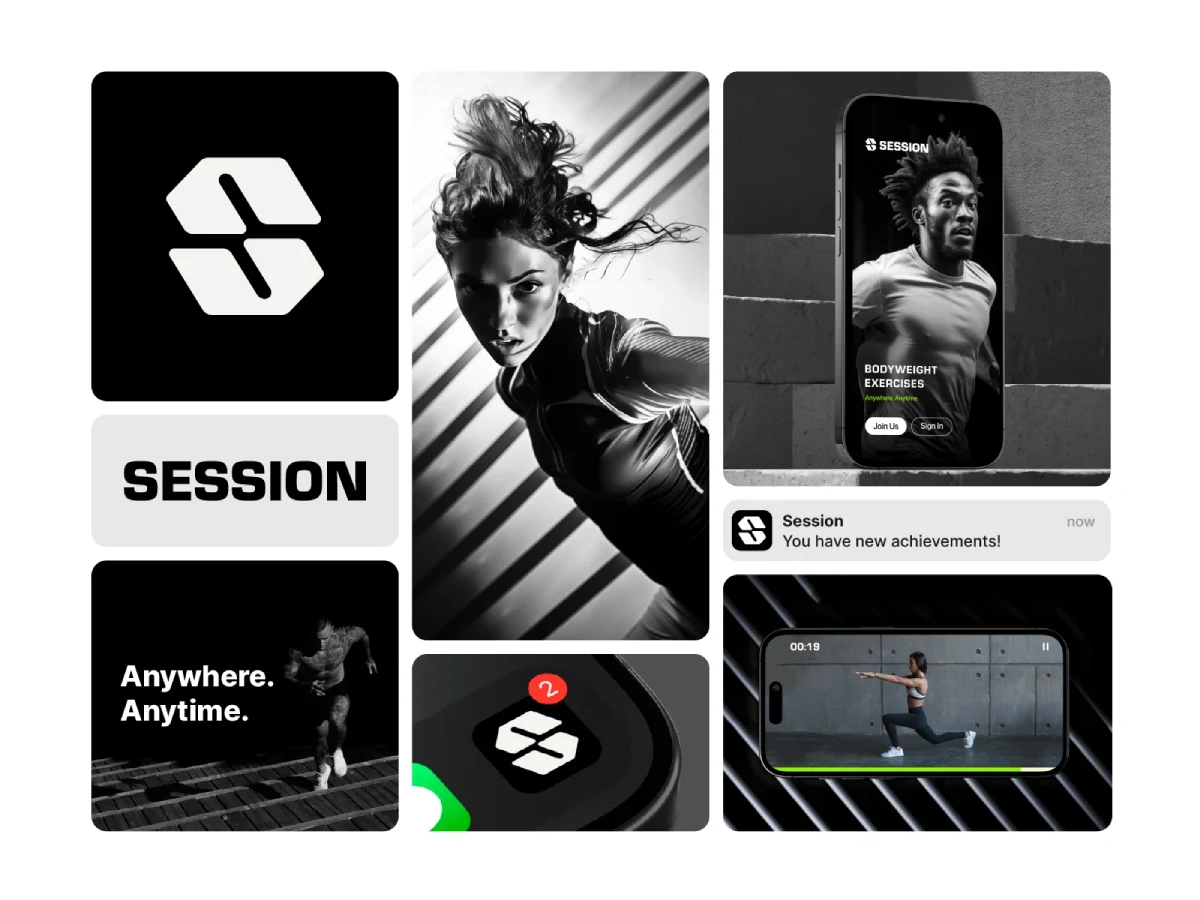
Once you’ve carefully crafted your visual story, it’s time to highlight how the logo can be applied across various platforms and media. This helps clients envision the logo in action and understand its true versatility.
Display Variations
Every logo needs a few variations to thrive in different contexts. Here’s how to showcase them effectively:
- Colour Variants: Display both full-colour and black-and-white versions. This helps the client see how the logo can adapt to different print materials or digital displays.
- Horizontal and Vertical Layouts: Not every space will accommodate a similar logo—present both horizontal and vertical layouts to demonstrate design flexibility.
- Iconography: If the logo includes an icon or symbol, display that independently. This helps clients understand how it can function independently as a brand identifier, such as on social media or as an app icon.
Create a slide that shows these variations side by side. Something like this could be appealing:
| Variation Type | Example |
| Full Colour | [Insert Full-Colour Logo] |
| Black and White | [Insert BW Logo] |
| Horizontal Layout | [Insert Horizontal Logo] |
| Vertical Layout | [Insert Vertical Logo] |
| Standalone Icon | [Insert Icon] |
Minimum Size, Clear Space, and Misuse Rules
Set a clear space rule using an internal unit, for example, the x-height or icon width. Define a minimum width for digital and print to protect legibility at small sizes.
- Clear Space: Reserve at least one unit of space around all sides to avoid crowding.
- Minimum Size: State pixel and millimetre thresholds for wordmarks and icons.
- Contrast: Provide approved pairings for light, dark, and image backgrounds.
- Misuse: No stretching, unapproved colours, drop shadows, rotations, or outlines.
Real standards demonstrate the value of this discipline; see Transport for London’s roundel guidance, IBM’s Standards Manual by Paul Rand, Nike’s Swoosh usage rules, and NASA’s Worm Manual.
Demonstrate Real-World Applications
To drive your point home, take it a step further and showcase real-world applications of the logo. This will help your client visualise how the logo fits into their brand’s ecosystem. Here’s how:
- Mockups: Create realistic logo mockups on business cards, letterheads, websites, and merchandise. I once whipped up a quick mockup of a coffee shop’s logo on a coffee cup—seeing it on an actual product sparked instant excitement!
- Digital and Print Materials: Present how the logo would appear on digital platforms (like social media posts, websites, and email signatures) and print materials (like brochures and billboards). This comprehensive approach allows the client to see the logo’s usability while reinforcing brand visibility.
- Brand Guidelines Overview: If applicable, briefly explain how the logo fits within the broader branding guidelines. This includes colour palettes, typography, and spacing rules, ensuring consistency across all touchpoints.
Here’s a quick list of possible applications you might showcase:
- Business cards
- Website headers
- Social media avatars
- Merchandise (like T-shirts or tote bags)
- Signage
Colour Systems, RGB, CMYK, HEX, and Spot Colours
Get colour right by matching the system to the medium. Document approved values across RGB, HEX, CMYK, and any spot inks for print.
- Digital: RGB and HEX for screens, present on sRGB displays to standardise.
- Print: CMYK for process jobs, spot inks for precise brand hues where needed.
- Proofs: Request contract proofs from printers for colour-sensitive jobs, and ISO 12647 workflows help.
- Pantone: Adobe apps no longer include built-in Pantone libraries; a Pantone Connect subscription is required in 2026.
| Wrong Way | Right Way |
| Show only RGB values to a printer | Supply CMYK and any spot codes with a PDF/X export |
| Present with True Tone enabled | Present on a calibrated sRGB display with Night modes off |
| Use HEX in print guidelines | Provide CMYK builds and Pantone references for print |
| Let slides substitute fonts | Embed fonts or outline wordmarks in PDFs |
| Assume on screen equals in print | Approve press or contract proofs before sign off |
| One colour for all contexts | Provide light, dark, and high contrast variants |
The State of Colour Management in 2026: Spot colour access remains subscription-based via Pantone Connect, impacting workflows. Dark mode defaults across iOS and Android normalise inverse palettes. WCAG 2.2 remains the accessibility benchmark for digital products, as published by W3C.
Vector vs Raster, Recommended Logo File Formats
Deliver a vector master for scale and editability. Provide raster exports for everyday use.
- Vector Masters: AI, EPS, PDF, and SVG for print and UI.
- Web UI: SVG delivers crisp results on high-density screens and is supported by major browsers.
- Raster Assets: PNG for transparency, JPEG for photos, export 1x and 2x sizes.
- Wordmarks: Outline final wordmarks to avoid font dependency and substitution.
NASA’s Worm logo shows why vectors matter; the mark scales across rockets, signage, and screens without artefacts, documented in NASA’s Graphics Standards.
Accessibility for Logos in Digital Contexts
WCAG 2.2 exempts logos and brand names from text contrast minimums; W3C details this in Success Criterion 1.4.3. Still, poor contrast harms real-world recognition.
- Backgrounds: Approve pairings for light, dark, and photo use cases.
- Alt Text: Use the organisation name, no redundant “logo of” phrasing.
- Links: Link the primary logo to the homepage, a common usability convention per Nielsen Norman Group.
- Size Tests: Check the legibility of small favicons, app icons, and dark-mode headers.
In our fieldwork, a low contrast header badge looked clean, but click tracking dropped. A simple dark variant fixed it.
Delivering the Presentation Effectively

With your presentation crafted and polished, it’s time for the big moment—delivering the presentation itself. You’ve done all the hard work; now it’s about conveying that effort confidently and clearly. How you present can be as important as what you present, so let’s dive into effective delivery methods, managing client feedback, and making necessary revisions.
Presenting with Confidence and Clarity
Your delivery sets the tone for how your presentation is received. If you enter that room (or log on to that video call) exuding confidence, it will naturally draw your audience in and keep their attention. Let’s break down how to achieve that.
Master Your Content
First, know your material inside out. When you’re confident in your content, it reflects in your body language and tone.
- Practice, Practice, Practice: Rehearse your presentation. This isn’t just reading over the slides; it’s about getting comfortable with the flow and knowing when to pause for emphasis. You might even consider recording yourself to catch any nervous habits.
- Anticipate Questions: Consider your client’s potential questions and prepare answers beforehand. If you can answer queries fluidly, it strengthens your credibility and the client’s trust.
- Engage with Storytelling: Use anecdotes and stories that tie into the visuals and resonate with the brand. This makes the presentation memorable and relatable. Who doesn’t love a good story, right? The other day, I shared a humorous mishap from a past client encounter involving last-minute changes. Laughter filled the room, lightening the mood and enhancing engagement!
Use Body Language Effectively
Your non-verbal communication speaks volumes.
- Eye Contact: Maintain eye contact with your audience. This builds trust and keeps them engaged. Just don’t stare them down like you’re trying to hypnotise them—keep it natural!
- Gestures: Use hand gestures to emphasise points, but be careful not to overdo it. You want to appear animated, not like you’re conducting an orchestra.
- Posture: Stand tall, shoulders back. Good posture shows authority and confidence. If you’re seated, lean forward slightly to convey interest and engagement.
Speak Clearly and Slowly
It’s easy to rush through out of nerves when presenting, but you must remember that clarity is crucial.
- Pace Yourself: Take a deep breath and speak more slowly than you need to. This gives your audience time to absorb information.
- Vocal Variation: Vary your voice tone to keep things interesting. A monotone delivery can be a real snooze-fest, and you certainly don’t want to put your audience to sleep!
- Pause for Effect: Don’t be afraid to use pauses. They can build anticipation and give your audience a moment to think before you move on to the next point.
Remote and In‑Room Technical Setup Checklist
Technical snags derail good work. Run this check before you present.
- Aspect Ratio: Use 16:9 slides, test projector or TV scaling.
- Colour: Disable True Tone, Night Shift, or Night light on all devices.
- Resolution: Match the output resolution to the display for crisp type.
- Backup: Keep an offline PDF with embedded fonts ready.
- Screen Share: Test quality in Zoom or Teams with motion slides.
- Audio: Check speakers if motion or sonic branding is included.
- Record: With consent, record for stakeholders who miss the session.
I once watched a beautiful wordmark blur on a 720p projector. Switching to a 1080p feed solved it instantly.
Handling Client Feedback and Revisions
So, what happens when you finish delivering your presentation and your clients start sharing their thoughts? Feedback can be daunting, but it’s essential to the design process. Here’s how to manage it like a pro.
Creating a Feedback-Friendly Environment
You want your clients to feel comfortable sharing their thoughts. The atmosphere you create during the presentation can influence this.
- Encourage Open Dialogue: Ask specific questions that invite feedback. “What are your initial thoughts?” or “Is there anything that feels off to you?” can prompt them to share.
- Listen Actively: Pay close attention to what they say. Show that you value their feedback by nodding or responding with “Got it” or “I understand.” This builds rapport.
- Stay Calm: Sometimes, clients might not love what you’ve presented. If you receive criticism, take a breath before responding. Avoid being defensive. Remember, it’s not personal—it’s a process!
Here’s a terrific technique: Consider using a simple feedback form to let clients jot down their thoughts anonymously after your pitch. This can help gather those awkward initial feelings about the design without putting anyone on the spot.
Assessing Feedback with an Open Mind
After gathering feedback, it’s time to assess.
- Categorise Feedback: Group comments into critical areas—design elements, colours, typography, etc. This makes it easier to sort through them.
- Identify Patterns: If several clients mention the same point, it’s worth addressing. It may not be a matter of taste but a genuine concern about the brand’s goals.
- Decide What’s Actionable: From the feedback, decide what changes you can implement. Not every piece of feedback will resonate—sometimes, you must stick to your design instincts.
Implementing Revisions
Once you’ve sorted the feedback, it’s time to revise.
- Clarify Expectations: If the client has vague feedback, clarify what they mean before moving forward. Ask exploratory questions like, “Could you elaborate on how you envision this colour working?”
- Make Strategic Changes: Focus on addressing key areas without losing sight of the logo’s overall vision. Tweaking a client’s favourite element while maintaining the design’s integrity can be a balancing act—nail that delicately!
- Communicate Changes: When you’ve made revisions, present them alongside the specific feedback. For example, “You mentioned the colour felt too dark, so I adjusted it to a lighter shade for a fresher look.” This shows you’ve actively listened.
- Follow-up: After sending the revised versions back to the clients, don’t disappear. Set a follow-up meeting or call to discuss the new designs, demonstrating your commitment to refining their vision.
Managing Versions and Change Logs
Keep a tidy trail so approvals stick.
- Versioning: Use v1.0, v1.1, and v2.0 for major and minor changes.
- Change Log: Map each client comment to a revision decision.
- Archive: Separate Concepts, In Review, and Final folders to avoid overwrite.
- Rationale: Capture why choices were made to protect brand integrity later.
Outdated advice to “present five concepts” leads to churn. Choice studies by Iyengar and Lepper show that fewer options improve satisfaction and follow-through.
Securing Client Approval and Follow-up

After the excitement of your presentation and the back-and-forth of feedback and revisions, you’re in the home stretch. 🎉 You want to secure that all-important client approval and pave the way for a smooth closing process.
This stage is crucial—you solidify your relationship while ensuring your hard work is recognised and appreciated. Let’s explore how to address client concerns, make necessary revisions, and finalise the logo design.
Addressing Client Concerns and Revisions
When it comes to client approval, addressing concerns is key. Clients will have thoughts and reservations, but being receptive and responsive can make a difference.
Listen and Validate Concerns
When clients raise concerns, your first step is to listen actively. Ignoring or dismissing their feelings can lead to tension. Here’s what to keep in mind:
- Open Communication: Encourage them to express their reservations fully. Use phrases like “I’d love to hear your thoughts” or “What specifically concerns you?” This demonstrates that you value their input.
- Acknowledge Their Feelings: Even if their concerns seem minor or unfounded, acknowledge that their feelings are valid. You might say, “I understand why you’d feel that way; let’s explore that further.”
- Be Empathetic: Sometimes clients’ concerns stem from personal experiences or prior collaborations. A thoughtful response can help alleviate their worries.
For instance, a page design I presented once was met with hesitation regarding colour choices. The client had a previous negative experience with specific colours, creating visual fatigue. We explored alternatives by addressing this concern, ensuring they felt comfortable moving forward.
Propose Revisions Thoughtfully
Once you’ve actively listened to and understood their concerns, it’s time to discuss necessary revisions. Here’s how to approach that effectively:
- Summarise Their Feedback: Restate their main points and validate them. For example, “You mentioned that the logo feels too bold for your brand’s personality. Let’s discuss how we can address that.”
- Offer Alternatives: Prepare a few options for potential changes. If they don’t like a particular colour, have alternatives ready in terms of aesthetics and tone. This gives them a sense of control and involvement in the process.
- Keep the Design Vision: While being responsive is vital, it’s also important not to lose sight of the brand identity you’re trying to establish. Clearly explain why certain design decisions are aligned with their brand goals. For example, “This shade of blue is often associated with trust and professionalism, which is key for your audience.”
You could elevate this process by creating a revision board—a visual guide showing the feedback and corresponding iterations. This allows clients to see their concerns directly addressed without losing their original vision.
Finalising the Logo Design and Closing the Deal
Once revisions are made and the client’s concerns have been addressed, it’s time for finalisation. This can be both exhilarating and nerve-racking, but a few strategic steps can help you navigate it.
Present the Final Design
Before sending the final logo design, ensure everything is polished and ready.
- Conduct a Final Review: Double-check everything—from colour and typography to iterations incorporating the client’s feedback.
- Create a Cohesive Presentation: Summarise what has been changed according to their feedback when presenting the final design. This reinforces that their voice was heard and implemented.
- Use Contextual Mockups: Showcase the logo in real-world applications again. You could even throw in branded materials like business cards or social media posts they haven’t seen yet. This gives them a concrete idea of how the logo will perform in future.
Handoff Package, Structure and Checklist
Ship a package that vendors can use without question.
- Master Vector: AI, EPS, PDF, and SVG with outlines for wordmarks.
- RGB Assets: PNG and SVG for web and app.
- CMYK Assets: PDF/EPS for print with profiles listed.
- Colour Specs: RGB, HEX, CMYK, and any Pantone references.
- Usage Rules: Minimum size, clear space, and misuse examples.
- Guide: A concise PDF brand sheet and a README with file inventory.
In press checks, printers value clear specs and a single approved PDF/X file, a point echoed by Fogra and ISO 12647 workflows.
For example, I once used contextual mockups for a restaurant logo that was finalised after many rounds of feedback. Presenting it in a menu layout, signage, and even on a chef’s coat excited the client!
Craft and Send the Proposal
After everyone is clear on the final design, you’ll need to assemble a proposal that includes the agreed-upon details.
- Outline Deliverables: Include all details on the final logo files (vector files, colour palettes, etc.) and any additional components you discussed (e.g., business cards or website headers).
- Payment Terms and Timeline: Lay out the payment structure—either a lump sum or payments based on milestones. Be transparent about when they can expect to receive everything.
- Agreement Details: Include any revisions, ownership, and terms for usage rights. This protects both you and the client.
Here’s a quick checklist for the proposal:
| Item | Details |
| Logo Files | Vector (.AI, .EPS), Raster (.PNG, .JPG) |
| Additional Deliverables | Business cards, social media images |
| Timeline | Delivery of files, support periods |
| Payment Terms | Structure and stipulations |
| Ownership Rights | Usage, transfer details |
Trademark and Symbol Usage Basics, TM, ®, SM
Marking rights vary by jurisdiction. Keep usage consistent and lawful.
- TM: Signals a trademark claim when registration is not complete.
- ®: Use only where the mark is registered; improper use can be unlawful.
- SM: Service mark symbol is used for services in some regions.
- Placement: Set as a superscript after the wordmark, following legal counsel guidance.
World Intellectual Property Organisation materials explain classes and territorial rights, a good primer for clients.
Font and Asset Licensing Essentials
Fonts are governed by EULAs, not purchase alone. Check the rights.
- Logo Rights: Confirm the EULA permits use in a trademark or logo.
- Distribution: Ensure vendors can receive font files or outline wordmarks.
- Proof: Keep licence receipts and scope terms in the handoff package.
- Third‑Party Assets: Verify rights to mockups and templates to avoid takedowns.
I once saw a client pulled from an ad buy due to a missing webfont licence. Outlining the wordmark and purchasing the correct web licence fixed the block.
Follow-Up and Close the Deal
Now that your proposal is sent, don’t disappear! Following up is critical.
- Set a Follow-Up Date: If you’ve not heard back within a few days, circle back with an email or call. This shows you care about their decision.
- Encourage Feedback Again: When the client reviews your proposal, ask for their feedback or concerns. If they express any doubts again, be ready to address them.
- Show Excitement: Closing a deal should be a celebration. Show genuine enthusiasm about working with them and supporting their brand journey.
When it’s all signed and sealed, send a “Thank You” note expressing your excitement to embark on this project. This reinforces a positive connection and sets the tone for collaboration.
Conclusion
Securing client approval and managing the closing process can feel intense. Still, it’s where you turn your hard work into tangible results by addressing client concerns, making thoughtful revisions, and presenting a polished final design.
Remember, at the end of it all, you’re not just delivering a logo presentation—you’re delivering a vision that will help the brand grow. So take a deep breath, stay focused, and savour the moment you see your designs come to life in the world!
