What is the Best Website Builder? Our Top Picks
You’re in luck if you want to create a website in 2026. Website builders have come a long way in recent years, making it easier to create a professional-looking site without needing to know how to code. But with so many options, how do you choose the best website builder for your specific needs?
We tested and compared today’s most popular website builders based on key factors such as ease of use, template quality, features, support, pricing, and more. After extensive research and hands-on testing, we narrowed it down to the top 5 that stand out.
Below, we’ll review our picks for the best website builders in 2026 and provide an overview of their pros and cons to help you decide. You can find the perfect platform here for an online store, portfolio, blog, or primary informational site.
- Wix offers user-friendly drag-and-drop features and extensive templates, making it the best overall website builder.
- Squarespace excels in creative design with award-winning templates for stylish portfolios and galleries.
- Webflow provides coding flexibility, ideal for advanced users wanting customisation and detailed control over site design.
- Shopify is the top choice for eCommerce, supporting comprehensive online store management and lower transaction fees.
- WordPress.com is perfect for blogs, offering easy content management and SEO optimisation for better visibility.
Our Top 5 Picks for Best Website Builder
1. Wix – Best Overall
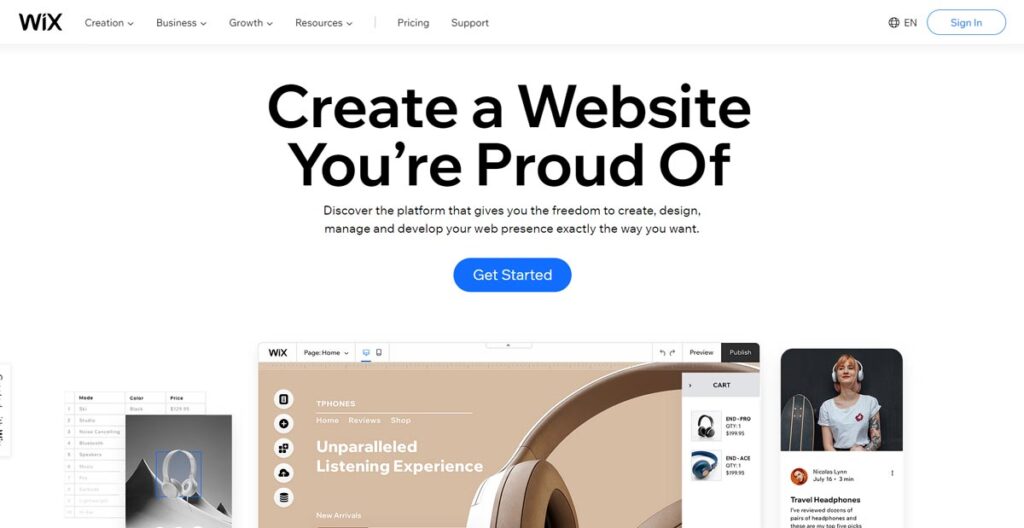
With its user-friendly drag-and-drop editor, massive app marketplace, and great templates, Wix is the best website builder overall.
The key thing to know is that Wix offers two main ways to build. First, there’s Wix ADI, which stands for Artificial Design Intelligence.
Look, you just answer a few questions about your business, what you like the look of, and it spits out a full website for you in minutes. It’s brilliant if you’re terrified of the tech side and just want something that works.
But if you fancy yourself a bit more hands-on, you’ve got the standard Wix Editor. This is where you get proper control.
It’s a true drag-and-drop system, so you can stick anything, anywhere you want on the page. The freedom you get is spot on for creating something that’s genuinely yours, though it takes a bit more time to get your head around.
Pros:
- 500+ designer-made templates
- Intuitive drag-and-drop editor
- There are tons of apps and integrations
- Great built-in image editor
- SEO tools
Cons:
- The steep learning curve for advanced features
- Some template styles look outdated
2. Squarespace – Best for Creative Design

Squarespace is nearly unmatched with beautiful, creative templates for a stylish site.
Don’t make the mistake of thinking Squarespace is just about looking good, though. It’s a proper all-in-one machine for running a business online.
It has its own email marketing platform built right in, so you can build your mailing list and send out newsletters without fussing with another service. They’ve also got powerful tools for appointment scheduling, which is a game-changer if you’re a consultant or trainer.
It’s all designed to work together from a single central dashboard, which saves you a significant amount of headaches.
Pros:
- Award-winning modern templates
- Easy to customise designs
- Great for portfolios and galleries
- Built-in commerce options
Cons:
- Limited app integrations
- It can be pricey for barebones sites
3. Webflow – Best for Coding Flexibility
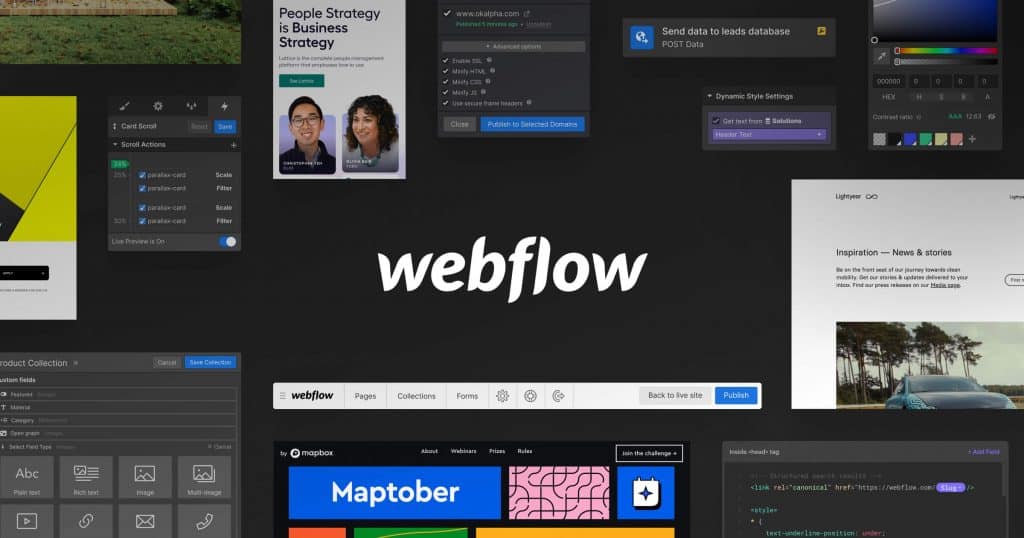
For those comfortable digging into code, no builder beats Webflow’s flexibility and customisation.
Pros:
- Full code access for customisation
- Animated interactions
- Robust CMS and hosting
- Popular with web designers
Cons:
- Steep learning curve
- No included domain
4. Shopify – Best for eCommerce
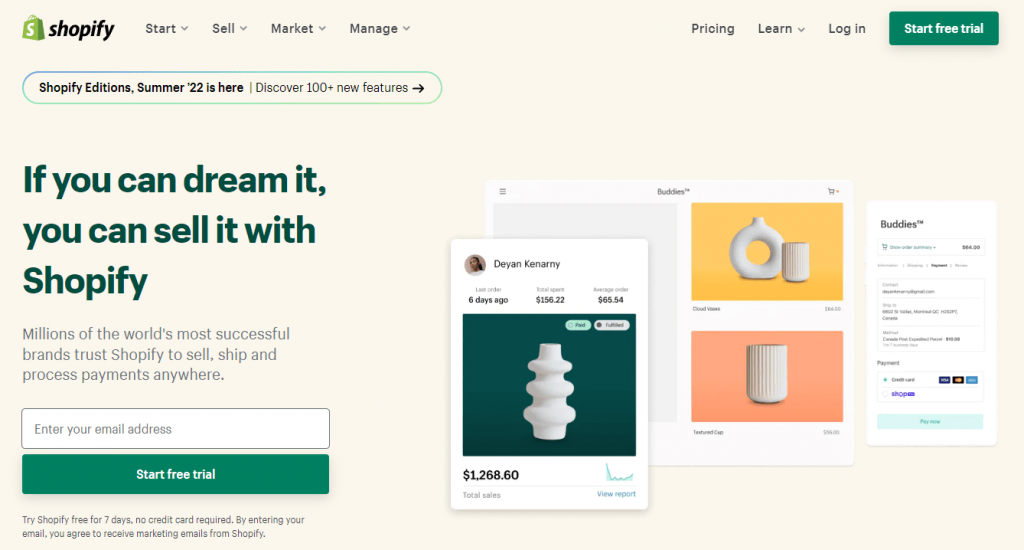
With all the robust tools you need to manage and grow an online store, Shopify is the choice for serious eCommerce sites.
Pros:
- Everything for running an online store
- Lower transaction fees
- Integrates with major shipping carriers, payment gateways
- Hundreds of product design themes
Cons:
- Primarily focused on eCommerce sites
- Additional transaction fees beyond the monthly cost
5. WordPress.com – Best for Blogs & Editorial Sites

WordPress powers over 43% of sites for a reason – it’s easy to use and perfect for building blogs, news sites, and content-focused sites.
Pros:
- Perfect for blogs and content sites
- Easy to publish news and articles
- Hundreds of free and paid themes
- SEO features and integrations
Cons:
- Limited design compared to other builders
- Must pay more for eCommerce features
6. Replit – Best for AI-Powered, No-Code Website Generation

Replit’s AI website builder lets you create fully functional websites just by describing what you want. No templates, no drag-and-drop. Just natural language input and instant results.
Pros:
- Build complete websites using plain text prompts
- No design or coding skills required
- AI generates layout, content, and styling in seconds
- Edit pages by simply describing the change
- Works from desktop or mobile
- Free subdomain or connect your own
- Access to full code for advanced customisation
Cons:
- Less control over fine-tuned visual layout
- Not ideal for highly complex site structures
- Lacks a built-in plugin ecosystem like WordPress
7. GoDaddy – Best for Getting Online Quickly
Right, if you need a website up and running by, let’s say, this afternoon, GoDaddy is probably your best bet. It’s built for speed and simplicity above all else.
Their process uses AI to get you started. You tell it your industry and your business name, and it generates a surprisingly decent starting point in a couple of minutes, complete with relevant images and text.
You just go in and tweak it. It’s not for someone who wants to spend weeks perfecting every little design detail, but for a tradesperson or a local shop that just needs a professional online presence, fast; it’s hard to beat.
Pros:
- Incredibly fast setup process
- Very intuitive and easy-to-use editor
- Integrated marketing tools like an SEO wizard and email marketing
- Built-in appointment scheduling for service businesses
- Connects easily with GoDaddy’s other products, like domains and email
Cons:
- Design customisation is more limited than Wix or Squarespace
- Fewer third-party app integrations
Whether you’re launching a portfolio, a landing page, or a quick business site, Replit offers a fast and modern way to build and deploy with AI, requiring no prior technical experience.
Now, let’s explore what makes these five website builders stand out and how to decide which is suitable for your site.
Key Website Builder Comparison Points
When selecting a website builder, several key factors influence the overall usability, customizability, and quality of sites you can produce. We compared our top picks across these aspects:
Design & Themes
Professional, eye-catching website design is crucial for making a great first impression and establishing your brand. Some builders, like Squarespace or Wix, offer hundreds of templates in various styles created by professional designers.
Others, like WordPress.com, offer more straightforward out-of-the-box options, focusing on blog layouts. Consider whether a beautiful design with minimal effort is worth sacrificing complete control over each element.
Ease of Use & Learning Curve
You don’t want to spend more time figuring out the platform than building your site. Platforms like Shopify, Wix, and WordPress.com make it easy to start with minimal knowledge required.
Others have more advanced options, but they require time to master these features. Consider whether learning a more complex system is worth it for greater creative control in the long run.
Customisation Options
While templates offer a quick starting point, you’ll likely want to tweak things to fit your brand.
Some builders, like Webflow, provide endless customisation via code editing, while others, like Squarespace, limit you more to the template design options. Consider whether you value simplicity over unlimited changes.
App Marketplaces & 3rd Party Integrations
The ability to connect other apps, payment processors, and tools, such as email marketing platforms, expands what you can do beyond the core builder features. Wix and Shopify offer robust app markets for finding these add-ons, while WordPress.com and Webflow have more limited options.
If seamless integration with specific tools is crucial for managing your site long-term, research their compatibility.
Hosting, Security & Performance
One of the biggest benefits of using any of these builders is that you can overlook the tedious technical aspects. They are all ‘hosted’ platforms.
In plain English, that means they deal with the servers, security patches, and all the behind-the-scenes technical aspects that keep your site online. You don’t have to touch any of it.
They all give you a free SSL certificate as well. That’s the little padlock you see in the browser bar, and it’s non-negotiable these days.
It keeps your visitors’ data safe and tells Google you’re not a dodgy outfit.
Performance-wise, these platforms are built to be quick. But, a word of warning: if you start uploading massive, uncompressed images or go crazy with loads of third-party apps, you can still slow your own site down.
So just be sensible.
Built-in eCommerce Tools
For those planning an online store, having eCommerce features built into the platform streamlines the setup process, allowing for faster setup.
Our picks, such as Shopify and Squarespace, enable you to activate store capabilities with shopping carts, payment processing, and product shipping, all ready to configure. Adding these features to other builders would require the use of external apps and setup.
SEO Optimisation
Being found by potential customers through search engines translates to real business dollars online. Most significant builders now incorporate SEO best practices, such as alt-image tags, meta descriptions, and XML sitemaps, to boost site visibility and traffic.
However, WordPress provides the most fine-tuned performance data and suggestions to maximise search visibility for news sites and blogs that need to rank their content.
Pricing & Overall Value
Cost inevitably plays a role in choosing software, and low monthly rates lure in many first-time site owners. But it’s essential to calculate the true value in the long term.
A more robust platform that fuels business growth may be worth higher fees, while cheaper DIY builders are sufficient for primary sites. Also, consider hidden charges for add-ons, which vary significantly by platform.
Head-to-Head Builder Comparison
Here is a breakdown of their score across critical factors to visualise how the top website builders directly stack up.
| Builder | Design Options | Ease of Use | Customisation | Integrations |
| Wix | ⭐⭐⭐⭐⭐ | ⭐⭐⭐⭐ | ⭐⭐⭐⭐ | ⭐⭐⭐⭐⭐ |
| Squarespace | ⭐⭐⭐⭐⭐ | ⭐⭐⭐⭐ | ⭐⭐⭐ | ⭐⭐ |
| Webflow | ⭐⭐⭐ | ⭐⭐ | ⭐⭐⭐⭐⭐ | ⭐⭐⭐ |
| Shopify | ⭐⭐⭐⭐ | ⭐⭐⭐⭐⭐ | ⭐⭐ | ⭐⭐⭐⭐ |
| WordPress.com | ⭐⭐⭐ | ⭐⭐⭐⭐ | ⭐⭐⭐ | ⭐⭐⭐ |
Beyond the core builder comparison, choosing the right website platform often comes down to your specific goals and target audience. Next, we’ll explore top website types where confident builders excel over generic multipurpose options.
Best Website Builders by Website Type
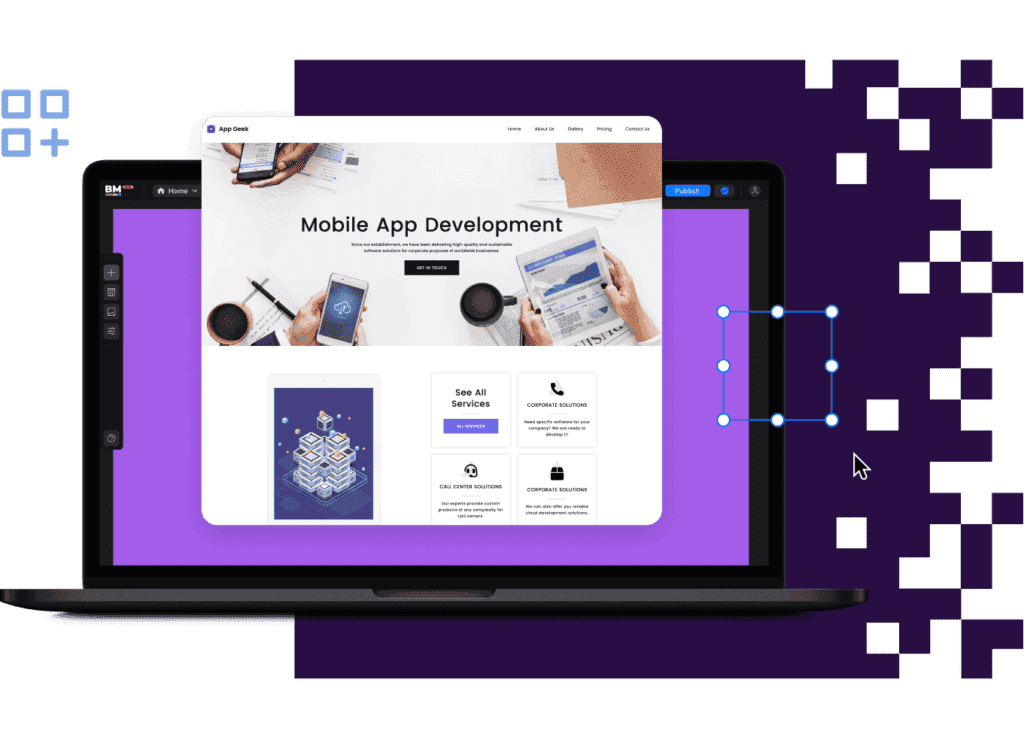
Ecommerce Website Builder
If you’re planning an online store, Shopify leads as the best ecommerce website builder.
With robust hosting optimised for speed, security, scalability, integrated payment and shipping solutions and a wide range of store management tools, Shopify simplifies the heavy lifting of launching and running a successful online business.
Squarespace also incorporates ecommerce features and has one of the cheapest transaction fees at just 2.9% + $0.30 per purchase. However, Shopify still supports more complex inventory, order, and fulfilment functionality, which is crucial for scaling.
Wix and WordPress can manage online stores with add-on plugins, but the setup and maintenance require much more manual work than specialised ecommerce builders.
Blog & Editorial Websites
WordPress emerges as the ideal website builder for publications producing news articles, blog content and textual information.
The CMS backend is explicitly designed for streamlining the writing and formatting of articles, including tools such as a post-schedule calendar, content organisation with tags and categories, and formatting shortcuts.
Importantly, WordPress also comes SEO-optimised out of the box to maximise search visibility for published content with XML sitemaps, Google Analytics integration, ALT text automation and more. This allows bloggers and publishers to rank faster with less initial expertise.
Now, it’s really important to get this straight. The WordPress we’re talking about here is WordPress.com.
Think of it as the all-in-one package deal. The builder, hosting, and support are all in one place, which is why it’s on this list.
You’ve probably also heard of WordPress.org. This is a different animal altogether.
It’s the free, open-source software that you can download and install on any web host you like. It gives you ultimate power and flexibility, with access to tens of thousands of plugins for anything you can imagine.
But, and this is the big ‘but’, you are the one in charge. You must find your own hosting, manage your own security, and handle all updates yourself.
It’s for individuals who want total control and are willing to accept the additional responsibility that comes with it.
Squarespace offers sophisticated editorial templates, while Wix and Webflow focus more on visually heavy sites and efficient content publishing. Shopify store pages also lack the built-in blogging functionality found in WordPress sites.
Portfolio & Photography Sites
Showcasing visual galleries and projects benefits hugely from Squarespace’s signature minimalist, magazine-style templates. Photo-centric layouts and built-in animations and annotations enable photographers, designers and other creative professionals to make an immediate visual impact with their work.
Wix also offers dedicated templates for art and photography websites, albeit with a mix of modern and traditional styles that may not appeal to all. Shopify leans towards generic over specialised portfolio design, while WordPress and Webflow lack robust out-of-the-box portfolio site options unless premium themes are installed at an added cost.
Small Business Websites
If you’re running a small business, you just need a site that works and helps you get more customers, right? You’re not trying to win design awards.
Wix is a fantastic shout for most small businesses. The main reason is its App Market.
It’s like a sweet shop for business tools. Do you need a booking system for your personal training clients? Done.
Want to display your cafe’s menu? Easy. There’s an app for almost everything, which lets you add powerful features without any coding.
The other strong contender is GoDaddy. Its main selling point is pure speed.
If you’re a plumber and you just need a simple site with your phone number, a list of services, and a contact form, you can get it live with GoDaddy in under an hour. It takes the thinking out of it, which is sometimes exactly what a busy business owner needs.
Services, Agency & Consultancy Websites
Professional services like consultants, design agencies and freelancers often balance multiple branding needs for an overall polished yet functional site.
This typically includes clear messaging explaining services, detailed about pages and bios, case study project displays, client testimonials, and lead capture/contact forms.
Squarespace satisfies these demands with expertly crafted pages and layouts, allowing designers to focus more on content than appearance.
Wix provides comparable templates built for professional service businesses and a more comprehensive range of styles, from modern to classic, depending on brand personality.
WordPress basic templates, suitable for more budget-conscious ventures, still offer sufficient structure and custom blocks to clearly present services, teams, work examples, and contact options on a smaller scale.
Nonprofit & Community Websites
Unlike commercial sites, nonprofits and local community groups depend more on amplifying public messaging, events and donations than selling products and services.
Balancing these priorities takes a flexible, multipurpose builder where you can selectively highlight different sections like causes, news updates, fundraising appeals and annual events.
WordPress empowers the building of modular, campaign-focused pages with a blog-style structure, ideal for nonprofits. Easily embed multimedia content to engage visitors and integrate donation forms or an online merch store.
For more placeholder-style pages, however, Wix makes it easier to reorder content blocks, while Squarespace excels at keeping consistent, clean designs between different internal page layouts.
Custom-Coded Website Development
For advanced web designers and developers, Webflow bridges the gap between traditional code-based building and drag-and-drop simplicity.
By allowing users to toggle between visual design mode and direct code editing, Webflow essentially functions as a front-end web development toolkit for building interactive, complex websites.
Beyond the standard advantages of speed, browser compatibility, and fine-tuning performance, hand-coding websites also allows for the integration of dynamic features, animations, and complex custom functionality that is not available in traditional WYSIWYG site builders.
The learning curve is undoubtedly steeper, but with Webflow acting as an advanced code editor, it removes much of the typical heavy lifting of raw HTML, CSS and JavaScript.
For those that need the absolute most control over website behaviour, though, traditional web development frameworks like WordPress, Drupal and Joomla, paired with hosting, still provide unlimited freedom outside any pre-packaged platform.
The tradeoff here is a significantly increased effort and expertise required compared to more beginner-friendly tools.
Questions to Consider When Choosing Your Website Builder

- What is your budget? – Pricing varies widely from free to $40+/month for core plans. Factor in all necessary features/apps as well.
- What is your timeframe? – Turnaround from signing up to launch depends heavily on complexity, ranging from days to months.
- Who is your target audience? – Ideal builder can vary significantly between B2B, B2C, creative professionals etc. Identify visitor priorities.
- What is your site’s primary purpose? – Pick something aligned instead of a generic multipurpose platform to get more relevant templates and features.
- What design style do you envision? – Each builder leans modern, elegant, minimalist or classic, so choose the aesthetic.
- How much time can you devote to learning and updating your site? Budget 20+ hours for a commerce site for the first several months and 10-15 hours for more straightforward sites. Ongoing maintenance also varies by platform complexity.
- What features and integrations are essential? – Not all builders equally support things like reservations, appointments, virtual consults, advanced member portals, etc.
- How much traffic do you anticipate receiving? Understanding the expected visitor volume is critical for choosing a scalable hosting infrastructure that won’t crash due to unexpected spikes.
- Do you plan to self-update or outsource changes? Factor in the learning curve, plus weigh if it’s worth paying developers to handle complex modifications later.
While not every consideration will always apply, taking the time to think through your digital presence objectives, constraints, and deal-breakers paves the way to picking both the right short-term and long-term website platform partner.
Getting Started With Your New Website Builder
Once you’ve compared the contenders and selected your chosen website builder, here is a general roadmap of the next steps as you launch your new site:
Choose Your Domain
A domain name represents your online identity and brand that website visitors will type in to access your site. Options like .com and .net cost ~$12/year from registrars like GoDaddy or Namecheap, while free builders include domains hosted on their subdomains (yourname.wixsite.com).
Select a Design Template
Templates provide starter layouts and styled pages, so you don’t have to design everything from scratch. Most builders offer hundreds of niches and styles to choose from or start customisable blank templates.
Customise The Design & Branding
Tweak template colours, fonts, images and layouts using the builder tools to match your preferred aesthetic. Minor tweaks can make generic templates feel uniquely yours for minimal effort.
Input Your Site Content
Plug in text, images, videos and other media that make up your site page’s content. Follow best practices for formatting critical information, such as about us and services, for maximum clarity.
Review Mobile Responsiveness
With over 50% of site traffic from mobile devices, ensure your site resizes and functions beautifully across devices. Mobile optimisation remains one of the key ranking factors Google measures.
Set Up Domain Email
Obtain a professional email address using your new domain name, such as contact@yourcompany.com, for managing site communications. This also strengthens branding associations.
Activate Security Essentials
SSL certification, firewalls, and regular software updates all help protect site stability and user data from threats. Enable all included security tools or install 3rd party apps for maximum safety.
Submit the Site to Search Engines
Generate an XML sitemap and submit it to search engines like Google, so your site’s pages get indexed and ranked for the keywords you want to target.
Promote Your New Website
Spread the word across existing marketing channels, as well as social media and email lists. Run advertising campaigns more aggressively once site traffic picks up momentum.
Maintaining Success Long-Term

Launching that initial website is the first step to an ever-evolving digital presence. Maintaining long-term success requires staying on top of regular maintenance and thinking strategically about improvements over the coming months and years.
Keep Content Fresh
Google values sites that actively publish new, original content relevant to what users are searching for. Establish a consistent editing regimen for adding blog articles, videos, portfolio examples, and other content.
Track Analytics Insights
Monitoring visitor interactions and engagement metrics spotlights what resonates or underperforms. Let data guide editing priorities towards highly-viewed areas first.
Solicit User Feedback
Asking clients, customers and visitors directly what changes they’d like to see provides invaluable direction for informing significant site changes and new feature roadmaps.
Audit Speed & Security
Page load lag and downtime frustrate visitors and damage conversion rates as sites scale. Routinely test site performance and double down on securing infrastructure.
Cultivate Email & Social Followers
Building an audience on social media and collecting emails for newsletters gives you direct lines to share site updates and promotions. Though gradually growing, these channels drive highly engaged visitors.
Consider a Site Redesign
A complete visual transformation better aligns with an evolved brand identity and sets a new standard for first impressions. Depending on the complexity, redesigns cost between $ 3,000 and $15,000+ from web developers.
Upgrade or Switch Platforms
Outgrowing starter plans or changing feature needs over the years may necessitate upgrading account tiers or migrating platforms entirely for better alignment. Be sure to weigh the complexity of migration to avoid losing traffic or data.
Integrate With CRMS, Accounting, & Other Software
As operational systems expand, connecting sales, marketing, finance and operations tools for unified data flow eliminates tedious manual syncing and reporting.
Most Common Website Problems to Avoid
Despite the most meticulous planning, websites inevitably encounter technical hiccups or roadblocks that fall short of expectations. Stay vigilant against these common issues creeping up by design:
- Slow page load times – Images, videos and bloated code quickly sabotage site speed. Enable caching plus compress files and media.
- Poor mobile optimisation – If over 20% of mobile visitors immediately leave, insufficient responsiveness likely degrades experiences.
- High homepage bounce rates – Failure to communicate value upfront leads visitors to lose interest fast. Refine messaging and visuals to capture attention.
- Low organic traffic – Subpar SEO efforts cause sites to get drowned out by competitors ranking higher in search results, cutting visibility.
- Content thinness – Prioritising quantity over quality results in low-value pages that neither engage visitors nor search engines.
- High exit rates before important pages – Identify where visitors commonly abandon site journeys and improve page targeting to those decision points.
- Forms with low conversion rates – Clunky, overly long web forms hamper lead generation and sales. Streamline critical form flows using analytics.
- Underperforming blog content – Misaligned blog strategies waste resources, creating content that drives little measurable impact—ground topics in buyer research.
- Technical downtime or errors – Server outages, dying links, and programming glitches immediately obstruct visitors from accessing sites.
Diligently optimising and monitoring website performance surfaces these red flags early before minor issues balloon into lost traffic and wasted time.
Frequently Asked Questions
What is the easiest website builder for beginners?
For those new to building websites, Wix offers a user-friendly introduction with hundreds of templates and drag-and-drop design tools that require no coding knowledge. Shopify also ranks highly approachable for ecommerce sites, while WordPress is known for simplicity for blogs.
How much should an essential website cost?
Between expected domain registration, hosting, theme designs and must-have features like forms and integrations, plan around $300-600+ for an MVP site spanning 5-10 pages to start. Complex online stores require significantly larger budgets, however.
Can you transition to website builders later on?
Yes – with proper planning, sites can migrate between significant platforms like WordPress, Wix and Squarespace. You would export site pages and content, then redevelop the structure and design within the new builder. Expect approximately $ 1,500 or more for developer assistance.
What happens if I don’t renew my website subscription?
Cancelling a website builder account risks losing access to edit or manage the site until the plan is renewed. However, hosting, domains, and content remain intact for later recovery. However, some builders deactivate sites after set periods so that data can become inaccessible.
Is Webflow better for web designers?
For advanced users who are comfortable with coding, Webflow offers more direct code access for adding complex interactions that exceed the limitations of visual drag-and-drop builders. The open design flexibility empowers designers familiar with HTML, CSS and JavaScript for greater creative control.
Key Takeaways
- Numerous website builder platforms exist, but Wix, Squarespace, Webflow, Shopify and WordPress.com lead for their balance of usability and features.
- When comparing options, consider priorities like design, customisation, integrations, ecommerce needs, and learning curves.
- Builder choice can vary significantly depending on the website’s purpose, ranging from online stores to portfolios, blogs, services, and nonprofits.
- Roadmap next steps when launching new sites, from branding to security, search optimisation and promotion.
- Maintain success through ongoing content, performance metrics monitoring, refreshing designs and expanding features.
- Avoid common pitfalls, such as site speed lag, an insufficient mobile experience, thin content, and a lack of visibility in organic search.
Ready to choose your website builder and create an impactful online presence? Follow our guide, which highlights the strengths of each platform, to confidently choose the best fit for bringing your web design vision to life.