20 Best Graphic Design Tools to Use in 2026
I recently audited a client who wondered why their high-ticket consulting firm was being ignored.
One look at their marketing collateral told the whole story: their “professional” logo was a £5 template from a browser-based tool, and their white papers looked like they were laid out in a word processor from 1998.
They were using the wrong tools for the wrong job, and it was costing them roughly £50,000 in lost leads every quarter.
In 2026, the barrier to entry for design is non-existent, which is exactly the problem. When everyone has access to “pretty” templates, looking merely “pretty” is a commodity.
To stand out, you need a technical edge. You need tools that allow for precision, scalability, and brand consistency.
- Design precision beats prettiness; use professional tools for scalability, brand consistency, and high-resolution outputs.
- Canva and similar starters speed social content but often produce generic assets unsuitable for logos or core branding.
- Generative AI is now a utility; apply human-in-the-loop workflows and disclose AI use to protect IP and originality.
- Choose tools by role and budget: Affinity for cost-conscious pros, Adobe CC for agencies, free tools for bootstrappers.
- Invest in hardware and backups: 32GB RAM recommended, colour-accurate displays, and a 3-2-1 backup strategy for files.
What are Graphic Design Tools?
Graphic design tools are specialised software and hardware applications used by creators to manipulate visual elements, typography, and imagery to communicate specific messages. These tools facilitate the transition from abstract concepts to tangible digital or physical assets by manipulating vectors and rasters.
Key Components:
- Vector Rendering Engines: For infinitely scalable graphics (logos, icons).
- Raster Processing: For pixel-level photo manipulation and digital painting.
- Layout Systems: For managing multi-page documents and complex typographic hierarchies.
Choosing the right graphic design software is not about following trends; it is about building a functional workflow that serves your business goals.
Tools for Beginners: Free and Accessible Options
If you are an entrepreneur running a lean operation, you don’t always need the full Adobe Creative Cloud. But you do need to know where “easy” becomes “amateur.”
1. Canva: Versatile and User-Friendly
Canva remains the dominant force for a reason. By 2026, its AI-integration, “Magic Studio,” has matured into a genuinely useful workflow accelerator. However, it is a “gateway” tool.
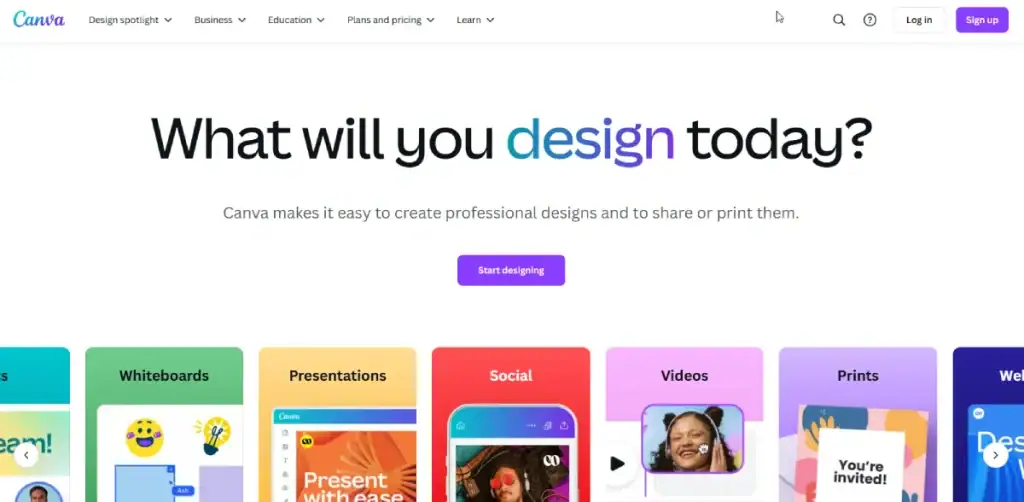
- The Reality Check: Great for social media posts; dangerous for logo design. Canva’s outputs are often generic. If your brand looks like everyone else’s, you have no brand.
- Case Study: A 2024 Nielsen Norman Group study on “Template Fatigue” found that users are increasingly desensitised to standard Canva layouts, leading to lower engagement rates for brands that don’t customise their assets.
2. DesignWizard: Quick and Creative
Similar to Canva but with a different library of assets. It’s useful for quick edits when you need a specific aesthetic that Canva’s library doesn’t cover.
- Pro Tip: Use it for temporary campaign assets, not your core branding.
3. Piktochart: Infographics Made Easy

Data visualisation is where most SMBs fail. They present spreadsheets when they should present stories. Piktochart simplifies the creation of high-quality infographics.
- The Technical Edge: It handles CSV imports better than most beginner tools, making it a viable option for internal reporting.
4. Pixlr: The Browser-Based Image Editor
Think of Pixlr as a lightweight, browser-based Photoshop. It is perfect for quick photo retouching without the overhead of heavy software installations.
- Why it works in 2026: Its “Pixlr 2026” update includes surprisingly decent generative fill capabilities for removing unwanted objects from product shots.
5. Fotor: Photo Editing for Everyone
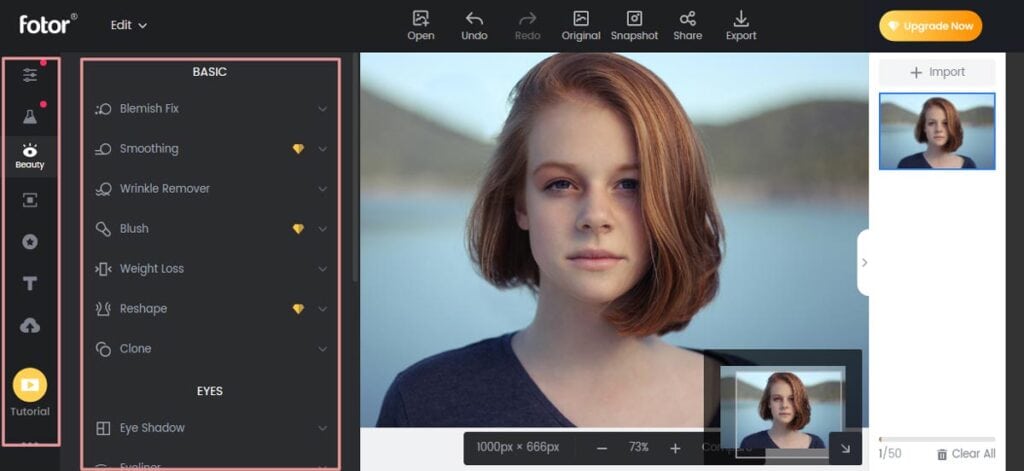
Fotor focuses heavily on one-click enhancements. For small business owners who need to fix the lighting on a product photo for their graphic design websites, it’s a time-saver.
6. GIMP: The Open-Source Alternative
GIMP is the “ugly duckling” of the design world. Its interface is a mess, but its power is undeniable. It is the only free tool that offers a professional-grade feature set.
- Consultant’s Note: Only use GIMP if you have a high tolerance for steep learning curves and a budget of zero.
7. Adobe Express: Entry-Level Adobe Experience
Adobe’s answer to Canva. It integrates directly with Adobe Stock and Firefly AI.
- The Advantage: If you eventually plan to hire a pro, using Express makes the hand-off of assets much smoother than moving from Canva to Photoshop.
Advanced Tools for Professionals
As your business grows, your tools must evolve accordingly. Professionals don’t use these tools because they are “hard”; they use them because they offer total control.
8. Adobe Photoshop: The Industry Standard
For the professional, Photoshop in 2026 is no longer just an image editor; it is a composition engine.
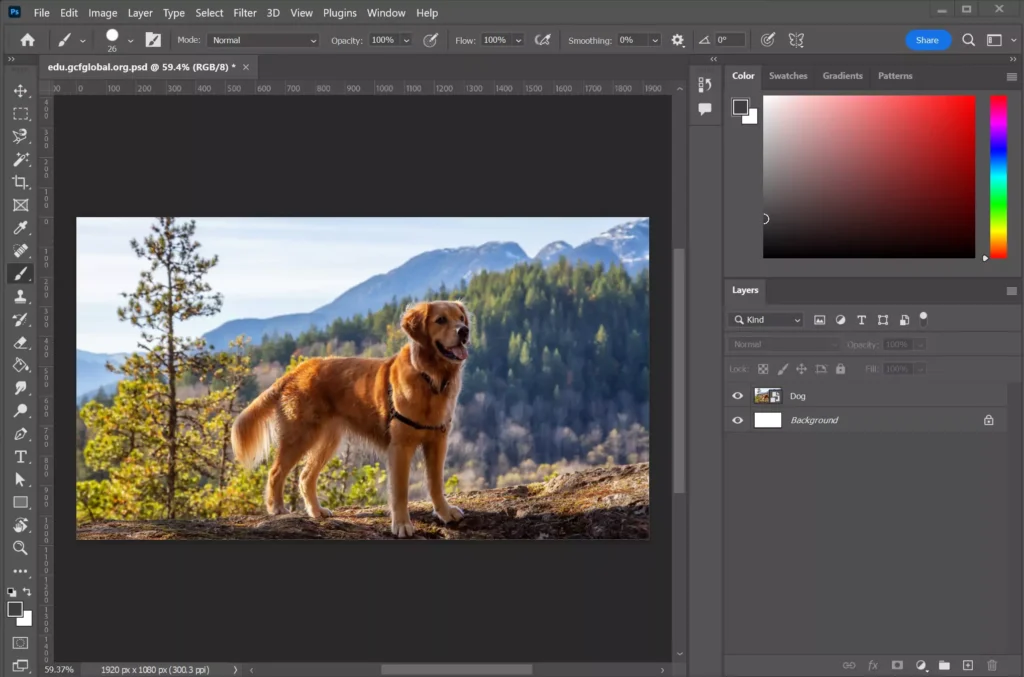
- The Pro Edge (Generative Expand & Re-lighting): While amateurs use Generative Fill to “add a cat,” pros use it to fix lighting inconsistencies in composites. The new AI Re-lighting engine allows you to unify a 10-layer composite by mathematically matching the light source direction across disparate assets.
- Usage Tip: Stop using standard “Layer Masks” for everything. Use vector masks for sharp, non-destructive edges on product cutouts that need to scale for high-res print.
- Consultant’s Audit: I see too many “senior” designers ignoring Smart Objects. If you aren’t nesting your non-destructive filters within Smart Objects, you’re creating a “flat” file that’s a nightmare to revise.
9. Sketch: For Intuitive UI/UX Design
While Figma has taken a significant market share, Sketch remains a powerhouse for Mac-based designers. It is cleaner, faster for local files, and has a superior plugin ecosystem for icon design.
- Expert Observation: Sketch’s recent focus on “Variables” makes it incredibly powerful for building scalable design systems for apps.
10. Illustrator: Master of Vector Graphics
If you are designing a logo in anything other than Illustrator (or a comparable vector tool), you are making a mistake. Vectors are based on mathematical paths, meaning they can be scaled from a business card to a Boeing 747 without losing quality.
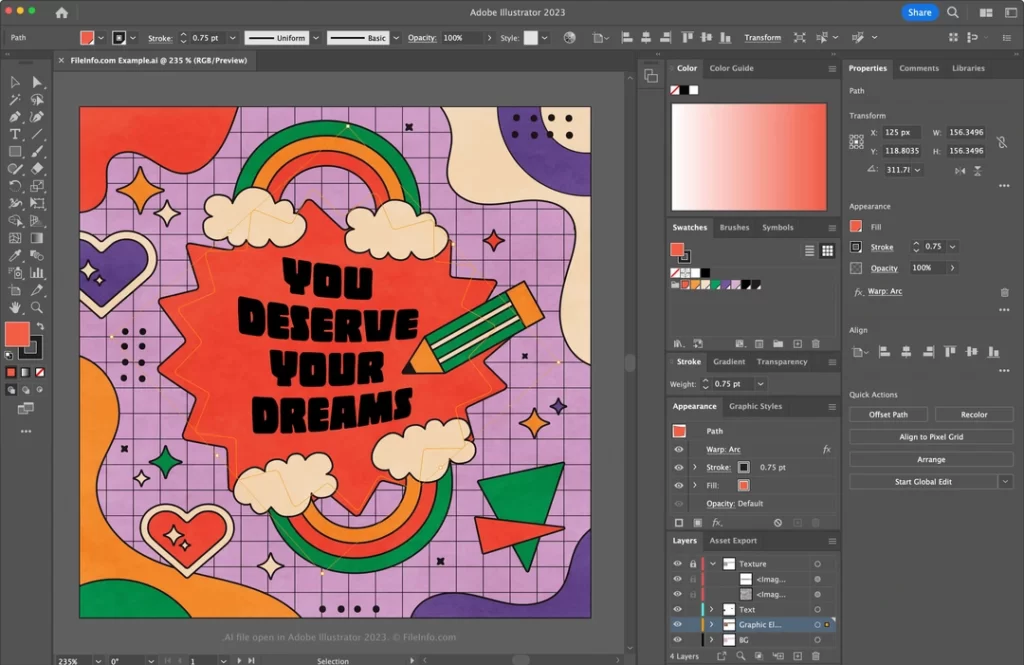
- The Pro Edge (Generative Vector 4.0): You can now prompt for “Variations on a Theme.” If you have a primary logo, Illustrator can generate 50 iconographic variations that maintain your exact stroke weight and anchor point density.
- Usage Tip: Use Global Edit. If you’ve placed a specific icon 200 times across 50 artboards, Global Edit allows you to tweak one anchor point and have it propagate across the entire project instantly.
- Technical Nuance: Experienced designers are now utilising the Intertwine Tool to create intricate Celtic knots or overlapping typography without the destructive “Pathfinder” issues of the past.
11. InDesign: Perfect for Print and Layout
For multi-page documents—brochures, magazines, annual reports—InDesign is non-negotiable. Its typography engine is the best in the world.
- The Pro Edge (Flex Layouts): In 2026, InDesign borrowed from web development. Flex Layouts enable your print spreads to “reflow” into digital formats (such as interactive PDFs or EPUBs) without requiring manual resizing.
- Usage Tip: Master GREP Styles. You can set a rule that automatically applies a specific character style to any price tag or phone number throughout a 300-page document. It eliminates “human error” in data-heavy reports.
12. After Effects: Bringing Motion to Graphics
In 2026, static images are on the decline. Video and motion graphics drive the highest engagement on every platform. After Effects is the tool for creating high-end motion logos and social ads.
- The Pro Edge (Properties Panel): The revamped Properties panel has slashed the need to “twirl down” through a thousand keyframes. It surfaces exactly what you need based on the layer selected.
- Usage Tip: Use Essential Graphics to turn your After Effects files into templates for your clients. They can change text or colours in Premiere Pro without touching your complex keyframe logic.
| Feature | Beginner Tools (Canva/Express) | Professional Tools (Adobe/Affinity) |
| Output Quality | Compressed, limited formats | Lossless, High-Res, Print-Ready |
| Customisation | Template-constrained | Limitless “Blank Canvas” |
| Learning Curve | 30 minutes | 300+ hours |
| Ownership | Assets are often tied to the platform | You own the raw source files |
Hybrid Tools: Bridging the Gap
These tools offer professional power without the “Adobe Tax” (the high monthly subscription fees).
13. Affinity Designer: Competition for Costly Software
Affinity Designer is the first real threat to Illustrator. It’s faster, has no subscription fee (a one-time purchase), and allows you to switch between vector and raster workspaces with a single click.
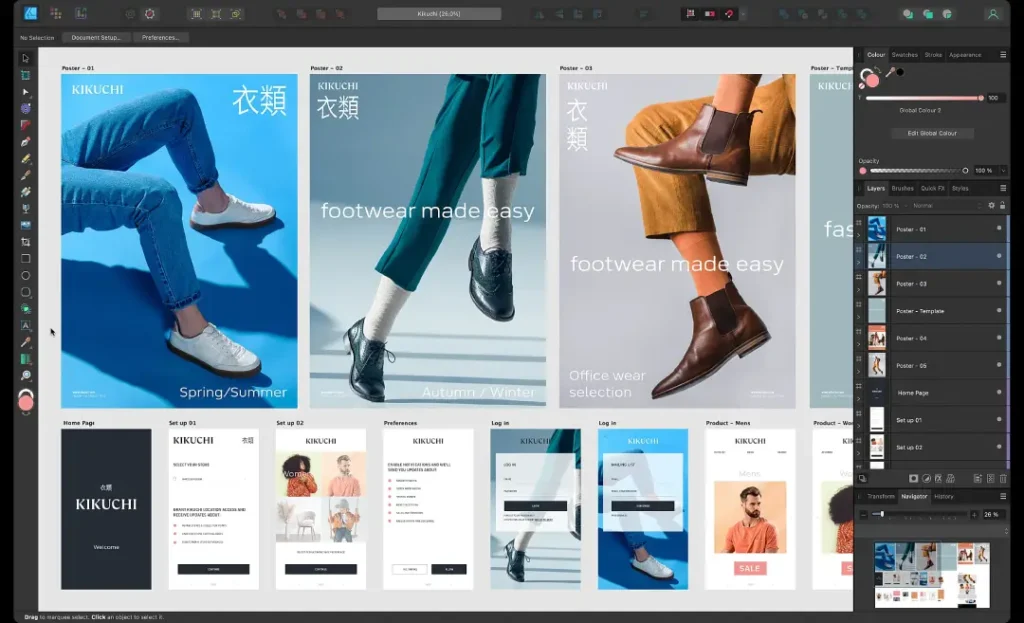
- The 2026 Shift: Many freelancers are moving to Affinity to escape “subscription fatigue.” If you are starting a new brand, this is the smartest financial choice for professional software.
- The Pro Edge (The Personas Switch): The ability to jump from the Vector Persona to the Pixel Persona in one click is a workflow game-changer. You can add organic grain and texture to a vector logo without ever leaving the app.
- Usage Tip: Use the 1,000,000% Zoom. It sounds like a gimmick, but for technical illustrators, the precision of Affinity’s rendering engine surpasses Illustrator’s “outline” mode.
14. CorelDRAW: A Versatile Vector Tool
Commonly used in the signage and apparel industries. If your business involves physical manufacturing (embroidery, vinyl cutting), CorelDRAW’s technical precision is often preferred over Illustrator.
- The Pro Edge (Variable Data Print): CorelDRAW handles Variable Data Printing (VDP) better than any Adobe tool. It can pull from a database to generate 5,000 unique, print-ready direct mailers or serial-numbered labels in minutes.
- Technical Nuance: The Axonometric Drawing Tools are essential for technical illustrators creating exploded views of machinery.
15. Procreate: Digital Drawing for iPad
Procreate turned the iPad into a legitimate professional tool. For custom illustrations or hand-drawn typography, it is peerless.

- The Pro Edge (CMYK Workflow): Most amateurs don’t realise Procreate has a sophisticated CMYK engine. Pros use the Colour Profile settings to ensure their digital paintings don’t “muddy out” when sent to a high-end offset printer.
- Usage Tip: Turn on StreamLine to 100% for smooth commercial lettering, but keep it at 20% for organic textures. This allows for professional-grade line work that looks “hand-drawn” but feels “designed.”
Essential Equipment for Graphic Designers
Software is only half the battle. If your hardware is lying to you about colour and detail, your designs will fail in the real world.
16. Traditional Tools: Pen and Paper
Don’t laugh. Every great brand starts with a sketch. Jumping straight into software limits your creativity to what the software allows. A pencil allows for “conceptual flow.”
- The “Fluff” Filter: You don’t need a £50 Moleskine. A 10p Bic pen and a scrap of paper are enough to get you started brainstorming.
17. Essential Digital Gadgets: Computers and Tablets
In 2026, we recommend 32GB of RAM as the minimum requirement for professional design work. Anything less will crash when handling high-res AI exports.
The 2026 Spec Sheet: What to Buy
Don’t let the salesperson upsell you. These are the minimum specs you need to run AI-heavy design tools today.
- RAM (Memory):
- Minimum: 16GB (Social Media / Canva).
- Recommended: 32GB (Photoshop / Illustrator).
- Pro: 64GB+ (After Effects / 3D).
- GPU (Graphics Card):
- Nvidia: RTX 4060 or higher (Crucial for AI rendering).
- Apple: M4 Pro chip or higher.
- Storage:
- Absolute Minimum: 1TB NVMe SSD. (AI cache files eat drive space instantly).
- Screen:
- Must Have: IPS Panel with 99% sRGB coverage. Avoid standard TN gaming monitors; their colours are inaccurate.
18. Necessary Accessories: Stylus and Graphics Tablets
Wacom and Huion tablets are standard. Using a mouse for photo retouching is like trying to perform surgery with a brick. A stylus provides the pressure sensitivity needed for natural-looking edits.
Wacom Cintiq (2025 Edition)
You’re trying to build world-class designs on a setup that creates a barrier between your hand and your art. This is the fix. The Wacom Cintiq Pro 16 (2025 edition) isn’t just a drawing tablet; it’s a high-resolution window into your creative process.
As an Amazon Partner, when you buy through our links, we may earn a commission.
19. Storage Solutions: Ensuring Data Safety
If your design files only exist on your laptop, they are not accessible. You need a 3-2-1 backup strategy: 3 copies, 2 different media types, 1 offsite (cloud).
- Consultant’s Warning: I’ve seen businesses lose a decade of brand history because they didn’t want to pay £10 a month for cloud storage. Don’t be that person.
20. Photography and Graphics: The Role of Cameras
Even with AI image generation, original photography is a trust signal. A mid-range mirrorless camera (such as a Sony Alpha or Fujifilm X-series) offers a “texture” and “authenticity” that AI still struggles to replicate perfectly in 2026.
The 2026 Design Stack Builder
Stop guessing which tools you need. Tell us your role and budget, and we’ll generate the perfect software stack for you.
The State of Graphic Design Tools in 2026
The most significant shift over the last 18 months has been the transition from Generative AI being a novelty to it being a utility.
Tools like Adobe Firefly 4.0 now allow for “Style Reference” matching, meaning you can upload one brand image, and the AI will generate 50 more in the exact same style, colour palette, and lighting. This has significantly reduced the “Cost of Retrieval” for brand assets.
However, this has led to a “Sea of Sameness.” As Forrester Research noted in their 2025 Creative Trends report, “Human-led design is becoming a premium luxury signal.” In 2026, the best tool in your kit isn’t software—it’s your ability to discern between a “perfect” AI image and a “meaningful” human one.
Warning: The AI Safety Protocol
If you use AI tools (Midjourney/Firefly) for client work, you must follow these rules to avoid issues:
- Transparency: Explicitly state in your contract if AI was used.
- No Copyright: Please note that, currently, pure AI-generated art cannot be copyrighted in the US/UK. You cannot sell “exclusive rights” to an image you didn’t legally create.
- The “Sandwich” Method: Use AI for the sketch (Bread), do manual human design work in the middle (Meat), and use AI for the final polish (Bread). This “Human-in-the-loop” approach is safer for IP protection.
The Verdict
The “20 best graphic design tools” list is irrelevant if you don’t have a strategy. For most SMBs, the ideal stacks are:
| Level | Tools Included | Approx Cost | Best For |
| The Bootstrapper | Canva (Free), GIMP, Inkscape, Google Fonts. | £0 / yr | Social Media Managers. |
| The “Smart” Freelancer | Affinity V2 Universal License, Canva Pro. | £150 (One-off) + £100/yr | Logo Designers, Print Design. |
| The Agency Standard | Adobe Creative Cloud (All Apps), Midjourney, Envato Elements. | £800+ / yr | Full-Service Agencies. |
If you are struggling with creative burnout and trying to manage all this on your own, remember that tools are force multipliers, not magic wands. A hammer doesn’t build a house, and Photoshop doesn’t build a brand.
If you want to stop guessing and start growing, request a quote today. Let us handle the technical precision while you focus on running your business. You can also view our services to see how we apply these tools to solve real-world problems.
Frequently Asked Questions (FAQ)
What is the best free graphic design software for beginners in 2026?
Canva remains the best entry point due to its massive library and intuitive AI features. However, Adobe Express is a strong contender for those who want a path into the professional Adobe ecosystem later on.
Should I use Canva for creating a logo?
No. Canva logos cannot be trademarked easily if they use stock elements, and they lack the vector precision required for high-end printing. Use a dedicated vector graphics tool, such as Adobe Illustrator or Affinity Designer, for creating logos.
Is Adobe Creative Cloud worth the subscription cost?
For professionals, yes. For SMB owners, it depends on volume. If you aren’t designing daily, the “Affinity” suite offers similar power for a one-time fee, which is often more cost-effective.
What is the difference between vector and raster graphics?
Vectors (Illustrator, Affinity) use mathematical paths and can be scaled infinitely. Rasters (Photoshop, GIMP) use pixels and become “blurry” or pixelated when enlarged.
Can AI replace a graphic designer in 2026?
AI can replace the output of a junior designer, but it cannot replace the strategy of a Creative Director. AI tools are excellent for execution but struggle to understand cultural context and brand nuances.
Do I need a Mac for graphic design?
Not anymore. While Macs are industry-standard due to their colour-accurate screens, a high-end Windows PC with a dedicated GPU and a colour-calibrated monitor is equally capable in 2026.
How much RAM do I need for design software?
In 2026, 16GB is the bare minimum for light work. For professional use involving AI tools or 4K video, 32GB or 64GB is highly recommended to prevent system lag.
What is the best tool for social media graphics?
Canva and Adobe Express are the leaders in this regard because they provide pre-sized templates for every platform, saving you the hassle of manually looking up aspect ratios.
Why is typography important in design tools?
Typography carries the “voice” of your brand. Professional tools allow for “Kerning” (adjusting space between letters), which prevents your text from looking cluttered or amateurish.
How do I avoid “Creative Burnout” when learning these tools?
Don’t try to learn all 20 of them. Master one “beginner” tool for speed and one “pro” tool for quality. Check out our freelance survival guide for more on managing creative workloads.
Is GIMP a good alternative to Photoshop?
It is powerful and free, but the user interface is notoriously difficult to use. If you can afford a small one-time fee, Affinity Photo is a much more modern and user-friendly alternative.
What is the best iPad app for design?
Procreate is the gold standard for illustration. For layout and vector work on iPad, Affinity Designer’s tablet version is virtually identical to its desktop counterpart.


