How to Improve Your UX Design Skills: Beginner Guide
Forget everything you’ve been told about needing a fancy degree or years of experience to break into UX design. It’s all rubbish.
Countless “experts” with shiny diplomas create absolute garbage user experiences. Meanwhile, self-taught designers with fewer credentials are out there crafting digital masterpieces.
How do I know? Because I’ve been there.
So buckle up because I’m about to show you how to become a UX design powerhouse – no degree required.
- Adopt an empathetic, curious mindset; prioritise users' needs and learn from failures to continuously improve designs.
- Master core UX skills: user research, information architecture, prototyping, usability testing and accessibility.
- Build a portfolio through practice projects, networking and clear case studies showing process, decisions and measurable outcomes.
The UX Design Landscape: What You’re Up Against
Before we dive in, let’s get honest about the current state of UX design.
According to a 2023 report by UX Booth, the demand for UX designers is projected to increase by 18% over the next five years. That’s faster than almost any other tech role.
But here’s the kicker:
Despite this massive demand, 63% of companies struggle to find qualified UX talent.
Why? Because they’re looking in all the wrong places.
They’re fixated on degrees and certifications when what matters is your ability to create exceptional user experiences.
And that, my friend, is something you can learn without spending a fortune on formal education.
Mindset Matters: Thinking Like a UX Designer

Here’s the first secret to becoming a killer UX designer:
It’s all in your head.
No, I’m not going barmy. Adopting the right mindset is crucial.
Empathy: Your Secret Weapon
The most important trait of a great UX designer isn’t their Figma skills or their knowledge of colour theory.
It’s empathy.
You need to be able to put yourself in your users’ shoes. To feel their frustrations, understand their needs, and anticipate their desires.
This isn’t some namby-pamby “feel-good” nonsense. It’s a crucial skill that will set you apart from the crowd.
How to develop empathy:
- Observe people in real-life situations
- Conduct user interviews (even if they’re just friends and family)
- Use products and websites with a critical eye
- Keep a “frustration journal” of your own user experiences
Curiosity: Never Stop Asking “Why?”
Great UX designers are insatiably curious. They’re constantly questioning assumptions and digging deeper.
When you encounter a design choice, don’t just accept it at face value. Ask:
- Why was this decision made?
- What problem is it solving?
- Could it be done better?
This curiosity will drive you to continually improve and innovate.
Embrace Failure (Yes, Really)
Here’s a hard truth: You’re going to mess up. A lot.
Your first designs will probably be rubbish. And that’s okay.
It’s more than okay – it’s essential.
Every “failure” is a learning opportunity. Embrace it. Learn from it. Use it to fuel your growth.
Remember: Even the most brilliant designers started as beginners.
Collaboration and Communication: You’re Not an Island
Look, here’s something that often gets overlooked in all the discussion about Figma and pixels.
You are not a lone genius working in a dark room.
Your designs are worthless if you can’t get other people to understand them, believe in them, and actually build them.
This is a team sport, mate.
You’ll be working with developers, product managers, marketing professionals, and the rest.
And guess what? They all speak different languages and have their own priorities.
The developer prioritises clean code and avoids building something that’ll break the entire system.
The product manager is focused on achieving business goals.
The marketing person is concerned with the brand message.
Your job is to be the translator.
The bridge between all of them, with the user as your focus.
You need to learn how to explain your design choices without sounding pretentious.
Tell a story.
Use their language.
Show them how your design solves their problem, not just the user’s.
Instead of saying, ‘the gestalt principles of proximity informed the button placement,’ try, ‘I put the button here because users expect it, and our data shows this placement will boost conversions by 10%.’
See the difference?
One is a waffle, the other is results.
Listen to them, too.
A developer might tell you your brilliant idea is a technical nightmare.
That’s not them being difficult. That’s a gift.
It’s a real-world constraint you have to design around.
Getting good at this will save you endless headaches and rework.
It’s how you transition from being a ‘pixel pusher’ to a bona fide product designer.
It’s how you accomplish things.
Essential UX Design Skills: Your Toolkit for Success
Right, enough of the fluffy stuff. Let’s get down to brass tacks.
What skills do you need to master to become a UX design wizard?
1. User Research: The Foundation of Great Design
You can only create a great user experience if you understand your users.
User research is the bedrock of effective UX design. It involves:
- Conducting user interviews
- Creating user personas
- Mapping user journeys
- Running interviews and surveys the right way. Don’t just ask people what they want; figure out their actual needs and concerns. Know if you’re exploring a need or testing a solution. They’re two different things.
- Analysing user behaviour data
Pro Tip: Start by researching yourself. Analyse your behaviour as you use different products and websites. What frustrates you? What delights you? This self-awareness is the first step to understanding others.
2. Information Architecture: Bringing Order to Chaos
Information architecture (IA) is about organising and structuring content that makes sense to users.
Critical IA skills include:
- Creating site maps
- Developing content hierarchies
- Designing navigation systems
Quick Exercise: Take a website you use frequently. Try to sketch out its sitemap from memory. Then, compare it to the actual site structure. This will help you understand how IA shapes user experiences.
3. Wireframing and Prototyping: Bringing Ideas to Life
Wireframes and prototypes are the bridge between your ideas and the final product.
You’ll need to master tools like:
- Sketch
- Figma
- Adobe XD
But don’t get hung up on the tools. The principles are what matter.
Start Now: Grab a pen and a piece of paper. Sketch out a simple app interface. It doesn’t have to be pretty – focus on layout and functionality.
4. Visual Design: Making It Beautiful (and Functional)
Yes, UX is about more than just making things look pretty. But aesthetics matter.
You’ll need to understand:
- Colour theory
- Typography
- Layout principles
- Visual hierarchy
Quick Tip: Start paying attention to the designs around you. Analyse adverts, product packaging, and websites. What works? What doesn’t? Train your eye to spot good (and bad) design.
5. Usability Testing: Putting Your Designs to the Test
All the theories in the world mean nothing if your designs don’t work in practice.
Usability testing involves:
- Designing test scenarios
- Recruiting participants
- Analysing results
- Iterating based on feedback
DIY Testing: Ask a friend to use a website or app you’re familiar with. Give them a specific task to complete. Observe their behaviour without help. You’ll be amazed at what you learn.
6. Accessibility (A11y): Designing for Everyone
Right, this is a big one.
And it’s not optional, so pay attention.
Accessibility, or A11y if you want to sound like you know your stuff, is about making sure anyone can use what you design.
That includes people with permanent disabilities, like blindness, or temporary ones, like a broken arm, or even situational ones, like a new parent holding a baby.
See? It’s not some niche, edge-case thing.
It’s just smart, inclusive design.
You wouldn’t design a building with no ramp for wheelchairs, would you?
The same applies online.
Start with the basics.
It’s not as scary as it sounds.
Check your colour contrast.
Is your light grey text on a white background readable for someone with low vision?
Probably not. There are free tools that plug right into Figma or your browser to check this stuff. No excuses.
Ensure that every image has suitable ‘alt text’. That’s the description a screen reader reads out.
If the image is just decorative, leave it blank. If it conveys information, describe it simply.
And can someone use your site with just a keyboard?
Unplug your mouse and try it. You’ll be shocked at how many websites fail to load properly.
Don’t get overwhelmed by the official guidelines, the Web Content Accessibility Guidelines (WCAG). Just start with empathy.
Considering these constraints from the outset actually makes you a better designer.
It forces you to be clearer, more organised, and more deliberate in your choices. It benefits everyone.
Making things accessible is not only the right thing to do, but it’s also brilliant for business.
You’re opening your product up to a wider audience.
And in many places, it’s a legal requirement.
So don’t treat it as a chore or an afterthought.
Build it in from the start.
Tools of the Trade: Equipping Yourself for Success
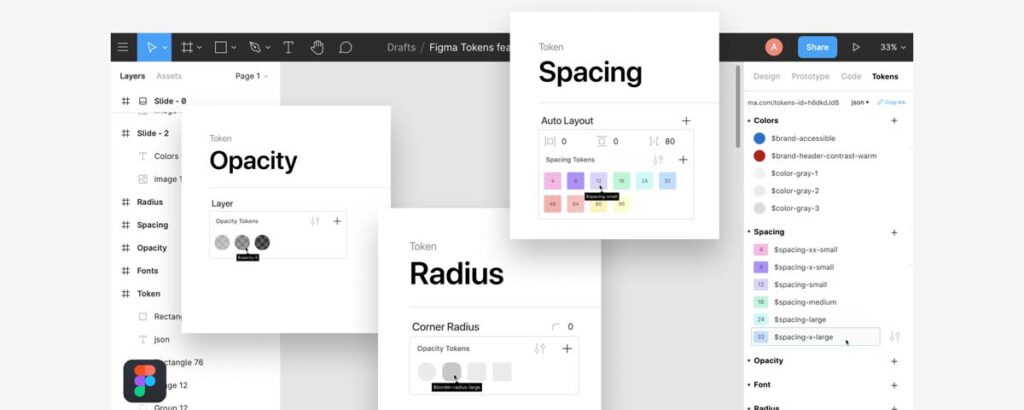
Now, let’s talk tools. You don’t need every fancy piece of software under the sun, but there are some essentials you should master.
1. Figma: The Swiss Army Knife of UX Design
Figma has quickly become the industry standard for UX design. It’s robust, collaborative, and (bonus!) has a free tier.
Key Features:
- Wireframing
- Prototyping
- Design systems
- Collaboration tools
2. Maze: User Testing Made Easy
Maze allows you to conduct remote user testing quickly and easily. It integrates with tools like Figma, making it a breeze to test your designs.
3. Hotjar: Understand User Behaviour
Hotjar provides heatmaps, session recordings, and user feedback tools. It’s invaluable for understanding how users interact with your designs.
4. Miro: Collaborative Brainstorming and Planning
Miro is a virtual whiteboard perfect for brainstorming, user journey mapping, and collaborative planning.
5. Notion: Organise Your UX Life
Notion is a fantastic tool for organising research, notes, and project plans. It’s like a second brain for UX designers.
Learning Resources: Fueling Your UX Journey

Alright, you’ve got the mindset. You know the skills you need to develop. You’re familiar with the tools.
How do you learn all this stuff?
Here’s the good news: There’s a wealth of free and low-cost resources. You just need to know where to look.
1. Online Courses: Structured Learning on a Budget
- Coursera: Check out the UX Design Professional Certificate from Google. It’s comprehensive and respected in the industry.
- Udacity: Their UX Designer Nanodegree is top-notch, albeit a bit pricier.
- Interaction Design Foundation: Offers a wide range of UX courses for a reasonable monthly fee.
2. Books: Deep Dives into UX Theory
- “Don’t Make Me Think” by Steve Krug is a classic.
- “100 Things Every Designer Needs to Know About People” by Susan Weinschenk – Psychology meets design.
- The Design of Everyday Things” by Don Norman – Will change how you see the world.
3. Podcasts: Learn While You Commute
- UX Podcast
- UI Breakfast
- User Defenders
4. YouTube Channels: Visual Learning for Visual Designers
- AJ&Smart
- Femke.design
- UX Mastery
5. Practice Projects: Learning by Doing
Here’s where the rubber meets the road. All the theories in the world won’t make you a great designer if you don’t put them into practice.
Some ideas to get you started:
- Redesign a website you use frequently
- Create a mobile app for a made-up business
- Design a kiosk interface for a public service
Remember: It’s not about creating a perfect design. It’s about the process and what you learn along the way.
Building Your UX Portfolio: Showing Off Your Skills

Now we’re getting to the good stuff. Your portfolio is your ticket to success in UX design.
But here’s the catch-22: How do you build a portfolio without real-world experience?
Fear not; I’ve got you covered.
1. Personal Projects: Showcase Your Passion
Remember those practice projects I mentioned? They’re the perfect fodder for your portfolio.
Please ensure that you show the final designs. Document your process:
- Research methods
- Sketches and wireframes
- User testing results
- Iterations and improvements
This shows potential employers how you think, not just what you can produce.
2. Fictitious Clients: Create Your Briefs
Who says you need real clients to create great work?
Invent your design briefs. Be ambitious. Tackle complex problems.
For example:
- Redesign the NHS website for better accessibility
- Create a mobile app for reducing food waste
- Design a smartwatch interface for elderly users
3. Non-Profit Work: Do Good While Building Your Portfolio
Many non-profits desperately need design help. Reach out and offer your services.
You’ll gain real-world experience, build your portfolio, and make a positive impact.
Win-win-win.
4. Design Challenges: Push Your Limits
Platforms like Dribbble and Behance often host design challenges. Participate!
These challenges push you out of your comfort zone and allow you to showcase your skills alongside other designers.
5. Case Studies: Tell Your Design Story
For each project in your portfolio, create a detailed case study.
Explain:
- The problem you were solving
- Your research process
- Key design decisions
- The outcome, with numbers. Don’t just show the pretty final design; show the impact. Use real metrics, such as task success rates. If it’s a personal project, define your success metrics and explain how your design hits them. It shows you think about business goals, not just pixels.
- Lessons learned
This demonstrates to potential employers that you understand the UX process, not just the visual elements.
Networking: Your Secret Weapon in the UX World

Listen up because this is crucial:
In the UX world, who you know is often just as important as what you know.
Networking isn’t about schmoozing or being fake. It’s about building genuine relationships with fellow designers and industry professionals.
Here’s how to do it right:
1. Attend UX Meetups and Conferences
Yes, even if you’re an introvert. (Trust me, many UX designers are.)
These events are goldmines of knowledge and connections. You’ll learn about the latest trends, hear war stories from experienced designers, and potentially meet your next employer.
Pro Tip: Don’t just attend. Participate. Ask questions. Share your experiences. People remember those who contribute, not those who lurk in the back.
2. Join Online UX Communities
- Reddit’s r/userexperience
- Designer Hangout on Slack
- UX Mastery Forums
Engage in discussions. Share your work for feedback. Help others when you can.
3. Leverage LinkedIn
LinkedIn isn’t just for job hunting. It’s a powerful tool for building your professional network.
- Connect with other UX designers
- Share interesting articles and your insights
- Join UX-focused groups
4. Mentor or Be Mentored
If you’re just starting out, consider finding a mentor. Many experienced designers are happy to share their knowledge.
As you gain experience, consider mentoring others. Teaching is one of the best ways to solidify your knowledge.
5. Contribute to Open Source Projects
Many open-source projects need UX help. It’s a great way to gain experience, build your portfolio, and make connections in the tech world.
The Job Hunt: Landing Your Dream UX Role
Alright, you’ve done the hard work. You’ve built your skills, created a killer portfolio, and started networking.
Now, it’s time to land that dream job.
1. Tailor Your Application
One size does not fit all. Customise your portfolio and CV for each job application.
Emphasise the projects and skills that are most closely aligned with the specific role.
2. Nail the Interview
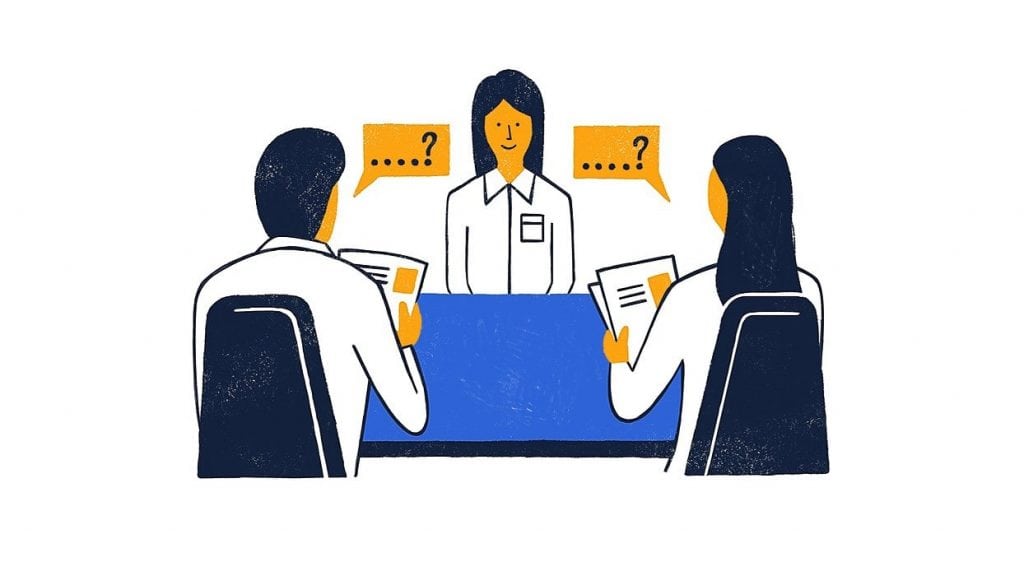
UX interviews often involve design challenges. Practice explaining your design decisions and the process behind them.
Be prepared to:
- Walk through your portfolio
- Discuss your design philosophy
- Explain how you handle criticism and iteration
3. Show Your Passion
Employers want designers who are passionate about UX. Show them your enthusiasm!
Talk about:
- UX books you’ve read recently
- Design trends you’re excited about
- Side projects you’re working on
4. Ask Thoughtful Questions
Remember, you’re interviewing them as much as they’re interviewing you.
Ask about:
- Their design process
- How UX fits into the overall business strategy
- Opportunities for growth and learning
5. Follow Up
After the interview, send a thank-you note. Reiterate your interest in the role and the company.
If you don’t get the job, ask for feedback. Use it to improve for next time.
Continuous Improvement: Never Stop Learning
Congratulations! You’ve landed your first UX design job.
But the learning continues. It’s only just beginning.
The field of UX design is constantly evolving. To stay relevant, you need to commit to lifelong learning.
Here’s how:
1. Stay Up-to-Date with UX Trends
Follow UX blogs and thought leaders. Some of my favourites:
- UX Booth
- A List Apart
- Nielsen Norman Group
2. Experiment with New Tools and Techniques
Don’t get stuck in your ways. Always be open to new tools and methods.
3. Seek Feedback Constantly
From colleagues, users, and even friends and family. Every piece of feedback is an opportunity to enhance our performance.
4. Teach Others
As the saying goes, “To teach is to learn twice.” Share your knowledge through blog posts, workshops, or mentoring.
5. Take on Side Projects
Keep challenging yourself with personal projects. They’re a great way to try new things without the pressure of client work.
Conclusion: Your UX Journey Starts Now
There you have it—the no-nonsense guide to becoming a UX design powerhouse without a fancy degree.
Remember:
- Mindset is everything
- Skills can be learned
- Tools are just that – tools
- Networking is crucial
- Never stop learning
Now, here’s your call to action:
Start today. Right now.
Pick one skill from this guide and spend 30 minutes learning about it.
Then come back tomorrow and do it again.
Before you know it, you’ll be well on your way to a thriving career in UX design.
The journey of a thousand miles begins with a single step. Take that step today.
FAQs: Your Burning UX Questions Answered
Do I need to learn to code to be a UX designer?
No, but basic HTML/CSS knowledge can be helpful. Focus on design principles first.
How long does it take to become a proficient UX designer?
It varies, but with dedicated practice, you can build a solid foundation in 6-12 months.
What’s the difference between UX and UI design?
UX focuses on the user experience, while UI deals with visual interface design.
Is there still time to switch to a UX career if I’m over 40?
Absolutely not! UX values diverse perspectives. Your life experience can be a significant asset.
How important is drawing skill in UX design?
While helpful, it’s not crucial. Clear communication of ideas matters more than artistic talent.
Can I specialise in UX design for a specific industry?
Yes, many designers specialise in healthcare, finance, or e-commerce UX.
How do I conduct user research with no budget?
Start with guerrilla testing. Ask friends, family, or strangers in cafes to try your prototypes.
What’s the most challenging part of being a UX designer?
Often, it’s balancing user needs with business goals and technical constraints.
How do I stay motivated when learning UX on my own?
Set small, achievable goals. Join online communities for support. Celebrate your progress.
Is a UX design bootcamp worth the investment?
It can be, but be sure to carefully research the curriculum and job placement rates. Self-study is a valid alternative.
How do I handle stakeholders who don’t value UX?
Educate them on UX benefits. Use data to demonstrate the impact of good UX on business metrics.
What’s the future of UX design? Are there any emerging trends?
Watch for VR/AR interfaces, voice UI, and AI-driven personalisation. Accessibility and inclusive design are also growing in importance.

