The Technical SEO Migration Framework: Protecting Digital Equity
Most technical SEO migration guides focus on preserving search rankings. That is the wrong objective. Rankings are an outcome; digital equity is the asset. Here is how professional services firms protect built-up search authority, link graphs, and organic pipeline during a strategic corporate rebrand or domain move.
 By Stuart Crawford
 Reviewed by Tabitha Ayers
Updated 14 min read
On this page14 min left
- How Technical SEO Preserves Digital Equity During a Rebrand
- What Must Be in Place Before Execution
- The 5-Stage Technical SEO Migration Framework
- The Judgement Layer: Balancing Brand Identity and Technical SEO Constraints
- Worked Example: A 120-Person UK Commercial Law Firm Rebrand
- Why Rankings Are Vanity and Digital Equity Is Enterprise Value
- The Verdict
- Frequently asked questions
When a professional services firm overhauls its brand, the primary risk rarely lies in the visual identity. The real danger is invisible.
Hidden beneath modern typography and refined messaging is a fragile web of accumulated search authority: years of earned backlinks, index history, internal PageRank distributions, and entity associations built across corporate domain structures.
Most web migration projects treat search visibility as a secondary consideration—something to “check” right before DNS cutover.
The result is predictable. Organic inbound leads collapse, high-value practice-area pages vanish from indexation, and the business spends 18 months rebuilding search trust it already paid to establish.
Preserving search performance requires engaging a specialist rebranding agency early in the strategic planning process to ensure technical architecture and brand positioning align before code is written.
How Technical SEO Preserves Digital Equity During a Rebrand
Technical SEO is the process of optimising website infrastructure, server configurations, URL structures, and rendering pathways to guarantee search engines and AI discovery systems can crawl, parse, index, and cite digital assets without friction.
During a corporate rebrand or domain consolidation, technical SEO acts as an asset-preservation protocol. It ensures that 100% of accumulated domain authority, topical trust, and backlink equity transfers cleanly from legacy infrastructure to the new brand environment.
Asset Preservation Architecture Digital Equity Transfer Flow
Stage 01 Audit & Equity Map Extract legacy backlink profiles and identify high-value URL targets.
Stage 02 1:1 Architecture Map Build direct, single-hop 301 redirect rules for every historical endpoint.
Stage 03 Staging Validation Verify server-side rendering (SSR), canonical tags, and INP metrics.
Stage 04 Isolated Cutover Execute DNS switch, trigger Search Console Move, submit XML sitemaps.
🎯 Protected Outcome: 100% Signal Transfer & Uninterrupted Organic Revenue
What Must Be in Place Before Execution
Executing a migration without complete technical visibility is operational negligence. Before altering DNS records, changing URL patterns, or rewriting template structures, web infrastructure teams must secure three non-negotiable entry conditions:
- Complete Legacy URL Inventory: A comprehensive extract combining crawler logs, Google Search Console index reports, and analytics data. This inventory must capture every live, dead, or redirected URL that has received traffic or backlinks over the prior 36 months.
- Parity Staging Environment: A staging server configured on an identical stack architecture (server software, edge routing, HTTP response headers) as the production target, shielded from search crawlers via strict HTTP Basic Authentication—not via robots.txt disallow rules, which permit URL discovery.
- Full DNS and Search Console Access: Direct administrative control over domain registrar DNS management, edge delivery networks (e.g., Cloudflare), and verified Google Search Console properties for both source and target domains.
- Parity Staging Environment: A staging server configured on an identical stack architecture (server software, edge routing, HTTP response headers) as the production target. For organisations requiring USA-based cloud hosts, dedicated infrastructure, and strict compliance, providers like atlantic.net offer managed environments that meet security and performance requirements during migration. Staging environments must be shielded from search crawlers via strict HTTP Basic Authentication—not via robots.txt disallow rules, which permit URL discovery.
The 5-Stage Technical SEO Migration Framework
Moving corporate web infrastructure without losing commercial momentum requires strict sequential execution. Skipping stages or combining variable changes creates diagnostic noise that hides critical errors.

Stage 1: Technical Audit & Digital Equity Mapping
Before touching a single template, perform a full diagnostic audit of the existing web asset to quantify and map digital equity.
Digital equity is the combined enterprise value of a domain's historical backlink profile, internal PageRank distribution, topical indexation, and entity trust. Losing it during a rebrand is not an SEO setback; it is an unforced write-down of corporate enterprise value.
The goal of Stage 1 is to identify high-value equity pages—the 20% of URLs that generate 80% of backlink value and organic inbound leads.
Audit Execution Checklist
- Backlink Profile Extraction: Pull all external link data using multiple index sources to flag authoritative target URLs.
- Crawl Log Analysis: Review 90 days of server access logs to map current search bot crawl frequency across legacy practice area paths.
- Orphan Page Identification: Locate high-authority legacy pages disconnected from internal site navigation that still receive external inbound link equity.
Failure Mode
Failing to audit historical backlinks can result in the deletion of old landing pages that carry significant external domain authority. When these pages drop into a 404 status without a redirect, that backlink equity vanishes instantly.
Stage 2: Information Architecture & 1:1 Redirect Strategy
Information architecture decisions made during a rebrand directly dictate how PageRank flows through the new site structure.
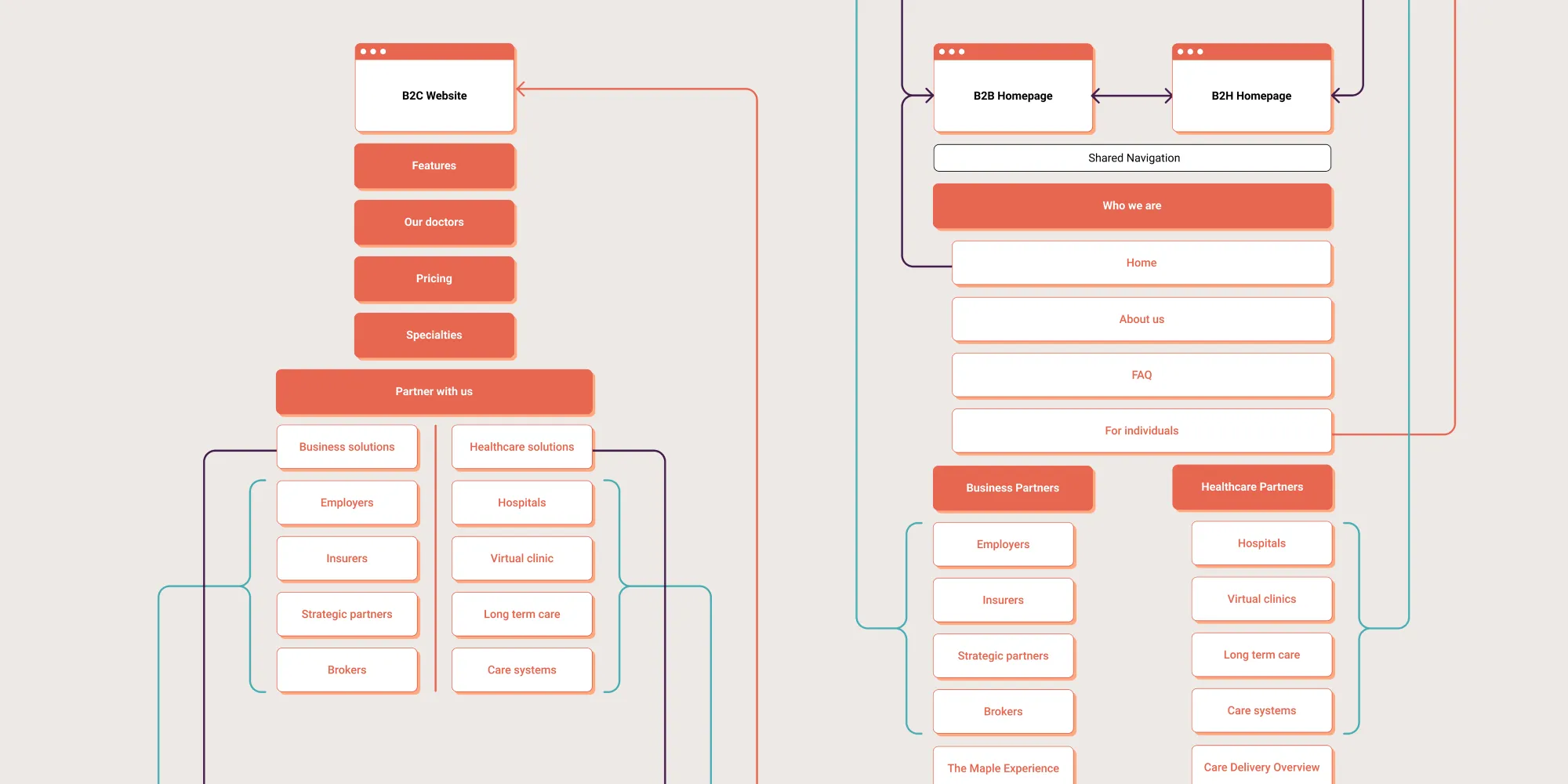
The core objective of Stage 2 is to build a strict 1:1 redirect map that pairs every legacy URL with its exact conceptual equivalent in the new site structure.
Information Architecture Rules
- Preserve URL Patterns Where Possible: If page intent remains the same, retain historical slug structures to reduce index reprocessing overhead.
- Eliminate Redirect Chains: Ensure every legacy URL resolves to its final production target in exactly one hop (200 OK). Multiple hops slow crawl speed and waste crawl budget.
- Avoid Blanket Homepage Mapping: Never redirect thousands of legacy URLs to the new homepage. Google's processing systems explicitly treat mass non-equivalent redirects as soft 404 errors, nullifying backlink credit transfer.
Google explicitly confirms that permanent (301) redirects do not result in PageRank loss. However, Google also stresses that 301 redirects must remain active for at least one year following a migration to ensure full indexation and signal consolidation across all search systems.
Failure Mode
Executing mass redirects to generic top-level category pages or the homepage when specific practice pages exist. Search engines reject non-equivalent redirects, discarding the accumulated backlink value of the legacy source URLs.
Stage 3: Staging Environment, Rendering & Pre-Launch Validation
Modern web architectures that rely on client-side JavaScript frameworks (e.g., React, Vue) introduce significant indexing risks if rendering parameters are left unverified.
Search engine crawlers process page rendering in two distinct phases: fetching the raw HTML payload, and deferred rendering of client-side scripts once computing resources allow. If your critical content, canonical tags, or structured data rely entirely on client-side execution, search crawlers may index blank or incomplete pages during a migration cutover.
Pre-Launch Technical Verification
- Server-Side Rendering (SSR) Auditing: Verify that critical text content, heading hierarchies, schema markup, and internal navigation links are present in the raw static server response before JavaScript execution.
- Core Web Vitals Synthetic Benchmarking: Test staging templates against Google's performance standards. Ensure template structures meet strict field performance metrics for Largest Contentful Paint (LCP) and Cumulative Layout Shift (CLS).
- Canonical Tag Consistency: Confirm that every new URL serves a self-referential canonical tag that matches its canonical protocol and trailing-slash format.
Failure Mode
Deploying a client-side rendered Single Page Application (SPA) where navigation routes and content blocks require client-side execution to display. Crawlers index raw, empty container code, leading to temporary drop-offs in search index presence.
Stage 4: Cutover Execution & Search Engine Notification
Cutover execution is an isolated technical procedure. Isolating variables during migration is vital: Google documentation advises changing only one major variable at a time (such as changing a domain name or changing a CMS, but ideally not both simultaneously). Isolating variable changes makes it straightforward to identify performance bottlenecks when indexing delays occur.
Execution Protocol
- Reduce DNS Time-to-Live (TTL): Lower TTL settings to 300 seconds, 48 hours before cutover to enable rapid IP switching.
- Deploy Production Code & 301 Engine: Upload new site files and activate edge-level redirect rules simultaneously.
- Submit Updated Sitemaps: Upload new XML sitemaps to Google Search Console immediately after deployment, along with a sitemap containing legacy URLs to help crawlers discover 301 redirect endpoints quickly.
- Execute Change of Address Tool: If changing primary domains, register the move using Google Search Console's official Change of Address interface to accelerate signal migration.
Google states that for medium-sized websites, moving most pages in its search index typically takes “a few weeks,” while larger enterprise sites can take longer. Setting realistic internal timeline expectations prevents premature changes during index consolidation.
Failure Mode
Updating DNS records while leaving staging disallow directives active in the production robots.txt file. Search crawlers obey the disallow block, locking the entire new site out of indexation upon launch.
Stage 5: Post-Migration Field Performance & Core Web Vitals Monitoring
Launching the site is not the final step; it is the start of the post-migration stabilisation window. Monitoring must shift from synthetic lab testing to real-world user metrics.
Google evaluates user experience using Core Web Vitals derived from the Chrome User Experience Report (CrUX), which aggregates real-world performance data across three metrics: Largest Contentful Paint (LCP), Cumulative Layout Shift (CLS), and Interaction to Next Paint (INP).
Core Metric | Good (Target) | Needs Improvement | Poor |
|---|---|---|---|
Largest Contentful Paint (LCP) | ≤ 2.5s | 2.5s – 4.0s | > 4.0s |
Interaction to Next Paint (INP) | ≤ 200ms | 200ms – 500ms | > 500ms |
Cumulative Layout Shift (CLS) | ≤ 0.10 | 0.10 – 0.25 | > 0.25 |
Core Metric Good (Target) Needs Improvement Poor Largest Contentful Paint (LCP) ≤ 2.5s 2.5s – 4.0s > 4.0s Interaction to Next Paint (INP) ≤ 200ms 200ms – 500ms > 500ms Cumulative Layout Shift (CLS) ≤ 0.10 0.10 – 0.25 > 0.25
Since March 2024, INP has officially replaced FID as a core ranking performance signal, measuring true page responsiveness across all user interactions during a page lifecycle.
Monitoring Protocol
- Search Console Performance Tracking: Review indexation reports daily. Google Search Console provides 24-hour performance reporting, allowing real-time discovery of 4xx errors, redirect anomalies, or index drops.
- Real User Metric (RUM) Tracking: Monitor real-time field performance to ensure interactive elements meet the ≤200ms INP threshold under production traffic loads.
- Crawl Error Resolution: Review edge server logs daily to identify high-volume search-bot 404 responses and update any missed redirect rules immediately.
Failure Mode
Relying solely on synthetic Lighthouse lab scores for performance validation. Lab tests miss real-world main-thread input delays, hiding INP responsiveness issues that harm actual user engagement and search performance.
The Judgement Layer: Balancing Brand Identity and Technical SEO Constraints
Executing a technical migration isn't a mechanical exercise. It requires navigating trade-offs between creative brand positioning and technical search architecture.
When creative directors and technical SEO engineers clash over web design decisions, leadership must balance three critical trade-offs:

1. Minimalist Copy vs. Topical Entity Depth
New brand positioning often favours punchy, minimalist copy. However, search engines rely on semantic text density to understand corporate entities and services.
- The Compromise: Retain clean hero sections for visual impact, while placing structured, entity-rich descriptive copy further down page templates to maintain semantic clarity for search engines.
2. Dynamic Visual Elements vs INP Responsiveness
High-end web designs often feature heavy animation scripts, video hero loops, and custom web fonts. Unoptimised script execution clogs the main thread, degrading Interaction to Next Paint (INP) performance.
- The Compromise: Offload complex visual animations to CSS hardware acceleration, lazy-load non-critical media, and enforce strict performance budgets on dynamic UI components.
3. Practice Area Renaming vs. Historical Search Intent
Rebranding projects frequently rename service offerings into proprietary marketing terms (e.g., renaming “Commercial Dispute Resolution” to “Conflict Architecture”).
- The Compromise: Use proprietary brand language in headline messaging, but anchor structural page URLs, canonical tags, heading tags, and schema markup in established industry vocabulary to preserve search relevance.
Worked Example: A 120-Person UK Commercial Law Firm Rebrand
To observe these principles in practice, consider a 120-person UK commercial law firm operating across three regional offices. The firm initiated a complete rebrand, replacing its three-way named partnership domain (www.smithjonesevans.co.uk) with a modern corporate brand name (www.sje-law.co.uk).
The Strategic Problem
The firm's legacy domain carried over 4,200 external backlinks, including authoritative citations from the Law Society, Legal 500, and regional legal directories. A generic redesign that ignored URL mapping would have severed this link graph, destroying organic inbound lead flow across their flagship corporate litigation practice.
The Technical Execution
- Asset Inventory: The team mapped all 1,450 legacy URLs, isolating 280 high-equity pages holding key external backlinks and organic traffic.
- Controlled Consolidation: Rather than deleting thin or outdated practice insights, legacy posts were consolidated into 12 authoritative core topic hubs on the new domain.
- Exact 1:1 Redirects: The infrastructure team implemented 1:1 server-side 301 redirects that map every legacy practice path directly to its corresponding hub.
- Isolated Cutover: The DNS switch occurred on a Friday evening. Sitemaps and Change of Address signals were submitted within 30 minutes of deployment.
The Result
Within three weeks, search engines updated their index to reflect the new domain structure. Because 1:1 redirect rules remained strictly intact and variables were isolated, the firm transferred over 95% of its historical domain authority without losing organic lead volume during the brand transition.
Why Rankings Are Vanity and Digital Equity Is Enterprise Value
Most technical SEO migration guides focus on preserving rankings. That's the wrong objective. Rankings are a visible outcome of something much more valuable: digital equity.
Focusing solely on immediate ranking positions during a rebrand misses the larger commercial objective. Rankings fluctuate daily; digital equity—the underlying trust, backlink architecture, and entity clarity built into a domain—determines long-term market dominance.
Every backlink earned, every topical cluster built, every internal link, brand mention, user interaction, and indexed page contributes to an asset that has taken years to develop. A migration framework shouldn't merely move a website from one platform to another—it should preserve that accumulated equity.
Dimension | Default Migration | Digital Equity Migration |
|---|---|---|
Primary Objective | Maintain Immediate Keyword Rankings | Preserve Enterprise Asset Value |
Redirect Strategy | Generic Homepage / Category Maps | Strict 1:1 Equivalent URL Mapping |
Execution Priority | Visual Aesthetics First | Architecture & Signals First |
Success Metric | Short-Term Keyword Positions | Domain Authority & Pipeline Growth |
Dimension Default Migration Digital Equity Migration Primary Objective Maintain Immediate Keyword Rankings Preserve Enterprise Asset Value Redirect Strategy Generic Homepage / Category Maps Strict 1:1 Equivalent URL Mapping Execution Priority Visual Aesthetics First Architecture & Signals First Success Metric Short-Term Keyword Positions Domain Authority & Pipeline Growth
When web teams prioritise visual aesthetics while neglecting 1:1 redirect mappings, server logs, and structured schema, they trade long-term corporate enterprise value for a short-term cosmetic update. Technical SEO is the engineering discipline that prevents this unnecessary write-down of commercial value.
The Verdict
A successful website migration during a corporate rebrand is defined by what does not happen: inbound lead flow does not stall, search visibility does not collapse, and historical digital equity is not lost.
To protect enterprise value during a rebrand, execute these immediate directives:
- Freeze Site Structure Changes: Stop modifying live site architecture until a comprehensive Legacy URL Inventory and Digital Equity Map are completed.
- Enforce 1:1 Redirect Mapping: Mandate that web infrastructure teams produce a fully validated 1:1 redirect map that links every high-equity legacy page to its exact functional equivalent on the new site.
- Isolate Deployment Variables: Execute domain, CMS, and structural changes in distinct phases rather than launching simultaneous architecture updates.
Request Your Free Brand Equity Audit™
Preparing for a strategic rebrand or corporate domain migration? Do not leave years of accumulated digital authority to chance.
Request a free Brand Equity Audit™ from Inkbot Design—a structured diagnostic that evaluates your current web footprint, identifies critical technical SEO risks, and outlines an exact migration strategy to protect your commercial lead pipeline.
Frequently asked questions
Will changing our company's domain name permanently ruin our search engine rankings?
No — permanent (301) redirects do not result in a loss of PageRank, according to Google's official documentation. Provided that 1:1 redirect maps are implemented correctly and maintained for at least one year, search engines consolidate and transfer accumulated authority from the legacy domain to the new platform.
How long should we keep 301 redirects active after a web migration?
Google recommends keeping 301 redirects in place for at least one year following a site migration. This extended window ensures that search engine crawlers fully discover, re-index, and transfer accumulated backlink equity and trust signals from old URLs to new endpoints across all index tiers.
How long does Google take to process a full website domain migration?
Google states that for medium-sized websites, moving most pages in its search index typically takes a few weeks, whereas larger enterprise sites can take longer. Overall processing speed depends on site architecture depth, server crawl capacity, and the accuracy of submitted XML sitemaps.
Why should we avoid changing our CMS platform and domain name at the same time?
Google explicitly advises changing only one major migration variable at a time (e.g., changing the domain name or changing CMS architecture). Combining multiple major structural changes introduces diagnostic noise, making it extremely difficult to isolate and fix performance drops if indexing delays occur post-launch.
What is the difference between synthetic lab testing and Core Web Vitals field data?
Synthetic lab testing simulates page loading speed under controlled laboratory conditions, whereas Core Web Vitals evaluate real-world user performance derived from the Chrome User Experience Report (CrUX). Search engines prioritise field data—specifically LCP, INP, and CLS metrics—to evaluate actual page experience.
What is Interaction to Next Paint (INP), and why does it matter for site migrations?
Interaction to Next Paint (INP) is a Core Web Vitals metric introduced by Google in March 2024 to measure overall page responsiveness during user interactions. Poor INP caused by heavy JavaScript execution directly harms page experience scores and search performance.
Should we redirect all old website pages to our new homepage during a rebrand?
No — mapping legacy URLs en masse to a homepage is a critical migration error. Search engines explicitly view mass non-equivalent redirects as soft 404 errors, causing the system to discard accumulated backlink equity and search relevance for those historical pages.
How does client-side JavaScript rendering affect technical SEO during a redesign?
Client-side JavaScript rendering requires search engines to execute two-pass processing: fetching static HTML first, then rendering scripts later. If primary navigation, content, or canonical tags depend entirely on client-side script execution, crawlers may index incomplete or blank pages during launch.
What is the Google Search Console Change of Address tool, and when is it used?
The Change of Address tool in Google Search Console is an official administrative interface used during domain migrations. It explicitly notifies Google search systems that a domain move is occurring, accelerating the transfer of search signals from legacy URLs to target domains.
How do we prevent staging environments from appearing in Google search results?
Secure the staging server using HTTP Basic Authentication or IP address restriction rules. Do not rely solely on robots.txt disallow commands, as crawlers can still discover and index unauthenticated staging URLs if external links accidentally point toward them.