UI and UX Design – What’s the Difference?
You’ve probably heard UI (user interface) and UX (user experience) thrown around often, primarily if you work in tech or design. But what do they mean? Let me break it down for you:
UI design is all about the visual appearance and user experience of a product. It’s the pretty face that users see and interact with. A UI designer’s job is to create layouts, visual elements, icons, buttons and all the other stuff that make up an app’s interface.
UX design is the process of enhancing user satisfaction and making products easy and enjoyable to use. It focuses on the overall experience and emotions a user goes through when interacting with a product.
Think of it like this – the UI is the visible part of an iceberg, while the UX is everything below the surface. The UI must look good, but the UX must work well too!
So, in a nutshell:
- UI Design = How it looks
- UX Design = How it works
Still with me? Great! Let’s dive deeper into each one…
- UI design focuses on visual aspects, including layout, colour, and interactivity of a product.
- UX design prioritises user satisfaction, ensuring products are usable, accessible, and enjoyable.
- Collaboration between UI and UX is vital for creating effective, user-centred designs.
- Understanding user behaviour and needs is essential for enhancing the overall experience.
UI Design in Detail
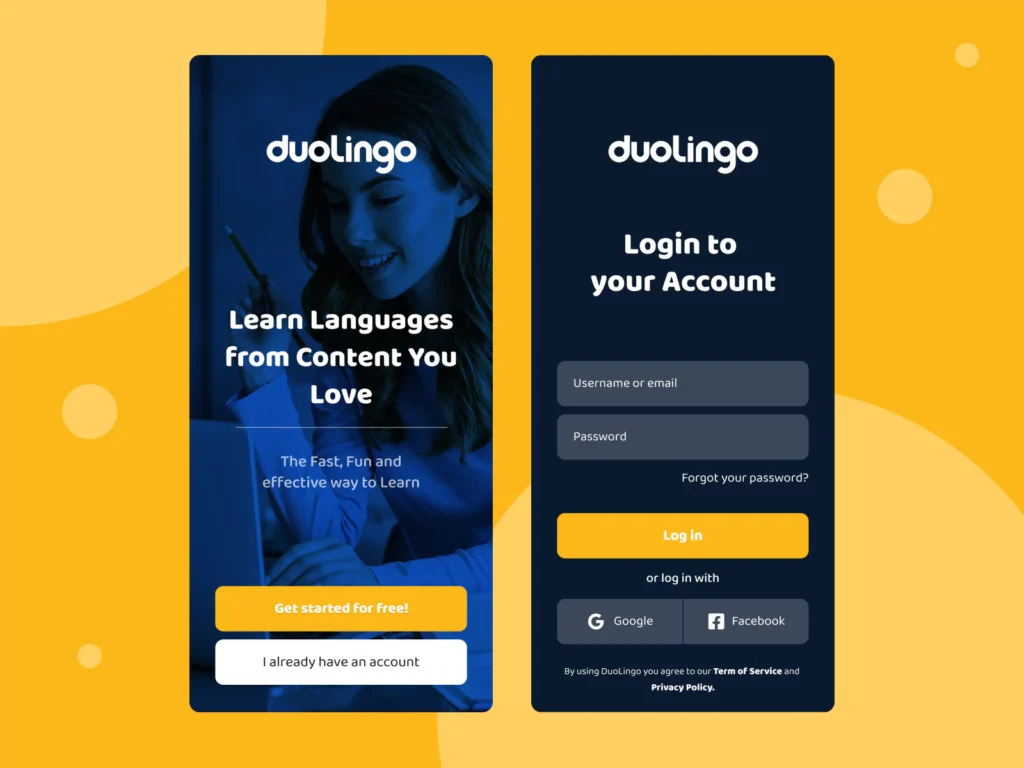
UI design refers to the visual and interactive aspects of a digital product or service. It focuses on creating visually appealing layouts, intuitive navigation, and engaging interfaces that enable users to easily accomplish their goals.
UI designers are responsible for crafting the look and feel of an application, including everything from colour schemes and typography to button placement and iconography.
The Principles of UI Design
Effective UI design is built on a foundation of principles that ensure a seamless and delightful user experience:
- Consistency: Maintaining consistent visual language and interaction patterns throughout the application or website helps users feel comfortable and confident navigating different screens or pages.
- Simplicity: Reducing visual clutter and eliminating unnecessary elements makes it easier for users to focus on the most important tasks and actions.
- Usability: Designing intuitive, easy-to-learn, and efficient interfaces ensures users can accomplish their goals with minimal frustration.
- Accessibility: Creating inclusive and usable interfaces for people with diverse abilities and needs is essential for reaching a wider audience.
Elements of UI Design
A UI designer’s main job is to create visually appealing interfaces. This includes things like:
- Layout – Arranging elements on a page or screen
- Typography – Choosing fonts, sizes, spacing, etc.
- Colour Palettes – Picking harmonious colour schemes
- Iconography – Designing symbols and visual metaphors
- Illustrations – Creating engaging graphics and imagery
- Motion Design – Animations, transitions, micro-interactions
- Responsiveness – Making designs adapt to different screen sizes
The goal is to create a visually compelling, on-brand interface that guides the user’s eye through the product.
Principles of Good UI Design
To design effective UIs, designers follow some fundamental principles:
- Clarity – Interfaces should be simple, uncluttered and easy to understand
- Consistency – Similar elements should look and behave the same way throughout
- Efficiency – Reduce effort and let users accomplish tasks quickly
- Hierarchy – Group, layer, and prioritise content to show the importance
- Feedback – Give users clear responses when interacting with elements
- Delight – Create moments of joy through visuals, animations and micro-interactions
Nailing these principles results in intuitive, aesthetically pleasing interfaces and generally a pleasure to use.
UI Design Tools
Some of the most popular tools and software used by UI designers include:
- Figma – Collaborative design and prototyping tool
- Adobe XD – Vector-based UX/UI design software
- Sketch – MacOS-based UI design and prototyping app
- Framer – Design, prototype and ship production code
- Invision – Prototyping, collaboration and workflow platform
Mastering these tools allows UI designers to bring their visual ideas to life as clickable prototypes.
UX Design in Detail
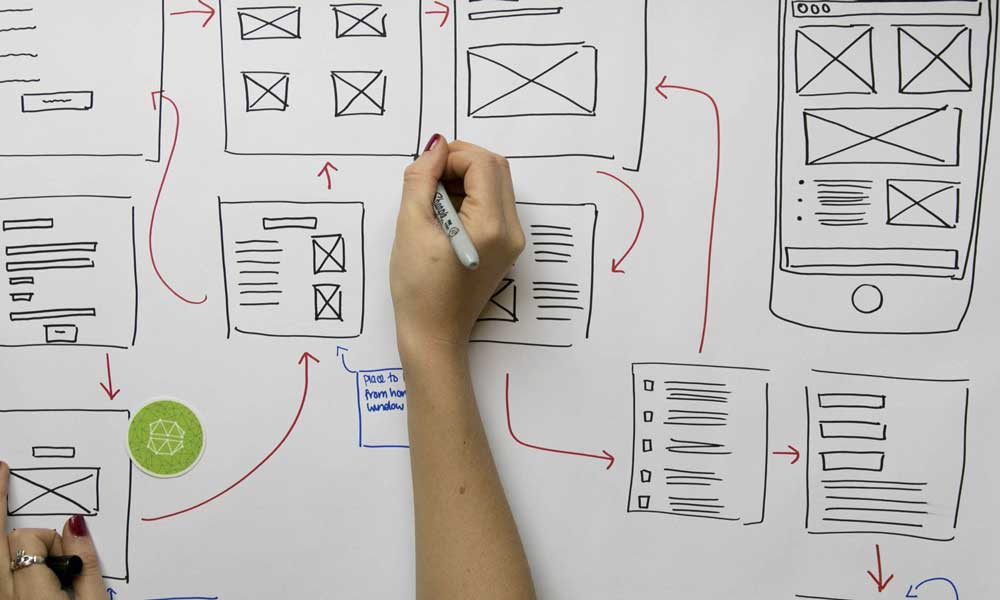
UX design encompasses enhancing user satisfaction and loyalty by improving the usability, accessibility, and pleasure of interaction between the user and the product or service.
It goes beyond the visual aspects of an interface and delves into understanding user behaviour, psychology, and the overall context in which a product or service is used.
Understanding Users
To create great user experiences, UX designers need to truly understand their target audience:
- User Research – Interviews, surveys, usability tests, analytics
- User Personas – Fictional archetypes representing key user groups
- User Journeys – Mapping out paths a user takes to accomplish goals
- Empathy Mapping – Visualising users’ emotions, behaviours and pain points
This helps designers to build deep empathy with users and informs the design process.
Designing for Great UX
With a solid user understanding, UX designers then work to optimise the entire experience:
- Information Architecture – Organising information in a logical, usable way
- Interaction Design – Defining behaviours for UI elements and overall flow
- Usability – Ensuring ease-of-use by applying usability heuristics
- Accessibility – Designing for users with disabilities or impairments
- Prototyping – Building interactive models to test and iterate on
- User Testing – Observing users interact with prototypes to find issues
The goal is to craft experiences that are highly useful, usable, accessible and delightful!
UX Design Deliverables
Throughout the design process, UX designers create a range of deliverables:
- User Flows – Visual representations of steps in a user journey
- Sitemaps – Look, before you even think about drawing boxes on a page, you need a map. It’s the blueprint that shows how all your pages connect, making sure everything is organised logically.
- Wireframes – Basic page layouts and content hierarchy sketches
- Mockups – Static visual designs with finalised content and styles
- Prototypes – Clickable, interactive models simulating the genuine product
- Design Systems – Reusable components, patterns and guidelines
These help communicate design ideas, get stakeholder buy-in and align teams.
UX vs UI – Finding the Sweet Spot
While UX and UI design roles are distinct, genuinely great products nail both aspects. An interface can be drop-dead gorgeous, but if the experience stinks, users won’t stick around.
And, conversely, no matter how delightful the UX is, you’ll struggle to acquire users if the UI is ugly or confusing.
That’s why the real magic happens when UX and UI designers work closely together. The UI designer creates the visuals to reflect the desired experience. The UX designer shapes the interactions and flow to maximise usability and delight. They go hand-in-hand!
Some larger companies and agencies have separate teams for UI and UX. But designers often wear both hats at smaller organisations or startups – merging skills to create user-centred, functional and visually engaging products.
It’s incredibly powerful to have a holistic view spanning both disciplines. That’s why I encourage young designers to develop competencies in UI and UX through education or experience.
The UI/UX Design Process
Right, so you don’t just sit down and start making things look pretty. That’s a surefire way to build something nobody wants.
There’s a proper process, a framework that actually works, and most of the good stuff is built on a model called Design Thinking.
Thing is, it’s not a strict, paint-by-numbers job. You’ll often jump back and forth between stages, but it generally follows this path:
1. Empathise
First things first, you’ve got to get inside your users’ heads. Talk to them, watch them use things, and figure out what they actually need, not what you think they need. Drop your assumptions at the door.
2. Define
Now you take all that research and boil it down. You need a crystal-clear problem statement because if you don’t know the specific problem, you can’t build the right solution.
3. Ideate
This is the fun bit. Get the team together and brainstorm like mad. No bad ideas at this point; just throw everything at the wall and aim for quantity over quality to start with.
4. Prototype
Time to make your best ideas real. Well, sort of. Build a basic, clickable model of the product that isn’t perfect but is good enough to test.
5. Test
Put that prototype in front of real users and see what happens. Watch them click, listen to them grumble, and find out where they get stuck. This is how you learn if you’re on the right track.
It’s a cycle, see? You learn, you build, you test, and you repeat. That’s how you go from a vague idea to a product people genuinely find useful.
Trends in UI/UX Design
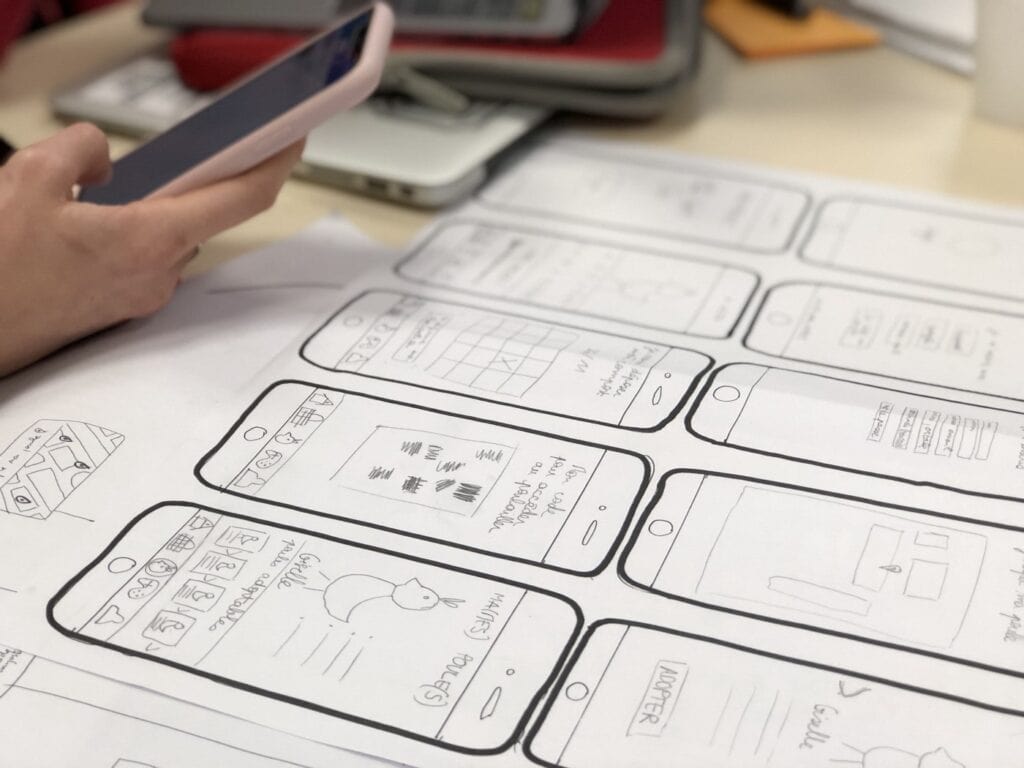
The UI and UX fields constantly evolve as new technologies emerge and user expectations shift. Let’s look at some key trends shaping the industry right now:
Voice User Interfaces
As voice assistants proliferate, designing for voice-based interactions is a significant challenge. UX designers need to rethink information architecture and conversational UI, while UI designers tackle unique visual elements, such as voice command displays.
Motion Design
Motion has become a core part of modern interfaces. Micro-interactions, delightful animations and smooth transitions can elevate even the most practical UI. Motion designers are in demand!
Artificial Intelligence
AI is beginning to augment and sometimes automate UI/UX tasks. Tools can analyse interfaces, suggest design improvements and even generate layout mockups. This may seem threatening, but skilled designers will remain essential.
Designing for Augmented and Virtual Reality (AR/VR)
Screens are just the beginning, mate. The next frontier is designing for things that aren’t confined to a flat rectangle.
Think AR and VR. Suddenly, you’re not just creating a layout; you’re designing an entire 3D space.
It’s a whole new ball game. You’re dealing with spatial UI, where menus can float in mid-air.
You’re considering gesture controls instead of mouse clicks, and you need to ensure that people don’t experience motion sickness. It’s a massive shift, and designers who can grasp it will be in high demand.
Dark Mode and Adaptive Theming
More users expect adaptive interfaces tailored to their display and preferences. Designers face new challenges around themes, dark modes and seamless cross-device experiences.
Increased Accessibility Focus
Accessibility has rightly become a huge priority. UI and UX designers must champion inclusive design to serve users of all abilities. Focus on WCAG guidelines, accessible patterns and assistive technologies.
Ethical Design and Data Privacy
As a designer, you have a significant influence over how people behave. It’s shockingly easy to trick people into signing up for things they don’t want or giving away data they’d rather keep private.
That’s where ethical design comes in. It’s about being honest and transparent.
You avoid using sneaky “dark patterns” that manipulate users into making choices they wouldn’t normally make. Instead, you design clear, straightforward experiences that respect their privacy and give them real control.
People are becoming more informed about this topic, and they’ll trust a brand that treats them fairly.
The Democratisation of Design Tools
Simple, affordable design tools like Figma have lowered barriers to entry. This increased accessibility is equalising opportunity while raising the bar on what great design looks like.
Designers as Leaders
Designers wield more influence than ever on product strategy and roadmaps. As their strategic value rises, many are stepping up as product leaders, entrepreneurs and thought leaders.
Demand for UX Writing and Content Design
UX writing and content design are hot emerging specialities. Creating clear, concise, on-brand UI copy is crucial for usability and engagement. These roles bridge design and content.
UI/UX Design Education and Careers
Learning UI and UX Design
So you’re sold on UI/UX design and want to know how to get started? Awesome! Here are some of the top ways to learn:
- University Programs: Many colleges and universities now offer bachelor’s and master’s degrees in HCI (human-computer interaction), UI/UX design or interactive design. These provide comprehensive, rigorous training.
- Bootcamps: Immersive boot camps like Ironhack, General Assembly and Springboard can get you job-ready fast through accelerated, hands-on curricula.
- Certificates & Courses: Online learning platforms like Coursera, edX, LinkedIn Learning and Udemy offer many individual courses and certificate programs in UI/UX topics at affordable prices.
- Self-Teaching: Thanks to the wealth of free tutorials and resources, you can become a self-taught UI/UX designer! Supplement with books and mentor communities.
- Build a Portfolio: Regardless of the path you choose, building a solid portfolio that showcases your UI/UX process and polished designs is crucial for landing jobs.
UI and UX Design Jobs
There has been explosive growth in UI/UX jobs as more companies recognise the strategic importance of design. Popular job titles include:
- UI Designer
- UI/UX Designer
- Product Designer
- UX Engineer
- Interaction Designer
- Visual Designer
- UX Researcher
- Information Architect
- Content Designer
With competitive salaries and ample opportunities at tech companies, agencies and beyond, UI/UX design offers an exciting, in-demand career path.
Conclusion
I know I just threw a ton of information at you! But hopefully, you now have a solid overview of UI and UX design – what they entail, fundamental principles, popular tools and how they interconnect to create unique user experiences.
UI/UX has transformed from a niche speciality to a strategic imperative for companies in every sector. Screens and interfaces dominate modern life. Meeting user expectations, delighting customers, and driving business impact hinges on stellar UI and UX design.
If you’re a designer, a holistic approach that spans both disciplines will give you a significant advantage. If you’re a founder or product leader, investing in skilled UI/UX design talent early will pay massive dividends. And if you’re an aspiring designer, this is one of the most exciting fields to get into right now!
So study up, build your skills, create excellent work and most importantly – keep the human at the heart of every design decision. Happy designing!
UI/UX Design FAQs
What’s the difference between UI and UX design?
UI design focuses on the visuals, layouts, and aesthetic elements a user interacts with. UX design encompasses the overall experience and usability, creating intuitive products that meet user needs.
Do I need to be artistic to be a UI/UX designer?
While artistic skills benefit UI design, you don’t need to be a Picasso! Many top designers have little formal art training. You’ll be fine if you can create functional designs with a good eye for layout, typography and visual hierarchy.
How long does it take to become a UI/UX designer?
It depends on your path and time commitment. Bootcamp students can get job-ready in 3-6 months. Self-taught designers may take 6 to 12 months. University programs are 2-4 years. Ultimately, building an impressive portfolio is more important than adhering to a specific timeline.
What skills are required to become a UI/UX designer?
Essential skills include research, interaction design, information architecture, visual design, prototyping, user testing and the ability to use popular design tools. Traits like creativity, problem-solving, empathy and a willingness to learn are also crucial.
How much do UI and UX designers make?
Average salaries for UI/UX design roles range from $60k-$120k annually, depending on experience level, location, company size and exact job title. Salaries are highest at large tech companies in major cities.

