Belfast Web Design Agency
Web Design Agency for Professional Services
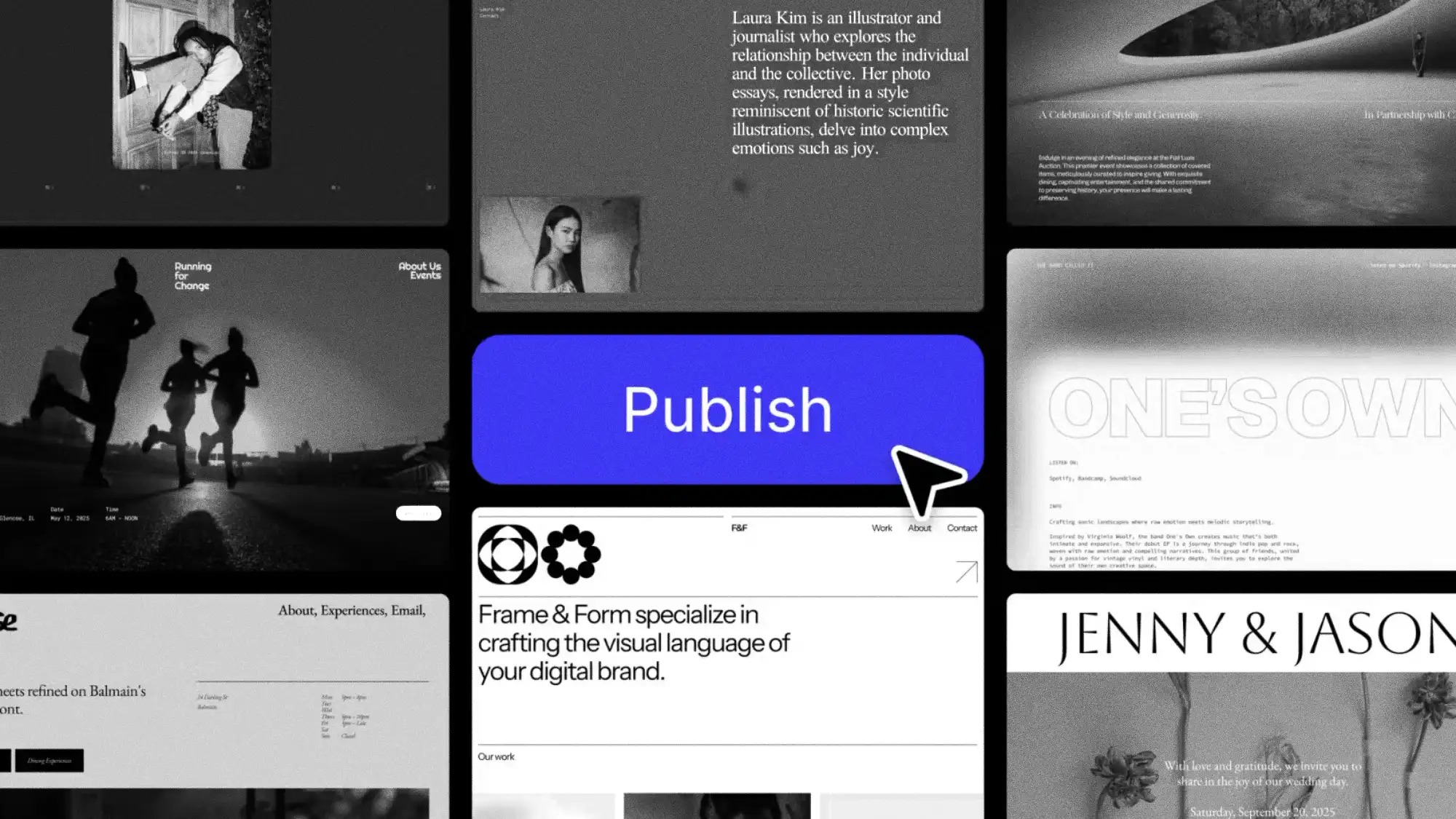
Inkbot Design is a UK web design agency engineering bespoke, brand-led digital platforms for expertise-led businesses. Based in Belfast and serving firms nationwide, we build custom, high-speed websites designed to convert senior buyers and rank across traditional and AI search engines.
Coding Websites since 2009
Brand Agencies Build Pretty. Dev Shops Build Fast. We Refuse the Choice.
The web design market typically splits into two camps, each solving only half of your commercial requirements. Traditional brand agencies deliver aesthetically polished interfaces that often suffer from heavy code, poor Core Web Vitals, and neglected search architecture. Development shops produce fast, technically stable code wrapped around generic themes devoid of brand positioning. In both cases, commercial value leaks out.
Our builds are engineered as unified business assets: brand strategy dictates information architecture, bespoke interface design translates your visual identity without commercial themes, and lightweight development ensures speed, WCAG accessibility, and semantic schema compliance for search and AI discovery.
| Architectural Dimension | Design-Only Agencies | Dev-Only Shops | Inkbot Design Methodology |
|---|---|---|---|
| Core Foundation | Visual styling & layout aesthetics | Pre-packaged functional themes | Brand positioning & buyer psychology |
| Performance & Speed | Often bloated with heavy scripts | Fast, but emotionally sterile | Sub-second loads; Green Core Web Vitals |
| Search & AI Visibility | Treated as an external add-on | Basic sitemaps & technical defaults | Entity-optimised JSON-LD schema & GEO built-in |
| Conversion Focus | Award-focused aesthetics | Generic forms & contact buttons | Frictionless pathways for senior B2B buyers |


A powerful brand strategy is only as effective as its digital execution. We translate your core identity into a high-performing, custom-engineered website that ensures every click, scroll, and interaction reinforces your market authority.
Take the Authority →Why Partner With Us?
What Makes Our Web Design Services Different
Stop renting your digital presence. Own it. While “off-the-shelf” agencies focus on getting you online, we focus on getting you ahead. We don’t just build websites; we engineer high-performance business assets designed to amplify your authority and outpace your competition. Here is the strategic foundation of every Inkbot project:
Strategy
Strategy First: The Brand Positioning Dictates the Build
Most websites are assembled, then branded. Ours are reverse-engineered from the positioning: what the firm needs to be known for determines the architecture, the hierarchy, and what a visitor meets first. A website that doesn’t execute the brand strategy is just hosting costs with opinions.
Scalable
Clean Engineering: Bespoke Code Without Template Bloat
Templates and AI builders ship the same bloated foundations to everyone — which is why they’re slow, why they all look related, and why they cap what you can do later. We build from scratch: lightweight, secure, Core Web Vitals in the green, and a modular design system your team can extend without breaking.
Trust
Decision Architecture: Built for Partner-Level Commercial Scrutiny
A professional services website has one job: move a sceptical, senior visitor from “found you” to “contacted you.” Every layout choice, pathway and call to action is built around how those buyers actually evaluate firms — evidence first, friction removed, no theatrics. Pretty is a by-product.
Our Core Capabilities
What’s Inside a Bespoke Web Design Engagement
Templates are for blending in. To truly lead your market, you need a digital presence as unique as your business. We’ve refined a strategic process that aligns your brand’s personality with high-performance design, ensuring you don’t just show up online—you stand out.
UX Strategy & Buyer Journey Mapping
We map how your actual buyers evaluate firms — the pages they check, the proof they need, the order in which they need it — and architect the site around that journey rather than an org chart.
Bespoke User Interface (UI) Design Systems
Every screen is designed from your identity system, not adapted from a theme. The site looks like the firm, because it’s built from the same DNA.
High-Trust Conversion Rate Optimisation (CRO)
Calls to action, forms and pathways engineered around how senior buyers commit: small steps, clear stakes, no tricks.
Scalable Component Libraries & Modular Blocks
A documented library of reusable components, so page fifty is as consistent as page one, and your team never rebuilds from scratch.
High-Performance Web Engineering
Lightweight, modern, secure code. Core Web Vitals in the green isn’t a boast; it’s the baseline.
Brand Voice & Semantic Copywriting Integration
Messaging designed into the wireframes, not poured in afterwards — because the words are half the interface.
Restrained Motion & Purposeful Micro-Interactions
Restrained, purposeful animation that makes the site feel considered rather than decorated. Restraint is the premium signal in your sector.
Technical SEO, GEO & Semantic Entity Architecture
Schema, entity structure and technical SEO are written into the code from line one, so Google’s systems and AI search engines can verify precisely who you are, what you do, and why you’re citable.
If You Want Cheap and Fast, We’re the Wrong Agency. Deliberately.
Off-the-shelf fixes exist, and they’re fine — for firms whose website doesn’t have to justify serious fees. Ours are for the other kind. The first step is the free Brand Equity Audit™: a written assessment of your current site — brand alignment, performance, conversion architecture and how AI search currently reads you — in your inbox within 48 hours. No sales call, no proposal theatre.
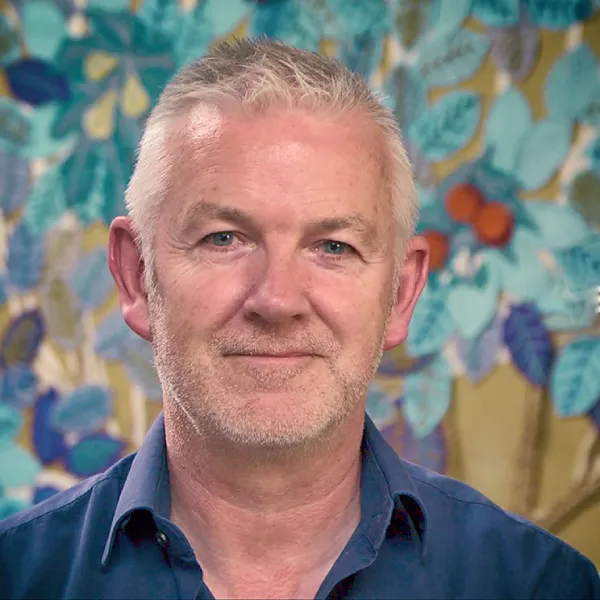
Inkbot Design didn’t just create a beautiful website… they crafted a bespoke digital experience that actually drives results.
Within 3 months of launching, our conversion rate jumped from 2.1% to 6.8%, and online enquiries increased by 180%. If you want strategic web design that delivers measurable business growth, they are the clear choice.
Programme Manager
Ready to grow?
The Inkbot Method™: Six Stages of Digital Delivery
A commoditised template can be built in an afternoon, but a market-leading digital ecosystem must be meticulously engineered. Our proven, 6-step methodology bridges the gap between deep brand strategy and high-performance digital execution. We eliminate guesswork, prioritising user psychology, custom architecture, and measurable ROI at every stage of the build.
Discovery & Commercial Strategy
Brand positioning, buyer personas, competitor teardown, commercial goals.
Deliverable: a written digital strategy brief that the whole build is accountable to.
UX Architecture & Wireframing
The site’s logic is mapped before a pixel exists: page hierarchy, user pathways, and wireframes.
Deliverable: the blueprint, agreed on paper, so design debates happen before they’re expensive.
Bespoke Interface Design
Your identity system translated into bespoke screens — typography, colour, layout logic, motion.
Deliverable: a site your competitors can’t buy a copy of.
Clean-Code Web Engineering
Lightweight modern frameworks, security hardening, Core Web Vitals optimisation and full JSON-LD schema written in from line one.
Deliverable: a fast, secure build that machines parse as precisely as humans do.
Rigorous QA & WCAG 2.2 AA Accessibility Audit
Stress-tested across devices, browsers and load conditions; WCAG-compliant as standard, which protects both your users and your compliance exposure.
Deliverable: a site that works for everyone, provably.
Zero-Downtime Launch & Migration Management
Zero-downtime migration with the complete 301 redirect map, so years of search equity arrive intact — then post-launch monitoring and conversion iteration.
Deliverable: a live asset with its history preserved and its data flowing.
Sector Specialisation
Professional Services We Design For
Generic corporate websites fail because they treat high-consideration professional advisory firms like consumer e-commerce brands. We engineer websites specifically tailored to how institutional clients, general counsel, and managing partners evaluate expertise:
Law Firms & Legal Practices
Architecting authoritative partner profiles, practice-area hierarchies, and discrete enquiry pathways designed for corporate counsel and private clients.
Accountancy & Audit Firms
Moving beyond sterile spreadsheets to showcase technical advisory depth, tax expertise, and partner-led credibility that commands premium retainer fees.
Management Consultancies
Translating proprietary methodologies, white papers, and complex framework deliverables into clear, digestible digital case studies.
Private Wealth & Fintech
Establishing institutional trust, regulatory compliance disclosures, and high-security digital environments for high-net-worth investors.
Our Strategy
The Website Is Where Every Other Brand Investment Reports for Work
The positioning, the identity, the content — all of it either performs on your website or performs nowhere. That’s why we build the site and the brand as one system: strategy upstairs, execution on every page.

Where We Stand
By the Numbers
- 17+ Years of Industry Expertise
Almost two decades of navigating brand evolution, from traditional print to the age of Agentic AI.
- 4.9Top Rated Agency 2026 Read our Google reviews
- 2,500+ Strategic Resources
We don’t just practice branding; we lead the conversation with one of the industry’s largest libraries of strategic insights.
- Top-30 Ranked Strategic Partner
Vetted and ranked as a Top 30 Agency in the UK and the top branding firm in Belfast, Northern Ireland.

Strategic Intelligence
How We Think About Web Design — the Working Notes
Inkbot Design is a web design agency that plans, designs, engineers, and optimises websites. Unlike freelance template assemblers, a full-service agency unifies brand strategy, user experience (UX) architecture, custom front-end development, Core Web Vitals optimisation, and technical SEO to turn a website into a measurable commercial asset.
The methodology isn’t a secret; it’s published.
Start with why web design is the highest-leverage brand investment,
How to run a website redesign without losing your rankings,
What actually happens in our website design process,
Designing landing pages that convert senior buyers,
And how we build for AI search visibility (GEO).
Frequently Asked Questions (FAQ)
Navigating Your Digital Transformation
Investing in a brand-led digital experience is a critical business decision. Below, we address the most common questions ambitious brands ask before partnering with Inkbot Design to architect their custom web presence.
How much does a bespoke website cost?
Bespoke web design and engineering projects start from £7,500. Most professional services engagements range between £10,000 and £30,000, depending on architectural scale, bespoke integrations, and brand content requirements. We publish our pricing parameters openly because your firm bills for expertise and should not need an exploratory sales call simply to obtain an honest budget framework.
What is the difference between standard web design and “brand-led” strategic web design?
Standard web design focuses entirely on aesthetics and code, often resulting in a generic digital brochure. Brand-led strategic web design, our core focus at Inkbot Design, reverse-engineers your website from your overarching brand strategy. We align your market positioning, user psychology, and business objectives to create a bespoke digital ecosystem that actively drives ROI and market authority, rather than just taking up space online.
Why shouldn’t our company just use an AI website builder or an off-the-shelf template?
AI builders and templates are excellent for hobbyists or unproven startups, but they actively dilute the value of established, premium brands. They suffer from code bloat (which harms SEO), rigid architectures that cannot scale, and a homogenised look that blends in with competitors. We engineer 100% bespoke, scalable digital assets that offer total control over your user experience (UX) and position your brand as the undisputed leader in your sector.
How long does the strategic web design process typically take?
A premium, custom-engineered digital experience generally takes between 8 and 16 weeks from the initial strategic discovery phase to final launch. This timeline ensures we do not skip vital steps, such as user persona mapping, bespoke UI design, rigorous QA testing, and technical SEO integration. We establish a clear, milestone-driven roadmap before the project begins.
We already have our brand identity (logo, colours, guidelines). Can you just build the website?
Absolutely. While we are a full-service strategic branding agency, we frequently partner with brands that have an established identity but lack a digital presence that reflects their calibre. We will take your existing brand DNA and translate it into a high-performing, conversion-driven digital ecosystem.
Will my internal team be able to easily update the website after launch?
Yes. While we build complex, highly engineered front-end experiences, we pair them with intuitive, user-friendly Content Management Systems (CMS). We build custom design systems and modular blocks, so your marketing team can easily publish content, update imagery, and add new pages without ever needing to touch a line of code or risk breaking the design.
Do you write the website copy, or should we provide it?
A beautiful website with weak copy will not convert. Because we approach web design through the lens of brand strategy, semantic messaging integration is a core part of our process. Our team can either refine your existing content for digital impact or architect the brand narrative and write the conversion-focused copy from scratch.
How do you ensure the new website will rank well on Google?
We bake Entity-Optimised Technical SEO into the code from day one. Unlike generic agencies that treat SEO as an afterthought, we ensure your site architecture, schema markup (JSON-LD), load speeds (Core Web Vitals), and URL structures are engineered to perfectly communicate your brand’s authority to Google’s semantic search algorithms.
Do we own the website and its assets once it is completed?
100%. Transparency is a cornerstone of our agency. Once the final payment is made and the website is successfully launched, you retain full intellectual property (IP) ownership of the design, the code, and all associated digital assets. We do not hold our clients hostage with proprietary platforms or hidden licensing fees.
Is the website optimised for mobile users and accessibility (ADA/WCAG)?
Every digital experience we architect is natively responsive, ensuring a flawless, high-performance user journey whether your client is on a desktop, tablet, or smartphone. Furthermore, we develop with strict adherence to modern WCAG accessibility guidelines, protecting your brand from compliance risks and ensuring inclusivity for all users.
What happens after the site goes live? Do you offer ongoing support?
A strategic website is a living asset. We execute a zero-downtime launch and monitor early user data. Post-launch, we offer flexible retention and ongoing strategic partnerships to handle security updates, continuous conversion rate optimisation (CRO), and digital scaling as your brand evolves. We are here as your long-term digital growth partners.
How do we get started?
With the free Brand Equity Audit™ — a written assessment of your current site’s brand alignment, performance and search visibility, delivered within 48 hours. No consultation call, no proposal meeting. If the audit’s useful, we scope the build from it; you’ll have the price and the plan on paper before you’ve spent a minute in a meeting.