Voice User Interface Design: Designing for VUI Systems
These days, voice-activated systems are becoming very popular and flooding the market. Designers should now learn how to design voice user interfaces for mobiles and voice-controlled devices.
User experience design is a field that evolves rapidly. Innovative technologies have been introduced, with new devices coming in frequently. As a result, the interaction between users and physical or digital objects has undergone a significant transformation. With the latest touchscreen technology, even digital products can be easily operated.
Many advanced forms of technology have prompted us to use voice commands more frequently than before. Many people know it because Google Assistant, Alexa and Siri allow them to interact through their voices, which takes user experience to another level.
Voice-use interfaces enable voice interaction and encourage user interface experts to focus on this user experience.
Let’s discuss creating voice user interfaces and some benefits and trends related to designing interfaces for devices activated by speaking.
- Voice User Interfaces (VUIs) enable seamless interaction with devices using voice commands, enhancing user experience and accessibility.
- VUIs promote hands-free operation, allowing users to multitask safely during activities like driving or cooking.
- Feedback and error handling are critical in VUI design to ensure users are informed and can recover from misunderstandings.
- Natural Language Processing (NLP) and speech recognition are essential technologies for creating effective VUI systems.
- Diverse applications of VUIs span industries, significantly improving user engagement in fields like healthcare and retail.
What are Voice User Interface Designs?
Voice user interfaces (VUIs) were created to enable people to interact with devices, applications or services using voice commands or natural language processing. VUI design makes users’ experience smooth and familiar through speech recognition technology.
Perhaps the most remarkable aspect of voice user interface design is that it enables interaction with digital products or systems while performing another task – without requiring any physical input.
The technology used in voice user interfaces is based on the fact that they can recognise speech. This means you can talk to your device just as you would to anyone else.
Designers need to embed conversational user interfaces within their existing user interfaces, not to confuse their target audience, but to create an environment where users will quickly become accustomed to it.
Importance of Voice User Interfaces (VUIs)
Businesses must stay current with ever-changing technologies to remain relevant. One such technology causing waves across various industries is voice tech, even though it has existed for some time.
Many leading companies, organisations and well-known brands in different industries have incorporated this incredible invention into their systems, including websites, mobile apps, voice assistants like Siri or Alexa, and wearables like watches and TVs!
Some examples include the Samsung SmartThings Hub, which uses the Zigbee wireless protocol. At the same time, the Google Home Mini smart speaker serves as an entertainment hub for IoT devices, such as light bulbs, which can be controlled wirelessly via Bluetooth Low Energy (BLE).
Google reports that 20% of people use its app’s ‘voice search’ feature. In comparison, almost 71% would prefer typing because it’s much faster, according to recent research by ComScore on behalf of Google themselves!! Today, there are mobile apps galore, so why not add VUIs?
Benefits of VUIs

Voice user interfaces are essential to modern technology and user experience design because they have many benefits. Today, businesses are incorporating VUIs into digital products more and more to ensure high user engagement, provide memorable UX and keep up with the times. Here’s a list of what voice user interface designs bring about:
Natural Interaction
These interfaces understand human conversation since they can process natural language and speech, enabling users to interact with devices, applications and services using these mediums. This type of interaction can make technology easily accessible to a wider audience, even those who are not tech-savvy or unfamiliar with conventional input methods, such as keyboards and touchscreens.
Hands-Free and Eyes-Free Operation
With VUIs, people can carry out tasks without needing to use their hands or eyes. You can do anything while driving, cooking, or working out with a VUI, as it doesn’t require hand-eye coordination for most activities; hence, this feature promotes safety and convenience.
Accessibility
Visual or physical disabilities do not affect the use of VUIs; they are designed so that every individual, regardless of their ability, can operate them. Voice commands act as alternative input methods that may be simpler for persons with disabilities who find traditional interfaces challenging to use.
Efficiency and Productivity
Compared to manual input methods, voice commands enable the faster execution of actions by streamlining interactions and tasks, allowing users to complete them more quickly and efficiently. For example, typing messages on keyboards or touchscreens is slower than dictating messages through voice commands when setting reminders.
Multimodal Interaction
In addition, designers could create multimodal interfaces by combining touch/gesture with VUIs, thereby making it possible for different types/sizes/weights, etc., where some might be easier than others, depending on factors like ease of reachability, etc., thus allowing users to choose what suits best, leading to a versatile user experience.
Personalisation and Context Awareness
The most advanced VUIs utilise state-of-the-art NLP (Natural Language Processing) technologies coupled with ML (Machine Learning) algorithms for understanding user behaviour, intentions, and contexts. Therefore, they can offer personalised responses and delightful engagement, leading to substantial interactions.
Integration with Smart Devices and Services
Typically, VUIs are integrated with virtual assistants, smart devices, or online services to control home appliances through voice commands and access internet information using speech-based inputs while performing various tasks. This integration enables seamless interaction across various platforms and devices.
Innovative Applications
Healthcare is one area where VUI has brought about significant changes. Still, other sectors, such as the automotive industry and retail sector, as well as customer support, have benefited dramatically from these interfaces, which can enable shopping by voice. For example, clinical documentation can be completed more efficiently through voice-enabled systems.
At the same time, patients become more engaged through having their voices heard during consultations, thus leading to improved outcomes, especially when dealing with chronic conditions like cancer, where long periods of treatment may require frequent visits.
What Components Should Designers Consider When Creating A VUI Design?
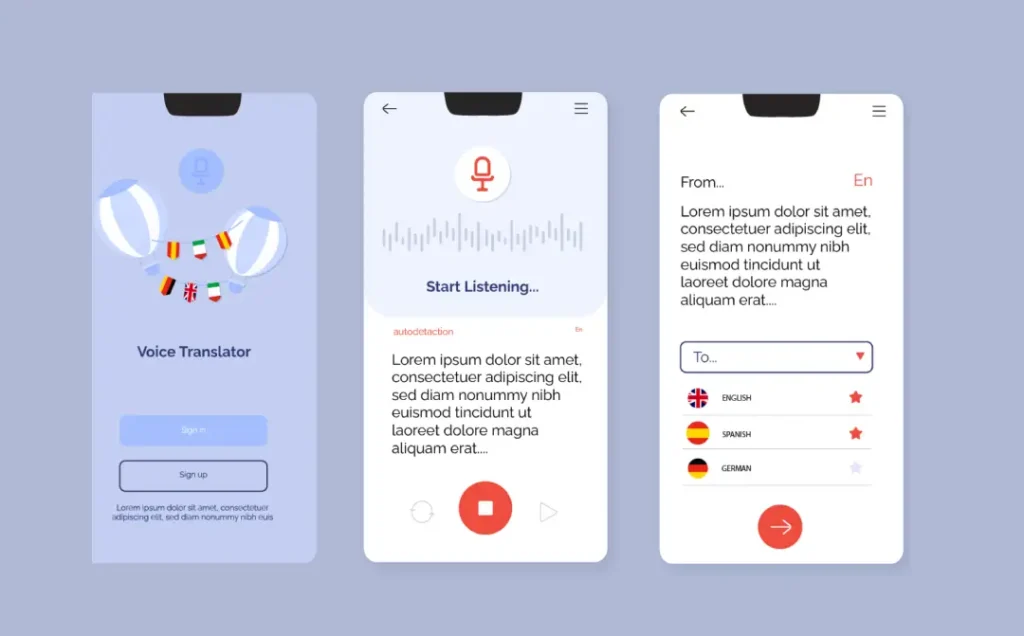
VUI design aims to create intuitive, intelligent, and pleasant systems for interaction. This approach will enable users to accomplish tasks using natural language and voice commands, whether creating a VUI for a smartphone, wearable device, virtual assistant, sound system, or TV device.
There are several key points to consider when developing these voice interfaces. To achieve the quality of end-user experience design, a thorough implementation and step-by-step tweaking are required to create compelling voice interfaces. A successful user experience design will be ensured if all components are implemented carefully.
Speech Recognition
It is one of the most crucial components of a VUI as it entirely relies on speech recognition technology to interpret and understand the user’s spoken commands or queries. This advanced technology converts spoken commands into text, allowing the system to quickly process them.
Thanks to specialised software tools and advanced programming languages, voice speech recognition can be easily managed. The ultimate goal is to create a VUI that recognises and understands human voice, ready to pick up a voice command and respond immediately upon receiving.
Natural Language Processing (NLP)
NLP, indeed, is one of the most innovative technologies, and a key aspect of it is that it enables machines to comprehend spoken language. NLP can make the voice recognition process easier. This is necessary to recognise voice commands, extract the suitable data to be reapplied and then generate a proper response.
Dialogue Design
VUI designers create dialogues that are divided into asking the users for specified information and instructing them through interaction with the system. This step involves creating the dialogue, determining customer responses, and establishing the greeting and error messages in case the process is interrupted.
Look, another massive part of dialogue is context. If your VUI has the memory of a goldfish, people will get frustrated and just give up. It’s that simple.
It needs to remember what was just said. For example, if a user asks, “What’s the weather like in Manchester?” and then follows it up with “What about Liverpool?”, the system must recognise that they’re still inquiring about the weather.
They shouldn’t have to repeat the whole question. Getting this right is what makes an interaction feel like a proper conversation, not just a series of disconnected commands. It’s the difference between a smart assistant and a dumb machine.
Persona and Tone
VUIs often have a persona or personality that reflects the brand or purpose of the system. Designers decide what kind of tone and language is suitable to interact with users and how to employ it.
Error Handling
Correct error handling is vital to VUI design, ensuring users can overcome misunderstandings and uncertainties smoothly and composedly. In such cases, a VUI should generate error messages in an unambiguous format, suggest how the mistake should be corrected, or repeat instructions.
Voice Biometrics
Right, this is dead clever. Your voice is basically your fingerprint; it’s unique to you.
So why not use it to unlock stuff? Voice biometrics does exactly that, using a person’s unique voiceprint to verify their identity.
You can build this in for secure tasks, such as checking a bank balance or accessing personal accounts. It stops anyone else from just shouting a command at your device.
This adds a serious layer of security and personalisation. The system doesn’t just hear a command; it knows who’s giving it, which is a game-changer for building trust.
Feedback and Confirmation
This is the most critical component of a voice user interface design system that keeps the conversation flowing smoothly with humans. An intuitive VUI hears the voice command and understands the tone, resulting in a prompt response that aligns with the spoken words.
VUIs should provide helpful feedback to users, letting them know whether their commands are recognised and carried out correctly. The available devices can provide auditory or visual feedback, such as beeping and vibrating.
Multiple Input Styles
In certain circumstances, the VUIs could enable users to engage in a multifunctional interaction approach, allowing them to use multiple input styles, such as touch and muscular movement.
Accessibility
When creating a VUI, designers must consider accessibility requirements to ensure the interface is easily usable by people with disabilities. Ensure that the interface is accessible to visually impaired users.
How to Design a Voice User Interface?
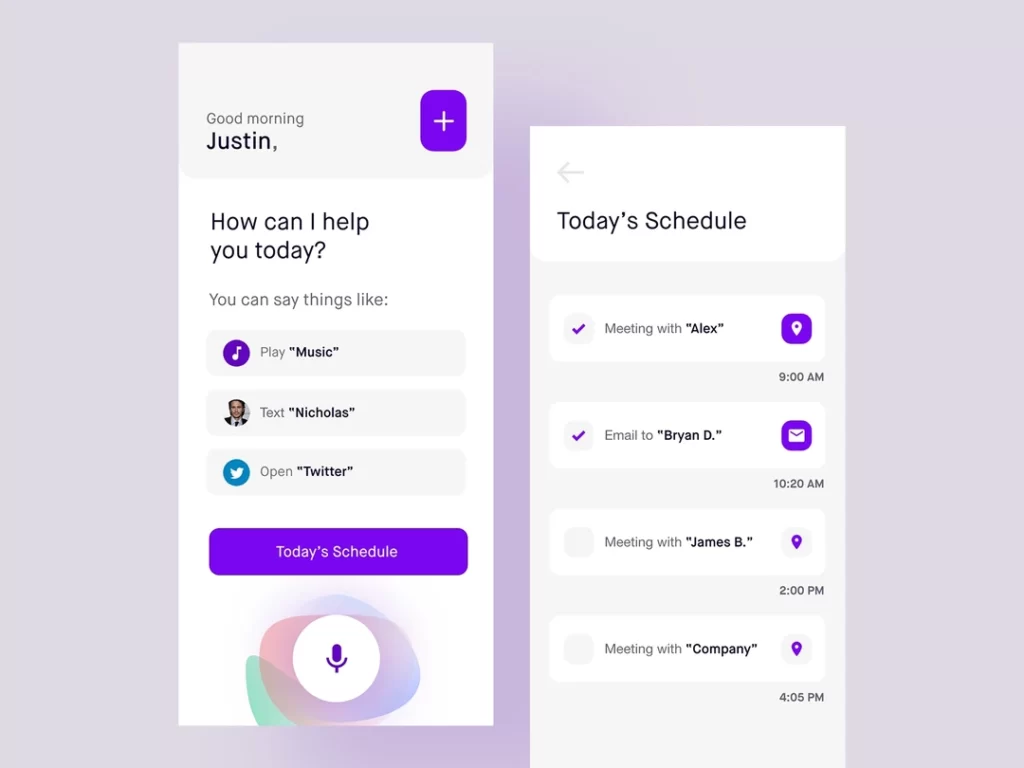
How to create a voice user interface design? How do you create memorable user experiences for voice-activated systems? These are the most critical questions that come to your mind if you are new to designing and haven’t designed it before.
Many businesses are now considering the adoption of voice technology and the development of digital products with voice navigation capabilities.
That is why the demand for UI/UX designers and app developers who can build games and mobile apps with better voice interfaces has significantly increased. Designing voice user interfaces is more challenging than it sounds.
Many UX designers and app developers find it challenging yet exciting to create VUI designs that create better customer voice experiences.
It is best to keep user expectations for voice user interfaces in mind, as they often associate voice-activated devices with talking to others. To create great user experiences with voice interactions, it is essential to understand how to make better voice user interfaces.
Understand Your Target Users
Understanding your target audience is crucial for creating a successful VUI, just as it is for any other user interface.
Before starting the voice user interface design process, understand what your target audience wants and how they will interact with your voice-based product. Consider their demographics, preferences, language proficiency, and any limitations they might have.
Understanding your target audience’s problems and researching potential users can give your development team valuable insights for building a successful application. It is a great strategy to save the cost of mobile app development.
Identify the user persona and determine their needs, behaviours, and motivations. Carefully consider where you can integrate voice technology into the user flow and how voice interactions can enhance the user experience.
Identify the problems/questions customers frequently ask via live chat and social media. Integrating this conversation into the customer journey is a sensible approach to delivering a positive user experience.
Perform Competitor Analysis
Conducting a competitor analysis will provide you with a clear understanding of what your competitors are doing and how they incorporate voice technology into their apps and digital products. For instance, you can search for what type of voice commands they use for interactions.
Check their product reviews to identify both their strengths and weaknesses. Conducting a VUI competitor analysis will help you develop creative ideas for your interface design.
Gather Requirements to Solve Pain Points
After conducting audience research, defining a user persona, and analysing competitors, you must collect user requirements to create a better voice user interface app. You can create polls, quizzes, and discussion groups and follow some user testing methods to collect users’ requirements.
These findings will help your UX design and developer team to create a conversational UI by keeping this valuable data in mind.
Understand the Anatomy of Voice Commands

Creating a dialogue flow for VUI is essential to provide more accurate results. A clear understanding of voice commands can help designers create more effective interface designs.
Your design team should know the goals users are trying to accomplish with the digital product. The team needs to understand the essential components of the voice command—intent, utterance, and slot.
Before any of that, though, you need to think about the “wake word”. This is the specific phrase that kicks the whole thing into action, like shouting “Alexa” or “Hey Google”.
It’s your doorman.
Thing is, your wake word has a tough job. It needs to be simple enough for people to say and remember, but different enough that it doesn’t get triggered by mistake during a normal chat.
If your doorman is always opening the door when you don’t want him to, or he’s deaf when you’re shouting for him, you’ve got a massive problem. This is all before the interaction has even started.
It’s the very first gateway, so it has to work perfectly.
Try to maintain a conversational tone in the dialogue flow. It is advised to design your VUI to mimic natural human conversation. Use language that is simple, concise, and easy to understand. Avoid jargon or complex terminology unless it’s necessary.
Clearly Show Users the Available Options
One of the biggest challenges UX design teams face when designing voice user interfaces is the need to present available options. It all relies on the conversation. To overcome this challenge, you can provide users with all the possibilities for positive interaction. Inform users about the functionality or feature they are using.
Remember, users have no visual guidance, so try to use examples and full intentions to demonstrate how to get an accurate response. This way, users will make the most of every feature.
Keep Information Short to Avoid Confusion
Unlike graphical user interfaces, users cannot check different categories or lists. Forgetfulness and frustration are the significant issues users face. Keep the verbal content concise and meaningful to effectively address this issue and facilitate better interaction.
Avoid offering long menus or category listings, as providing too much information will overload users. Give the most popular options first if you have different groups or options. Ask users if they want more options to fulfil their goals quickly.
Provide Feedback
Providing clear and timely feedback is essential since users can’t see the interface. Use auditory cues such as tone of voice or sound effects to acknowledge user input and indicate system status.
Your users must be informed when the VUI interacts by giving them cues that the assistant is listening to their commands. When the task is completed, inform them that it is done.
Design for Error Handling
Every voice user interface designer is advised to create a design while considering possible errors. Users may make mistakes or encounter errors while interacting with a VUI. Consider the possibility that the voice assistant doesn’t understand the user’s commands. In many cases, AI can’t interpret the information the user provides.
Mispronunciation, mishearing, and microphone quality are a few reasons for misinterpretations. To fulfil the objective of the interaction, an AI assistant requires more information to deliver precisely what the user wants. Design robust error-handling mechanisms that help users recover gracefully from errors without getting frustrated.
Testing is Important
Testing your VUI is an excellent strategy to launch a successful digital product that fulfils every goal you have set. Create different groups of target users and implement testing sessions to check how users interact with the dialogue flow. Perform usability testing with users to determine any issues or areas for improvement in your VUI design.
Use feedback from testing to iterate on your design and make necessary modifications. Many mobile app testing tools will help you track task completion and customer satisfaction scores.
VUI Prototyping and Tools
Look, you wouldn’t build a house without a blueprint, would you? So, don’t even think about building a voice app without first prototyping it.
If you do, you’re just burning money.
You can’t just sketch a VUI on a napkin. It’s not visual.
You need to prototype the actual conversation flow, including the back-and-forth, error messages, and the entire process. The goal is to determine if the conversation actually works before involving developers.
Luckily, you don’t need to be a coder to do this. There are specialised tools available that are built for exactly this job.
Platforms like Voiceflow or Botsociety let you map out and test entire conversational flows. You can create interactive prototypes that feel like the real thing, letting you spot awkward phrasing or dead ends early on.
Even tools you already use, such as Figma and Adobe XD, have plugins that are improving at handling voice commands. They allow you to link user flows and test scripts.
Getting this right at the prototype stage will save you a world of pain and expense down the line. Test it, break it, fix it, then build it. In that order.
Common Challenges in VUI Design
Alright, let’s get real for a minute. Building a great VUI isn’t easy.
If you go in thinking it is, you’re going to get a slap. Here are the big walls you’re almost certainly going to run into.
Discoverability
With a website, you can see all the buttons. You know what your options are.
With voice, it’s a black box. How do users find out what they can actually say? This is a massive headache.
You have to guide them and teach them the possibilities without reading out a ten-minute menu. It’s a fine balance between being helpful and being annoying.
Handling Ambiguity
The way we talk is messy. We often use words that have multiple meanings.
If a user says, “Play Hello,” do they mean the song by Adele or the one by Lionel Richie? Your VUI can’t just guess. It needs a strategy to ask for clarification without making the user feel like they’re being interrogated.
Environmental Factors
The real world is noisy. Your VUI won’t be used in a soundproof studio.
There’ll be dogs barking, TVs on in the background, and other people talking. Then you’ve got different accents and dialects to deal with. Your system needs to be smart enough to cut through the noise and recognise what’s being said; otherwise, it’s useless.
Privacy and Trust
Let’s be honest: the idea of a device that’s “always listening” for a wake word freaks people out. And for good reason.
Gaining and keeping a user’s trust is everything. You must be completely transparent about what you’re listening to and how you use the data.
Provide users with clear controls and avoid being sneaky. If they suspect you’re spying on them, they’ll likely discard your device and never use it again.
Finding Voice User Interface (VUI) Design Jobs

As technologies based on voice recognition become more widespread and are implemented in various domains, the opportunities for VUI designers have increased dramatically, providing numerous job and career prospects for professionals with experience in voice interface design.
Nevertheless, the opportunities for acquiring VUI designer jobs have been relatively emerging in recent years and, thus, can be considered a promising and well-paid career option for VUI designers.
- Yulys is an incredible job search application that helps you find the job you’ve always wanted and allows you to connect with your future employer. It doesn’t matter whether you seek an on-site job or a remote job. Yulys can aid the job-seeking process and help you apply for jobs relevant to your experience, skills, and pay grade.
- HireBasis is another excellent choice for VUI designers, allowing them to find online jobs. The platform focuses on skills-based hiring (SBH) and worldwide remote job hiring. The platform is an invaluable resource for finding remote talent from more than 100 countries. The advanced search feature makes it simpler to find the right job according to your skills.
- Flex Jobs is a tremendous job-seeking platform that allows candidates to find high-paying remote jobs in career-oriented fields. You can browse and apply to expert-verified jobs near you or anywhere globally. FlexJobs has high-quality job listings, ranging from entry-level to executive-level positions, and from startups to Fortune 500 companies. You can find the right one with advanced remote search filters.
- WeWorkRemotely is the best place to find incredible remote jobs. Candidates can easily find their dream job at the best remote companies in the world.
Concluding Thoughts
Integrating voice user interface designs into digital products is a sensible approach to supercharge the user experience and maximise its potential.
From fostering natural interaction to increasing accessibility, efficient operation and maximum engagement, the advantages of creating VUIs are limitless.
Following the standard guidelines helps UI/UX designers create an intuitive VUI system that offers excellent value to tech users and addresses their ever-evolving needs, ensuring continued success.
FAQs
What is the difference between VUI and GUI?
A GUI (Graphical User Interface) is what you see on your screen—buttons, menus, icons you click or tap. A VUI (Voice User Interface) lets you interact with devices using your voice. The massive difference is that with a GUI, you can see all your options. With a VUI, you’re flying blind, relying on what you can say and what the system tells you it can do.
How does speech recognition work in VUI?
Speech recognition converts what you say into text that the system can process. When you speak a command, the technology picks up the audio, analyses it, and turns those sound waves into written words. Once it’s text, the system understands what you’re asking for and responds accordingly. The tech still struggles with accents, background noise, and unclear speech.
What industries are using voice user interfaces?
Voice tech is everywhere now. Healthcare utilises it for clinical documentation, automotive uses it in cars for hands-free control, retail offers voice shopping, and customer support employs automated responses. Smart home tech controls lights and security systems, and banking uses voice biometrics for secure account access. If a task can be done hands-free, someone’s probably building a VUI for it.
What is Natural Language Processing (NLP) in VUI?
NLP makes machines understand human language. It takes what you’ve said, figures out what you mean, pulls out the relevant information, and generates a response. For example, if you say “What’s the weather like today?”, NLP breaks that down, understands you’re asking about the weather, identifies “today” as the timeframe, and fetches the data. It bridges the gap between how we naturally speak and how computers process information.
Why is context important in VUI design?
Context means the system remembers what was just said. If a user asks “What’s the weather like in Manchester?” and then follows up with “What about Liverpool?”, the system must recognise they’re still asking about the weather. They shouldn’t have to repeat the whole question every time. Getting this right makes an interaction feel like a genuine conversation, not just a series of disconnected commands.
What is a wake word, and why does it matter?
The wake word is the phrase that activates the system, like “Alexa” or “Hey Google”. It needs to be simple enough for people to say and remember, but different enough that it doesn’t get triggered by mistake during normal conversation. If it’s too sensitive or not sensitive enough, you’ve got a massive problem before the interaction has even started.
How do you handle errors in VUI design?
Plan for errors, because they will inevitably occur. When the system doesn’t understand, generate clear error messages that suggest how to fix the mistake or repeat the instructions. Help users recover gracefully without making them feel embarrassed or foolish. Don’t just say “I didn’t understand that” repeatedly—offer alternatives, ask clarifying questions, or guide them back on track.
What are the accessibility benefits of VUIs?
VUIs are brilliant for accessibility because voice commands work as alternative input methods. People with visual or physical disabilities can operate them without needing to see a screen or use their hands. This opens up technology to a much wider audience, particularly for visually impaired users or people with mobility issues.
Why is prototyping important for VUI development?
You can’t sketch a VUI on a napkin—it’s not visual. You need to prototype the actual conversation flow, including the back-and-forth and error messages, to see if the conversation works before involving developers. Platforms like Voiceflow or Botsociety let you test entire conversational flows. Getting this right at the prototype stage saves you pain and expense in the long run.
What is voice biometrics, and how is it used?
Voice biometrics uses your unique voiceprint to verify your identity. You can build this in for secure tasks, such as checking a bank balance or accessing personal accounts. It stops anyone else from just shouting a command at your device. The system doesn’t just hear a command; it knows who’s giving it, which adds serious security and personalisation.

