Artificial Intelligence in Design: Hype vs. Reality
As a brand consultant who has spent 20 years building real-world brands, I’m exhausted by the hype. Every day, a new tool promises to “design your entire brand with one click,” and entrepreneurs are, understandably, lapping it up.
AI isn’t a designer. It’s a tool. It’s a powerful, tireless, and phenomenally fast intern—but it’s an intern with zero taste, no strategic sense, and a frightening habit of copying other people’s work.
This article is the practical guide I wish I could send to every new client. We’ll cut through the noise, show you what’s real, what’s risky, and why a human professional is still your most valuable asset.
This hysteria isn’t just in design; it’s rampant in artificial intelligence in marketing as a whole, promising silver bullets for complex problems that simply don’t exist.
Before we go on, let me get my biggest pet peeves off my chest.
- The “AI Logo Generator.” This is my number one. These tools are a scourge. They don’t design logos; they kit-bash stock icons and fonts. They create generic, meaningless, and legally unownable marks. It’s decorating, not branding.
- The “Midjourney Look.” You know it. That hyper-polished, glowing, fantasy-art style where everything looks slightly wet and everyone has 12 fingers. It’s a visual cliché. It screams, “I didn’t hire a real illustrator.”
- Prompting as “Design.” Believing that typing “a minimalist logo for a coffee shop, ‘bauhaus style'” is the same as understanding typography, layout, colour theory, grid systems, and human psychology. It’s not.
- The Client “Cost-Saving” Fallacy. Clients who think asking for AI work will save them 90% don’t understand what they’re buying. They’re buying a commodity, not a unique asset. They’re buying something their competitor can generate tomorrow with a slightly different prompt.
- Hiding the Tool. Designers who use AI generators for 90% of a project and pass it off as their own original, strategic work. It’s dishonest and devalues the entire profession.
If any of those sound familiar, this guide is for you.
- AI is a powerful tool but not a designer; it lacks taste, strategy, and originality, acting like a clueless intern.
- AI logo generators produce generic, legally unownable marks—dangerous for brand equity and differentiation.
- The "Midjourney look" creates homogenous visuals that erode uniqueness and make brands blend together.
- Use AI to accelerate grunt work and brainstorming, but humans must lead strategy, concept and final design.
- Copyright and ethics are real risks; prefer "clean" tools (e.g., Adobe Firefly) and invest in human expertise.
The Great AI Over-Promise: Hype vs. Reality for Your Business
The promise of AI design is seductive. Why pay an agency thousands when a $20/month subscription can build your website, design your logo, and create all your social media images?
Because it can’t. Not properly.
It can give you the illusion of a brand, but it’s a hollow shell. For a business owner, confusing AI output with a real brand strategy is a catastrophic, expensive mistake.
I’ve watched dozens of businesses get lured in by the “fast and cheap” promise, only to come to us months later needing a complete, costly overhaul.
Here’s the hype I see versus the reality we deal with.
AI Hype vs. Reality for Small Business Owners
| The AI Promise | The Sobering Reality | My Honest Advice |
| “Get an instant, professional logo for free!” | You get a generic, non-unique, and legally indefensible mark. It’s based on a template or a mashup of existing data. You cannot copyright it. | Use it for a 10-minute mood board, maybe. Never use an AI generator for your final, core brand identity. It’s malpractice. |
| “AI will design and build your website in 60 seconds.” | AI will populate a pre-built template. It has zero understanding of your customer’s journey, user experience (UX), or conversion strategy. | It’s fine for a temporary “Coming Soon” page. It’s suicide for a serious e-commerce or lead-generation business. |
| “Create unlimited custom images for your blog and ads.” | You get legally dubious images that often look an-brand and stylistically repetitive (see: “the Midjourney look”). The legal ground for commercial use is a minefield. | Great for internal concepting or pitching an idea. Extremely risky for public-facing marketing. You risk looking generic and opening yourself to copyright trolls. |
| “AI will replace your expensive graphic designer.” | AI will replace low-skill tasks. It will replace the $50 Fiverr logo-mill. It cannot replace a strategic partner, a creative director, or a brand consultant. | Use AI to empower your human designer. Let it do the grunt work, so the human can focus on strategy, concept, and originality. |
Why “AI Logo Generators” Are a Scourge on Good Branding
This is the hill I will die on.
Your brand is not your logo. Your brand is the gut feeling people have about your business. It’s your reputation. Your “why.” Your position in the market.
A logo is the visual shortcut to that meaning.
A human designer starts by asking:
- Who is your customer?
- What problem do you solve for them?
- Why are you different from your competitors?
- What is your brand’s personality? (Witty? Authoritative? Compassionate?)
Only after hours of this strategic work do we even think about opening a design program. The design is the solution to the strategic problem.
An AI logo generator asks:
- “What’s your company name?”
- “Pick an icon you like.”
It completely skips 99% of the work that actually matters. It’s like building a house with no foundation. The result is a generic, forgettable, and meaningless picture.
Real-World Example: The Case of the “AuraTech” Logo
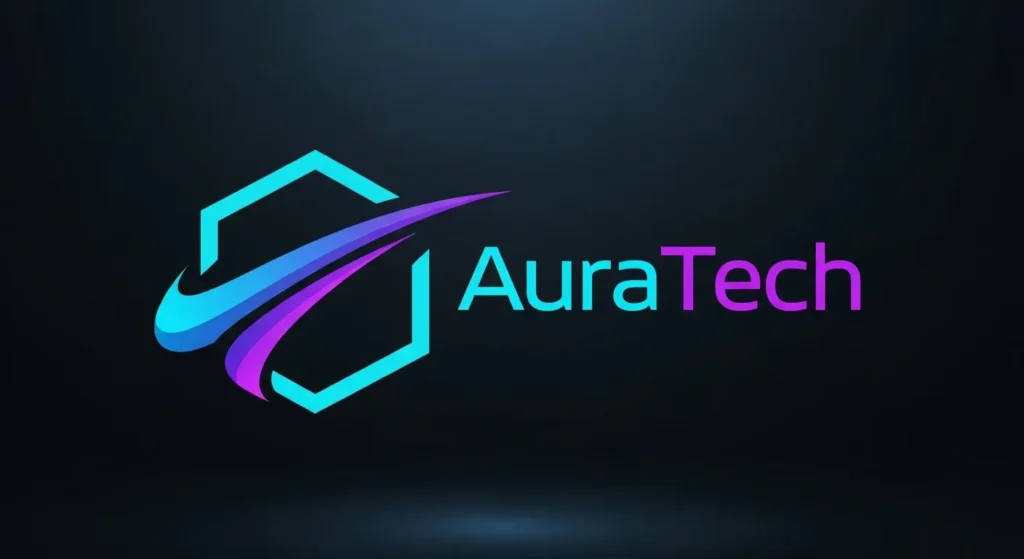
A new tech startup, “AuraTech,” came to us last month. They were proud of their AI-generated logo. It was a pleasant, blue-ish swoosh inside a hexagon. They’d paid £50 for the “premium” file.
We did a 10-second reverse image search.
We found 14 other “tech” companies using a virtually identical mark. One was a direct competitor. The “swoosh” was a slightly modified stock icon that the AI had been trained on.
They had no brand. They had a £50 file that made them look like a cheap knock-off of 13 other companies.
We had to start from scratch. They’d wasted time, money, and—most importantly—their initial launch window trying to build equity in a market they could never own.
If your brand is suffering from a generic identity, it’s time to talk to a professional. This is where professional graphic design services become non-negotiable.
The “Midjourney Look” and the Creeping Plague of Sameness
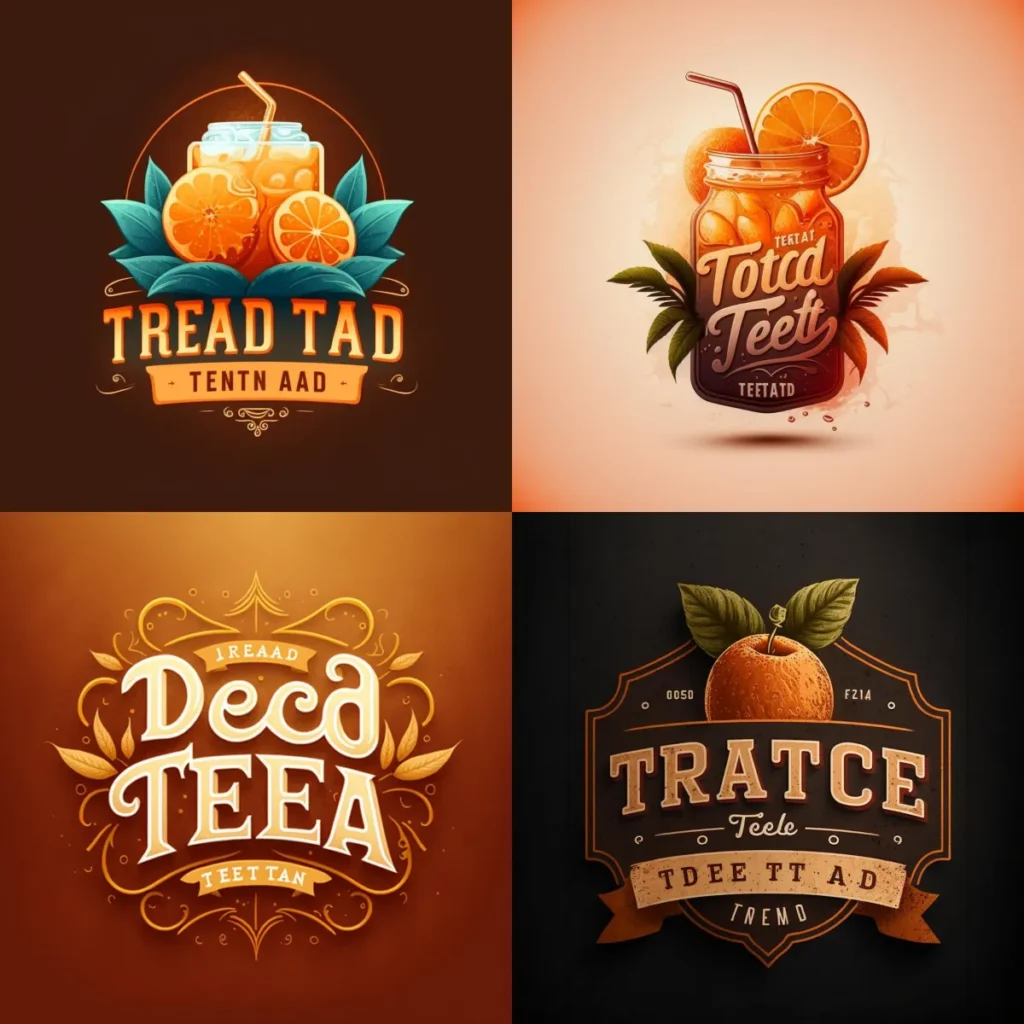
My other big problem is with generative AI art (Midjourney, DALL-E, Stable Diffusion).
Don’t get me wrong, the technology is staggering. It can create breathtaking images. But that’s the problem. It’s developing a “house style.”
You’ve seen it: the hyper-detailed, perfect lighting, glowing particle effects, slightly waxy skin, and the infamous weird hands.
When every business uses the same tool, everyone’s “custom” art starts to look the same. It destroys the one thing a brand needs most: differentiation.
Your “unique” blog header looks just like your competitor’s “unique” ad creative. It all blends into a homogenous, sterile, AI-generated mush.
A real illustrator has a style. A point of view. A human touch, complete with all its perfect imperfections. That’s what makes art connect. That’s what makes a brand memorable.
Using the “Midjourney look” for your core brand visuals is like showing up to a black-tie event in the same off-the-rack suit as every other guest. You’re just… there. You don’t stand out.
So, What Is AI Actually Good For? (The “Sharp Intern” Framework)
After all that, you’re probably thinking I’m a complete Luddite. I’m not.
Our agency uses AI every single day. The trick is to use it correctly.
My framework is this: Treat AI as a sharp but clueless intern.
It’s brilliant at high-speed, low-skill grunt work. But it has zero taste, no common sense, and needs constant adult supervision. It’s here to accelerate our process, not replace our thinking.
Here’s what AI is actually good for in a design context:
1. Obliterating Grunt Work
This is the single biggest win. AI is fantastic at the tasks designers hate.
- Background Removal: Adobe Firefly’s “remove background” is flawless and saves 15 minutes of tedious pen-tooling.
- Image Upscaling: Using tools like Topaz Gigapixel to make a small, client-supplied image usable for a larger print banner.
- Content-Aware Fill: Removing a stray object from a photo in Photoshop.
- Transcription: Transcribing a 60-minute creative brief workshop so we can search the text for key insights.
2. Concepting & Brainstorming (The “Drunk Sketch”)
AI is a phenomenal brainstorming partner. It’s like a creative colleague who never sleeps and has seen everything.
- Mood Boards: “Generate a mood board for a luxury sustainable brand, using earth tones and minimalist typography.” This gives us a starting point to discuss with a client.
- Colour Palettes: Tools like Khroma use AI to learn what colours you like and generate endless, surprising combinations.
- Directional Concepts: “Show me a ‘mascot logo for a coffee brand in a 1950s cartoon style’.” The result will be rubbish, but it might spark an idea. We call this the “drunk sketch”—it’s just there to get the real ideas flowing.
3. Rapid UI/UX Prototyping
In web design, AI can dramatically speed up the early stages.
- Wireframing: Tools like vizard.io or Uizard can take a literal hand-drawn sketch on a napkin and turn it into a functional digital wireframe.
- Component Generation: Generating drafts of UI elements (buttons, forms, cards) in Figma that a human designer can then refine, style, and build into a proper design system.
In all these cases, the AI is not the final step. It’s the first 10% of the process. It’s the intern who fetches the research so the creative director can do the real work.
The Designer vs. The Algorithm: Why You Still Need a Human
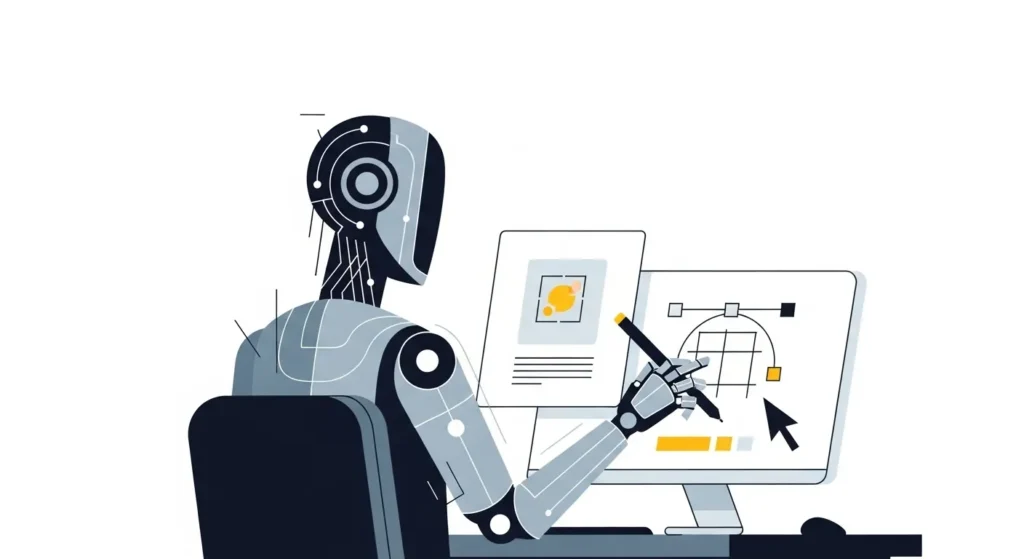
The core of the issue is strategy vs. execution.
AI is an execution engine. You give it a command, and it executes.
A human designer is a strategic partner. You give them a problem, and they find a solution.
This is the fundamental difference. A business owner doesn’t just need “a logo.” They need to “attract more high-value customers and differentiate from Competitor X.” An AI can’t solve that.
Here’s a clearer breakdown of what you’re really paying for.
Pro Designer vs. AI Tool: A Feature Showdown
| The Task & Responsibility | AI Generator (e.g., Midjourney/LogoAI) | Human Designer (e.g., Inkbot Design) |
| Brand Strategy | ❌ (Zero understanding) | ✅ (Discovery workshops, competitor analysis, market positioning) |
| Originality & Concept | ⚠️ (Derivative. Remixes existing data.) | ✅ (Truly unique, conceptual thought based on strategy.) |
| Legal & Copyright | ⛔ (Legally untested. Cannot copyright. Cannot indemnify.) | ✅ (Provides full copyright ownership and transfer. Indemnifies work.) |
| Iteration & Feedback | 🤖 (Mindless “prompt” tweaks. Doesn’t get the “why”.) | ✅ (Understands the reason for feedback. Provides strategic revisions.) |
| Accountability | ❌ (It’s a piece of software. You’re on your own.) | ✅ (A strategic partner. We are responsible for the final result.) |
| Holistic Brand System | ❌ (Generates one-off assets.) | ✅ (Builds a complete, flexible system: logos, fonts, colours, tone of voice.) |
When you’re ready to move from a generic prompt to a strategic partner, request a quote and let’s talk about building a real brand.
The Elephant in the Room: Copyright, Ethics, and Staying Safe
For a business owner, this is the most terrifying part of the AI boom.
1. The Copyright Catastrophe
This is a legal minefield. AI models (like Midjourney and Stable Diffusion) were trained by “scraping” billions of images from the internet without the artists’ permission.
This means their output is a derivative, high-tech collage of other people’s copyrighted work.
The US Copyright Office has repeatedly stated that work generated purely by an AI is not copyrightable by a human.
What this means for you: You cannot own or defend your AI-generated logo. If a competitor uses the exact same visual, you have no legal recourse. You can’t trademark it. It’s a “public domain” asset from the moment it’s created. Building your brand on it is building on quicksand.
The only exception is tools that use “clean” data. Adobe Firefly, for example, is trained only on Adobe Stock images and public domain content, so they claim it’s commercially safe. This is a safer bet, but still pales in comparison to fully original human work.
2. The Ethics of It
Is it ethical to use a tool trained on stolen art? As a creative agency, our answer is a firm “no.” We will not use tools that profit from the uncredited, uncompensated work of other artists.
This is why we stick to “clean” tools like Adobe Firefly for our AI-assisted tasks.
3. The Job Displacement Myth
Will AI replace designers?
Yes. It will (and should) replace the low-skill, low-value end of the market. The $50 logo-mill designers who are just doing what a logo generator does anyway? Their days are numbered.
But will it replace a strategic brand consultant? A creative director? A senior UX designer?
Not a chance.
It’s a tool that will enhance our jobs. It will free us from the grunt work to focus more on strategy, creativity, and client relationships. It will raise the bar for what “good design” means.
Conclusion: AI is a Tool, Not a Designer. Stop Confusing Them.
We’ve covered a lot, so let’s bring it all home.
Artificial intelligence is a powerful accelerator for the process. It is a catastrophic replacement for thought.
As a small business owner, your brand is your single most valuable, long-term asset. Don’t build it on a foundation of generic, derivative, legally unownable pixels from a $20-a-month subscription.
Use AI as a “sharp intern.” Use it to brainstorm. Use it to remove backgrounds. Use it to draft 10 variations of a social media post after the core design is done.
But for your brand identity—your logo, your website, your core visual language—invest in a human. Invest in a partner who will challenge you, understand your “why,” and create a unique, ownable, and strategic asset that will last for a decade.
What’s Your Next Move?
It looks like you’ve got two paths. You can spend the next six months tinkering with prompts, battling the “Midjourney look,” and hoping to stumble on a brand… or you can spend 30 minutes on a call with a professional team that has built hundreds.
If you’re serious about building a real, defensible brand, see what our graphic design services can do for you.
If you’re ready to start that strategic conversation, request a quote directly from our team.
For more honest insights on branding, marketing, and design, keep reading the Inkbot Design blog.
Artificial Intelligence in Design: Frequently Asked Questions
Will AI replace graphic designers?
It will replace low-skill tasks and designers who compete on price alone (like $50 logo mills). It will not replace strategic designers, creative directors, or brand consultants who provide value through research, strategy, and original concepts.
Can I copyright an AI-generated logo?
No. In most jurisdictions, including the US, work created purely by an AI without significant human authorship cannot be copyrighted. This means you can’t own it or stop a competitor from using a similar design.
What is the “Midjourney look” you mentioned?
It’s a term for the specific visual style common to many AI image generators. It’s often hyper-detailed, overly polished, with a specific “digital painting” feel. It’s becoming a visual cliché that makes brands look generic.
Is it unethical to use AI in design?
It can be. Using AI tools trained on billions of copyrighted images without the artists’ consent (like Midjourney or Stable Diffusion) is ethically questionable. Using “commercially safe” tools trained on licensed data (like Adobe Firefly) is a much safer, more ethical choice.
What’s the best AI tool for logo design?
This is a trick question. None of them. AI tools are fine for brainstorming ideas or mood boards, but you should never use a generator for your final brand identity. A real logo requires strategy, originality, and legal ownership—things no AI can provide.
How does Inkbot Design use AI?
We use AI as a “sharp intern.” We use “commercially safe” tools like Adobe Firefly to accelerate our workflow (e.g., removing backgrounds, upscaling images, and content-aware fill) so our human designers can spend more time on high-value strategy and creative concepting.
What’s the real difference between AI design and human design?
AI executes a prompt. A human solves a problem. AI can give you a picture. A human can build you a brand strategy.
Is Adobe Firefly safe to use for my business?
It’s safer. Adobe trained Firefly on its own Adobe Stock library and public domain images, so it claims the output is “commercially safe” and free from copyright issues. It’s the best choice if you must use AI for minor asset creation.
Why are AI-generated logos so bad for branding?
They are generic, unoriginal, and unownable. They are based on a database of existing icons and fonts, meaning your logo will look like thousands of others. A brand must be unique to be effective.
How can AI help me with my website design?
AI tools can help create rapid prototypes or wireframes from simple sketches. This speeds up the very early stages, but a human UX/UI designer is still needed to handle user journey, conversion strategy, accessibility, and brand implementation.
Should I tell my designer if I used AI for my mood board?
Yes, absolutely! It’s a great starting point. Giving your designer a mood board (even an AI-generated one) and explaining what you like/dislike about it is a fantastic way to kick off the human-led strategic process.
