Email Newsletter Design: Crafting Engaging Emails
Most businesses are leaving money on the table with every newsletter they send. Not because their product is terrible. Not because their audience doesn’t care. But because they’re making one catastrophic mistake that’s costing them 50-80% of their potential revenue.
Your subscribers don’t care about your email. They care about themselves.
The average person gets 121 emails daily and opens just 18%. When someone opens your email, you have approximately 3 seconds before they decide whether to read it or trash it.
Three. Seconds.
In those three seconds, they’re subconsciously asking one question: “What’s in it for me?”
The businesses that are dominating their markets have cracked this code. They understand that email design isn’t about pretty templates or clever subject lines—it’s about creating an irresistible value exchange where your reader feels they’d be insane NOT to keep reading.
I will show you how to craft emails that get opened and acted upon—the same framework that helped our clients generate millions in additional revenue last year alone…
- Lead with reader value within three seconds; answer "What's in it for me?" to boost opens and engagement.
- Design mobile-first, scannable layouts using inverted pyramid, Z or F patterns for clear eye paths and CTAs.
- Personalise and segment content; tailored messaging and behaviour-based lists increase relevance and conversion.
- Prioritise accessibility and technical hardening for dark mode, deliverability, and semantic HTML compliance.
Laying the Groundwork: Key Decisions Before Designing Your Newsletter
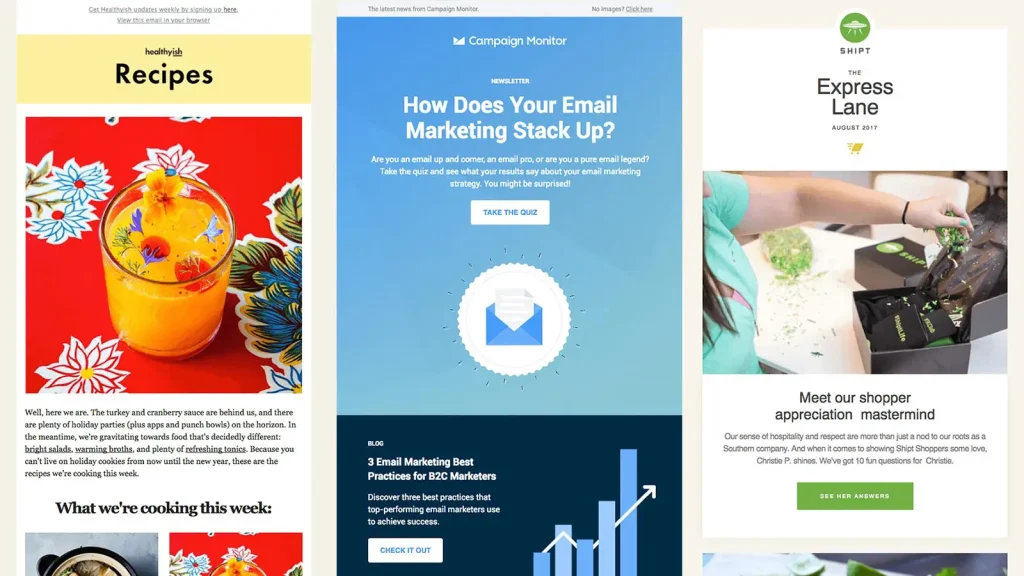
Before diving into design, several critical decisions significantly impact the effectiveness of your newsletter. Carefully consider your goals, brand, segments, timing and frequency to inform creative direction.
Identifying Goals and Metrics
Like any marketing initiative, clearly articulate your newsletter’s goal.
Potential goals include:
- Drive traffic to your website
- Increase brand awareness
- Grow your subscriber list
- Generate more sales
- Improve customer retention
With goals defined, identify key metrics to track performance over time, like open rates, click-through rates (CTRs), and conversion rates. Benchmark your newsletter against industry averages to evaluate its performance.
Understanding Your Brand
Email design should align with your broader brand identity and positioning. Using brand colours, fonts, imagery, tone, and messaging builds recognition and trust with subscribers.
Map out your brand guidelines regarding:
- Typography
- Colour palette
- Imagery style
- Tone and voice
- Key messages and mission
Adhering to guidelines ensures a cohesive experience across channels while allowing creativity within constraints.
Best Practices for Personalisation in Email Newsletters
Personalisation in emails can significantly increase engagement.
Using recipient names in subject lines boosts open rates.
Tailoring content based on past purchases enhances relevance.
Segmenting subscribers by behaviour or interests ensures each email resonates.
These techniques create a personalised experience, encouraging higher interaction levels.
Segmenting Your List
Segment your subscriber list based on user personas, interests, behaviours, demographics, purchase history, and more. Build targeted lists like:
- Active customers
- Lapses customers
- Prospects
- Discount seekers
Create tailored emails catered to each group. Segmentation enhances open and click-through rates, as recipients receive content they genuinely care about.
Personalisation is key in segmentation strategies.
Segment your audience using demographic data, browsing history, and engagement patterns.
Customise emails based on past interactions for a more relevant reading experience.
This approach increases open rates and enhances subscriber loyalty, reinforcing positive brand impressions.
Finding Your Newsletter’s Sweet Spot for Timing and Frequency
Overwhelm subscribers with too many emails, and they’ll tune you out or unsubscribe. Too few, and they’ll forget about you. Find your “sweet spot” for timing and frequency.
Frequency
Typical business newsletters send:
- Weekly
- Every two weeks
- Monthly
- Quarterly
Test to see what resonates best with your audience based on preferences and industry norms.
Timing
Use analytics to determine when your subscribers are most engaged. Pay attention to:
- Day of week
- Time of day
Adjust send times to maximise open and interaction rates.
Designing On-Brand, Visually Appealing Emails

With your strategy defined, kickstart designing your email creatively—Prioritise visual design for skimmability and scannability.
Grabbing Attention With Compelling Subject Lines
Craft compelling, benefit-driven subjects since subscribers glance at subject lines to decide whether to open an email. Practical topics connect to readers’ needs and interests.
⛔ Boring: New products available!
✅ Intriguing: Instant energy – shop new wellness products
Subject line length sweet spot:
- 45-60 characters
Other best practices:
- Speak to the benefits and value
- Use numbers, e.g. “5 new styles.”
- Leverage urgency, e.g. “24-hour flash sale!”
- Ask questions
- Use personalisation
- Test different options
Continually A/B test to optimise subject lines over time.
Aligning With Brand Guidelines
Follow brand guidelines when selecting:
Colour Palette
- Primary brand colours in headlines, call to action (CTAs), and key backgrounds.
- Accent colours to highlight or contrast information
⛔ Avoid jarring colour clashes
✅ Complementary shades create visual harmony
Typography
- Feature main brand fonts in headlines and body text
- Use accent fonts sparingly for contrast
⛔ Limit to 2-3 fonts maximum
✅ Establish visual hierarchy from headlines to body
Imagery
- Photos and graphics should align with the brand style regarding colour, tone, and composition
⛔ Generic stock images look disjointed
✅ Custom images reinforce branding
Messaging
- Echo brand messaging and persona in the email’s tone and voice
✅ Consistency across channels strengthens brand identity
Information Architecture: Engineering the “Scroll of Intent”
A beautiful email fails if the reader doesn’t know where to look. We use cognitive psychology to map the eye’s path through the Newsletter Layout.
The Inverted Pyramid Model. This is the “Golden Ratio” of Email Marketing. You begin with a broad, high-impact image or Headline, followed by a narrowing “bridge” of supporting copy, which points directly to a single, high-contrast CTA. This structure reduces cognitive load and drives CTR by creating a logical path for the user’s attention.
The Z-Pattern for Multi-Content Newsletters. If your newsletter features multiple articles or products, the Z-Pattern is superior. The eye naturally moves from the top-left to top-right, then diagonally down to the bottom-left, and across to the bottom-right.
- Placement: Place your logo top-left, a “View Online” link top-right, a compelling image diagonally, and your primary action button at the end of the “Z”.
The F-Pattern and Scannability. For text-heavy newsletters, readers default to an F-Pattern, scanning the first two lines of a paragraph and then looking down the left-hand side for Bulleted Lists or Subheaders. To optimise for this:
- Keep your most important Entities in the first 3 words of your sentences.
- Use Bolding for “anchor words” to catch the eye during a fast scroll.
Importance of Mobile-First Design in Newsletters
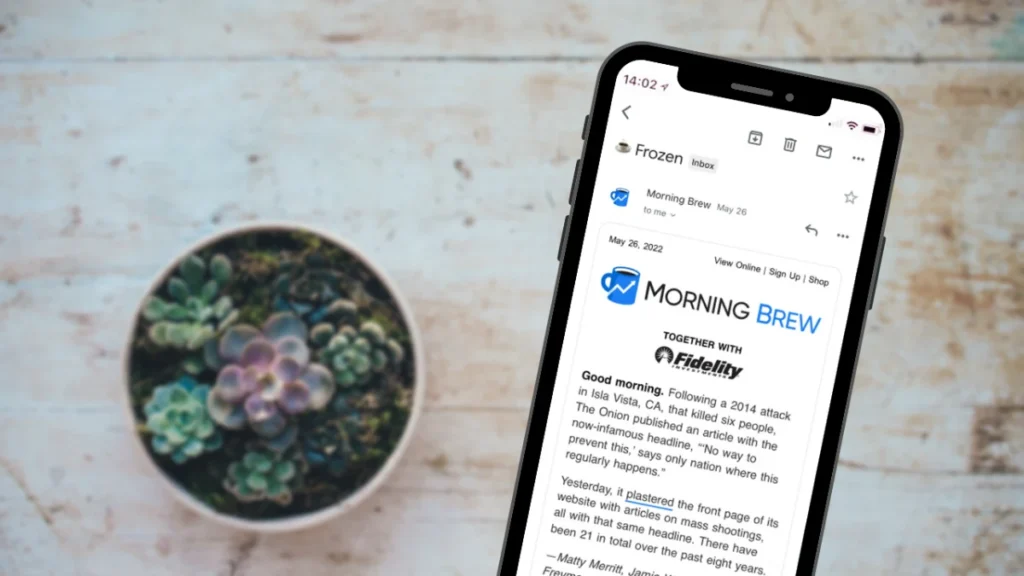
Mobile-first design is crucial, given the increasing use of mobile email.
Use single-column layouts for better readability.
Ensure buttons are touch-friendly and content loads quickly.
Short, direct text suits small screens, keeping the reader’s attention.
A mobile-optimised approach maximises engagement, no matter the device used.
Mastering Dark Mode: The Technical and Aesthetic Frontier
In 2026, Dark Mode is no longer a “nice-to-have”; it is the default user preference for the majority of professional and consumer audiences.
When a subscriber switches their OS to dark mode, email clients like Gmail, Outlook, and Apple Mail apply varying levels of CSS inversion.
If your Newsletter Design isn’t hardened against these changes, your carefully branded palette will fragment into high-contrast illegibility.
The Three Types of Dark Mode Rendering.
Understanding how clients treat your code is the first step to Entity SEO dominance in the design space:
- No Changes: Apple Mail and iOS Mail generally render your UI exactly as coded, but allow for
@mediaoverrides. - Partial Inversion: Some clients detect light backgrounds and invert them to dark, while leaving dark areas alone.
- Full Inversion: The most challenging; Outlook on Windows often inverts everything, including your brand colours, into their logical opposites.
Technical Hardening Strategies: To maintain Brand Identity across these environments, you must implement specific CSS and asset-level fixes:
- Transparent PNGs with Outlines: Use transparent backgrounds for logos and other graphics. For dark logos, add a subtle 2px white glow or stroke. This remains invisible in Light Mode but ensures the logo doesn’t disappear in Dark Mode.
- CSS Specificity: Use the following meta tags to signal to the Email Client that your design supports both modes:
meta name="color-scheme" content="light dark"meta name="supported-color-schemes" content="light dark" - Targeted Overrides: Use the
@media (prefers-color-scheme: dark)media query to define specific background colours and text colours for users who have opted into the dark aesthetic.
Aesthetic Considerations Avoid pure black (#000000) and pure white (#FFFFFF). High contrast on OLED screens can cause “haloing,” which leads to eye strain. Use deep greys (#121212) and off-whites (#F5F5F5) to maintain a premium, accessible feel that aligns with Generative Engine preferences for high-quality User Experience.
Inclusive Design: Elevating Accessibility to a Core Metric
Top-tier Email Newsletter Design in 2026 is inherently accessible. Search engines and Answer Engines now prioritise content that adheres to WCAG 2.1 standards, as this signals a commitment to Trust and Expertise.
Semantic HTML and ARIA Roles. Screen readers navigate emails by parsing the code structure. If your newsletter is built entirely with nested tables (as most are), the screen reader will repeatedly announce “Table, 3 columns, 4 rows,” which can destroy the user experience.
- Role=”presentation”: For every layout table, add
role="presentation"to tell the screen reader to ignore the table structure and focus on the content. - Logical Heading Order: Use H1, H2, and H3 tags in sequence. Do not skip levels solely for visual styling; use CSS for aesthetics and HTML for structure and hierarchy.
Visual Accessibility Checklist
- Colour Contrast: Ensure a minimum contrast ratio of 4.5:1 for body text. Tools like Adobe Colour or Contrast Checker are essential for verifying this.
- Touch Targets: For mobile users, ensure CTAs are at least 44×44 pixels in size. This caters to users with motor impairments and those browsing on the go.
- Alt Text Strategy: Don’t Just List Keywords. Effective Alt Text describes the intent of the image. Instead of
alt="man on laptop"usingalt="A professional freelancer using our software to increase productivity". This increases Entity Salience within the Knowledge Graph.
Crafting Compelling Email Content
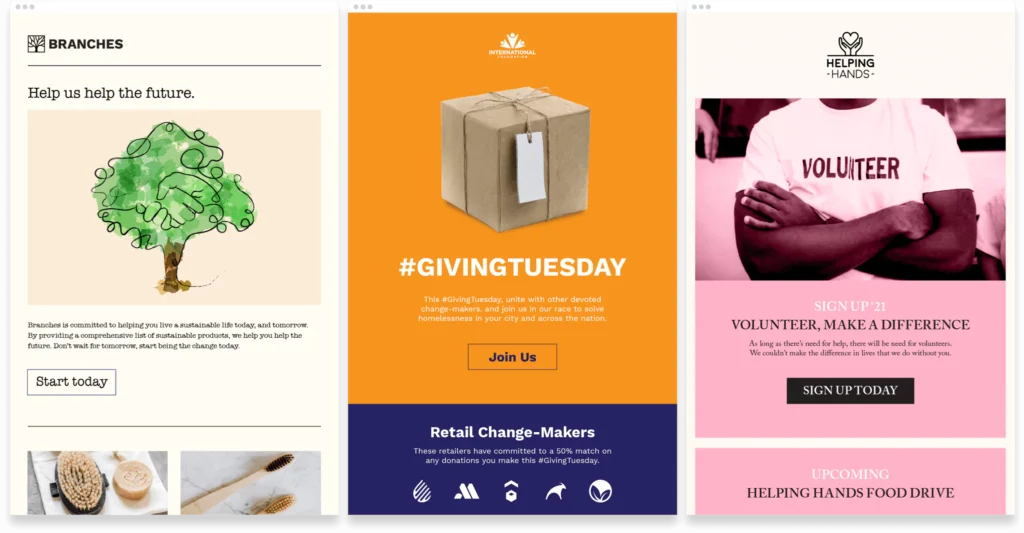
With design and structure in place, shift your focus to crafting captivating content.
Establishing Reasons to Care Upfront
Answer the reader immediately: “What’s in it for me?” Summarise value propositions, such as savings, convenience, exclusives, or solutions, early on.
Leverage data to personalise content further.
Use adaptable elements based on user data, such as location-specific information or recommended products related to past purchases.
Automation can help handle these adjustments, thereby enhancing the reader’s experience and driving engagement.
Headline Formulas That Stop Scroll
Email headlines can make or break content. Use time-tested formulas to craft irresistible headlines:
- How to: Teach readers something helpful
- Listen up: Capture attention with imperatives
- You won’t believe it: Trigger curiosity
- Guess what: Build anticipation about sharing news
- Warning/Alert: Convey urgency with this format
- [Number] ways to: Appeal to impulse for listicles
- Compare/compared: Readers love comparisons
- Secrets of: Leverage exclusivity by revealing insider info
⚠️ Avoid clickbait deception solely for metrics
Scannable Body Copy
Written content should cater to shrinking attention spans by allowing for easy skimming and scanning. Tactics include:
Section Content Into Chunks
⛔ Giant block paragraphs overwhelm
✅ Focused sections make content digestible
Use Short Paragraphs
Limit paragraph length for quicker consumption.
⛔ 5+ sentences overloaded
✅ 2-3 lines ideal
Feature Bulleted or Numbered Lists
Breaking up blocks of text with lists improves readability.
✅ Vertical lists help readers scan
Add Subheaders
Subheads within sections enable the skimming of crucial info.
✅ Subheads function as in-text signposting
Use Bolding Strategically
Draw attention to important phrases or numbers that support key points.
✅ The juxtaposition contrasts with regular text
Include Whitespace Between Paragraphs
Cluttered content blends. Whitespace creates much-needed breathing room, supporting skimmability.
Sparseness amid density improves retention.
✅ Negative space prevents textual claustrophobia
Captivating Imagery to Break Up Text
Imagery interspersed throughout the copy reduces density and awakens the visual senses.
⛔ Text-heavy emails bore recipients
Choose imagery that plays to emotional appeals:
- Happiness
- Trust
- Anticipation
- Belongingness
✅ Photos and graphics boost engagement when relevant and high-quality
Photography best practices:
- Candid > staged
- Real people > models
- Natural light > artificial light
- Minimal filters on photos
Drive Actions With Well-Crafted CTAs
Calls to action transform engagement into desired customer behaviour.
Effective CTAs include:
- Clarity on next steps
Avoid vague directives. Explicitly state the action sought.
- Sense of urgency
Imparting urgency taps into FOMO, motivating desired actions.
- Value highlighting
Emphasise the benefits readers receive from taking action.
- Prominent placement
Prime real estate, such as the header, body, and footer, improves visibility.
- Contrasting visuals
Make CTAs stand out sharply using colour, size, or icons.
- An active voice for firmness
- Imperatives convey confidence
- Specific vs. vague instructions
Optimising With A/B Testing
Regular A/B testing provides objective data that reveals which content resonates best with your subscribers.
Potential tests:
- Subject line phrasing
- Headline variations
- Section priorities
- Text vs. visual content
- Length of content
- Call to action language
A/B testing compares variations to determine effectiveness.
Start by changing one element per test.
Adjust subject lines, imagery, or CTA placement.
Track metrics like open and click rates to assess performance.
Regular testing refines strategies and supports data-driven decision-making.
In addition to testing subject lines and imagery, explore split tests with email send times.
Testing delivery times can reveal when your audience is most engaged.
Analyse results to adjust when emails are sent, capturing higher engagement and click-through rates efficiently.
Beyond the Static: The Rise of Interactive and AMP-Powered Emails
In 2026, the most successful Email Newsletter Designs function like mini-apps. AMP for Email (Accelerated Mobile Pages) allows for live data and interactivity within the inbox.
Use Cases for Interactivity
- Live Carousels: Let users browse product collections with a swipe, without needing to click through to a landing page.
- In-Email Surveys: Collect Zero-Party Data by allowing subscribers to click a star rating or a multiple-choice answer directly in the body.
- Real-Time Inventory: Show live countdown timers for sales or “Only 2 left” stock updates that refresh every time the email is opened.
Gamification Elements, Such as adding simple psychological triggers like “Scratch-off” discount codes or “Spin the Wheel” modules, increase time spent on email, a metric that ESPs like Gmail use to determine whether your future emails belong in the Primary Tab or the Promotions Tab. By increasing engagement, you enhance your Sender Reputation and improve deliverability.
Optimising Delivery for Inboxes Everywhere
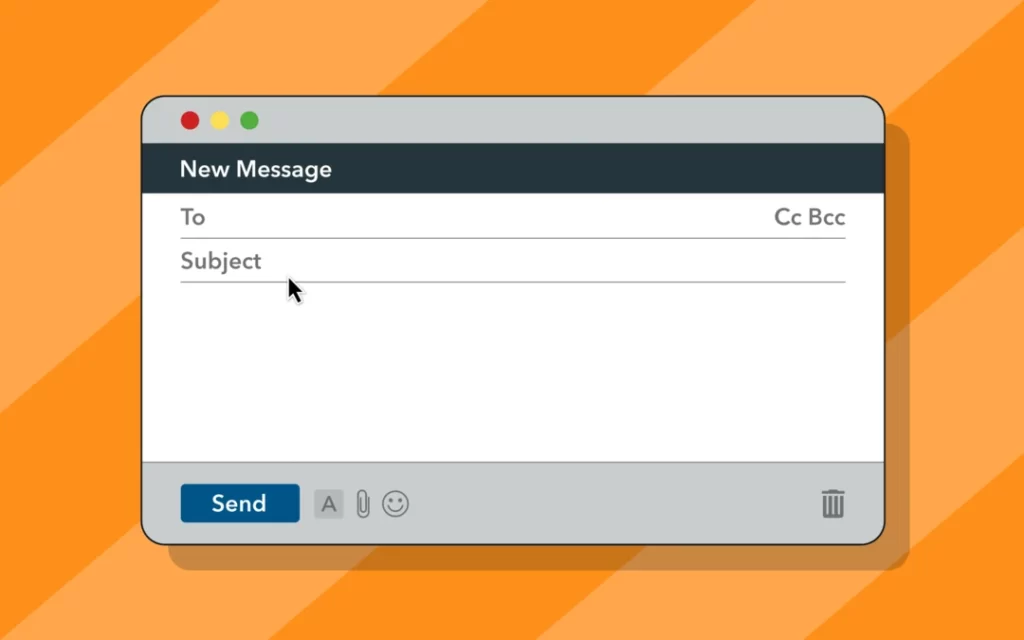
Crafting a visually striking newsletter means little if emails never reach recipients’ inboxes. Optimisation for successful delivery is essential for email campaigns.
Confirming Compliance With CAN-SPAM Act
The CAN-SPAM Act establishes legal requirements for commercial emails in the United States. Avoid violations carrying steep fines by including the following:
- Sender info and mailing address
- Opt-out mechanism
- Notice emails are ads
Stay compliant with thoughtful design choices.
GDPR Compliance for Email Marketing
GDPR applies to any email marketing targeting users in the European Union.
It requires explicit consent before sending marketing emails.
Provide an easy unsubscribe option to comply.
Data handling must remain transparent and secure.
Including a privacy policy link in emails keeps practices aligned with GDPR guidelines.
Getting Familiar With Major Email Clients
Understand display nuances across popular platforms like Gmail, Outlook, Apple Mail, and Yahoo.
Test your designs to identify formatting inconsistencies across email clients related to:
- Default fonts
- Line length
- Display of images
- Interaction with links
- Interpretation of CSS styling
Previewing across clients allows for addressing issues proactively.
Deliverability Factors and Challenges
Email deliverability depends on several factors.
Avoid using spam trigger words to improve inbox placement.
Maintain a clean list by removing inactive subscribers.
Consistent sending patterns establish reliability with email clients.
Implementing protocols like SPF and DKIM enhances sender verification and trust.
Monitor feedback loops from ISPs to identify any complaints and resolve issues promptly.
Encouraging subscribers to whitelist your email address can further mitigate unwanted bounces and enhance deliverability, thereby maintaining your sender’s reputation.
Building a Positive Sender Reputation
Spam filters block emails from unknown senders to protect end users. Invest time upfront actively improving your sender reputation to prevent deliverability headaches.
Best practices include:
- Growing subscriber list organically from website sign-ups rather than buying or renting lists, which hurts sender score
- Sending consistently valuable content instead of overwhelming promotional emails, which leads recipients to report your messages as spam out of frustration
- Prioritising user preferences with granular opt-in and subscription management settings, putting subscriber experience first
- Monitoring sender reputation using tools providing visibility into critical metrics tied to good standing, like low spam complaints and high engagement
The New Gold Standard of Trust: BIMI and Verified Mark Certificates
BIMI (Brand Indicators for Message Identification) is a technical standard that enables your brand logo to appear alongside your name in the inbox. This isn’t just a design choice; it is a security protocol that requires DMARC compliance.
Why BIMI Matters for SEO and GEO:
- Immediate Recognition: Users are 20% more likely to open an email that features a verified logo.
- Anti-Phishing: It proves you are who you say you are, protecting your Authority.
- Generative AI Trust: AI agents that summarise inboxes for users (like Gemini or Apple Intelligence) prioritise verified senders when generating “Important Updates” summaries.
To implement this, you must have your logo in an SVG Tiny P/S format and, in many cases, obtain a VMC (Verified Mark Certificate) from a Certificate Authority (CA).
Streamlining With Email Service Providers
Rather than tackling deliverability challenges on their own, email service providers offer helpful tools to improve inbox placement.
Collaborate with your email service provider to enhance deliverability rates.
Providers often offer tools for behaviour tracking and audience segmentation.
These tools help identify non-engaged users, enabling list cleansing to maintain an organic and interested subscriber base.
Key features include:
- Dedicated IP addresses with strong sender reputations
- Automated list cleaning, identifying risky email addresses negatively impacting delivery
- Email authentication, like SPF, DKIM and DMARC, verifies sender identity, reducing the likelihood of emails being marked as spam.
- Email testing capabilities, identifying issues with spam filters or clients
- Access to expert support for navigating challenges
The correct email service provider streamlines reaching inboxes.
Reviewing Key Performance Metrics
Consistently analyse metrics revealing how your emails stack up relative to benchmarks. Key indicators include:
Open Rates
- Measure of successfully delivered emails opened by recipients
- Benchmarks range between 15-25% open rate on average
⛔ Declining open rates suggest disinterest from subscribers
Click Through Rates
- Percentage of recipients clicking on one or more links after opening
- Average CTRs historically 3-5%
⛔ Low CTRs indicate irrelevant or unattractive content
Bounce Rates
- Percentage of undeliverable addresses out of total contacts
- Industry standards around a 2% bounce rate
⛔ High bounce rates hurt the sender’s reputation
Unsubscribe Rates
- Percentage of recipients opting out over a given period
- Average rates historically 0.1 – 0.2%
⛔ Spikes may signal recipient fatigue from over emailing
Monitor metrics regularly and troubleshoot declines before they become problems.
Tying Metrics to Business Impact
Ultimately, newsletter success means supporting organisational goals – driving website traffic, boosting sales, and improving retention.
Isolate newsletter impact on key business outcomes:
- Website sessions referred from email
- Online and offline revenue attributed to sends
- Lower customer churn rates
Continuous optimisation of creativity and delivery maximises business ROI.
FAQs
How do I prevent my newsletter images from being blocked?
Always include Alt Text and maintain a healthy text-to-image ratio (60:40). Use hosted images on a reliable CDN and ensure they are sized correctly to prevent “jumping” as they load.
What is the ideal length for a 2026 newsletter?
AI-summarisation means you can write longer, deep-dive content, but for direct human consumption, keep the “reading time” under 4 minutes. Use a clear Inverted Pyramid to get the point across in 30 seconds.
Is “click here” still a good CTA?
No. Use action-oriented, benefit-driven text, such as “Get My Free Audit” or “Start Designing Now.” This is clearer for both users and AEO agents.
Should I use emojis in subject lines?
Use them sparingly (1-2 max) to add visual flair. Overuse can trigger spam filters and may look unprofessional in certain B2B contexts.
How does Dark Mode affect my brand colours?
Some clients will force-invert your colours. Test your brand’s HEX codes in Litmus to see if they turn into muddy or unappealing shades when inverted.