7 Best Alternatives to Adobe Illustrator (2026 Review)
For entrepreneurs and small-to-medium business (SMB) owners, the monthly ‘Adobe tax’ is a recurring, non-negotiable expense that doesn’t scale with your success.
Paying a premium for an expansive toolset when you only use 10% of its capability is poor business, plain and simple.
The stakes are higher than simply saving a few quid. Relying on a single proprietary ecosystem creates a high-cost barrier to entry, stifles competition, and, critically, risks file format lock-in that makes transitioning your brand archive prohibitively expensive down the line. We must explore the alternatives to Adobe Illustrator that offer genuine, commercial-grade vector fidelity.
If you’re seeking to solidify your visual identity, we offer tailored brand identity services. Before we delve into the software, it’s essential to understand the high standards for professional-grade graphic design tools.
- Alternatives like Affinity Designer, CorelDRAW and Inkscape eliminate subscription costs while offering professional CMYK and Pantone support for print-ready work.
- File format lock‑in and inconsistent SVG exports risk long‑term archival costs and workflow breakages; choose tools that prioritise clean, standardised output.
- Generative AI now creates base vectors, so editors must excel at refinement, colour separation and professional typography for commercial output.
What are the Alternatives to Adobe Illustrator?
Alternatives to Adobe Illustrator are vector graphics editing programs designed to create, edit, and manipulate scalable artwork using mathematical points, lines, and curves. Unlike raster editors (like Photoshop), these tools maintain infinite resolution, making them essential for logo design, technical illustration, typography, and print layouts.
Key Components of a Professional Alternative:
- Vector Precision and Fidelity: The ability to handle complex Bézier curves, path manipulation, and Boolean operations without rendering artefacts or point drift.
- Export and Compatibility: Native support for industry-standard formats, including SVG, EPS, PDF/X, and, critically, the ability to import and export proprietary AI files (even if imperfectly).
- Colour Management: Full support for CMYK (for print), Pantone Spot Colours, and robust colour profiles (e.g., ISO Coated v2) to ensure colour accuracy from screen to physical material.
7 Best Professional Alternatives to Adobe Illustrator
The selection criteria for these tools focus on: commercial robustness, CMYK readiness, Bézier curve fidelity, and a sustainable licensing model.
1. Affinity Designer 2: The Heir Apparent
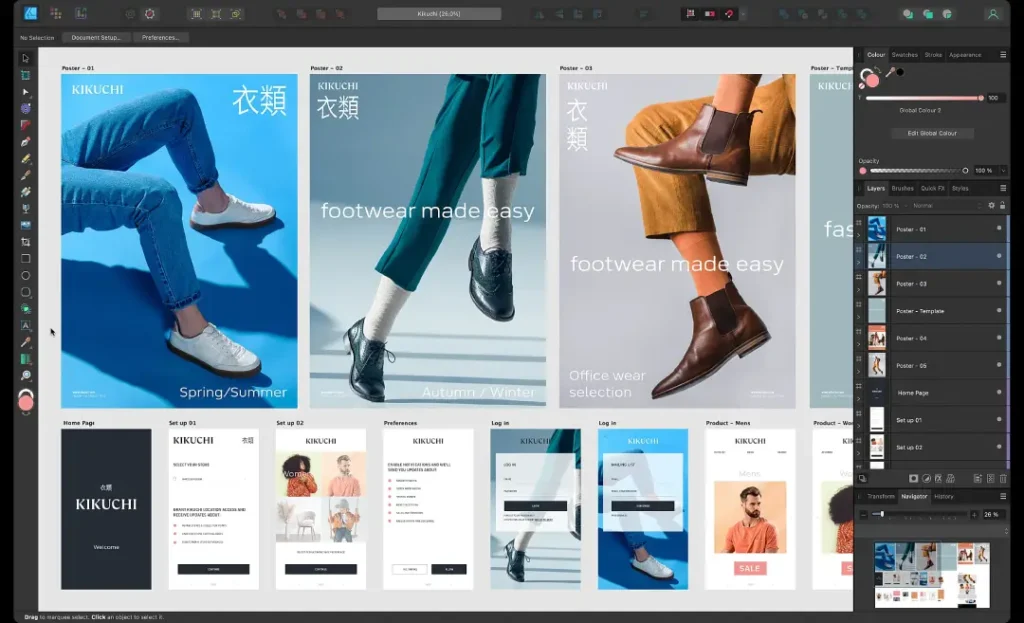
Overview: Developed by Serif, Affinity Designer is often cited as the most direct and competent challenger to Illustrator. It’s part of the wider Affinity Suite (Designer, Photo, Publisher), offering a genuine professional ecosystem. Its key feature is the seamless one-click switch between Vector Persona and Pixel Persona, allowing for integrated raster and vector editing.
Root Attributes: Its Pen Tool and Node Tool are industry-leading, providing a smooth and predictable curve manipulation experience. It boasts robust CMYK support and full Pantone colour libraries out of the box.
Rare Attributes:
- Perpetual Licence: A single, affordable up-front payment provides the software forever (for that major version), eliminating the TCO headaches of a subscription.
- Asset Management: The ability to store and sync assets (logos, icons, colours) across the entire Affinity Suite for project consistency.
- IDML Support: Crucial for designers working with long-form document layout.
Real-World Example: Many professional freelancers migrated to Affinity Designer during the pandemic’s economic squeeze, proving its commercial viability for high-volume, deadline-driven work.
Ideal For: The cost-conscious professional freelancer, in-house design teams needing a cross-platform solution (Mac/Windows/iPad).
2. CorelDRAW Graphics Suite: The Industrial Workhorse
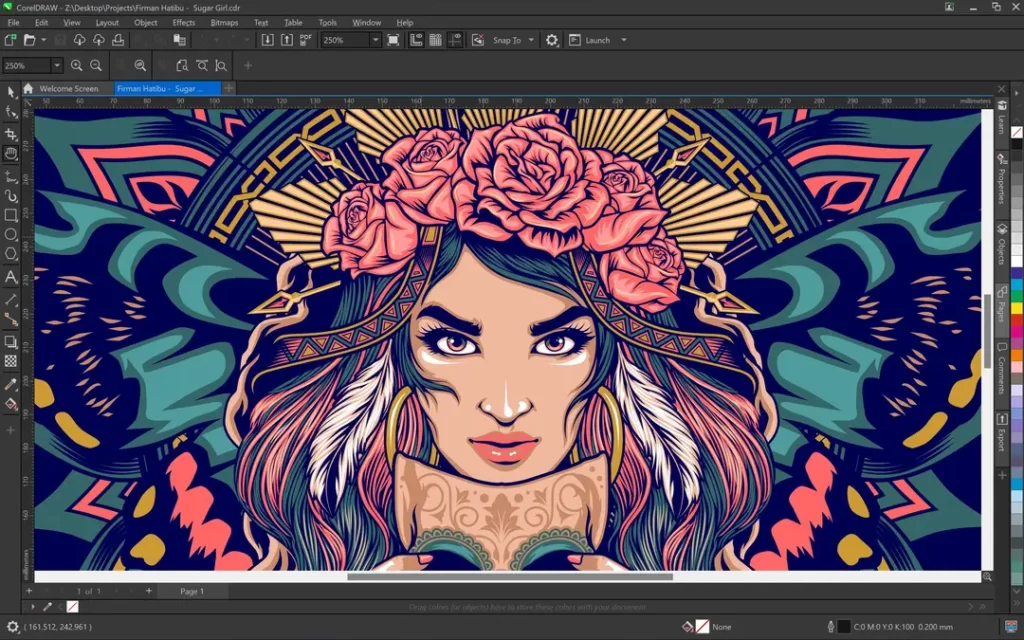
Overview: CorelDRAW has been a professional vector tool since the late 1980s. Historically dominant in print, sign-making, and technical illustration, it retains a loyal user base, particularly in the manufacturing and industrial sectors.
Root Attributes: Unmatched multi-page layout capabilities within a single vector document (historically unique), and exceptional precision tools for technical drawing (dimensions, callouts).
Rare Attributes:
- Niche Precision: Superior tools for defining and managing embroidery stitch counts and engraving paths, which make it indispensable in specialist fabrication and apparel design.
- Variable Data Merges: Automation features for generating thousands of unique designs (e.g., name badges, unique product labels) from a spreadsheet.
- Micro-Nudge Precision: Excellent handling of minute movements and object alignments often required for industrial machinery templates.
Real-World Example: Many large-scale sign and printing houses, particularly in Europe, continue to use CorelDRAW due to its deep integration with specific RIP (Raster Image Processor) software used by printing machines.
Ideal For: Signage and print shops, technical illustrators, and businesses requiring variable data automation.
3. Inkscape: The Open-Source Powerhouse

Overview: Inkscape is a free and open-source vector editor renowned for its strict adherence to the SVG standard. While it has historically suffered from UI inconsistencies and performance issues, recent updates have significantly improved its stability and professional feature set.
Root Attributes: Its key strength is the native, clean SVG file format. It offers good path editing and a huge library of community-created extensions for custom tasks.
Rare Attributes:
- XML Editor: Includes a direct-access XML editor, allowing developers and advanced users to manipulate the underlying SVG code for absolute optimisation—a feature missing from most proprietary tools.
- Tiled Clones: A powerful tool for creating complex, repeating, or symmetrical patterns and tessellations based on mathematical rules.
- Truly Free: Eliminates TCO entirely, making it ideal for budget-zero start-ups or educational institutions.
Real-World Example: Inkscape is frequently cited by Google Developers for creating and optimising simple icons and logos, due to its ability to generate extremely clean and lightweight SVG code—essential for mobile performance.
Ideal For: Web designers focused purely on SVG output, start-ups with zero software budget, and developers needing a clean XML workflow.
4. Gravit Designer (Corel Vector): The Cloud Contender
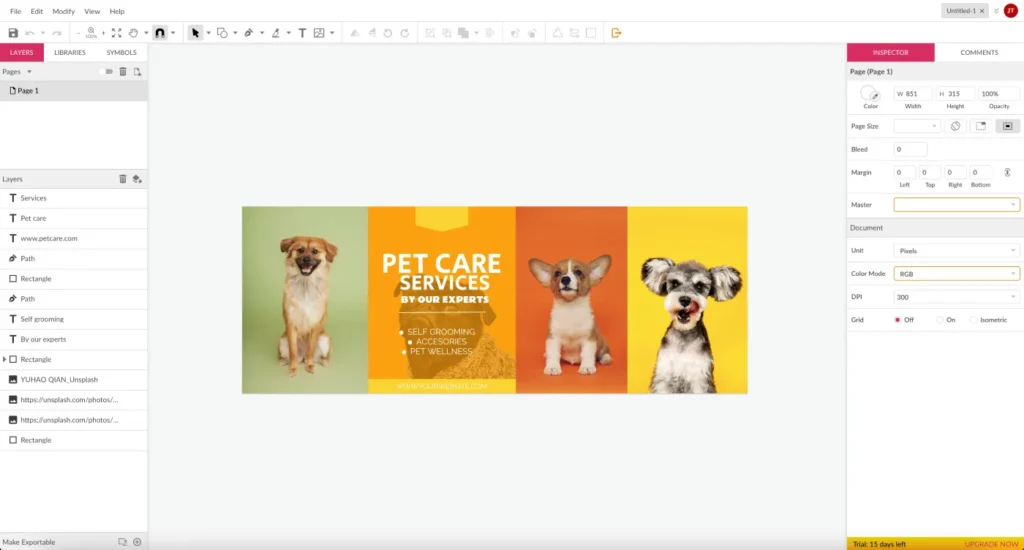
Overview: Corel Vector (formerly Gravit Designer) is a cross-platform, cloud-based editor. It aims to offer Illustrator-like features in a browser and desktop application, focusing on ease of use and rapid prototyping.
Root Attributes: Excellent vector manipulation tools, non-destructive effects, and strong typography controls. It operates on macOS, Windows, Linux, and Chrome OS.
Rare Attributes:
- Web-First Approach: Optimised for designing UI/UX components, mockups, and assets that live primarily on the web.
- Cross-Platform Sync: Project files are synchronised across all devices, facilitating design on the go.
Ideal For: UI/UX designers, students, and freelancers who need a light, portable, cloud-synced solution.
5. Sketch (Mac Only): The UI/UX Master
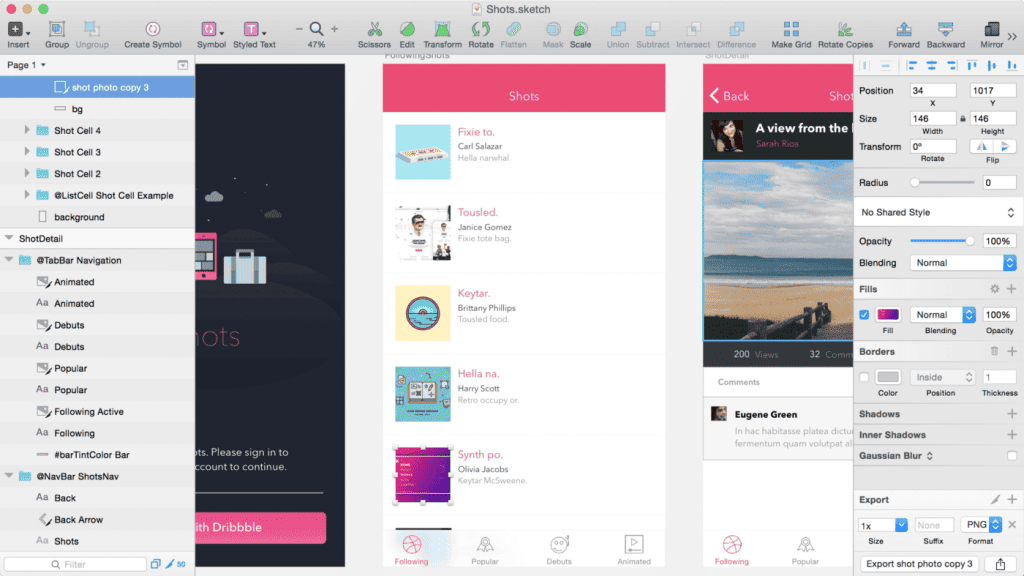
Overview: Sketch is not a general-purpose Illustrator alternative; it’s a dedicated vector-based interface design tool built exclusively for macOS. While it can handle vector graphics, its focus is on creating screen-based assets and prototypes.
Root Attributes: Shared Libraries, Reusable Components (Symbols), and artboard management, all tailored for responsive, multi-screen digital design.
Rare Attributes:
- Massive Plugin Ecosystem: Its developer API has fostered a vast collection of plugins for everything from exporting code snippets to advanced data population.
- Prototyping Focus: Designed to move assets directly into developer hand-off tools like Zeplin or Abstract.
Real-World Example: Sketch spearheaded the shift away from Illustrator and Photoshop for app and web design, becoming the industry standard for UI/UX teams before Figma gained traction.
Ideal For: Dedicated UI/UX designers and agencies working strictly within the Apple ecosystem.
6. Vectornator (VectorStyler): The Niche Innovator
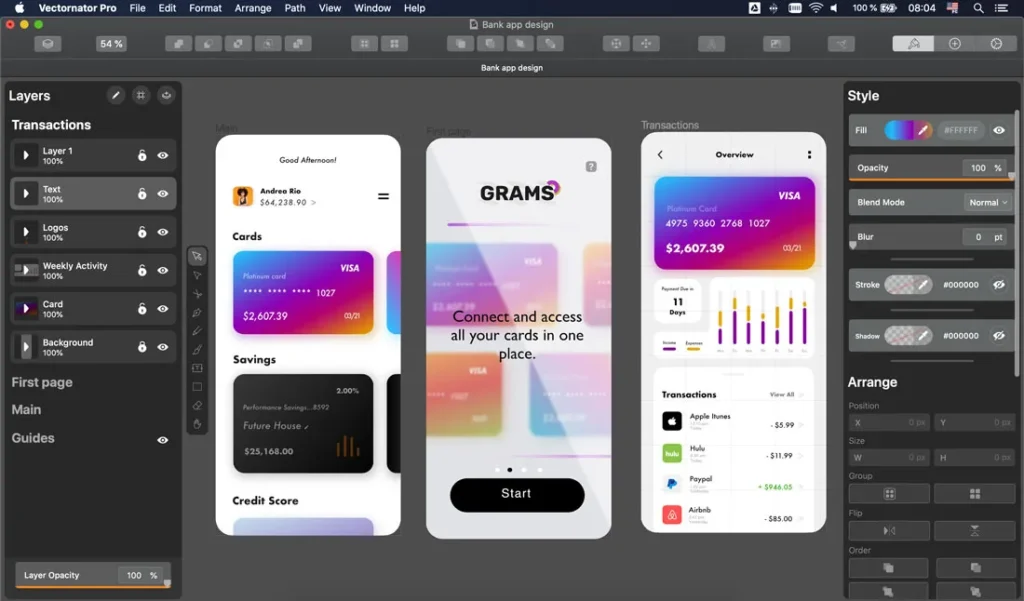
Overview: VectorStyler (which acquired and evolved from Vectornator/Linearity) is a powerful, niche application pushing the boundaries of vector effects and advanced features. It’s known for its ability to handle complex vector distortion and mesh transforms.
Root Attributes: Excellent Boolean operations, perspective grids, and shape manipulation. It offers an extensive range of brushes and drawing tools.
Rare Attributes:
- Mesh Gradients: Sophisticated mesh gradient tools that allow for complex, photographic-quality colour blends within a vector object, often surpassing Illustrator’s capabilities.
- Non-Destructive Operations: Many filters and effects can be applied non-destructively, preserving the original paths for later editing.
Ideal For: Illustrators, digital artists, and designers who need advanced vector rendering and complex gradient work.
7. Boxy SVG: The Minimalist Validator
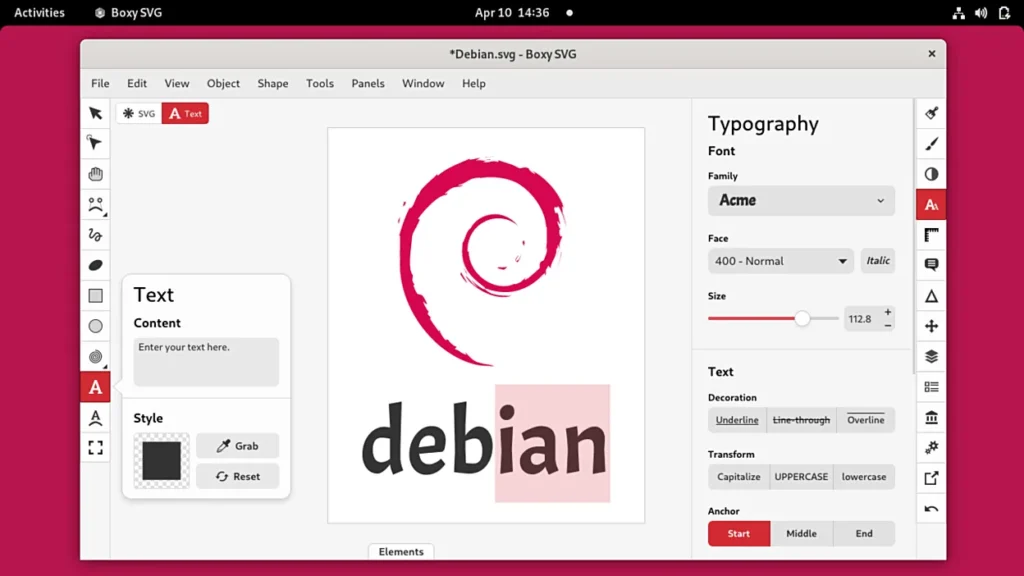
Overview: Boxy SVG is a lean, web-based SVG editor designed for speed and standards compliance. It’s the antithesis of a sprawling suite, focusing purely on clean, fast, and valid SVG creation and editing.
Root Attributes: Dedicated to the SVG format and nothing else. It features a simple, modern interface that avoids clutter.
Rare Attributes:
- Standards Validation: Its primary function is to create and validate SVG files, ensuring they conform to the W3C standard, making it invaluable for developers who are wary of proprietary vector code.
- Google Font Integration: Seamless access to the entire Google Fonts library, simplifying web typography integration.
Ideal For: Web developers, icon designers, and anyone whose primary output is a clean, compliant, and lightweight SVG for web use.
The True Cost of Vector Lock-in
I once audited a client whose entire 15-year logo and identity archive was locked in obscure, obsolete Illustrator file versions. Their freelancer had used a dozen different versions across various operating systems. The cost of retrieving, cleaning, and standardising just 20 core assets was nearly £4,000. The ongoing financial risk associated with a subscription is obvious, but the long-term, archival cost of a proprietary format is often overlooked.
Entrepreneurs and SMB owners need to look beyond the monthly fee and evaluate the Total Cost of Ownership (TCO) over five years, considering subscription rate increases, the cost of training staff on a new UI, and the inevitable depreciation of proprietary file formats.
The Myth of Identical SVG Export
The common, amateur advice is: “Just export your logo as an SVG; it’s an open standard.” This is a lie. SVG (Scalable Vector Graphics) is an XML-based file format; however, the underlying XML code written by different editors varies significantly.
Data from the W3C’s specifications for SVG 1.1 and 2.0 confirms that many subtle features—such as specific filters, gradients, or text-on-a-path definitions—are implemented using proprietary or non-standard code structures.
This matters because a poorly coded SVG:
- Bloats Web Performance: An unnecessarily complex XML structure can be 10x larger than an optimised file, slowing down your website, which the Nielsen Norman Group consistently links to higher bounce rates.
- Breaks in Development: If the vector editor uses non-standard CSS properties or proprietary attributes, web developers often have to manually edit the SVG code to make it functional, wasting valuable development time.
- Fails at Niche Output: Try sending a complex, non-standard SVG to a laser cutter, CNC machine, or vinyl plotter; the machine software will often choke on the ambiguous code, forcing you to manually flatten and simplify the artwork.
The professional process demands clean, semantic SVG output—a rare attribute most free tools fail to deliver.
The State of Vector Alternatives in 2026: The AI Generation
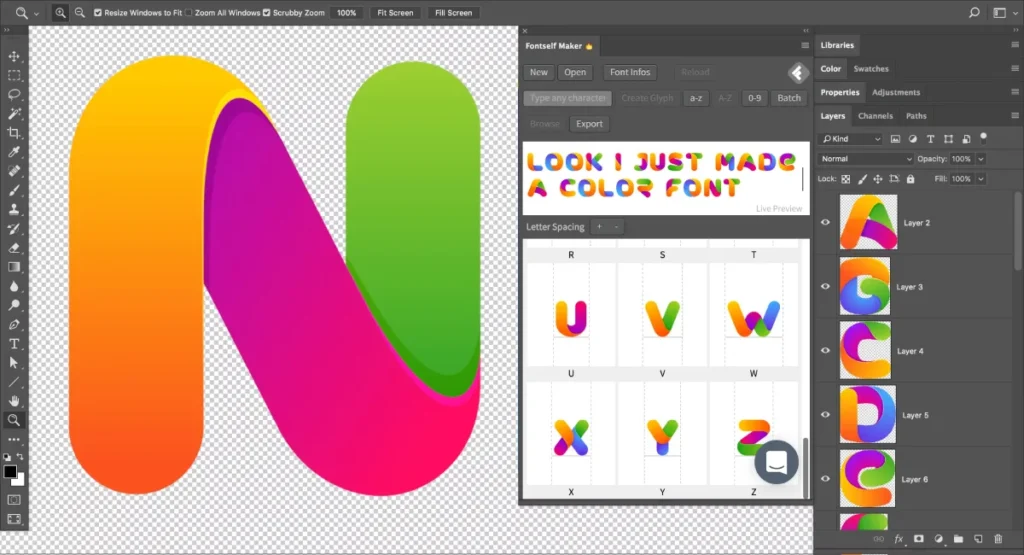
The most significant shift in the last 18 months has been the rise of Generative AI tools integrating directly into the vector workflow. Applications aren’t just creating raster images from text; they’re creating base vector shapes, complex gradients, or pattern suggestions (like Midjourney’s tileable vector patterns) that can be imported and refined in a dedicated editor.
This means that the core value of an Illustrator alternative is shifting from initial drawing to refinement and standardisation. The software needs robust, professional-grade tools to correct the inherent imperfections of AI-generated vectors, apply mandatory CMYK standards, and prepare the file for commercial output. An editor’s Type Controls and Colour Separation tools are now more valuable than its drawing tablet integration.
The Professional vs. Amateur Feature Set
| Technical Detail | The Wrong Way (Amateur) | The Right Way (Professional) |
| Colour Profile | RGB or sRGB only. Colour shift guaranteed in print. | Full CMYK (e.g., FOGRA52/ISO Coated), Spot Colour definition (Pantone). |
| Export/Archiving | Saved as a proprietary .ai file or simple PNG/JPG. | Saved as PDF/X-4 (with CMYK), Clean SVG 1.1, and native file format. |
| Typography | Font converted to outlines at the final stage. | Text remains live, or converted to outlines only after kerning/tracking is perfected. |
| File Structure | All elements on a single layer; poor naming convention. | Logical, locked layers for Guides, Type, and Paths; consistent naming. |
| Licensing | Monthly subscription with no predictable TCO. | Perpetual licence (e.g., Affinity) or truly free (e.g., Inkscape) for predictable cost. |
The Verdict: Subscription is a Choice, Not a Mandate
You have seven robust, commercially viable alternatives to Adobe Illustrator that eliminate the subscription burden while maintaining, and in some niche areas, exceeding the technical rigour required for professional work.
The entrepreneur’s responsibility is not to follow the crowd, but to minimise operational risk and TCO. Affinity Designer offers the most complete ecosystem alternative for a fixed price, CorelDRAW remains king in technical fabrication, and Inkscape provides the cleanest open-source route to SVG mastery. The choice depends entirely on your specific commercial output.
If you’re ready to invest in design that’s built on technical precision and commercial strategy, not just fleeting trends, don’t hesitate to request a quote for your next project. We are here to fix the mistakes the amateurs leave behind. You can also explore our main site at https://inkbotdesign.com/ for more of our work.
Frequently Asked Questions (FAQ)
Why are vector graphics preferred over raster images for logos?
Vector graphics are defined by mathematical paths, allowing them to be scaled infinitely without loss of quality or pixelation. This is essential for logos, as they must appear consistently across tiny favicons to enormous billboards.
Is Inkscape a professional alternative to Adobe Illustrator?
Yes, Inkscape is a professional, open-source alternative. While its user interface can be less refined, its adherence to the W3C SVG standard makes it exceptionally strong for web-based asset creation and clean, developer-friendly vector output.
What is the main difference between Affinity Designer and CorelDRAW?
Affinity Designer is geared towards general design and UI/UX work with a unified interface, while CorelDRAW is traditionally stronger in niche industrial applications, technical drawing, signage, and variable data publishing.
What is ‘file format lock-in’ and how do alternatives fix it?
File format lock-in occurs when a single vendor’s proprietary format (such as .ai) is relied upon, making it difficult and costly to switch to a different software. Alternatives like Affinity Designer use perpetual licences and support open formats like SVG and EPS, reducing this risk.
Do alternatives support CMYK and Pantone colours?
Yes, all of the top professional alternatives (e.g., Affinity Designer, CorelDRAW) offer full support for CMYK colour profiles and access to licensed Pantone spot colour libraries, which is mandatory for accurate print production.
Can I use these alternatives to edit existing Adobe Illustrator files?
Most professional alternatives, particularly Affinity Designer and CorelDRAW, can import and edit most .ai files; however, complex proprietary effects or features may not be perfectly translated, requiring manual cleanup.
Which alternative is best for UI/UX design and prototyping?
Sketch (Mac only) and Figma (web-based) are industry leaders in UI/UX design. Sketch is vector-based and excels at creating reusable components and working with a robust plugin ecosystem for screen design.
What is a ‘Perpetual Licence’ and why is it better for SMBs?
A perpetual licence involves a single, one-time payment for a specific software version, granting indefinite use. This provides predictable, lower long-term TCO for SMBs compared to the continuous, escalating cost of a subscription model.
Why is clean SVG code important for web performance?
SVG code that is clean and lightweight loads faster. If the code contains unnecessary proprietary metadata or overly complex path definitions, it bloats the file size, slowing down website load times and negatively impacting user experience.
Are the vector manipulation tools in free software like Inkscape as precise as those in commercial software?
The core Bézier curve and Pen Tool functionality in Inkscape is mathematically precise and highly competent. Any perceived difference in precision is usually related to the interface’s feel or the handling of highly complex documents, not the underlying vector math.
What is the role of Generative AI in the vector design workflow today?
AI tools are primarily used to generate base-level concepts, complex pattern fills, or rough vector outlines. A professional vector editor is then required to refine, correct imperfections, apply mandatory colour standards, and prepare the AI-generated assets for final commercial output.
Should I switch to a free alternative if my team already uses Illustrator?
Switching requires a cost-benefit analysis of your current archive, training time, and subscription TCO. If your team heavily relies on niche Illustrator-exclusive features or cloud synchronisation, the switching cost may outweigh the savings. If you only use basic tools, switch immediately.

