Content Automation: Guide to Scaling Without Selling Out
I recently audited a “tech-forward” financial consultancy firm in London. They were proud of their new marketing strategy: a fully automated pipeline that pumped out 50 blog posts a day, utilising a chain of Zapier and OpenAI.
They thought they had cheated the system. They fired their copywriter. They sat back to watch the traffic roll in.
Six weeks later, their traffic didn’t just flatline; it vanished. Google had de-indexed half their site for “unhelpful content,” and their LinkedIn engagement dropped to zero because their posts read like a sat-nav instruction manual.
They made the classic mistake: they automated the thinking, not the process.
Content automation is not a magic button that replaces human creativity. It is a logistical framework—a set of pipes and valves designed to move ideas from your brain to the market with minimal friction. If you pump sewage through those pipes, automation simply means you flood your market with sewage more quickly.
This guide explores how to build a content automation engine that actually works for your business, securing scalability without sacrificing the soul of your brand.
- Automate processes, not thinking: keep human strategy and opinion at the centre of content creation.
- Use a proper stack: orchestrator, generators, a relational database, and a CMS connected via APIs.
- Atomise core assets into many micro-assets, with human review before scheduling and publishing.
- Avoid thin programmatic SEO pages; ensure unique local value to prevent Google penalties.
- Always include a human in the loop for approval, fact checks, and preserving brand voice.
What is Content Automation?
At its core, content automation is the strategic use of software and algorithms to eliminate manual, repetitive tasks in the content lifecycle. It is not simply “AI writing.” It involves the orchestration of data creation and distribution.
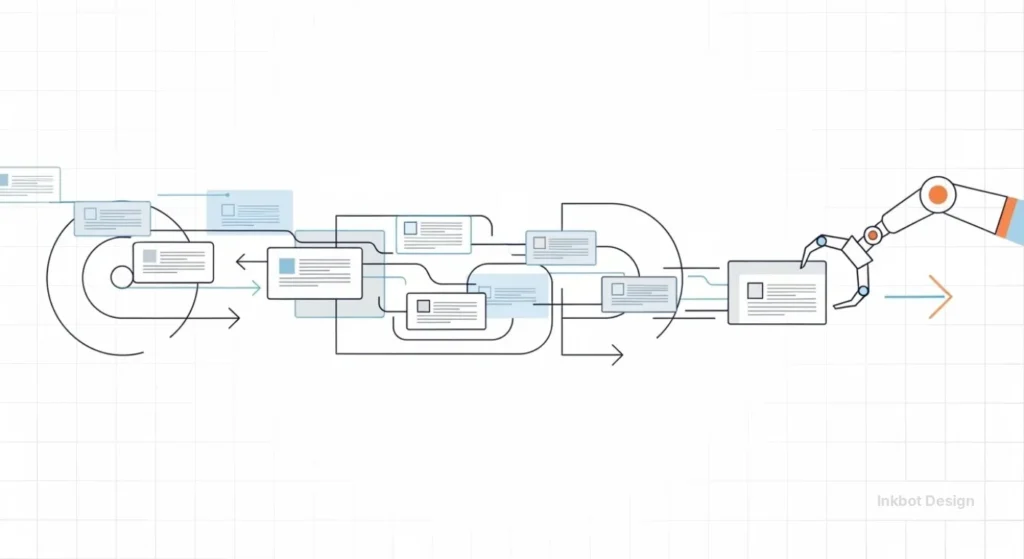
The three pillars of legitimate content automation are:
- Trigger-Based Workflows: “If X happens (e.g., a new podcast episode is uploaded), do Y (transcribe it, draft a social post, save to Dropbox).”
- Programmatic Generation: Using structured data (spreadsheets/databases) to generate thousands of unique landing pages or descriptions (e.g., real estate listings).
- Dynamic Distribution: Automatically formatting and posting content across multiple channels (social, email, CMS) at optimal times.
It is the difference between hand-stitching a suit and running a textile factory. The factory is faster, but you still need a designer to draw the pattern.
The Economics of Automation: Why Manual Processes Are Bleeding You Dry
Most entrepreneurs underestimate the “Switching Cost” of manual content marketing.
If you are writing a blog post, then stopping to find an image, then stopping to resize it, then logging into WordPress, then logging into LinkedIn—you are losing hours to cognitive friction.
According to McKinsey & Company, generative AI and automation technologies have the potential to add trillions of dollars in value to the global economy, primarily by automating 60-70% of the activities that currently consume employees’ time. For an SMB, this isn’t about trillions; it is about survival.

The “Cost of Chaos” Calculation
Let’s look at the maths. A typical manual workflow for a single piece of content looks like this:
- Ideation & Research: 2 hours
- Drafting: 3 hours
- Editing: 1 hour
- Asset Creation (Graphics): 1 hour
- Formatting & Publishing: 1 hour
- Social Promotion (writing captions, scheduling): 1 hour
Total: 9 hours per post. At a conservative agency rate of £100/hour, that post costs you £900.
With a proper automation stack handling research aggregation, initial drafting, asset formatting, and cross-channel distribution, you can reduce that time to 3 hours (focused purely on high-level editing and strategy). That saves £600 per asset. Over a year of weekly posting, that is £31,200 saved per operational unit.
The Automation Stack: Beyond ChatGPT
Most businesses stop at ChatGPT. That is amateur hour. To build a resilient system, you need an ecosystem of tools that speak to each other via APIs (Application Programming Interfaces).
1. The Orchestrators (The Brain)
These tools connect your apps. They are the glue.
- Make (formerly Integromat): The professional choice. It allows for complex, non-linear workflows with logic filters (e.g., “Only post to LinkedIn if the sentiment score is positive”).
- Zapier: The accessible choice. Great for linear “If This, Then That” tasks.
2. The Generators (The Hands)
- LLMs (OpenAI/Claude): For drafting text, summarising data, and parsing sentiment.
- Midjourney / DALL-E 3: For image generation.
- Synthesia / HeyGen: For automated video avatars (use with caution in B2B settings).
3. The Database (The Memory)
- Airtable: Do not use Excel or Google Sheets for complex automation. Airtable acts as a relational database where your content lives before it goes live. It can store images, status tags, and approval workflows.
4. The CMS (The Shop Window)
- WordPress: The most flexible for automation via REST API.
- Webflow: Excellent CMS API for programmatic SEO pages.
Consultant’s Note: If your “automation” requires you to copy-paste text from a chatbot into a Word doc, it isn’t automation. It’s just typing with a helper. True automation moves data from A to B without your clipboard.
Strategy 1: The “Atomisation” Workflow
The biggest waste in marketing is creating a “One-and-Done” asset. You write a white paper, publish it, and move on.
The Atomisation Workflow solves this. It takes a “Core Asset” (such as a video or long-form article) and automatically breaks it down into dozens of micro-assets.

How to build it:
- Input: You upload a video file of a webinar to Google Drive.
- Trigger: Make.com detects the new file.
- Process 1 (Transcribe): Send the file to the OpenAI Whisper API for transcription.
- Process 2 (Analyses): Send the transcript to Claude 3.5 Sonnet with a prompt to extract:
- 5 LinkedIn text posts.
- 3 Newsletter segments.
- 1 Blog post outline.
- 10 key quotes.
- Output: All these assets are populated into an Airtable base, tagged “Draft.”
The Human Step: A human editor reviews the Airtable base, polishes the copy, and changes the status to “Approved.”
Final Automation: Once “Approved,” the system schedules them to your social media tools.
This turns one hour of video into two weeks of content.
Strategy 2: Programmatic SEO (The Heavy Hitter)
To dominate a niche, you need to understand Programmatic SEO (pSEO). This is how companies like TripAdvisor, Yelp, and Zapier dominate search results. They don’t handwrite every page; they generate them based on datasets.
What is pSEO?
It involves creating hundreds or thousands of landing pages targeting “long-tail” keywords by modifying a single template with variable data.
Example:
Instead of writing one article on “Best Web Design Agencies,” you create a database of agencies and generate pages for:
- “Best Web Design Agencies in London“
- “Best Web Design Agencies in Manchester“
- “Best Web Design Agencies for Dentists“
- “Best Web Design Agencies for Startups“
The Execution
- Keyword Research: Identify a pattern (e.g., “Service + Location”).
- Data Collection: Build a massive dataset (CSV) containing the unique variables for each page (City name, population, specific pain points, local competitors).
- Template Creation: Design a page in your CMS where the H1 is Best Web Design Agencies in {{City}}.
- Automation: Use a tool like WP All Import or Webflow CMS to map your CSV rows to your template.
Warning: This is where most get banned. If your pages are identical except for the city name, Google calls this “Doorway Pages” and will penalise you. You must ensure that each page offers unique value(e.g., specific local data, reviews, or maps).
For a deeper dive into structuring your site for this kind of traffic, read our guide on blogging and content structure.
The “Uncanny Valley” of Automated Copy
We need to address the issue at hand. AI-generated content often feels… wrong. It’s grammatically perfect but emotionally hollow. We refer to this as the “Uncanny Valley” of text.
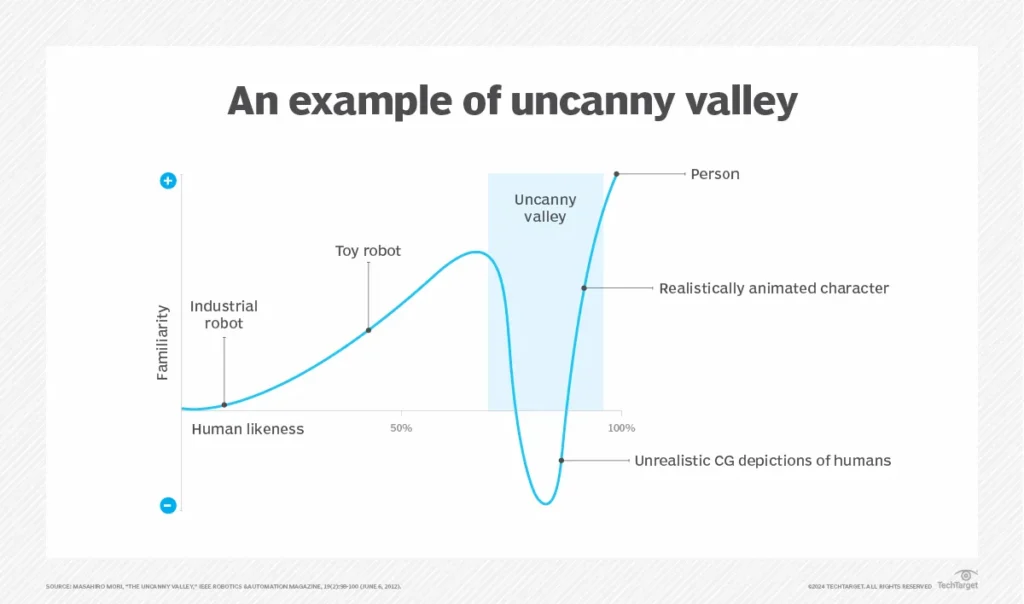
Signs Your Automation is Leaking
- Overuse of Connectives: AI tends to favour words like “Moreover,” “Furthermore,” and “In conclusion.”
- Lack of Opinion: AI hedges its bets. It says, “Some people think X, while others think Y.” It rarely takes a stand.
- Metaphor Abuse: If I read one more article that describes marketing as a “symphony” or a “tapestry,” I might scream.
How to Fix It (The “Temperature” Check)
When using LLMs in your automation chain, you must engineer your prompts to resist these tendencies.
- Style Guides: Feed the AI your brand guidelines (PDF) as context before asking it to write.
- Few-Shot Prompting: Provide 3 examples of your actual writing style in the prompt.
- Temperature Settings: If using the API, set the temperature (creativity variance) between 0.7 and 0.9 for creative drafting, but keep it at 0.2 for factual data extraction.
The State of Content Automation in 2026: Agentic Workflows
We are currently shifting from “Generative AI” to “Agentic AI.”
In 2024, you prompted a bot, and it gave you text.
In 2026, you will assign a goal to an Agent.
Example of an Agentic Workflow:
Instead of a linear “If This Then That” script, you have an AI agent loop.
- Agent A (Researcher): Scours the web for trending news in your industry. It filters out noise and selects the top 3 stories.
- Agent B (Writer): Drafts an opinion piece based on those stories.
- Agent C (Critic): This is the new part. This agent reads the draft from Agent B and critiques it against a set of quality rules (e.g., “Is this too generic? Is the tone correct?”).
- Agent B (Writer): Rewrites the piece based on Agent C’s feedback.
- Human: Only sees the final draft after the agents have iterated on it three times.
This internal feedback loop significantly raises the quality ceiling of automated content.
Technical Implementation: A Step-by-Step Guide
Let’s build a simple but powerful automation: The Automated Case Study Builder.
Goal: When a project is marked “Complete” in your project management tool, automatically draft a case study structure.
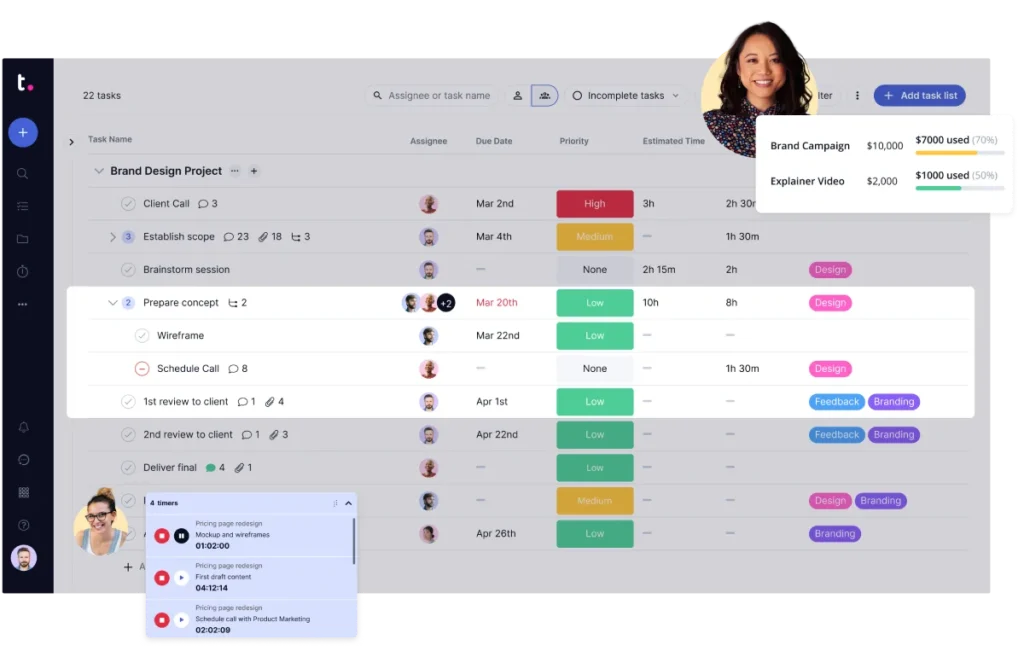
Step 1: The Trigger
Use your project management tool (Trello, Asana, ClickUp).
- Trigger: “Card moved to ‘Done’ list.”
Step 2: Data Extraction
Connect Zapier/Make to the trigger.
- Action: Get card details (Description, Attachments, Client Name, Date).
Step 3: The Interview (Automated)
- Action: Send an automated email to the project lead (the human).
- Content: “Project {{Name}} is done. Please reply to this email with 3 bullet points on the biggest challenge you faced.”
- Wait Step: The automation pauses until the reply is received.
Step 4: The Draft
- Action: Send the project details and the email reply to OpenAI (GPT-4).
- System Prompt: “You are a senior case study writer. Using the STAR method (Situation, Task, Action, Result), write a 500-word case study draft.”
Step 5: Storage
- Action: Create a new Google Doc with the draft.
- Action: Slack the link to the Marketing Manager: “New Case Study Draft Ready for Review.”
This ensures you capture the project details while they are fresh, without forcing anyone to sit down and stare at a blank page.
Risks: The “Google Slap” and How to Avoid It
You cannot discuss automation without discussing risk. Google’s sophisticated algorithms (SpamBrain) are hunting for low-effort, mass-produced content.
The Golden Rule: Google does not penalise AI content. It penalises valueless content.
If your automation generates 1,000 pages that simply rephrase Wikipedia, you will be de-indexed. This happened to CNET when they quietly deployed AI to write financial explainers. The articles were riddled with factual errors, and the backlash was severe.
How to Stay Safe:
- Human in the Loop (HITL): Never allow an automation to publish directly to your live site without a human eye approving it.
- Entity Density: Ensure your content is rich with specific entities (names, dates, places, data points) that generic LLMs often miss.
- Freshness Injection: Manually add a paragraph referencing news from this month. LLMs have training cut-offs; humans do not.
The Wrong Way vs. The Right Way
| Feature | The Amateur Approach | The Professional Approach |
| Tool Choice | Relying solely on the ChatGPT web interface. | Using OpenAI API via Python or Make.com. |
| Data Source | “Imagine a scenario…” (Hallucinated). | Real client data/CSVs fed into the prompt. |
| Volume | “Publish as much as possible.” | “Publish as much as we can verify.” |
| Review | No review; auto-publish. | Strict editorial gatekeeping before live. |
| SEO | Keyword stuffing. | Semantic entity mapping and schema markup. |
The Consultant’s Reality Check
During my tenure leading digital marketing services at Inkbot Design, I have observed clients spending £5,000 a month on automation tools, only to produce content that performs worse than when they manually blogged once a month.
Why? Because they removed the opinion.
Content marketing is not a volume game; it is a trust game. If your audience smells a robot, trust evaporates. Automation should handle the logistics—the scheduling, the formatting, the data entry. It should never handle the strategy or the core opinion.
Utilise automation to clear the runway, allowing your human experts to take flight. Do not use it to fly the plane.
Internal Linking & Growth
Once you have your automation engine running, ensure that the content you produce is actually converting. Generating traffic is useless if it doesn’t lead to a conversation.
You should integrate video content marketing into these workflows (as mentioned in the Atomisation Strategy) and ensure your visual identity remains consistent.
For that, you need strong visual content guidelines that your automation tools can reference.
If you are struggling to establish a brand voice that withstands automation, you may want to consider our branding services.
The Verdict
Content automation is the lever that allows small teams to compete with global giants. But levers crush fingers if you don’t know how to hold them.
Do: Automate distribution, transcription, research aggregation, and formatting.
Avoid: Automating your opinion, strategy, or final quality checks.
The future belongs to the “Centaurs”—humans integrated with AI at superhuman speeds. The businesses that treat AI as a replacement for humans will drown in a sea of mediocrity. The ones that use it as an exoskeleton will dominate.
Frequently Asked Questions
What is the difference between content automation and generative AI?
Generative AI (like ChatGPT) creates the text or image. Content automation (like Make or Zapier) manages the workflow of that content—moving it from creation to editing to publishing and distribution. AI is the engine; automation is the transmission.
Can Google detect automated content?
Yes, Google’s algorithms identify patterns typical of automated content (repetitive sentence structures, lack of unique insights). However, Google has stated it rewards high-quality content regardless of how it is produced, provided it is helpful to users.
Which tools are best for content automation in 2026?
For workflow orchestration, Make.com is superior to Zapier for complex logic. For generation, Claude 3.5 generally produces more human-like nuance than GPT-4. For programmatic SEO, the industry standard combination is Webflow and Airtable.
Is programmatic SEO risky?
Yes. If you generate thousands of “thin” pages with identical content (changing only the city name), you risk a “Doorway Page” penalty. To succeed, every generated page must offer unique value, such as local data, specific reviews, or distinct images.
How much time can content automation save?
A well-optimised “Atomisation” workflow can reduce the time per content piece by 60-70%. It eliminates manual transcription, formatting, and cross-platform scheduling, allowing teams to focus purely on strategy and creative direction.
What is the “Human in the Loop” (HITL) approach?
HITL is a safety protocol that requires a human editor to review and approve any automated output before it goes live. This prevents hallucinations, offensive content, or brand misalignment from reaching your audience.
Can I automate social media engagement?
You can, but you shouldn’t. Automating replies or comments can often lead to generic and awkward interactions that damage a brand’s reputation. Automate the posting of your content, but keep the engagement (replies) manual and human.
What is a “headless CMS” in the context of automation?
A headless CMS (like Sanity or Strapi) stores content separately from the front-end display. This makes automation easier because you can push content via API to the CMS, and it can then be distributed simultaneously to your website, app, and smartwatches.
How do I maintain my brand voice with AI automation?
You must use “System Prompts” or “Custom Instructions” that define your tone, forbidden words, and sentence structure. Even better, use “Few-Shot Prompting” by feeding the AI examples of your previous high-quality writing to mimic.
What is the cost of setting up a content automation stack?
For an SMB, a robust stack (Make, OpenAI API, Airtable, Buffer) can cost between £100-£300 per month. This is significantly cheaper than hiring a junior marketing assistant, provided you have the expertise to manage the workflows.


