Digital Marketing Agency
Stop Chasing Clicks That Don’t Convert.
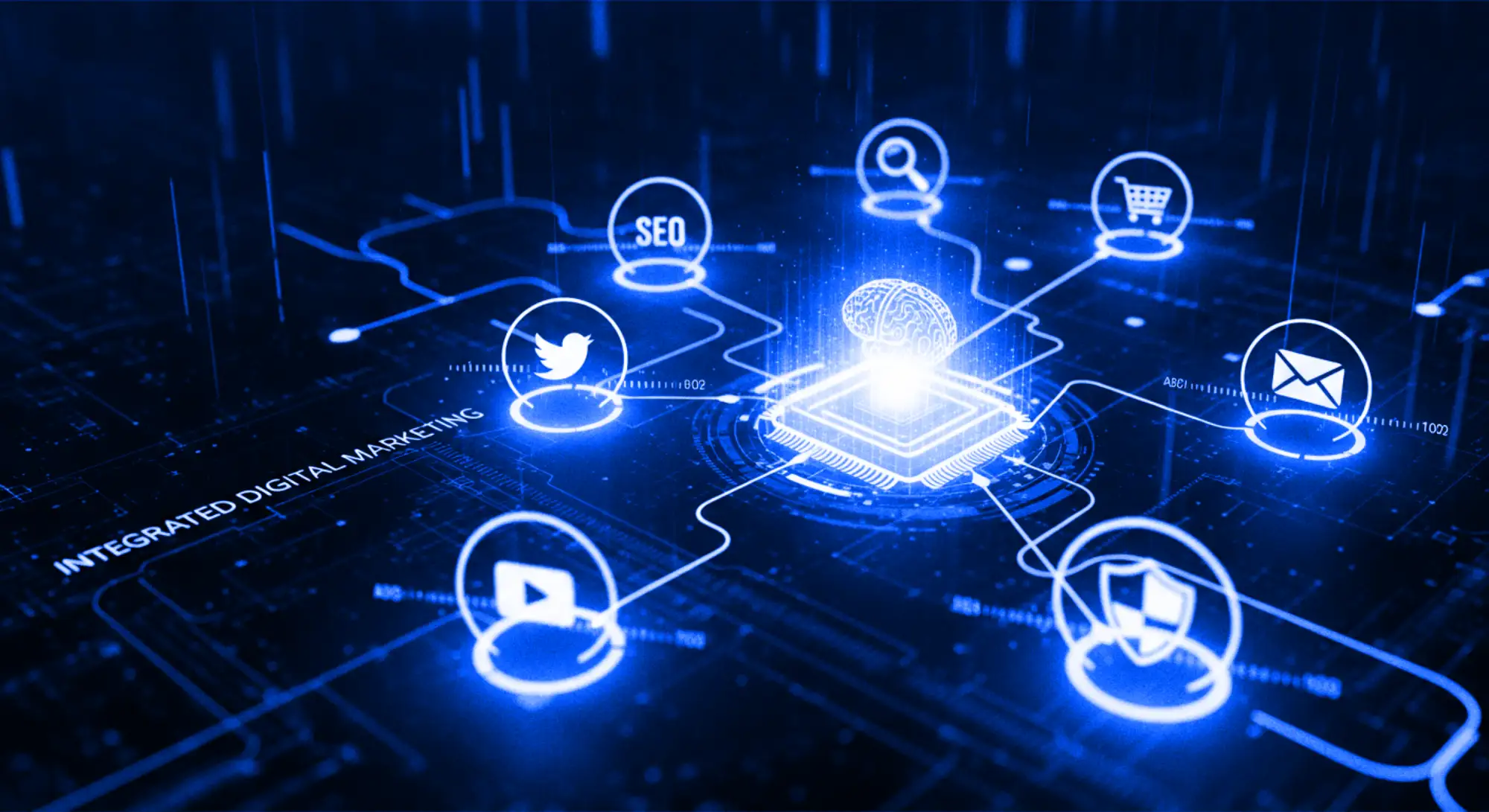
AI Overviews and answer engines have quietly rerouted the traffic your firm used to win — and doubling down on old-playbook SEO won’t bring it back. What works now is being the firm that machines can verify and buyers can trust: entity-first search, paid media aimed at buyers rather than browsers, and a website that converts senior visitors who arrive. We run all three as one system for firms that sell expertise.


Build Digital Authority
Marketing That Compounds Instead of Evaporating
Most digital marketing is rent: the leads stop the day the spend stops. Ours is built to leave something behind — search authority that persists, content that keeps earning citations, a conversion architecture that improves with every month of data. The distinction matters most for professional services firms, because your buyers research for weeks before they ever contact anyone: the firm that owns the answers wins the enquiry, and owning answers is an asset, not a campaign.
Every engagement runs on the same connected system as our brand work — because a marketing pound spent promoting an incoherent brand is a pound spent efficiently delivering the wrong impression.
Industry & Client recognition








Your Business is your Brand. Your Brand is our Business.™
A logo is just the beginning; a Strategic Framework is the finish line. We fuse world-class creativity with an integrated digital strategy to turn your brand into a definitive market leader.
The Strategic Advantage
What Our Digital Marketing Services Are Built On
“Stop renting visibility. Start owning your market.” With all the AI noise, being ‘seen’ isn’t enough—you must be trusted. We don’t just execute tactics; we architect growth as your strategic partner. By fusing elite Brand Identity with Semantic Intelligence, we ensure your digital footprint is impossible to replicate and built to deliver a definitive return on investment.
Intelligence
Entity-First Search
Keywords still matter; they’re just no longer enough. Modern search — Google’s systems and the AI engines alike — ranks entities: firms it can verify, categorise and confidently recommend. We build your search presence around that reality: structured data, topical authority, and consistency across every source a machine checks. When a GC asks an AI who to shortlist, verifiable firms get named.
Conversion
Conversion Before Volume
Traffic is a cost until something converts it. We engineer the landing pages, journeys and proof-points around how senior B2B buyers actually commit — multiple stakeholders, long consideration, low tolerance for tricks — so the visitors you pay for become the enquiries you wanted.
Stewardship
Stewardship, Not Campaigns
Marketing runs as disconnected campaigns, leaving nothing behind. We run yours as governance: monthly, measured, accountable to the pipeline rather than impressions — and always feeding the long-term asset — your brand’s authority — rather than borrowing against it.
Precision-Engineered Growth
The Four Disciplines, Run as One
We have evolved beyond siloed tactics. Our integrated framework synchronises semantic clarity, paid precision, and conversion architecture to turn your digital presence into a dominant market force. Explore our four core pillars of delivery.
- 011. Intelligence
SEO & AI Search Visibility
Ranking on page one is table stakes; being cited by AI Overviews, Gemini, and ChatGPT is the new front page. We build both technical SEO and topical architecture, structured data, and entity consistency, so machines can verify your firm and recommend it with confidence.
- Entity mapping & structured data
- Topical hub architecture
- Search intent research
- AI citation optimisation
- 022. Performance
Paid Media (PPC)
Paid search and social aimed at buyers, not browsers: first-party data, tight audience definition, and creative that matches the brand — because an ad your buyer half-recognises outperforms one they’ve never seen before.
Learn about PPC
- Google, Meta & LinkedIn campaigns
- First-party data strategy
- AI-assisted bidding & creative testing
- Brand-defence coverage
- 033. Authority
Content & Authority
Expert-led content that earns citations — long-form guides, sector analysis, and the multimodal assets (video, visual, written) that AI engines prefer to quote and buyers prefer to share. Human-made, and provably so, which in an AI-flooded index is a ranking advantage rather than a nicety.
- Authority content production
- Multimodal assets
- LinkedIn & social distribution
- Entity-consistent copywriting
- 044. Governance
Conversion Optimisation (CRO)
Traffic without conversion architecture is an expensive audience. We test and refine the pages your budget lands on — evidence hierarchies, friction removal, continuous experimentation — so improvement compounds monthly.
- Behavioural analysis
- Landing page optimisation
- Micro-conversion tracking
- Continuous A/B testing
The Visual Engine
The Performance Lever Most Agencies Can’t Pull: Design
Performance agencies treat creative as decoration around the targeting. It’s backwards: the ad, the landing page and the proposal are where a buyer decides — in seconds — whether your firm reads as premium or generic, and that judgement moves conversion rates more than any bidding strategy.
Because we’re a brand agency first, every campaign asset is built from your identity system rather than bolted beside it: same voice, same visual logic, same evidence. Coherence converts — and it’s the one lever a media-buying shop structurally can’t offer you.
Free Brand Equity Audit™
The First Deliverable Is Free, and It’s in Writing
Before any retainer starts, the free Brand Equity Audit™ assesses your current digital footprint: where your search visibility actually stands, how AI engines currently read your firm, and where your funnel leaks. Written, typically within two working days, no sales call — because an agency that wants your marketing budget should be able to show its thinking before it invoices for it.
★★★★★
We were burning cash on Google Ads with zero visibility on returns. It felt like a black hole.
Most agencies sent us reports full of ‘impressions’ and ‘clicks’ to hide the fact that they weren’t generating sales. Inkbot Design changed the game. They didn’t just manage the ads; they overhauled our entire funnel. They cut our Cost Per Lead (CPL) by 35% in the first month and significantly scaled our qualified traffic throughout the quarter. Finally, an agency that cares about my P&L as much as I do.
 Sam Al-SaudCommercial Director
Independent Due Diligence
| Platform | Rating | What it reflects |
|---|---|---|
| Google Business Profile | 4.9 / 5.0 | 87 Google reviews (checked 11 October 2026) covering brand strategy and identity delivery. |
| Clutch | View profile | Verified, interview-based client reviews for B2B branding work. |
| FeaturedCustomers | View profile | Executive testimonials and case-study references from verified enterprise clients. |
Ratings checked 2026 and may change as new reviews are published. Figures are maintained by each platform, not by Inkbot Design.
Digital Marketing Agency Engine
The Inkbot Method™ for Marketing: Six Stages
Every engagement runs the same sequence inside the Brand Equity Partnership™ — £18,000 for six months, paid upfront (equivalent to £3,000/month), priced before we start:
Entity & Market Audit
Where your firm actually stands: search visibility, AI citations, competitor authority, funnel performance.
Deliverable: a written baseline with the gaps ranked by revenue impact.
Search Architecture
Your site’s topical structure mapped to how machines actually parse expertise — hubs, entities, structured data.
Deliverable: the architecture plan that makes the whole domain easier to rank and easier to cite.
Paid Infrastructure
Campaigns on Google, Meta and LinkedIn are built on first-party data, tuned to buyers rather than volume.
Deliverable: live pipelines generating intent data from week one while the organic asset compounds.
Authority Content
Expert-led, human-made content designed to earn citations from AI engines and shares from buyers.
Deliverable: a publishing engine your competitors’ automation can’t imitate.
Conversion Optimisation
The landing pages and journeys your budget arrives at are tested and refined against real behaviour monthly.
Deliverable: a rising conversion rate, compounding on every other channel’s ROI.
Attribution & Iteration
Full-funnel measurement from first touch to signed engagement, reported against pipeline — not impressions.
Deliverable: a monthly written report that your FD can interrogate, and a strategy that adjusts to what it says.
Our Strategy
Visibility Is Rented. Authority Is Owned.
Every month of this work leaves your firm more findable, more citable and more convincing than the month before — that’s the difference between buying traffic and building an asset. It costs £18,000 for six months, paid upfront (equivalent to £3,000/month); we publish that, and finding out what you’d be building on costs nothing: start with the audit.
By the Numbers
- years of branding practice, since 2009
- 17+
- completed identity projects
- 300+
- countries where clients are based
- 21
- from 87 Google reviews (checked 11 Oct 2026)
- 4.9/5
Insight
We’re Not an Order-Taking Agency, Which Occasionally Annoys People
We protect your budget as if it were our own — which means we’ll challenge you. Ask for the trendy TikTok campaign and, if the data says your buyers live on LinkedIn, we’ll show you the data and guide you back. We measure our success in pipeline and market share, not in fulfilled requests; an agency that never says no is a vendor with an invoice template.
Conversion governance: traffic is half the job — we own the other half, the architecture that turns visitors into enquiries.
Entity integrity: Every pound spent also builds your long-term search authority, or it doesn’t get spent.
Fiscal accountability: if it doesn’t show up in the pipeline report, it’s noise, and we’ll say so.
Not sure where your growth is stuck?That’s what the free Brand Equity Audit™ diagnoses — in writing, typically within two working days, including the three highest-impact fixes for your specific funnel.
Frequently Asked Questions (FAQ)
Let’s Clear the Air.
Straight answers, in writing — the same way we run engagements. Anything missing? Email us; we’ll reply personally within 24 hours.
How much do your digital marketing services cost?
£18,000 for six months, paid upfront (equivalent to £3,000/month) — the Brand Equity Partnership™, covering the integrated programme: search, paid media management, content and conversion optimisation, with monthly written reporting against the pipeline. Published, because retainer pricing hidden behind “book a call” is how this industry pads its margins. (Ad spend is separate and yours — we don’t mark up media.) If the audit shows your brand foundations need building first, that’s the Brand Equity Blueprint™ at a fixed £7,500.
How do we start?
The free Brand Equity Audit™: a written diagnostic of your search visibility, AI citations and funnel, typically within two working days. No sales call — the audit is the proof of thinking, not the pitch.
How will we communicate?
Async-first and documented: a live dashboard tracking KPIs against revenue targets, and a monthly written strategy report. We hold a monthly review call if you want one — a working session with your team, not a sales ritual — but every decision is documented either way.
How does your “Integrated” approach differ from standard digital marketing?
Most agencies operate in silos, where SEO, PPC, and Content teams rarely speak. We use the Inkbot Protocol™ to synchronise these channels into a single “Brand Growth System”. This ensures your messaging is consistent throughout the customer journey, preventing fragmented experiences that typically kill conversions.
How do you optimise for AI search engines and AI Overviews?
Visibility in 2026 is defined by whether AI systems pick your brand as a credible source. We move beyond keywords to build a Brand Knowledge Graph, using structured schema and authoritative citations so that engines like Gemini and SGE recognise you as a primary entity in your market.
What is “Semantic Entity Intelligence” and why is it necessary?
Search has evolved from simple keyword lookups to AI-powered reasoning. Semantic intelligence involves defining your brand’s unique “Onliness” and linking it to high-value topics within Google’s Knowledge Graph. This ensures you are found not just for what you sell, but for the specific problems you solve better than anyone else.
How long does it take to see a measurable ROI?
Timelines vary by channel, but we focus on “ROI Defensibility” from day one. Paid media often generates immediate intent signals (1–3 months), while Semantic SEO and Entity Authority build compounding assets that peak between 6 and 12 months. We track deal velocity and pipeline contribution to prove value early.
How does my Brand Identity affect my digital marketing results?
In 2026, Brand Voice is recognised as a ranking signal. If your branding is generic, search engines treat your marketing as noise. We align your visual and verbal identity with your marketing strategy to trigger the “subconscious trust signals” necessary for high-value B2B conversions.
Can you help us expand into both the UK and US markets?
Yes. Our framework accounts for the nuances of Geographic Entity Optimisation (GEO). We adjust semantic clusters and local intent signals to ensure your brand resonates with the specific regulatory and cultural requirements of both the UK and US market ecosystems.
What is your process for “Conversion-Centric Architecture”?
We don’t just design for aesthetics; we design for Market Dominance. Using behavioural intelligence and real-time data, we identify roadblocks in your user journey and re-engineer touchpoints to align with modern B2B buying cycles, which often involve multiple stakeholders.