The Best Website Design Software for Beginners in 2026
I recently spent three hours on a discovery call with a UK-based entrepreneur who had “built his own site” using a popular drag-and-drop builder. He was proud of it.
To him, it looked “clean.” To me, it seemed like a structural catastrophe.
The site took 6 seconds to load on a 5G connection, the mobile navigation was a labyrinth of broken hit targets, and the underlying code was so bloated that Google’s crawlers were essentially choking on it.
He had spent six months “saving money” by doing it himself, only to realise he had built a digital paperweight. This is the danger of the modern “easy” web.
In 2026, the barrier to entry for building a website is at an all-time low, but the barrier to building a successful website has never been higher.
If you choose the wrong website design software, you’re not just selecting a tool; you’re also choosing your future limitations.
You are deciding, right now, how much you want to pay a specialist like me to fix it three years from now.
- Prioritise clean, semantic code and ownership—lean WordPress stacks like GeneratePress avoid synthetic bloat and scale long term.
- Choose tools by technical capabilities, not templates—API connectivity, schema support and design tokens matter more than visuals.
- Use AI as a co-designer, not a magic wand—avoid builders that output non-semantic code or layout hallucinations undermining SEO and accessibility.
What is Website Design Software?
Website design software is a category of digital tools used to conceptualise, architect, and build the visual and functional components of a website.
In 2026, these tools range from low-code SaaS (Software as a Service) platforms to sophisticated integrated development environments (IDEs) that utilise AI to transform design prompts into live, semantic code.

Core Components of Modern Design Software
- The Visual Canvas: The interface where you arrange elements (layout, typography, imagery).
- The Code Engine: The underlying logic that translates your visual choices into HTML, CSS, and JavaScript.
- The Ecosystem: The third-party integrations, plugins, or APIs that allow the site to scale.
Why “Beginner” Doesn’t Mean “Basic”
In the past, “beginner software” was often associated with being “limited.” You traded power for ease of use.
Today, the importance of web design has forced software providers to bridge that gap. We now see a “Pro-sumer” middle ground where a beginner can access professional-grade features if they have the right guidance.
However, the “AI Revolution” of 2025 has introduced a new risk: Synthetic Bloat.
Many tools now offer to “Generate a site in 30 seconds.” While these may appear fine on the surface, they often lack a robust information architecture and produce “non-semantic” code that fails to meet modern SEO requirements.
In 2026, we have transitioned from static sites to Agentic Web Experiences. This refers to software that not only displays information but also acts on behalf of the user—automatically adjusting structure, tone, and content based on real-time data.
However, beginners must be wary of Synthetic Bloat. This occurs when AI-driven builders (like the 30-second “Durable” clones) generate excessive, non-semantic code to achieve a rapid visual result.
While the site looks finished, the underlying architecture is often a “black box” that search engines cannot effectively parse or rank.
The 2026 Aesthetic: Designing with Bento Grids
Modern software in 2026 has moved away from rigid column structures in favour of Bento Grids—modular, card-like layouts inspired by Japanese lunch boxes.
This trend is not just visual; it’s a Semantic SEO powerhouse.
By grouping content into discrete, high-contrast blocks, you allow Generative Engines like Gemini to easily identify and cite specific “features” or “testimonials.”
When choosing software like Framer or GenerateBlocks, ensure it supports CSS Grid natively to facilitate these responsive, asymmetric layouts without relying on heavy JavaScript workarounds.
The SaaS Trap vs. Open Source Freedom
Before looking at specific tools, you must understand the two primary ways these software packages are delivered:
- Proprietary SaaS (Wix, Squarespace, Shopify): You pay a monthly fee. They host it. They own the “engine.” If you stop paying, your site will be removed. It’s like renting an apartment; you can paint the walls, but you can’t move the plumbing.
- Open Source (WordPress, Ghost): You own the files. You choose the hosting. You have total control over the “plumbing.” It’s like owning the house. It requires more maintenance, but the equity is yours.
Top Website Design Software Audited for 2026
1. WordPress with GeneratePress & GenerateBlocks

For a beginner who actually cares about their business’s long-term health, this is the gold standard. I’ve spent years auditing sites, and the ones built on a lean WordPress foundation consistently outperform the “flashy” builders.
- The Setup: You use the WordPress CMS (free) with the GeneratePress theme and the GenerateBlocks plugin.
- Why it works: It’s “Block-based.” You aren’t fighting a heavy page builder like Elementor or Divi, which are notorious for slowing down sites. You are using the native WordPress editor (Gutenberg) but with professional controls.
- 2026 Advantage: This setup produces some of the cleanest code in the industry. It adheres strictly to web accessibility guidelines, ensuring your site is usable by everyone and favoured by search engines.
2. Framer
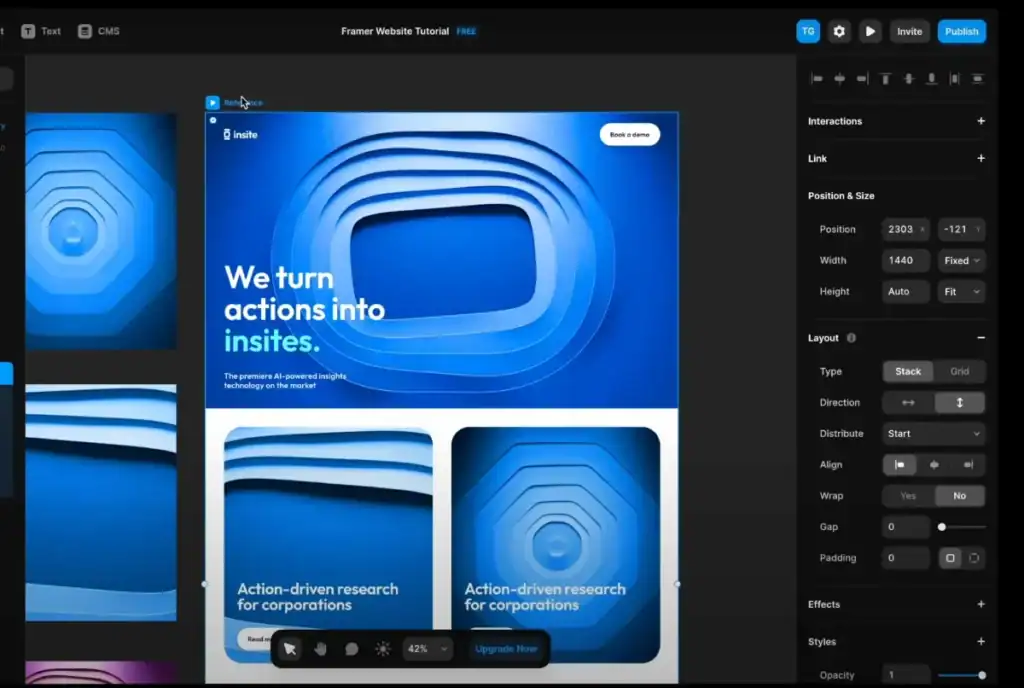
Framer has overtaken Webflow for many beginners in 2026 because it feels more like a design tool (like Figma) and less like a coding environment.
- The Setup: A browser-based design tool that publishes directly to the web.
- Why it works: It enables high-end typography and animations without requiring a developer. It’s perfect for landing page design where visual impact is the priority.
- The Catch: While it’s great for marketing sites, it’s not a full-scale CMS. If you plan on running a massive blog or a complex e-commerce store, Framer will eventually feel like a straitjacket.
3. Shopify (For E-commerce)
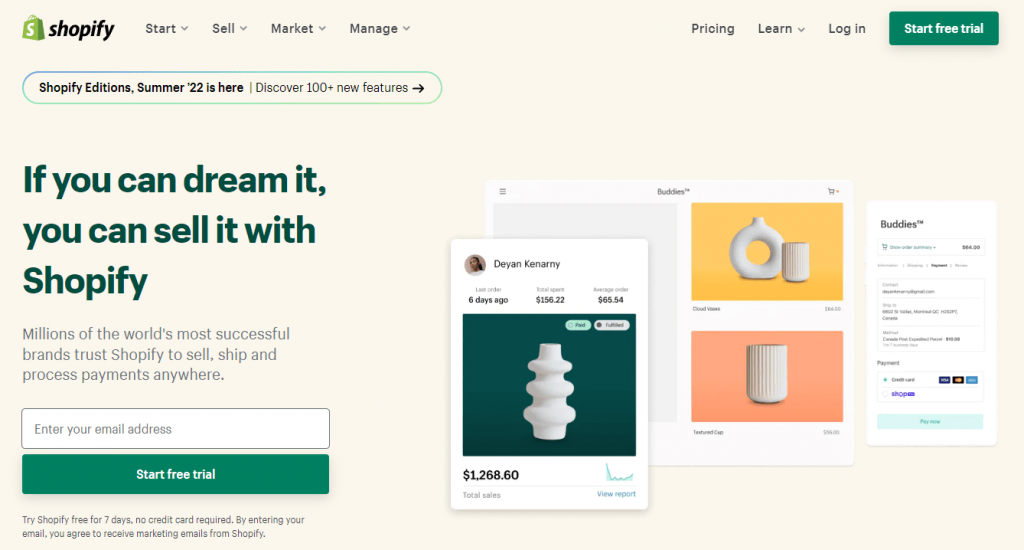
If you are selling products, don’t try to “bolt-on” a shop to another tool. Just use Shopify.
- The Setup: A dedicated e-commerce SaaS.
- Why it works: The checkout is the best in the business. In 2026, Shopify’s move toward “Liquid” and “Hydrogen” means even beginners can get decent speeds if they avoid installing 50 different apps.
- The Reality: You are paying for convenience. The monthly fees and app costs can spiral. If you need something more tailored, you may eventually require web design services to break away from standard templates.
Technical Comparison
| Feature | The “Amateur” Way (Common Builders) | The “Pro” Way (Optimised Software) |
| DOM Depth | 15+ nested divs for a simple button. | 2-3 nested elements max. |
| Asset Loading | Loads all CSS/JS on every page. | Conditional loading (only what’s needed). |
| Mobile Approach | “Desktop-first” with hidden elements. | Mobile-first design principles. |
| SEO | Basic meta tags only. | Semantic HTML5, JSON-LD, and Schema. |
| Image Handling | Resizes images via CSS (slow). | Serves WebP/AVIF with proper responsive web design srcset. |
Commercially, the benefit of modern software like Framer or GenerateBlocks is the compression of the “Design-to-Deployment” cycle.
High-performance software enables rapid prototyping, allowing you to test a “Minimum Viable Brand” in days rather than months.
This directly lowers your Customer Acquisition Cost (CAC) by allowing you to iterate on conversion-focused layouts based on live data.
Investing in a pro-sumer tool early prevents the Design Debt that forces businesses to pay for a total rebuild once they hit their first £1M in turnover.
Technical Milestone: Variable Fonts and 8K Clarity
A major performance killer in 2024 was loading five different files for “Bold,” “Italic,” and “Regular” weights. In 2026, professional-grade software for beginners (like Framer) utilises Variable Fonts.
A single file contains an entire font family, allowing you to adjust weight and width axes dynamically via CSS.
This reduces HTTP requests and ensures your Typography remains razor-sharp on the high-density 8K displays becoming standard this year.
If your builder doesn’t support Variable Font Axis control, you are loading unnecessary “legacy” bloat.
Debunking the Myth: “Drag-and-Drop is Inherently Slow”
There is a common sentiment among “old-school” developers that any tool allowing drag-and-drop is trash.
This is outdated.
In early 2026, the issue isn’t the interaction of dragging an element; it’s the compiler behind it. Tools like Framer and GenerateBlocks use modern React-based or native-standard compilers that output code as clean as a hand-coded site from 2022.
The real performance killer isn’t the software; it’s the user.
I once audited a client site where the “beginner” had uploaded 4MB uncompressed PNGs of their team members.
No software can save you from poor asset management. You need a website maintenance checklist to ensure that even with the best tools, you aren’t bloating your own site.
The State of Website Design Software in 2026
We have entered the era of Generative Engine Optimisation (GEO). Google and other search engines are no longer just looking at keywords; they are looking at the “Entity” of your business.
Your software must support Semantic Tagging. This means your “About” page isn’t just a bunch of text; it’s tagged so that an AI knows exactly who the author is, their credentials, and why they are an authority.
Technical excellence in 2026 is defined by Design Tokens—reusable, named variables (for colours, spacing, and typography) that act as the scalable language of your site.
Professional software now facilitates a “Prompt-to-Partner” workflow.
Instead of the AI just “building” a page, it acts as a co-designer, suggesting accessibility improvements and refining your CSS Grid structures based on real-world user behaviour data.
If your software treats AI as a “magic wand” rather than a “technical partner,” you are likely accumulating hidden technical debt.
Consultant’s Reality Check: I often see SMBs choosing software based on “how many templates they have.” This is a mistake. In 2026, templates are a commodity. You should choose software based on its API connectivity and Schema support. If your software cannot communicate with the rest of the web, it’s a dead end.
How to Choose the Right Software for Your Goal

For the Content-Heavy Business
If you plan to rank for hundreds of keywords, you need a robust CMS.
- Recommendation: WordPress.
- Why: Its ability to handle wireframing in web design and complex taxonomies is unmatched. You can build a site that grows with you.
For the “Visual-First” Brand
If you are a creative agency or a high-end photographer, the “look” is your product.
- Recommendation: Framer.
- Why: The freedom of movement allows for a unique UX vs UI design balance that most grid-based builders can’t touch.
For the Local Service Provider
If you just need people to find you and call you.
- Recommendation: WordPress with a lightweight theme.
- Why: Local SEO relies heavily on speed and structured data. Don’t let a heavy builder slow down your “Contact Us” page.
A frequent “pain point” with 2026 AI builders is Layout Hallucination—where the AI creates a visually stunning design that is functionally impossible for human users to navigate.
The solution is to use software that allows for Semantic Overrides.
You must be able to manually audit the Visual Weight and “Hierarchy” to ensure the AI hasn’t hidden your primary CTA (Call to Action) in favour of a “pretty” but useless animation.
In 2026, the best software is the one that gives you control to fix the AI’s mistakes.
3-Year Total Cost of Ownership (TCO) Comparison
| Platform | Initial Setup | Monthly / Yearly Cost | 3-Year Total (Est) | Scalability Score |
|---|---|---|---|---|
| WordPress (Lean) | £200 (Hosting / Blocks) | £150 / yr | £650 | 10/10 |
| Framer | £0 (Self-Design) | £25 / mo | £900 | 7/10 |
| Shopify | £150 (Apps / Theme) | £40 / mo | £1,590 | 9/10 |
| Wix (Business) | £0 (Template) | £30 / mo | £1,080 | 5/10 |
The Verdict: Stop Polishing the Chrome on a Broken Engine
Most beginners treat website design software like choosing a car based on the colour of the seats. I’m telling you to look at the engine.
If the software outputs messy code, hides your content from search engines, or traps your data in a proprietary format, it’s bad software—no matter how “easy” the drag-and-drop feels.
In 2026, the best software is the one that stays out of your way and lets the browser do its job efficiently.
For 90% of the entrepreneurs I consult for, that means moving away from “all-in-one” builders and toward a lean, professional WordPress stack or a high-performance design tool like Framer.
Don’t build something you’ll have to delete in 12 months. Build an asset.
Ready to stop guessing and start growing?
If you’re tired of fighting with your current site and want a professional audit or a ground-up build that actually ranks, request a quote today. We’ll strip away the fluff and build you something that works.
Frequently Asked Questions (FAQ)
What is the best website design software for beginners in 2026?
For performance-focused beginners, WordPress with GeneratePress remains the gold standard for ownership. For those who want high-end “Visual Content” without code, Framer has overtaken Wix and Squarespace as the superior “design-to-web” partner.
Is Wix still a good choice for UK small businesses?
Wix is excellent for rapid launches and hospitality sites, thanks to its 2026 AI-conversational builder. However, for long-term Topical Authority, the “DOM bloat” of its all-in-one editor can still be a hindrance compared to leaner, block-based systems.
What is “Agentic Web Design”?
It is a 2026 design principle where websites adapt in real-time to user behaviour. Instead of static pages, the software uses AI to “orchestrate” layouts and content blocks that best serve the specific user’s intent and device context.
Why is “Clean Code” more important than templates in 2026?
Clean, semantic code is the primary signal for Generative Engine Optimisation (GEO). If your software produces “messy” code (Nested Divs), AI search agents cannot accurately “scrape” and “cite” your brand, making you invisible in AI-powered search results.
How much should I budget for website software?
Expect to pay £15–£50/month for SaaS builders like Framer or Squarespace. For WordPress, while the software is free, high-performance hosting and premium blocks will cost approximately £150–£300 per year.
What are “Design Tokens”?
Design tokens are variables that store design choices (like a specific hex code or spacing value). Using software that supports tokens ensures your brand remains consistent across your website, apps, and social media, eliminating the need for manual “pixel-pushing.”
Can I use AI to build my entire website?
While builders like Durable can generate a site in 30 seconds, they lack the “Information Gain” required to rank. In 2026, AI should be used as a Co-Designer to handle the repetitive code, while you handle the strategic brand “voice” and “soul.”
What is “Synthetic Bloat”?
This is a technical debt resulting from AI tools that generate excessive code to achieve a specific visual effect. It negatively impacts site speed and compromises your Core Web Vitals, which are crucial ranking factors in Google’s mobile-first index.
Is WordPress still better than Squarespace for SEO?
Yes. WordPress offers total control over Schema Markup and JSON-LD, allowing you to define your business as a “Brand Entity” more clearly than the “closed” ecosystem of Squarespace.
What is a “Block-Based” editor?
It is the modern standard (like Gutenberg or GenerateBlocks) that uses modular components to build pages. This is faster and more technically sound than “Page Builders” like Elementor, which often slow down sites with redundant scripts.
Why is “Accessibility” built into professional software now?
In 2026, accessibility is a legal requirement (WCAG 2.2) and a ranking signal. Pro software suggests Alt Text and automatically checks colour contrast to ensure your site is accessible to everyone and favoured by search engines and algorithms.
How do I choose between “SaaS” and “Open Source”?
Choose SaaS (Framer/Shopify) if you want speed and convenience, accompanied by a monthly fee. Choose Open Source (WordPress) if you want total ownership of your data, lower long-term costs, and the ability to scale without “platform lock-in.”
What is “Information Architecture” in software?
It is the “plumbing” of your site. Good software allows you to map how pages relate to one another. If your software doesn’t support clear Semantic Siloing, your site will feel like a “junk drawer” to users and search engines.
Can I change my website software later?
It is difficult. Moving from Wix to WordPress, for example, requires a Brand Migration that can be technically complex and risk your current rankings. It is always more cost-effective to choose the right “engine” from day one.
Does the choice of software affect my “Trust Floor”?
Absolutely. If your software produces a site that “jitters” (Cumulative Layout Shift) or loads slowly, you fail the user’s “Trust Test” in the first 0.05 seconds. Professional software ensures a stable, “Tactile Trust” signal.


