Mastering Interaction Design: A Deep Dive into User Engagement
Interaction design, often abbreviated as IxD, is a discipline that designs engaging user experiences and interfaces for digital products and services.
As our world becomes increasingly digitised, interaction design continues to grow in importance for businesses looking to build intuitive, satisfying customer experiences.
- Interaction design focuses on creating engaging user experiences for digital products, prioritising usability and aesthetics.
- User-centred design is essential, aligning interfaces with users’ behaviours, motivations, and goals.
- Emotional design fosters user satisfaction by blending functionality with appealing aesthetics in interfaces.
- Advancements in technology drive the evolution of interaction design, introducing new paradigms like voice and extended reality interfaces.
- Collaboration and continuous learning are critical, as effective interaction designers adapt to emerging tools and user needs.
The Economics of Interaction: Why IxD is a Profit Lever
Interaction design is the primary driver of digital retention; Forrester research indicates that a well-designed user interface can raise a website’s conversion rate by up to 200%, while a superior interaction design can yield conversion rates up to 400%.
In 2026, the value of interaction design has shifted from “making things pretty” to “reducing the cost of cognitive friction”. When an interface is intuitive, users complete tasks faster, support tickets drop, and brand loyalty increases.
The Counter-Narrative: While the consensus in IxD is that “friction is bad,” 2026 research from the Nielsen Norman Group suggests the Friction Paradox. For high-stakes actions—such as a £10,000 wire transfer or deleting a cloud database—interaction designers must intentionally introduce “Meaningful Friction.” This might involve a “long-press and hold” (Haptic Gate) or a “Pattern Sequence” rather than a simple click.
The metric that matters: 92% of users report higher trust in platforms that require “Tactile Confirmation” for irreversible actions.
Key Performance Indicators (KPIs) for Interaction Design
To measure the success of your design interventions, focus on these three pillars:
- Time to Task Completion (TTC): The delta between a novice and an expert user’s speed.
- Error Recovery Rate: How quickly a user can correct a mistake (e.g., an invalid form entry) via feedback loops.
- The “Aha!” Moment Latency: The time it takes for a new user to experience the core value of the product through its interface.
| Metric | Impact of Poor IxD | Benefit of Optimised IxD |
| Customer Acquisition Cost (CAC) | High; users bounce due to confusion. | Lower; intuitive onboarding self-converts. |
| Churn Rate | High; users feel “stupid” or frustrated. | Low; the tool feels like an extension of the user. |
| Support Load | Thousands of “How do I…?” tickets. | Automated; the UI “teaches” the user in real-time. |
What Exactly Is Interaction Design?
Interaction design is an expansive field covering many aspects of digital product development—interaction design centres around shaping interfaces and experiences that enable users to achieve their goals effectively and enjoyably.
As technological capabilities advance, the scope of interaction design continues expanding across devices, platforms, and usage contexts.
Some key responsibilities of interaction designers include:
- Researching user behaviours, needs, motivations, and abilities
- Conceptualising interface flows, layouts, and functional elements
- Prototyping design concepts
- Evaluating and iterating designs based on user feedback
- Collaborating with cross-functional product teams
The goal is to remove friction points from the user journey and guide people through interfaces fluidly.
Excellent interaction design often goes unnoticed, enabling users to focus on their objectives rather than navigating convoluted interfaces.
Intersection of Form and Function
Interaction design merges understanding user psychology and behaviour (the science) with crafting aesthetically pleasing, brand-aligned interfaces (the art). Balancing these priorities is critical.
Focusing strictly on the form can yield gorgeous yet confusing interfaces, while concentrating only on function can create usable yet ugly, disjointed experiences. Masterful interaction designers fluidly blend both empathetic and visual design principles.
Emotional design greatly influences user engagement by leveraging aesthetics and usability. Don Norman’s theory suggests that products evoking positive emotions increase user satisfaction. This involves crafting interfaces that are both functional and aesthetically pleasing.
Colours, typography, and interactions all shape user perceptions and feelings. Emotions influence how users perceive interface elements.
Recognising this, designers use feedback loops and interactive components to create a sense of delight. Animated transitions and haptic feedback can enhance user satisfaction.
By focusing on these details, designers connect emotionally and engage users more deeply. Thus, emotional design enriches the user experience by building connections that transcend functionality, embedding joy and meaning in interactions.
Origins and Evolution
Interaction design, as a recognised discipline, emerged roughly 30 years ago as personal computing became more ubiquitous and graphical user interfaces (GUIs) began replacing command-line interfaces. However, many of the foundational principles can be traced back centuries.
Industrial Design Parallels
Interaction design builds upon industrial design principles developed in the early 20th century for appliances and consumer products.
For instance, a central tenet of the Bauhaus design philosophy was “form follows function” – that aesthetic design should serve pragmatic needs. Similarly, interaction design prioritises understanding target users and use cases.
Graphical Interfaces
The widespread introduction of GUIS in the 1980s/1990s marked a pivotal leap forward for human-computer interaction (HCI) design. Microsoft Windows provided a common platform for graphical interfaces across third-party applications.
Apple also made significant advancements in mass-market consumer interactions with the 1984 Macintosh and later the iPhone.
Several companies exemplify excellence in interaction design, with Apple’s iOS as a benchmark. The intuitive interface and seamless device integration create a cohesive user experience.
Google’s Material Design offers another model, providing consistency and clarity through visual hierarchy and responsive animations.
Both examples highlight the application of design principles that balance aesthetics with functionality, catering to varied user needs and enhancing overall engagement.
Examining Spotify’s user interface reveals a balance between usability and aesthetics. Its playlist features, tailored recommendations, and smooth integration of audio controls exemplify successful interaction design.
Spotify’s intuitive navigation and personalised content delivery strengthen user engagement, offering a model for aspiring designers.
Emergence of Web Design
As internet usage grew in the mid-1990s, web design shifted to focus more on usability principles to serve diverse demographics—new specialisations emerged specifically targeting browser-based interactions across websites and applications.
The 2026 Interaction Design Framework: Cognitive Load & Agentic Workflows
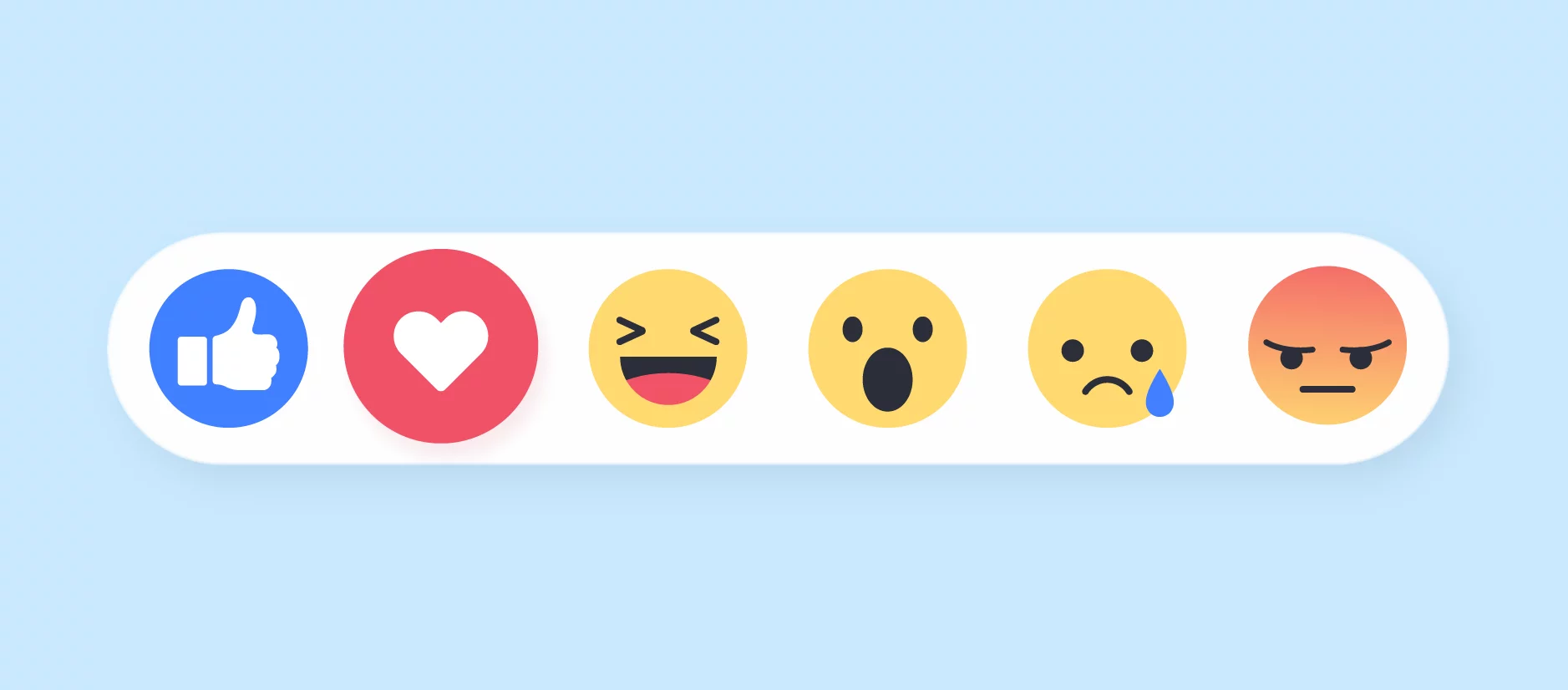
In 2026, the foundational “User-Centred Design” (UCD) model has evolved into Anticipatory Interaction Design. We no longer design for what the user is doing; we design for what the system predicts they will do next. This shift is driven by the collapse of traditional menu hierarchies in favour of Fluid Interfaces.
1. Managing Cognitive Load in the Age of Information Density
The primary constraint in modern interaction design is no longer screen real estate—it is human attention. Masterful interaction designers now use Cognitive Load Theory to dictate the “reveal” of information.
- Intrinsic Load: The inherent difficulty of the task. Our job is to simplify the interaction through Progressive Disclosure. Never show a “Save,” “Share,” and “Export” button simultaneously if the user hasn’t finished the primary task of “Editing.”
- Germane Load: This is the “good” load—the mental effort used to build a permanent understanding of the interface. We facilitate this through Predictive Affordances. For example, in Figma’s 2026 update, tools don’t just sit in a sidebar; they “float” near the cursor depending on the selected layer type, reducing the physical and mental “travel time” for the user.
2. The Rise of Agentic UX and “Interventionist” Design
We are moving away from “Direct Manipulation” (the 1980s Xerox PARC paradigm) toward Delegated Interaction.
When a user interacts with a 2026-era SaaS platform, they are often communicating with an AI Agent that acts as an intermediary. This introduces three new design patterns:
- The Ghost State: A UI state that shows what the AI proposes to do (e.g., a calendar app showing a greyed-out “ghost” appointment it has drafted based on an incoming email). The interaction task for the human is “Confirmation or Correction” rather than “Creation.”
- Constraint-Based Inputs: Instead of text fields, we use LLM-Guided Command Bars. When a user starts typing, the interface should morph to show only the relevant parameters, a technique pioneered by Linear and Arc Browser.
- The Reversibility Rail: Since AI agents can perform bulk actions (e.g., “reschedule all my meetings for Tuesday”), the “Undo” (Ctrl+Z) function must be elevated to a primary UI element, often with a “Time-Travel” slider to audit specific AI changes.
3. Advanced Mappings: Haptics as a Secondary Language
In 2026, Haptic Feedback is no longer just a “vibrate on touch.” It is a sophisticated mapping system. Using the Apple Taptic Engine or Android’s Advanced Haptics API, designers can now simulate “textures.”
Success Swells: A soft, growing haptic pulse confirms a transaction, providing emotional “Delight” (a key Don Norman principle).
Magnetic Detents: When a user slides a volume bar, the haptics should feel like a physical dial clicking.
Error Textures: A “rough” or “staccato” vibration indicates a failed validation, allowing for eyes-busy interaction (important for automotive and accessibility contexts).
Key User Experience Design Concepts
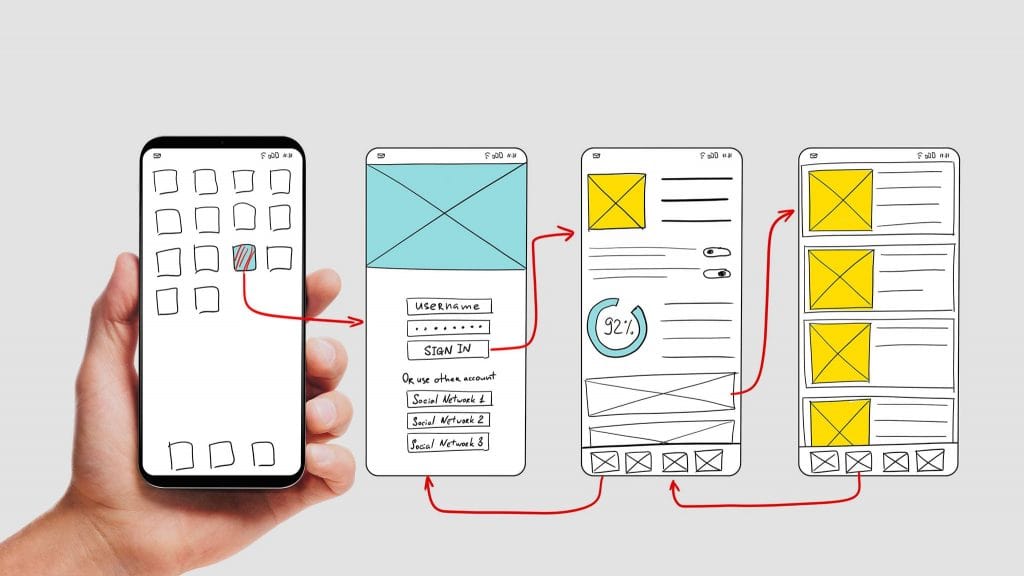
Several core design concepts form crucial pieces of the interaction design foundation. These should consistently guide decisions in bringing interfaces to life.
Affordances
As introduced earlier, affordances are visual cues that convey how interface elements function and behave for users.
Buttons for clicking, underlined links for tapping, scrollbars for scrolling, and swipe gestures on touchscreens are common affordances that provide clues about potential interactions without explicit labels.
Strong affordances reduce interaction friction and ambiguity. They build on existing user perception models.
Feedback
Feedback refers to relevant, actionable system responses following user actions. Examples include loading indicators after tapping buttons, confirmation messages upon completing forms, and animation flourishes that react to gestures.
In many ways, sufficient feedback acts as conversational turn-taking in human interactions. A lack of clear system feedback often creates uncertainty about whether interfaces are responding. Immediate, obvious feedback loops improve perceived stability and control.
Mappings
Interface mappings bind user inputs with resultant system outputs and responses through visible signifiers. Common examples include:
- Toggle switches visibly shift between binary states
- Sliders mapped to values change accordingly
- Scrolling down a page in reaction to swiping gestures
- Dragging folder icons into target drop zones
Intuitive spatial and temporal mappings between actions and reactions boost predictability. They leverage user expectations around causality in the physical world.
Critical Interface Components

Specific recurring modules form the backbone of nearly all digital interfaces, from webpages to mobile apps. While specifics and priorities differ across contexts, mastery over crafting and connecting these core components is fundamental.
Page Structure and Layout
Page structure constructs the user’s environmental frame of reference as they process an interface. Layouts allocate space to distinct zones serving varying functions:
- Branding elements
- Primary content or functions
- Navigation systems
- Supplementary content
- Controls and settings
Layouts guide visual momentum to ensure users can quickly parse interfaces and complete target actions. Common practices include:
- Grouping related elements spatially
- Utilising negative space for focus
- Establishing visual hierarchies via size, colour, contrast, positioning, etc.
Structured wireframes form the architectural blueprints in interaction design processes. They coordinate higher-level page sections and components.

This basic wireframe outlines standard webpage zones and relative positioning.
Navigation Design
Navigation systems enable users to browse interfaces efficiently while retaining context and a sense of place. Navigation mechanisms include:
- Links and sitemaps directing traffic across a network of pages
- Search boxes to scan content indexes without predefined paths
- Categories, tags, folders, or tabs organise content subsets
- Breadcrumb trails displaying historical trails to present locations
- Paging for segmented content access
- Dropdown menus for consolidated access
Navigation should adapt to patterns recognisable to particular platforms and media. It balances simplicity for new users against flexibility for power users.
Content Structure
Content on page and section levels requires purposeful storytelling structures optimised for the medium. Web writing differs dramatically from magazine layouts or videos.
Best practices for interactive content include:
- Scannability – Clear headings, short paragraphs, keyword emphasis tailored for skimming
- Actionability – Explicit calls-to-action and next steps for seamless conversion funnelling
- Conversational tone – Direct, succinct language with engaging narrative techniques
- Responsive formatting – Dynamic display recalibrating across viewports and devices
Modular, digestible content improves retention and reduces cognitive load. Structuring frameworks like atomic design helps tame complexity in sizable systems.
Controls and Input Elements
Controls and input elements collect or direct user-supplied data:
- Text Fields – Enable typing inputs
- Drop-down Menus – Allow single selection from pre-defined options
- Sliders – Provide graphical controls over numeric variables
- Radio Buttons – Offer a multiple-choice selection
- Checkboxes – Toggle binary states for turning discrete options on/off
Each input variety surfaces unique affordances and interaction constraints. Some key guiding principles span types:
- Intuitive spatial mappings to expected outcomes
- Clear labelling explaining the purposes
- Evident validation upon submission
- Forgiving error handling if problems arise
- Standardise and minimise custom variants
Innovative input restrictions and suggestions (like masking patterns or recommended values) aid completion. Optional versus required questions should be indicated upfront.
Agentic UX: When the User is an AI
The most radical shift in 2026 is designing for Agentic UX. Here, the user may not be a human clicking a button, but an AI agent acting on the user’s behalf. Alternatively, the interface itself may be a “Liquid UI” that rewrites its own code to suit the user’s immediate prompt.
Principles of AI-Driven Interaction
- Intervention over Interaction: Instead of the user doing the work, they “supervise” the AI’s work. The design challenge shifts to Transparency (showing what the AI is doing) and Reversibility (allowing the user to easily undo AI actions).
- Prompt-Forward Design: Traditional menus are being replaced by “Command Bars” (pioneered by tools like Linear and Raycast).
- Human-in-the-loop (HITL): Designing “Checkpoints” where the AI must pause and ask for human confirmation before high-stakes actions (like sending an email or making a purchase).
| Tool Category | Leading Entity | Best For… | Key Interaction Feature |
| Generative Prototyping | Framer AI | Rapid site generation | Text-to-interactive component |
| Collaborative Design | Figma | Enterprise-grade UI/UX | “Dev Mode” for seamless handoff |
| Spatial Design | Bezi | 3D & AR interfaces | Real-time 3D collaboration |
| Logic & State | ProtoPie | High-fidelity logic | Sensor-based triggers (gyroscope/haptics) |
| Micro-copy & Tone | Writer | Content design | AI-driven brand voice consistency |
Critical Skills for Interaction Designers

Interaction designers wear many hats due to their broad reach across analysis, ideation, prototyping, and technical build-out. Blending soft skills for collaborating with cross-functional teams and hard skills for wireframing tactile interfaces is imperative.
User Research
All great product experiences start with understanding target users’ circumstances, capabilities, objectives, and pain points. Interaction designers must adeptly employ empirical research approaches, including:
- Surveys soliciting user feedback at scale
- Interviews enabling deep profiling and perspective gathering
- Focus groups for open idea exchange
- Analytics decoding behavioural patterns from usage data
- Observations directly shadowing users
Distilling needs and wants into actionable insights mandates deductive critical thinking and analytics. What users say they want, what they do, and what they need often differ.
Ideation and Conceptual Models
Interaction designers move fluidly between analytical and creative modes. After establishing research baselines around existing limitations and stakeholder goals, designers brainstorm solutions and experience enhancements:
- Envisioning new interface workflows optimised for critical tasks
- Sketching layout schematics and content maps
- Modelling complex conceptual relationships
- Storyboarding navigational narratives and transactions
Ambitious yet feasible ideas, balancing various constraints, push innovation. Thoughtfully framing UX proposals via data helps sell to sceptical stakeholders.
Prototyping
Interaction design solutions remain theoretical until brought to life via prototyping for active demonstration. Prototypes instantiate proposed designs at varying fidelities for sharing and testing purposes:
- Low-fidelity sketches convey rough app layouts
- Wireframes visualise interface skeletal structures
- High-fidelity mocks simulate near-real digital previews
Rapid prototyping quickly prunes ineffective concepts at the formative stage, before extensive coding, using tools like Figma, Framer, Invision Studio, and Adobe XD. Costly late-stage changes can be avoided.
Visual + UI Design
Properly activating conceptual models and affording intuitive controls depends heavily on strong visual design. Interaction designers pair layout and usability blueprints with sensory aesthetic optimisation:
- Typography – Selecting readable, brand-suitable font styles and hierarchy
- Colour – Crafting accessible, meaningful palettes and usage conventions
- Graphics – Producing logos, icons, illustrations, photography, and data visualisations
- Motion – Animating micro-interactions, loading, and layering
Skilled graphic design interpretation counteracts clinical workflows. UI kits systematise patterns for consistency.
Communication + Collaboration
Interaction designers must articulate complex ideas and rally support across stakeholders.
From pitching leadership to guiding developers, influential yet diplomatic communication is vital for overcoming roadblocks. Designers wear project management hats in cross-functional feature production by:
- Securing buy-in for design direction
- Coordinate hand-offs to engineers
- Clarifying requirements and specifications
- Resolving competing priorities
Strong collaboration and emotional intelligence help interaction designers promote user advocacy organisation-wide.
Contemporary tools have transformed interaction design, with platforms like Figma and Sketch leading the change.
These tools support real-time collaboration, allowing teams to design, prototype, and test concurrently. Adobe XD offers similar capabilities, with integrations that streamline transitions between design and development.
Mastery of these tools enhances workflow efficiency and improves design accuracy. These platforms empower designers to craft more interactive and user-friendly experiences, keeping pace with technological advances.
Keeping up to date with advancing tools is essential. Zeplin and Invision augment collaboration by bridging the gap between design and development.
These tools enhance visual consistency and project management efficiency. Staying up to date on tool capabilities enables designers to innovate continuously and craft intuitive user experiences.
Careers in Interaction Design
Given the rising dependence on mainstream software across enterprises, demand for interaction design talent continues to outpace supply significantly. Professionals with both visual creativity and analytical rigour are scarce. Many related roles exist:
| Role | Responsibilities |
| UX Designer | Conduct user research, create workflows, prototypes, and usability tests |
| UI Designer | Transform concepts into high-fidelity compositions and visual assets |
| UX Researcher | Investigate behavioural patterns and feedback through empirical studies |
| UX Writer | Craft microcopy, instructional text, and tooltips |
| UX Engineer | Build production-ready interfaces via code |
| UX Generalist | Blend various specialities strategically |
Salaries often correlate with living costs in tech hub cities like San Francisco and Seattle. However, remote opportunities abound given digital design tooling:
A passion for improving lives and solving real problems drives top talent more than compensation.
Learning Interaction Design
Many designers enter the industry with tangential backgrounds before pivoting. Switching careers into UX is quite common through:
- Assisting friends on informal passion projects
- Signing up for nonprofit volunteer design sprints
- Enrolling in intensive UX boot camp certificate programs
- Pursuing a university master’s degree tracks
Both structured academic settings and experiential learning in maker communities effectively build capabilities.
Ultimately, proficiency results from substantial practice across the lifecycle – researching, ideating, designing, testing, and refining designs guided by user truths rather than assumptions. Building diverse portfolios reveals mastery.
Spatial Interaction: Designing Beyond the Glass

Interaction design in 2026 is no longer tethered to 2D rectangles; with the maturation of Spatial Computing (led by Apple Vision Pro and Meta Quest 3), designers must now master depth, gaze-tracking, and mid-air gestures.
The Shift from Clicks to Gaze
In a spatial environment, the “hover” state is replaced by Gaze Recognition. The system must acknowledge what the user is looking at with subtle visual glows before a gesture (like a finger pinch) confirms the action.
- Z-Axis Hierarchy: Use depth to show importance. Elements closer to the user are actionable; distant elements are background information.
- The Comfort Zone: Avoid placing interactive elements in the periphery, as this can cause “gorilla arm” syndrome or neck strain.
Ambient Computing and “Zero UI”
We are entering the era of Ambient Computing, where the best interaction is no interaction at all. Using Machine Learning, interfaces now predict intent.
Example: A smart home dashboard that doesn’t wait for you to tap “Night Mode” but suggests it when your Oura Ring detects a drop in body temperature and it’s 11:00 PM.
FAQS About Interaction Design
Here are answers to common questions newcomers frequently ask about interaction design:
How much does a Senior Interaction Designer earn in the UK?
A Senior Interaction Designer in London typically earns between £75,000 and £110,000 per year. In 2026, those with “Spatial Computing” or “AI Orchestration” specialisms often command a 20% premium over generalist UX roles.
What is the difference between Interaction Design and UX?
Interaction Design (IxD) focuses on the moment of contact between the user and the screen, whereas User Experience (UX) covers the entire journey, including offline touchpoints and emotional resonance. Think of IxD as the “conversation” and UX as the “entire relationship”.
Is Figma still the industry standard in 2026?
Yes, Figma remains the dominant tool due to its aggressive integration of AI features that automate “boring” tasks like auto-layout and spacing. However, competitors like Framer are gaining ground for high-fidelity interactive web production.
How do I design for neurodivergent users?
Prioritise “Predictability” and “Sensory Control”. Allow users to toggle off animations, ensure all interactive elements have high-contrast borders, and avoid “Time-Out” interactions that create anxiety for those with cognitive processing differences.
Conclusion
Interaction design integrates equal parts systematic user advocacy with engrossing creative expression. Balancing empathy, analytics, technology, and artistry, interaction designers sculpt experiences that empower and delight.
Masterful execution weaves dozens of minute interface details into effortless, empowering user journeys. Friction dissolves to alignment with internal mental models. Products become supportive partners through microconversations.
With increasing complexity across operating systems, devices, and usage contexts, opportunities to guide people to their goals grow exponentially. Specialised interaction design skills continue to be appreciated as digital experiences supersede static media.
Careers that progress from early execution roles through strategic leadership see designers evolve into experienced directors. They help set long-term product visions, balancing business objectives with user needs analysis.
Few fields prove more rewarding for those energised by fusing analytics, emotions, and engineering to forge helpful products. The future remains unwritten – why not help write it? Anybody can start learning the fundamentals and experimenting with ideas immediately. The only limits are one’s imagination and dedication to craft.


