Scope Creep: How to Manage Projects Without Losing Clients
I have seen otherwise brilliant agencies bleed to death because they could not say “no.”
It starts innocuously. A client requests a minor adjustment to a logo design. Then, they request a “quick” variation of the colour palette.
Two weeks later, you are building a completely new landing page feature that was never in the original brief, and you are doing it for free because you are terrified of upsetting the person signing the cheques.
This is scope creep. It is not just an annoyance; it is theft of your time, resources, and mental energy.
- Define a bulletproof Scope of Work with explicit inclusions and exclusions to remove ambiguity and prevent unpaid additions.
- Use formal Change Orders: quantify impact (time, cost, timeline) and require client approval before proceeding.
- Set behavioural boundaries: limit revision rounds, identify a single sign-off authority, and log requests over 15 minutes.
- Communicate value confidently: explain technical costs of "small" asks, offer paid options, and refuse unpaid work professionally.
What is Scope Creep?
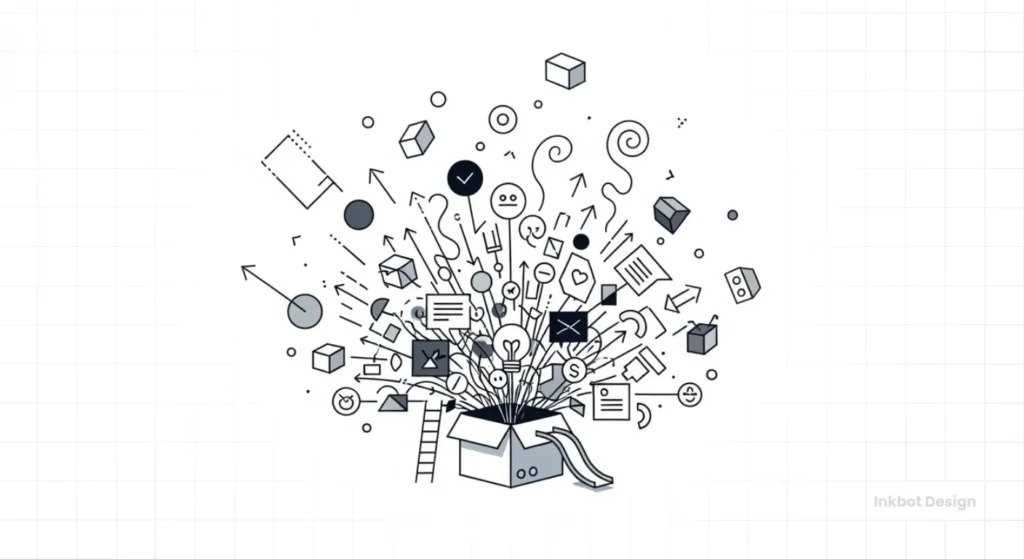
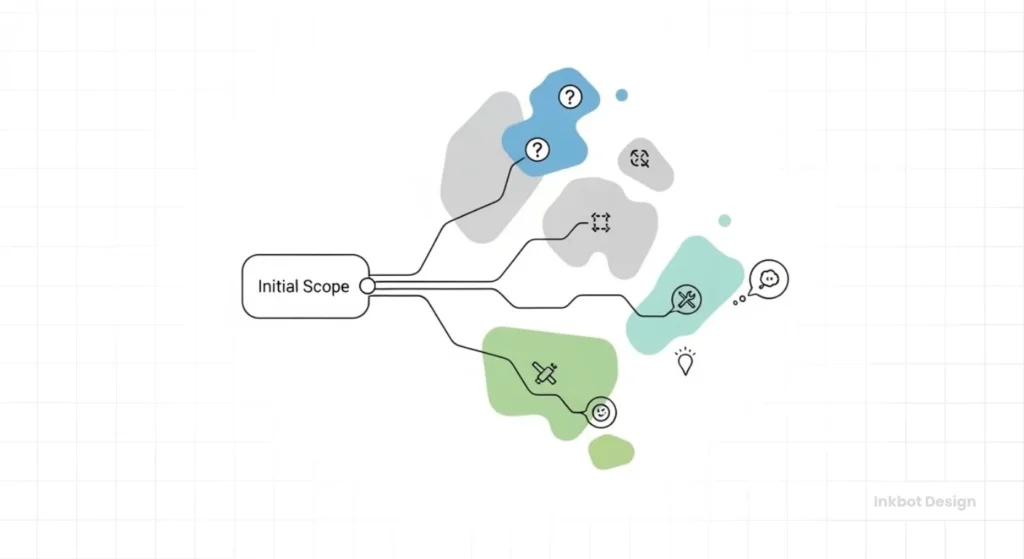
Scope creep (also known as requirement creep or feature creep) refers to the uncontrolled expansion of a project's goals, deliverables, or features after the project has started, without adjustments to time, budget, or resources.
It is the slow, incremental accumulation of “minor” requests that, in aggregate, derail the project.
The Three Core Components of Scope Creep:
- Unauthorised Expansion: New work is added without a formal Change Order or contract addendum.
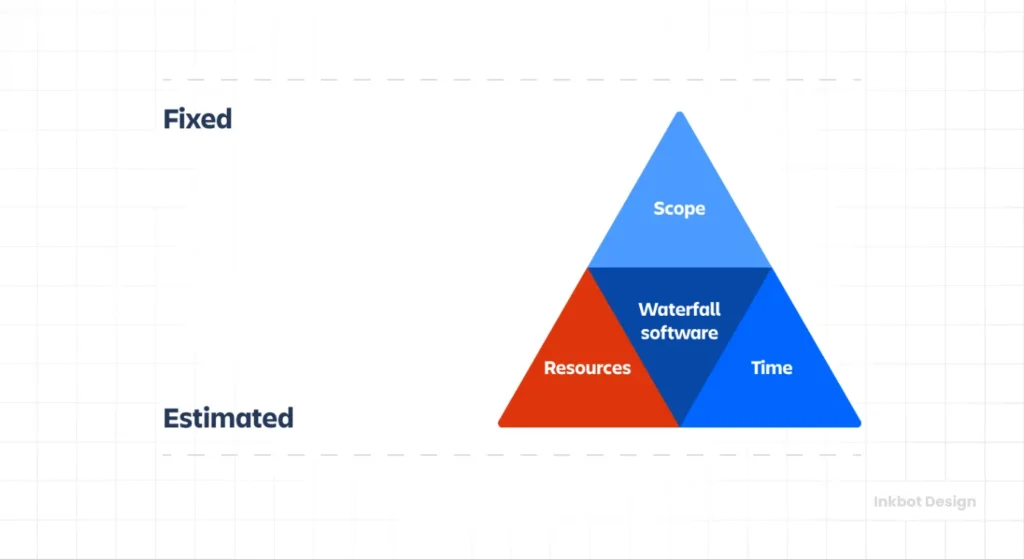
- Resource Stagnation: The budget and deadline remain fixed despite the increased workload.
- Incrementalism: It rarely happens all at once; it happens one email at a time.
Note: Scope creep is distinct from “Scope Change.” A Scope Change is a managed, approved, and budgeted alteration to the project. Scope Creep is unmanaged and unbilled.
In the creative and consulting industries, we sell expertise and time. When you allow the parameters of a project to expand without a corresponding expansion in budget or timeline, you are effectively devaluing your own inventory. You are giving away the product.
Most entrepreneurs struggle with this because they conflate “customer service” with “servitude.” They believe that to keep a client happy, they must accede to every whim. This is false. High-value clients respect boundaries. They respect professionals who value their own time.
If you are looking to start an online business or scale an existing agency, you must master the art of containment. You must learn to build a contractual firewall around your work and, perhaps more importantly, learn the psychological fortitude required to enforce it.
The Client Hazard Matrix: Who to Avoid
Scope creep often walks through the door during the sales meeting. Watch for these personas.
| The Persona | The Warning Sign | The Risk |
| The “Visionary” | “I'll know it when I see it.” | They will never sign off because they don't know what they want. You will iterate forever. |
| The “Technocrat” | “My nephew knows coding; he says this is easy.” | They will devalue your work and argue about every hour billed. |
| The “Rusher” | “I need this yesterday.” | Urgent projects almost always skip the “Scope Definition” phase, which often leads to creep later. |
| The “Committee” | “I just need to run this past the Board/Wife/Partner.” | If the decision-maker isn't in the room, you are designing for a ghost. |
The Psychology of the “Ask”
Why do clients do this? Before we can fix the problem, we must understand the mechanism.
Clients are rarely malicious. They do not wake up thinking, “I am going to bankrupt my web designer today.” They are simply opportunistic and often ignorant of the technical implications of their requests.
1. The “Just a Small Tweak” Fallacy
Clients lack technical context. To them, moving a button on a website or changing a vector illustration style appears to be a five-minute task. They do not see the cascading code dependencies, the re-rendering times, or the impact on mobile responsiveness.
The Fix: You must bridge the knowledge gap. Never just say “no.” Say, “That looks small, but it requires rebuilding the foundation of the header, which is three hours of development.”
2. The Fear of Missing Out (FOMO)
Mid-project, a client may come across a competitor's new campaign or read a trend report. Suddenly, they want to pivot. They want a chatbot. They want 3D motion graphics. They are reacting to external stimuli rather than sticking to the strategy.
3. The “Sunk Cost” Trap
Once a client has paid a deposit, they feel they “own” you. The relationship shifts from partnership to ownership. They assume that since they have already paid £5,000, asking for an extra £500 worth of work should be “included” as a gesture of goodwill.
The Contractual Firewall: Prevention Starts Before You Sign
If you are dealing with scope creep during the project, you have already lost. The battle is won or lost at the contract stage.
I often review contracts for freelancers who are struggling. Almost always, their “Scope of Work” (SOW) is vague. It says things like “Design a website.” This is a death sentence. A website can be as simple as one page or as complex as Amazon.
Essential Clauses to Include
The “Explicit Inclusions and Exclusions” List
Do not just list what you will do. List what you will not do.
- Inclusions: “5-page WordPress site, 3 rounds of revisions per page, basic SEO setup.”
- Exclusions: “Copywriting, premium plugin licences, custom photography, ongoing maintenance, and domain purchasing.”
By listing exclusions, you remove ambiguity. If a client asks for copywriting later, you can point to the contract where it is explicitly listed as an excluded service.
The “Material Change” Clause
You need a legal definition for what constitutes a change.
“Any request that alters the approved sitemap, design direction after sign-off, or functionality requirements will be considered a Material Change. Material Changes will pause the current project timeline and require a separate Change Order and budget assessment before work proceeds.”
The “Revision vs. Refinement” Distinction
This is where 90% of creative projects fail. You must define what a “revision” is.
- Refinement: Tweaking the font size, adjusting a colour shade, correcting a typo. (Included).
- Redesign: “I don't like the layout, let's try something totally different.” (Not Included).
If you do not define this, the client will treat a complete redesign as a “quick revision.”
The “Anti-Ambiguity” Exclusions List
Most disputes arise from what is not said. Add these standard exclusions to your contracts to protect yourself.
- Source Files: “Deliverables include the final exported files (PDF/JPG/HTML). Editable source files (AI/INDD/Sketch) are NOT included unless specified.”
- Stock Purchasing: “Costs for stock photography, font licenses, or premium plugins are the responsibility of the Client.”
- Content Creation: “We design the container; you provide the content. Copywriting and data entry are excluded.”
- Browser Support: “We support the last 2 major versions of Chrome, Safari, and Edge. We do not support Internet Explorer.”
- Round 4+: “The project includes 3 rounds of revisions. Round 4 and beyond will be billed at our hourly rate.”
Real-World Data: The Cost of Ambiguity
According to the Project Management Institute (PMI) Pulse of the Profession report, 52% of projects experience scope creep. The same data indicates that projects with scope creep are significantly more likely to fail outright or suffer from budget overruns.
In the IT sector, McKinsey & Company found that large IT projects run 45% over budget and 7% over time, while delivering 56% less value than predicted. A massive portion of this variance is attributed to shifting requirements mid-stream.
When you fail to document boundaries, you become a statistic.
5 Types of Scope Creep (And How to Spot Them)
1. The “Gold Plating” (Internal Creep)
This is on you. This happens when you or your team add features the client didn't ask for, thinking it will impress them.
- Why it’s bad: The client didn't value it enough to pay for it, so you are working for free. Worse, if the “bonus” feature breaks, you are responsible for fixing it.
- The Fix: Stick to the brief. If you have a great idea, sell it as an upsell.
2. The “Trojan Horse”
The client starts with a tiny, cheap project to “test” you. Once you are in, they pile on requests, leveraging the relationship to get enterprise-level work for freelance rates.
- The Fix: Strict boundaries on trial projects. Treat them as fixed-fee, fixed-scope engagements with zero flexibility.
3. The “Too Many Cooks” (Stakeholder Creep)
You get a sign-off from the Marketing Manager. Then, two weeks later, the CEO sees the project and hates it. You have to redo the work.
- The Fix: Identify the “Single Point of Truth” (SPOT) in your contract. One person has sign-off authority. If the CEO requests changes after the SPOT has signed off, that constitutes a billable change order.
4. The “While You're At It”
“Hey, since you're already in the backend code, can you just fix this other plugin?”
- The Fix: “I can look at that, but it is a separate system. Let me finish the current task so we don't endanger the deadline, and I will quote you for that fix separately.”
5. The “Vague Feedback” Loop
The client says, “It doesn't pop” or “Make it jazzier.” You do five rounds of revisions, trying to guess what they mean.
- The Fix: Demand specific, actionable feedback. Do not accept subjective moods as revision instructions.
The “Change Order” Protocol: Monetising the Creep
Scope creep is only a problem if you don't charge for it. If you charge for it, it's called “Upselling.”
When a client asks for something outside the scope, your internal reaction should not be panic; it should be calculation. They have just signalled they have more money to spend or a new problem to solve.
The Zero-Friction Change Order Process
- Acknowledge and Validate: “That is a great idea. I can see how adding a user forum would help engagement.”
- The Pivot: “However, that is outside our current scope of work for the launch.”
- The Option: “I can write up a Change Order for that. It would add approximately £1,200 to the budget and push the launch date back by one week. Would you like me to proceed with the paperwork?”
Why this works:
- You didn't say no.
- You put the decision back in their court.
- You attached a price tag to the request.
Usually, the client will say, “Oh, never mind, let's stick to the original plan.” Problem solved. If they say “Yes,” you just made more money.
| Aspect | The Amateur Approach | The Professional Approach |
| Response to Request | “Sure, I can squeeze that in.” | “That is a significant addition; let's assess the impact.” |
| Documentation | Email thread or verbal agreement. | Formal Change Order document signed by both parties. |
| Billing | Usually £0 (due to fear of charging). | Hourly rate or fixed fee per addendum. |
| Timeline Impact | Absorbed (working nights/weekends). | Timeline extended officially. |
| Client Perception | Pushover / Employee. | Consultant / Expert Partner. |
Template: The “Change Request” Form
Stop agreeing to things over the phone. Make it official. Copy and paste this structure into a PDF or DocuSign envelope.
PROJECT CHANGE REQUEST (PCR) #001
Project: [Website Rebrand] Date: [DD/MM/YYYY]
1. The Request: Client has requested the addition of a user forum to the main navigation.
2. The Impact (Why it costs money):
- Design: UX/UI layout for forum threads.
- Development: Installation of forum software, database integration, and SSO setup.
- Timeline: This will pause the main launch by 5 business days.
3. The Cost:
- Additional Fee: £1,200 + VAT
- Revised Deadline: [New Date]
4. Approval: By signing below, the Client approves this budget increase and acknowledges the timeline extension.
_____________________ (Client Signature)
Managing Scope in Different Pricing Models
The way you bill affects how vulnerable you are to creep.

Fixed Price / Flat Rate
- Risk Level: Critical.
- Why: You bear 100% of the risk. If the project takes 100 hours instead of 50, your hourly rate is halved.
- Strategy: Your SOW must be bulletproof. Use value-based pricing where possible to build a buffer for minor unforeseen issues, but strictly bill for functional changes.
Hourly Rate
- Risk Level: Low.
- Why: If the scope creeps, you just keep billing.
- Strategy: The risk here is not financial loss, but client anger. If the bill is double what they expected, they will refuse to pay. You must communicate before exceeding the estimated hours. “We are at 80% of the budget, but only 50% through the work due to the recent changes. We need to pause or increase the cap.”
Retainer
- Risk Level: Moderate.
- Why: Clients view retainers as “unlimited access.”
- Strategy: Define the retainer by deliverables or hours, not just “availability.” “This retainer covers 20 hours per month. Unused hours do not roll over. Overage is billed at £X.”
The “No” Scripts: How to Say It Without Being Rude
Many creative professionals struggle with the actual confrontation. Here are scripts you can copy and paste.
Scenario A: The “Quick Tweak” that isn't quick
- Client: “Can we just change the entire navigation menu to a hamburger style on desktop?”
- You: “Technically, yes. However, moving to a hamburger menu on desktop requires rewriting the CSS and JS for the header and testing it across all browsers. It is about 4 hours of work. I can add this to the Phase 2 backlog, or we can issue a Change Order to do it now. Which do you prefer?”
Scenario B: The “I assumed this was included”
- Client: “Where are the social media graphics? I thought those came with the branding.”
- You: “I can definitely create those for you. According to our contract, the current scope includes the Logo, Business Card, and Letterhead. Social media assets fall under our Digital Marketing Services. I can send over a separate quote for a social media kit this afternoon.”
Scenario C: The Late Feedback
- Client: “I know we signed off on the wireframes last week, but I want to change the layout.”
- You: “We can certainly revisit the layout. Since we have already begun the high-fidelity design phase based on the approved wireframes, stepping back to alter the structure will require us to scrap the work done this week. This will incur a rework fee of £X. Are you happy to proceed on that basis?”
The State of Scope Management in 2026: The AI Factor
We must address the elephant in the room: Artificial Intelligence.
In the last 18 months, client expectations have been warped by the “AI mirage.” Clients use tools like Midjourney or ChatGPT and assume that because they can generate a generic image in seconds, you should be able to build a complex, trademarkable brand identity in minutes.
The New Threat: Clients now expect “instant” iterations. They treat professional services like a vending machine.
The Defence: You must educate clients on the difference between generation and curation/strategy.
“AI can generate 100 wrong answers in a minute. My job is to find the one right answer that protects you legally and resonates with your market. That takes analysis, not just processing power.”
Furthermore, you should be using invoicing software that integrates scope acceptance. Modern tools allow you to lock a scope document digitally; the client cannot pay the deposit until they click “I Agree” on the specific inclusions/exclusions list. This creates a digital paper trail that is invaluable in the event of disputes.
Consultant's Reality Check
I once audited a design agency in Manchester that was on the verge of bankruptcy despite having a full client roster.
When I compared their time-tracking data to their invoices, the problem was immediately apparent. They were spending 40% of their billable hours on “client management” and “minor revisions” that were never invoiced. They were afraid that if they charged for these small things, the clients would leave.
We implemented a simple rule: The 15-Minute Rule. Any request that takes longer than 15 minutes gets logged. If the total “minor requests” exceed 2 hours in a month, an invoice is generated.
Result? They lost two clients immediately—the parasites who were draining them. The rest of the clients started consolidating their feedback into single, clear emails to save money. The agency's profitability increased by 22% in three months, despite not acquiring a single new customer.
The Lesson: You teach people how to treat you. If you treat your time as worthless, so will they.
Tools to Combat Scope Creep

You cannot manage what you do not measure.
- Project Management Software (Jira, Trello, Asana): Use these to visualise the backlog. If a client adds a card, show them another card that must be moved to the “Icebox” to accommodate it.
- Time Tracking (Harvest, Toggl): You need evidence. When a client says, “It shouldn't take that long,” show them the data from previous similar tasks.
- Digital Signing (DocuSign, HelloSign): Get signatures on everything. A verbal “yes” in a Zoom meeting is not a contract.
If you are unsure how to price these tools or your time, review our guide on freelance graphic design rates. It provides a baseline for what professionals charge and how they structure their fees to absorb some administrative costs.
The Verdict
Scope creep is not a technical problem; it is a behavioural one. It stems from a lack of clarity and a lack of courage.
To handle scope creep without losing the client, you must shift your mindset. You are not an employee awaiting orders; you are a consultant guiding a process. When a surgeon tells a patient they cannot perform two surgeries at once for the price of one, the patient does not leave; they respect the surgeon's expertise and boundaries.
Key Takeaways:
- Define everything: If it is not in the contract, it does not exist.
- Monetise changes: Use Change Orders to turn creep into revenue.
- Communicate impact: Always explain the cost (in terms of time/money) of a change before accepting it.
- Say no professionally: Use the scripts provided to offer options, not refusals.
Do not let fear dictate your business operations. If a client fires you because you refused to work for free, they did not fire you—you escaped a bad deal.
Next Step
If you are struggling to define your project boundaries or need a professional team to handle your branding without the chaos, request a quote from Inkbot Design today. We respect your time and budget, and we expect the same in return.
Frequently Asked Questions (FAQ)
What is the difference between scope creep and gold plating?
Scope creep is an uncontrolled expansion driven by client requests. Gold plating is when the team adds unrequested features to impress the client. Both harm profitability, but the source of the harm differs.
How do I say ‘no' to a client without making them angry?
Do not say “no.” Say “Yes, but…” or “Yes, and here is the cost.” Validate their idea, then present the consequences (budget/timeline) and let them decide. This keeps you on their side while enforcing boundaries.
Should I charge for every small email request?
Not necessarily. It is smart to build a small “buffer” (e.g., 10-15%) into your initial project fee to cover minor communications. However, if requests exceed that buffer, you must bill for them.
What is a Change Order?
A Change Order is a formal document that alters the original contract. It outlines the new work, the additional cost, and the impact on the timeline. It must be signed by the client before the new work begins.
How can I prevent scope creep during the proposal phase?
Be exhaustive in your “Exclusions” list. Explicitly state what is not included. Also, define the number of revision rounds clearly (e.g., “3 rounds of revisions,” not “unlimited revisions”).
Is scope creep ever a good thing?
Yes, if it is managed. If a client wants to expand the project and is willing to pay for it, that is business growth. It is only “creep” if it is unbilled and unmanaged.
My client refuses to sign a Change Order but wants the work. What do I do?
You pause the work. Do not proceed. If you work without a signed agreement, you have no legal standing to collect payment. Explain that company policy dictates that no work can proceed without authorised documentation.
How does Agile methodology handle scope creep?
Agile welcomes change but within fixed iterations (sprints). If a new feature is added to the backlog, an equivalent feature of equal size must be removed, or the project duration must be extended. It trades fixed scope for fixed time/cost.
Can I use a retainer to manage scope creep?
Yes. A retainer guarantees availability for a set number of hours. If the scope expands, the hours are consumed faster. Once the hours are gone, the work stops or moves to an overage rate. This makes the cost of creep visible to the client.
What are the warning signs of a ‘scope creep' client?
Watch for phrases like “quick favour,” “I'm not sure what I want, but I'll know it when I see it,” or resistance to signing a detailed contract. Clients who haggle aggressively on price upfront often push boundaries later.