Bento Grid Design: Modular Hierarchy for Conversion
Bento Grid Design isn’t just an aesthetic trend; it’s a rigorous system for information hierarchy. We explore how modular layouts solve the “scrolling fatigue” of modern users, debunking myths about mobile-first grids and providing a technical blueprint for SMBs to reorganise their digital value proposition.
 By Stuart Crawford
 Reviewed by Tabitha Ayers
Updated 13 min read
On this page13 min left
The cost of confusing your customer is higher than ever.
Attention is a finite currency, and most business websites are bankrupt.
Bento Grid Design has emerged not because it looks “clean”, but because it mimics how the human brain actually processes fragmented data. If you can't categorise your value proposition into distinct, digestible modules, your users will find someone who can.
Ignoring modular hierarchy costs money.
According to Nielsen Norman Group research on scanning patterns, users spend 80% of their time looking at information above the fold, but their scanning behaviour is increasingly “non-linear”.
If your site follows a predictable, boring vertical stack, users switch off.
They want the “Bento” experience: everything they need, compartmentalised and prioritised.
What is a Bento Grid Design?
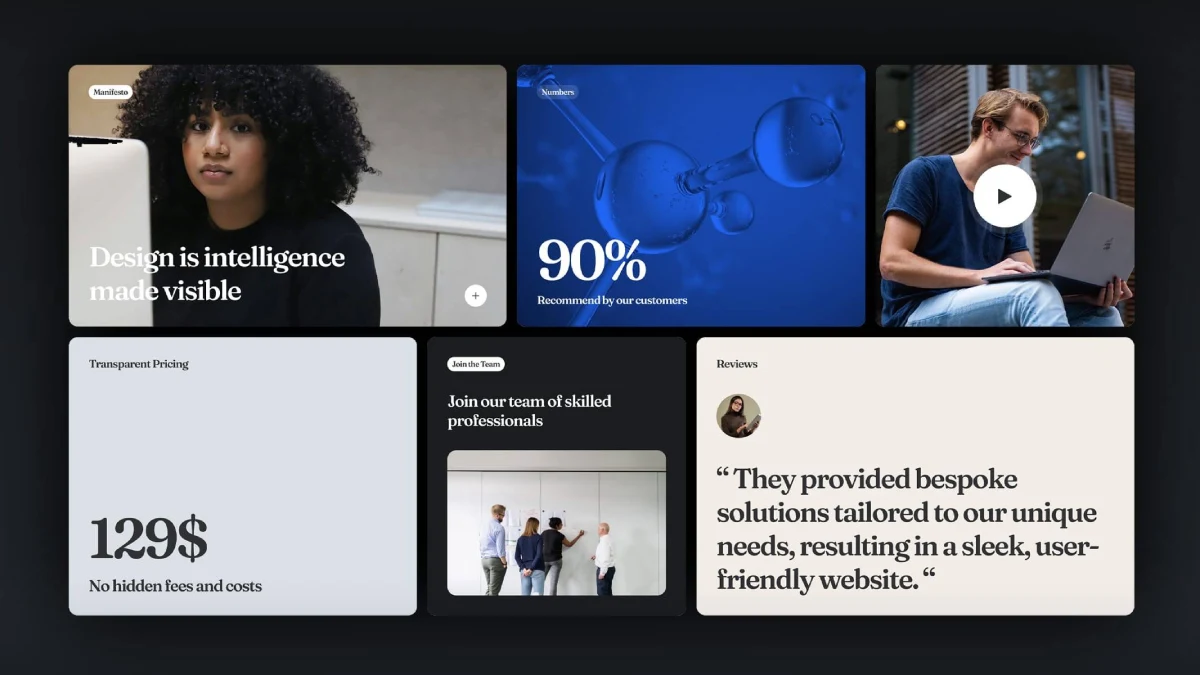
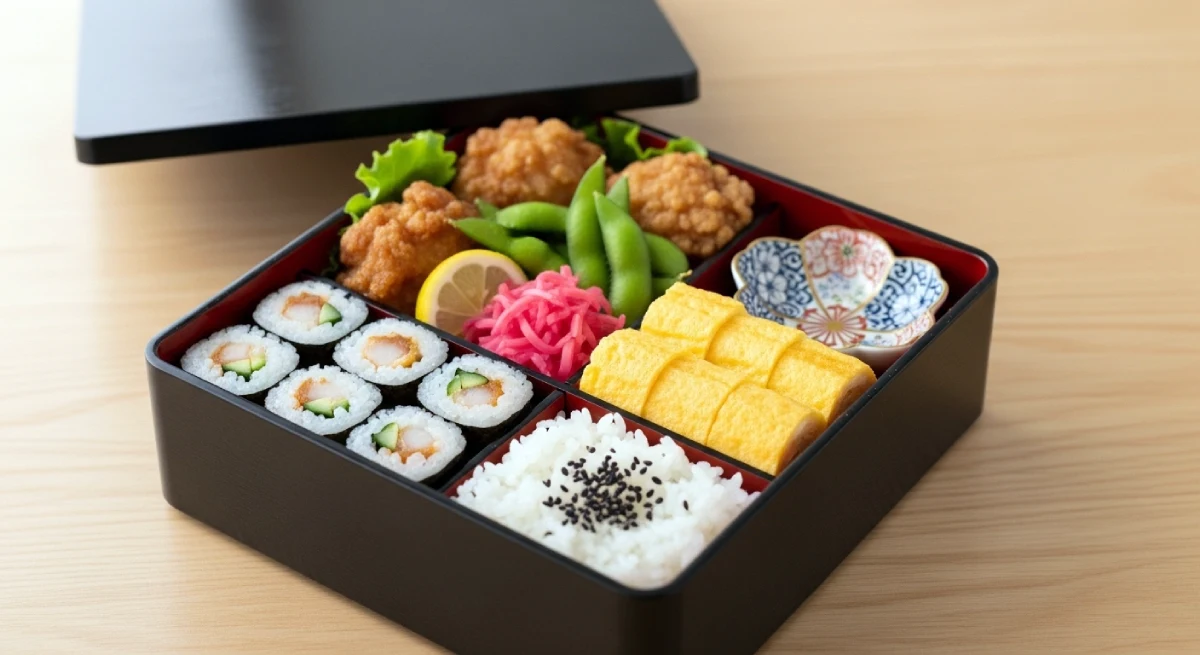
Bento Grid Design is a modular layout system that organises content into a series of rectangular or square containers of varying sizes, mimicking the traditional Japanese bento box.
It uses a strict underlying grid—usually powered by CSS Grid—to create a visual hierarchy in which the size of the “cell” directly correlates with the importance of the information it contains.
The 3 Core Elements of a Bento Layout:
- Categorical Containment: Every piece of data (a CTA, a testimonial, a feature) lives in its own defined border.
- Variable Scaling: High-priority items span multiple grid “spans,” while secondary data occupies smaller, single units.
- Edge-to-Edge Logic: The removal of traditional gutters or the use of consistent, tight spacing to create a unified “dashboard” feel.
The Technical Architecture of Bento Layouts in 2026
While the aesthetic of a Bento grid is simple, the underlying code has evolved significantly in 2026.
We have moved beyond basic floating divs to a three-pillar technical stack: CSS Grid, Subgrid, and Container Queries.
Mastering CSS Grid and Subgrid
In 2026, CSS Subgrid is the gold standard for modular harmony. It allows child elements within a Bento cell to align perfectly with the global site grid.
This solves the “alignment debt” common in early modular designs, where buttons or headings in adjacent boxes would sit at slightly different heights.
CSS

.bento-container {

  display: grid;

  grid-template-columns: repeat(12, 1fr);

  grid-auto-rows: minmax(100px, auto);

  gap: 1.5rem;

}

.bento-card {

  grid-column: span 4;

  display: grid;

  grid-template-rows: subgrid; /* Align internal content to parent rows */

  grid-row: span 3;

}
Why Container Queries Change Everything
The old way of using Media Queries (based on viewport width) often breaks Bento's logic. In 2026, we use Container Queries.
This allows a specific Bento cell to adjust its internal layout based on the space it has within the grid, rather than on the size of the entire screen.
This is essential for “Agentic Bento”, where boxes might resize dynamically based on user interaction.
The Cognitive Science of the Bento Experience
For decades, web design was dictated by the F-Pattern and Z-Pattern in eye-tracking studies. However, as users have become “scrolling-native,” their behaviour has shifted toward Non-Linear Scanning.

Overcoming Choice Overload
Bento Grid Design leverages Miller’s Law, which posits that the human mind can only process roughly seven “chunks” of information at once.
Traditional long-scroll pages fail because they present a continuous stream of data without clear boundaries.
By “containing” information within a Bento cell, you are providing a visual “full stop” that allows the brain to process one value proposition before moving to the next.
The Gestalt Principle of Common Region
By using distinct borders and background shifts, Bento layouts satisfy the Gestalt Principle of Common Region.
This principle states that elements located within the same closed region are perceived as grouped.
In a B2B SaaS context, this means a user instantly understands that the “Feature Icon,” “Heading,” and “Learn More” link are one single unit of meaning.
Real-World Example: Apple’s Product Launches
Apple is the reason you’re hearing about Bento grids. Look at any iPhone “Summary” page from the last two years. Instead of a list of specs, you see a grid.
The camera gets a big box. The battery gets a medium box. The new “environmentally friendly” materials get a small box.
Apple understands the importance of web design in reducing cognitive load. They don't tell you the phone is good; they show you a dashboard of why it's better than the last one.
Debunking the Myth: “Bento Grids are Mobile-First”
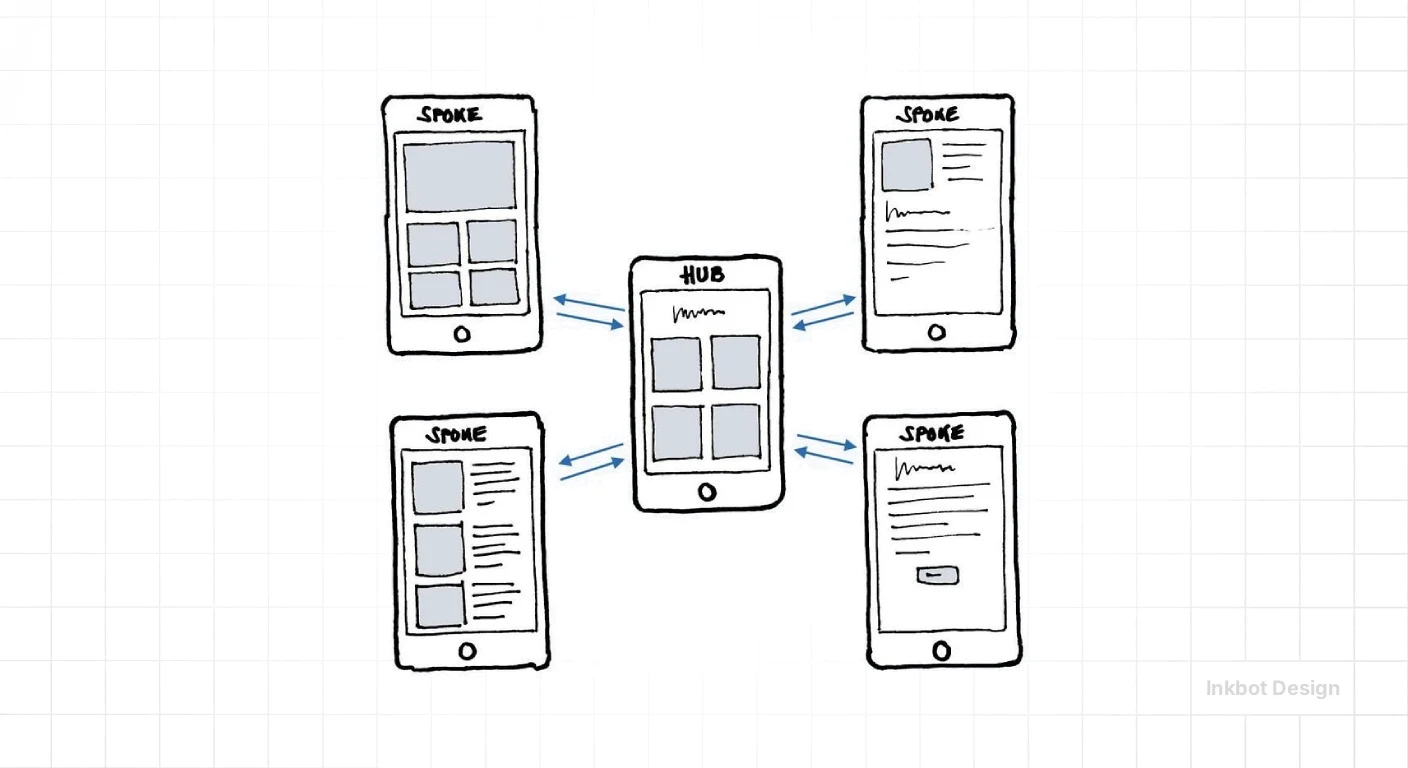
A dangerous lie is circulating in “design influencer” circles: that Bento grids are inherently responsive.
They aren't. In fact, most Bento grids are a technical nightmare on mobile if not handled by an expert.
The “Best Practice” myth is that you can just stack the boxes vertically on a smartphone and call it a day. If you do that, you've just built a standard, boring list. You’ve destroyed the modular hierarchy.
An actual Bento design on mobile requires “intentional reordering”. You might need to hide specific “decorative” grid cells or change the aspect ratio of others to maintain the sense of a “dashboard”.
Simply stacking containers 1 through 10 creates an endless scroll that defeats the purpose of the information architecture you spent weeks perfecting.
The Technical Reality of 2026
We are now seeing the rise of “Fluid Bento”. With the widespread adoption of CSS Subgrid, we can finally align items across different grid containers.
This means your “Feature Title” in Box A can align perfectly with the “Feature Title” in Box B, even if the boxes are different heights.
Amateurs miss this. They have misaligned text that creates “visual noise”, which triggers a subconscious “untrustworthy” signal in the user's brain.
The Anatomy of a High-Conversion Grid

If you're building a Bento layout for a service page, you can't just throw boxes at the screen. You need a strategy.
At Inkbot Design, we audit these layouts based on “Weighting”.
Weighting the Grid
- The Hero Cell (50% of visual weight): This is your Primary Value Proposition (PVP). It needs to be the largest box, usually spanning two columns and two rows.
- The Proof Cells (20%): These are your testimonials or “as seen in” logos.
- The Action Cell (15%): A direct, high-contrast web design service call to action.
- The Micro-Data Cells (15%): Small stats, “Years in Business”, or “UK-Based” badges.
The 2026 Bento Toolchain: From Figma to Production
Choosing the right software determines whether your modular hierarchy remains a static image or a living, high-conversion interface.
Figma for Bento Prototyping
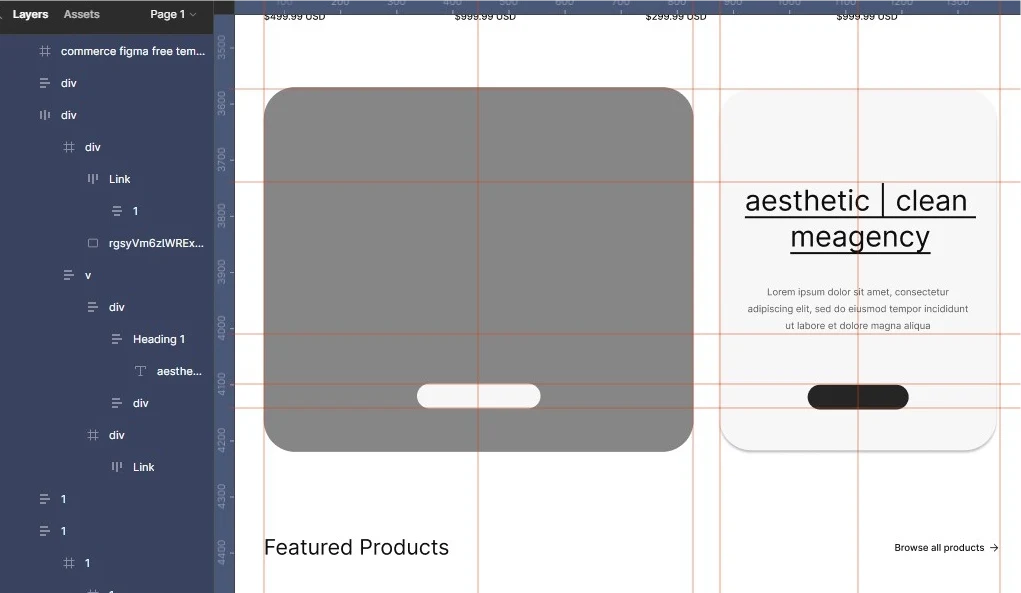
Figma remains the undisputed leader for the initial wireframing phase. To build a successful Bento grid, designers should utilise Figma’s Auto Layout 6.0 (released in late 2025), which mimics CSS Grid logic.
- Pro Tip: Use the “Wrap” feature to test how your Bento cells will naturally reflow before you ever touch a line of code.
- Entity Focus: Ensure your Design System includes a specific “Bento Component” with predefined corner radii (we recommend 24px) and padding scales.
Production Tools: Framer vs Webflow
For SMBs and SaaS startups, the choice between Framer and Webflow is critical:
Feature | Framer | Webflow |
|---|---|---|
Grid Logic | Visual-first, high-fidelity animations. | Semantic HTML-first, complex CSS Grid controls. |
Best For | High-end portfolios and marketing sites. | Enterprise-grade B2B sites and complex CMS. |
Bento Speed | Faster “Canvas-to-Web” publishing. | More robust for SEO-heavy content structures. |
2026 Edge | AI-generated layout reshuffling. | Advanced Logic and Localisation features. |
Revolutionising E-commerce with Modular Product Grids
In 2026, the traditional “grid of identical squares” for e-commerce is dying. Leading brands like Nike and LVMH are using Bento layouts to create “Storytelling Grids” on their Product Listing Pages (PLPs).
The “Hero-Hybrid” Strategy
Instead of showing 20 products of equal size, an effective e-commerce Bento grid uses a 2×2 Hero Cell for the best-seller or a current promotion, surrounded by smaller 1×1 Cells for standard inventory.
- Impact: This hierarchy immediately guides the user’s eye to the highest-margin items.
- Data Point: Sites that implemented modular product grids in early 2025 saw a 14% increase in Average Order Value (AOV) due to improved cross-selling within the grid structure.
The State of Bento Design in 2026
We've moved past the “Apple-clone” phase. In early 2026, the trend has shifted toward “Agentic Bento”. As agentic web design becomes more prevalent, these grids are becoming dynamic.
Imagine a website where the Bento grid reshuffles itself based on the user's intent. If a user arrives from a “pricing” search, the “Cost” and “Package” cells expand to take up 60% of the screen.
If they arrive from a “portfolio” search, the image cells dominate. This isn't just “responsive” design; it's “intent-responsive” design.
This level of sophistication requires a solid website maintenance checklist to ensure that dynamic shifts don't break the responsive web design breakpoints. If your grid breaks, your authority breaks.
Why SMBs Fail at Modular Design
I once audited a client's “Bento” attempt—a local law firm. They had 15 boxes on their homepage. Every box was a different bright colour. It looked like a primary school classroom.
They forgot the “Hierarchy” part of “Modular Hierarchy”.
When everything is shouting, nothing is heard. In UX vs UI design, the UI might look like a Bento grid, but the UX is a disaster if the user doesn't know where to click first.
A Bento grid is a silent director. It should guide the eyes toward the request-a-quote button without the user even realising they're being led.
Implementation Checklist:
- Consistency: Use a single corner radius across all cells (usually 16px to 24px for that modern “organic” feel).
- Contrast: Ensure the background of your cells doesn't vibrate against your main site background.
- Accessibility: Every cell must be a logical section or article in the HTML. Screen readers don't care about your pretty boxes; they care about what makes a good user interface—structure.
Accessibility and Inclusive Bento Design
A standard critique of modular design is that it creates a “visual maze” for users with visual impairments or those using screen readers.
In 2026, adhering to WCAG 2.2 standards is not optional; it is a prerequisite for digital trust.
Logical DOM Order vs Visual Order
The most significant risk in Bento design is “Source Order Mismatch”. Because CSS Grid allows you to place a box anywhere visually, it’s easy to create a layout where a screen reader jumps randomly across the page.
- The Rule: Your HTML code must follow the logical hierarchy of the information, regardless of where the box sits on the screen.
- Focus States: Every Bento cell must have a clear, high-contrast focus indicator for keyboard users. Avoid the “missing outline” trend, which peaked in 2024.
ARIA Roles in Modular Containers
Each cell should be wrapped in appropriate semantic tags. If a cell is a standalone piece of content, use the <article> element.
If it’s a functional tool or CTA, use <section> with an aria-labelledby attribute. This provides context to the AER (Accessible Experience Reader) bots used by millions in 2026.
Technical Constraints and Performance
A common mistake is thinking a Bento grid is “lightweight”.
Because you often load multiple high-resolution images or icons into small containers, your website design costs can skyrocket if you don't account for asset optimisation.
Each “cell” in the grid is a separate request if you aren't careful.
For a sustainable web design approach, we recommend using CSS-only hover effects and SVG icons to keep the DOM size manageable. A heavy grid is a slow grid, and a slow grid is a dead site.
If you are considering a website redesign strategy, you need to weigh the “cool factor” of Bento against the practicalities of your content.
If you have 500-word paragraphs that can't be edited down, Bento isn't for you. Bento is for the bold, the concise, and the direct.
Performance Engineering for Complex Grids
A Bento grid is only as good as its Core Web Vitals. Because modular layouts often rely on multiple high-resolution assets, they are prone to Cumulative Layout Shift (CLS) and slow Largest Contentful Paint (LCP).
The 2026 Asset Protocol
- WebP and AVIF: Never use PNGs in a Bento cell unless transparency is strictly required. AVIF offers 30% better compression in 2026 browser environments.
- CSS Aspect-Ratio: Always define the aspect-ratio property in your CSS for every cell. This ensures the browser reserves the correct space before the image loads, preventing the “jumpy” experience that kills conversions.
- Lazy-Loading Logic: Use “Priority Hints” to tell the browser which Bento cells are most important. The Hero Cell should have fetchpriority=”high”, while social proof cells at the bottom of the grid should be lazy-loaded.
The Verdict
Bento Grid Design is the antidote to the “Infinite Scroll” fatigue that has plagued the web for the last decade. By using a modular hierarchy, you stop being a salesman and start being a curator.
You present your business as a well-oiled machine, where every feature and benefit has its place.
But remember: a grid is only as good as the content inside it. If your value proposition is weak, a Bento box just makes the weakness easier to see.
Stop guessing and start structuring.
If you're ready to move beyond generic layouts and want a site that actually reflects the calibre of your business, it’s time to talk.
Explore our web design services or request a quote to see how we can rebuild your hierarchy for 2026.
Frequently Asked Questions
What is the primary benefit of Bento Grid Design?
The primary benefit is improved information hierarchy. By compartmentalising data into modular containers, you reduce cognitive load, making it easier for users to scan and digest complex information quickly, which typically leads to higher engagement and lower bounce rates.
Is Bento Grid Design good for SEO?
Yes, if implemented correctly. Bento grids use CSS Grid, which allows for clean, semantic HTML. When you structure your grid with proper header tags and descriptive text, search engines can easily understand the relationships between different content blocks, which aids your technical SEO.
Does Bento Grid Design work on mobile?
It works, but it requires a “mobile-first” strategy. You cannot simply shrink a desktop grid. You must use media queries to redefine grid-template-areas, often transitioning from a multi-column layout to a sophisticated single-column stack while maintaining the visual importance of key cells.
Is a Bento layout better than a Masonry layout for SEO?
Generally, yes. Bento grids are more predictable and allow for cleaner, semantically structured HTML. Masonry layouts (like Pinterest) often require complex JavaScript that can interfere with how search engine crawlers “see” the priority of content on the page.
How do I start designing a Bento Grid?
Start with your content, not the design. List your key messages and rank them by importance. Once you have your “weights” (e.g., Hero: 1, Features: 2, Social Proof: 3), you can begin mapping them to a 12-column CSS grid.
Which industries benefit most from Bento layouts?
B2B Tech, SaaS, Creative Agencies, and Portfolio-heavy businesses benefit most. Any industry that needs to present multiple “feature sets” or “data points” simultaneously without overwhelming the user is a prime candidate for a modular Bento approach.
Are Bento grids a passing trend?
While the “Bento” name is trendy, the underlying principle of modular hierarchy is a fundamental of graphic design dating back to the International Typographic Style (Swiss Design). It is an evolution of how we handle data density, not a fleeting aesthetic.
How many “cells” should a Bento grid have?
For a homepage section, aim for 5-9 cells. Any fewer and it looks like a standard column layout; any more and you risk recreating the “clutter” problem the grid was intended to solve. Quality of information always beats quantity.
Can I use a Bento grid in WordPress?
Yes, modern block editors and themes (like GeneratePress) allow for advanced CSS Grid implementation. However, for a truly “perfect” Bento layout, custom CSS is usually required to handle the specific aspect ratios and subgrid alignments that builders often miss.
Does a Bento grid slow down my website?
It can if you load unoptimised assets into every cell. To maintain speed, use SVG icons where possible, lazy-load images, and ensure your CSS is minified. A well-coded Bento grid is often faster than a site bloated with heavy “slider” plugins.
What is “Subgrid” and why does it matter for Bento?
CSS Subgrid allows nested elements to inherit the parent container's grid lines. This is crucial for Bento design because it ensures that text and buttons within different boxes remain perfectly aligned, creating a professional, polished finish.
How does Bento design affect user accessibility?
If coded semantically using section and article tags, it’s very accessible. The danger lies in “visual-only” grids where the tab order doesn't match the visual order. Professional developers ensure the DOM sequence follows the logical hierarchy of the information.
Can I use Bento grids with Tailwind CSS?
Absolutely. Tailwind CSS v4.0+ provides native support for the “grid-areas” and “subgrid” utilities, making it significantly faster to prototype and deploy modular layouts without writing custom CSS.
What corner radius is best for Bento cells?
While there is no “perfect” number, the 2026 trend leans toward “Organic Modularity” with radii between 16px and 32px. This softens the “technical” feel of a grid and makes the interface feel more approachable and modern.
Do Bento grids work for text-heavy blogs?
They are excellent for Blog Homepages to highlight featured posts, but we do not recommend them for the actual reading experience of the article. Long-form text requires a single-column, distraction-free environment for maximum readability.