Employer Branding for UK Scale-Ups: Why It Breaks Under Growth
A £6m consultancy hits 90 staff, wins a landmark client, and suddenly cannot hire the ten people that client needs. The website still describes a scrappy 40-person firm. The careers page shows an office they moved out of. Three interviewers describe the culture in three different ways in the same week.
The candidates notice before the leadership team does.
That is the employer branding problem nobody names. It is not that the brand is weak. It is that the company is changing faster than its reputation, and every good candidate can feel the gap.
Access to talent is a structural constraint on UK scale-ups, not a seasonal recruitment nuisance — the UK government’s 2024 research on scale-up firms identifies it as one of the core issues holding growth-stage businesses back. That reframes employer branding from an HR nicety into a growth dependency.
If you are preparing to rebrand ahead of a growth phase, the employer brand is not a downstream deliverable. It is part of the same commercial engine as your positioning, and it belongs in your brand strategy services conversation from the start.
- Employer branding must be an operating system, not a campaign, running continuously across hiring, management and marketing.
- A scale-up brand must do three jobs: reduce hiring friction, make growth believable, and align internal experience with external promise.
- Fix internal signals and manager capability before redesigning careers pages or campaigns; attraction fails if reality does not match the pitch.
- You cannot outspend enterprise pay; compete on specific, verifiable growth evidence, such as named clients, promotions and roles created.
- Weak employer branding costs dearly, replacing top performers can run to 200% of salary. Retention yields the highest return.
What Is Employer Branding?
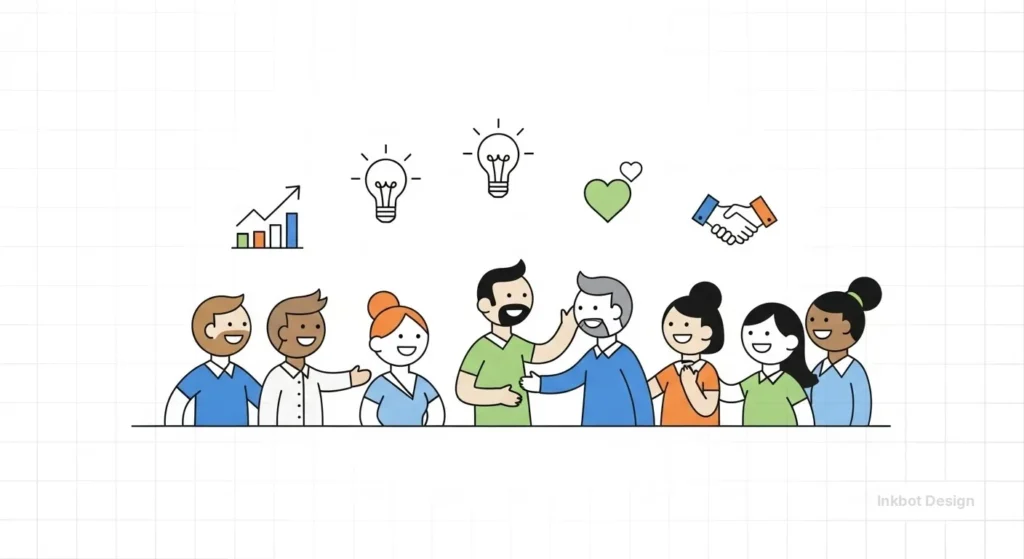
Employer branding is the reputation a company holds as an employer — how candidates and current staff perceive what it is like to work there, and whether that perception makes the right people apply and stay. It exists whether or not you manage it.
- It operates in two directions at once: outward to candidates, inward to the people already on the payroll.
- It is shaped by evidence, not assertion — what employees experience and say, not what the careers page claims.
- It becomes a commercial constraint the moment hiring quality limits what the business can take on.
Employer branding is the reputation a company holds as an employer, shaping whether the right candidates apply and whether current staff stay.
Why Employer Branding Matters More When You’re Scaling
A startup can hire based on charisma and equity. A 150-person firm cannot. Once headcount growth becomes the thing standing between you and the next revenue tier, the quality and speed of hiring turns into an operational limit — and the employer brand is what determines both.
The numbers make the stakes concrete. UK hiring research cited by Startups Magazine reported that 62% of organisations struggled to fill roles over the past year, with 52% blaming a mismatch between salary expectations and what firms could offer.
For a scale-up competing against enterprise pay packets, you cannot win that fight on money. You win it on a credible, specific reason to join — which is the employer brand doing its job.
Retention is the other half. The same research found 33% of organisations battling retention issues, with salary, work-life balance and career progression all determining whether people stayed. Every departure at a scale-up is not one vacancy.
It is a rehire, a retrain, and a dent in the momentum that the growth story depends on. This is where the employer brand and the corporate brand and employer brand relationship stop being separable — a growth claim your own staff don’t believe leaks straight into candidate perception.
“A scale-up does not lose candidates because its pay is lower than that of an enterprise employer. It loses them because it cannot explain, specifically and credibly, why joining a growing firm is the better bet. Money is the enterprise’s advantage. Clarity is yours — and most scale-ups never build it.”
The Three Jobs a Scale-Up Employer Brand Must Do
Generic guidance treats employer branding as a single task: to look attractive to candidates. For a scale-up, that is a third of the job.
A scale-up employer brand has to do three things at once, and failing any one of them undoes the others.

Job One: Reduce Hiring Friction
Hiring friction is every point at which a good candidate slows down, doubts, or drops out. A scale-up feels this most acutely because it hires in volume against employers with bigger names and deeper pockets.
ManpowerGroup’s 2025 Talent Shortage Survey found that 76% of UK employers still reported difficulty filling roles because of a lack of skilled talent, down from 80% in 2024 — easing slightly, not disappearing.
A clear employer brand reduces friction by pre-answering the candidate’s real question — “what is this actually like, and is the growth real?” — before the first interview. Vague employer brands force candidates to gather that evidence themselves, and most simply don’t bother.
Job Two: Make Growth Believable
The defining feature of a scale-up is that it is not yet what it is becoming. Candidates are asked to join a version of the company that does not fully exist.
An employer brand’s second job is to make that trajectory believable — with specifics a candidate can verify, not adjectives.
A firm that shows the actual clients won, the actual roles created, and the actual people promoted makes the growth story land. A firm that says “exciting journey” makes it evaporate. Believable growth is the single asset a scale-up has that an enterprise employer cannot easily copy.
Job Three: Align the Internal Experience With the External Promise
The fastest way to break an employer brand is to promise candidates one thing and hand new joiners another.
Culture Amp’s UK attrition analysis found that employees’ commitment to stay was far higher when both management and leadership were strong, which means the internal experience, and specifically manager capability, is a load-bearing part of the employer brand.
This is where employer branding meets internal brand alignment: the promise made outside must match the reality run by line managers inside, or attrition quietly undoes every hire.
New joiners leaving within a year is not a retention problem. It is an alignment failure wearing a retention costume.
Where Scale-Ups Get Employer Branding Wrong
The common mistake is treating employer branding as a communications exercise — better careers page, more LinkedIn posts, a values statement — when the actual failure is internal.
A scale-up rarely loses talent because its messaging is weak.
It loses talent because the thing being messaged has changed, and no one updated the promise, or because the day-to-day experience under a stretched middle-management layer no longer matches the pitch.
The evidence points inward.
Culture Amp’s analysis puts the cost of replacing an employee at around 30% of salary, rising to 200% for top performers. Which means retention, not attraction, is where employer branding earns its return. Yet almost all scale-up efforts go into attraction.
You cannot post your way out of a manager-capability problem. The careers page is the last thing to fix, not the first.
A Worked Example: The 120-Person Firm That Couldn’t Fill Senior Roles
Consider a firm at the exact inflexion point this article is about: 120 staff, growing 30% a year, unable to fill senior hires despite strong inbound applications.
The instinct is to spend on employer branding — a refreshed careers page, employee testimonials, and a recruitment campaign. Run through the three jobs instead.
Hiring friction: senior candidates were dropping out after the second interview, not the first — a mid-funnel problem the careers page cannot touch.
Believable growth: the firm talked about ambition but never showed a single named client win or an internal promotion, so that senior candidates couldn’t verify the trajectory.
Internal alignment: Two recent senior hires had already left, and word had reached the candidate pool. No careers-page redesign fixes any of that. The fix was sequencing — repair the internal signal and the evidence of growth first, then, and only then, amplify it externally.
Employer Branding Is an Operating System, Not a Campaign

The prevailing view — employer branding as a marketing function owned by HR and communications — is held by intelligent people for a good reason: at a startup, attraction genuinely is the whole game, and marketing owns attraction.
That logic is sound right up until the company starts to scale.
Then it breaks. A scale-up is not a startup with a better logo. It is a business where hiring quality, manager capability and candidate trust have become operational constraints — and none of those three lives in the marketing department.
The moment employer branding has to do all three of its jobs at once, treating it as a campaign guarantees failure, because a campaign ends, and an operating system runs continuously.
“Most UK scale-up employer branding fails for one reason: it is built for attraction when the business needs it built for scale. Attraction is a campaign. Scale is a system — hiring, management capability and internal experience running in sync, continuously, while the company changes underneath them. Fix the system and the attraction takes care of itself.”
This connects to a larger risk. The UK Parliament’s Communications and Digital Committee warned in 2025 that the country risks becoming an “incubator economy” — where promising firms are built here but scale or sell abroad.
Employer branding, treated as a system, is one of the quiet mechanisms by which a UK scale-up retains the people it needs to stay and grow domestically rather than stalling at the point where hiring becomes the ceiling.
The ScaleUp Institute’s ongoing talent work continues to describe the skills gap as one of the most significant issues holding scale-up companies back, particularly where firms need technical and business skills at speed — the exact capability an operating-system employer brand is built to protect.
Two objections worth answering.
First: “We’re too busy scaling to build a system — we just need people now.” That urgency is exactly why the system matters; ad hoc hiring under pressure produces the mismatched promises that drive the 200% of salary replacement cost.
Second: “Isn’t this just recruitment marketing with a grander name?” No. Recruitment marketing targets an immediate vacancy. The operating system governs whether every hire, every manager and every internal experience reinforces the same credible promise — the thing recruitment marketing then has something true to say.
| The Default Approach | What It Costs | The Better Approach | Why |
| Redesign the careers page first | Effort spent on the last mile | Fix internal experience first | Candidates verify the reality, not the page |
| Own employer branding in HR alone | Growth and manager signals were ignored | Treat it as a cross-functional system | The three jobs span the whole business |
| Compete on salary vs enterprise | A fight you cannot win | Compete on believable growth | It is the asset that enterprises can’t copy |
| Run a recruitment campaign | Attraction without retention | Build for retention first | Replacement runs to 200% of salary |
| “Exciting journey” messaging | Candidate scepticism | Named wins, real promotions | Specifics are verifiable; adjectives aren’t |
The Verdict
Employer branding for a UK scale-up is not a marketing deliverable you commission once and admire. It is the operating system that decides whether hiring keeps pace with growth — and it runs continuously, or it does not run at all.
The firm that treats it as a campaign gets a handsome careers page and the same hiring problem it started with, because the constraint was never the messaging. It was the gap between a fast-changing company and a reputation that hadn’t caught up.
Everything in the evidence points in the same direction.
The talent shortage is real but easing. Salary alone won’t win against enterprise budgets. Retention, where replacing a top performer runs to 200% of salary, is where the real return sits — and retention is governed by manager capability and internal experience, not by anything you can post.
The scale-up that wins on hiring is the one whose employer brand does all three jobs at once: reducing friction, making growth believable, and keeping the internal reality aligned with the external promise.
Start where the leverage is, not where the visibility is. Before you touch the careers page, find out whether your own senior staff would describe the firm the way your pitch does — because the moment those two stories diverge, every candidate hears it.
A free Brand Equity Audit™ identifies exactly where that gap sits and what it is costing you in hires you’re not making. That is the one thing to do this week.
FAQs
What is employer branding in simple terms?
Employer branding is a company’s reputation as an employer — how candidates and staff perceive working there, and whether that perception attracts the right people and keeps them. It exists whether managed or not, built from actual employee experience rather than marketing claims.
Why does employer branding matter more for scale-ups?
Because at scale, hiring speed and quality become operational limits on growth. UK government research from 2024 identifies talent access as a core constraint for scale-up firms, making the employer brand a growth dependency rather than an HR project, since headcount growth gates revenue growth.
What’s the difference between employer branding and recruitment marketing?
Recruitment marketing targets an immediate vacancy with a campaign. Employer branding is the continuous system determining whether every hire, manager and internal experience reinforces the same credible promise. Recruitment marketing fills a role; employer branding decides whether that role’s pitch is even true.
How is employer branding different for a scale-up versus a startup?
A startup hires based on charisma and equity, with attraction as the whole game. A scale-up hires in volume against better-funded employers, so its employer brand must also make growth believable and keep internal reality aligned with external promises — three jobs, not one.
Is it true that a good careers page fixes employer branding?
No — the careers page is the last mile, not the fix. Scale-ups usually lose talent to internal problems: promises that changed without updating, or a stretched management layer whose day-to-day no longer matches the pitch. Amplifying a broken reality speeds the damage.
How much does weak employer branding actually cost?
Culture Amp’s UK analysis puts employee replacement at around 30% of salary, rising to 200% for top performers. For a scale-up losing senior hires it can’t easily replace, poor retention driven by employer-brand failure compounds directly into stalled growth and lost momentum.
When should a scale-up invest in employer branding?
Before hiring becomes the ceiling on growth, not after, the signal to act is that applications remain strong. At the same time, offers are declined, or new hires leave early — evidence that the external promise and internal experience have diverged, which no amount of recruiting spend can correct.
Does leadership quality affect whether staff stay?
Yes — Culture Amp’s UK data found employees’ commitment to stay was far higher when both management and leadership were strong. This makes manager capability a load-bearing part of the employer brand, since the internal experience line managers create is what candidates eventually hear about.
Why can’t scale-ups just compete on salary?
Because they’re competing against enterprise budgets, they cannot match — UK research cited by Startups Magazine found 52% of organisations blamed salary-expectation mismatches for hiring difficulty. A scale-up’s winnable advantage is a credible, specific growth story, not pay, which is the employer brand’s real job.
How do you make growth believable to candidates?
With specifics, candidates can verify, not adjectives. Named client wins, actual roles created, real internal promotions — evidence of trajectory. “Exciting journey” language does the opposite, signalling that the growth is aspirational rather than real, which sophisticated senior candidates discount immediately.
What is the first thing to fix in employer branding?
The internal experience, not the external message. Check whether your own senior staff describe the firm the way your pitch does. Where those stories diverge, candidates hear it — so alignment between internal reality and external promise comes before any careers page or campaign work.
Is employer branding owned by HR or marketing?
Neither alone. Its three jobs — reducing hiring friction, making growth believable, aligning internal experience — span hiring, management and marketing. Treating it as a single-department task is why scale-up employer branding commonly fails; it works only as a cross-functional operating system.
