The Definitive Guide to Flutter App Development
Recently, there has been considerable discussion about Flutter app development. But what exactly is it?
Google created Flutter as an open-source mobile application framework.
Developers can build apps for iOS, Android, web, desktop and embedded devices using this single codebase.
That’s pretty cool. Instead of learning different languages and frameworks for each platform, you need to know one programming language (Dart) and one codebase, such as Flutter, to ship apps everywhere.
This will save developers immeasurable amounts of time, money, and headaches.
- Flutter enables true cross-platform apps from a single Dart codebase for mobile, web, desktop and embedded devices.
- Hot reload, prepackaged tooling and strong libraries dramatically speed development and boost developer productivity.
- High performance via native compilation, Impeller rendering and WasmGC for web yields smooth, low-latency UIs.
- Open source, cost-effective maintenance and strong ecosystem make Flutter ideal for modern AI and multi-platform projects.
So, How Does Flutter Work?
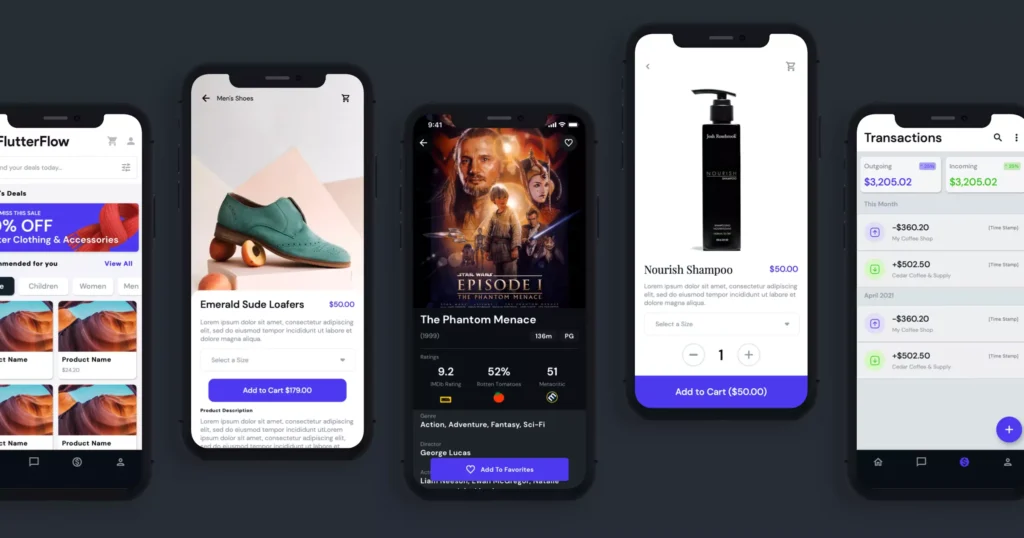
Flutter uses Dart at its core – an object-oriented programming language developed by Google. After being compiled into native machine code for multiple platforms, the Dart code executes natively.
As a result, Flutter apps can achieve exceptionally high performance that rivals that of those built with traditional language/SDK combinations, such as Swift/Objective-C for iOS or Kotlin/Java for Android.
In addition to this speed factor, it is aided by its reactive framework architecture, where every user action triggers only necessary redrawing (vs. full view hierarchy invalidation/redraw as in other frameworks).
Flutter also offers a rich set of fully customisable widgets that allow developers to quickly create beautiful natively compiled UIs from scratch or based on existing designs/templates!
And speaking about custom components. Things get even better now, thanks to its portable rendering engine, which enables Flutter to run on mobile devices and be deployed to desktop computers running Linux, macOS, or Windows.
Why Develop With Flutter?

You might think, “Okay, Flutter sounds pretty powerful…but why should I learn it over other cross-platform tools like React Native or Xamarin?” Here are some of Flutter’s standout advantages:
1. Faster Development Cycles
With hot reload and restart, Flutter immediately updates your app’s UI while preserving its state. This tight edit-reload-edit loop makes building UIs faster and more fluid than traditional mobile dev workflows.
Changes to UI code trigger a quick subcomponent re-render on the fly, while modifying non-UI logic triggers a hot restart of the app with updated behaviour logic. It’s a massive time-saver!
2. Truly Cross-Platform
Unlike some other “cross-platform” tools, Flutter deploys real native apps on each target OS, not web-wrapped apps. There’s no semblance of WebViews or JavaScript bridges, which optimise performance and negate platform compatibility issues.
Your iOS app in Flutter looks and feels like a genuine iOS app from top to bottom, from UI to scrolling to navigation paradigms…and the same goes for your Android, web, desktop, and embedded apps—no compromises or lowest-common-denominator constraints.
3. Developer Productivity Boosts
You’re probably used to downloading and juggling various platform dependencies and libraries. With Flutter, all critical dependencies come pre-packaged, configured and vetted by Google’s engineers. This prevents common issues and decouples your codebase from the churn in the ecosystem across platforms.
Flutter also features a superb development workflow, complete with full-featured tooling, documentation, and testing utilities. Hot Reload alone is a game-changer, providing a significant productivity boost. When you factor in things like stateful hot reloads and Flutter’s lightning-fast compile times, dev velocity takes off like a rocket.
4. Cost Savings
Building cross-platform apps means only paying one team to develop and maintain a single codebase, dramatically reducing costs compared to staffing separate teams for each platform-specific app. Businesses can reduce their typical development costs by 30-60%.
Long-term maintenance and updating are also far more accessible, faster, and cheaper with Flutter’s unified code architecture. Don’t underestimate the savings over an app’s lifetime from having a single canonical source of truth to update instead of branched silos of code.
5. Performance Advantages
Apps built with Flutter are speedy and feel smooth as silk, reminiscent of pure platform-native apps. Flutter renders everything with its high-performance, low-level render tree, which deploys to native machine code, thereby circumventing performance penalties from operating systems, browsers, or WebViews.
On mobile, Flutter apps achieve 120 frames per second and 60 frames per second in modern browsers while maintaining minimal per-frame CPU and battery drain. The smooth scrolling, animations and transitions are top-notch across form factors.
What kind of performance boost can you expect versus other cross-platform solutions? Independent benchmarks show Flutter outpacing JavaScript-bridging tools by a staggering 3-4x on ARM and x86 devices!
6. Open Source & Free
Last but certainly not least, Flutter is 100% free and open-source under a permissive BSD licence. There are no licensing costs or royalty fees, allowing you to ship Flutter apps to an unlimited number of users without incurring any expenses.
Being open-source also means Flutter has a thriving ecosystem with over 15,000 open-source packages you can leverage. Code transparency and customisability are benefits, too. With support from Google and an engaged developer community, Flutter will continue to improve.
Mastering Generative AI with Flutter in 2026
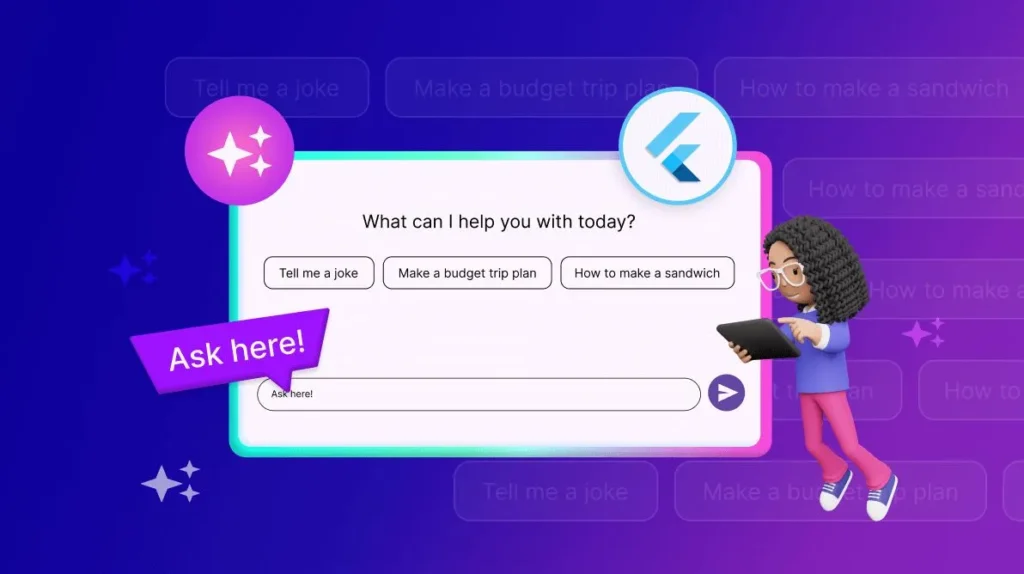
In 2026, a “standard” mobile app is no longer sufficient; users expect Generative AI capabilities baked directly into the experience. Flutter has emerged as the premier framework for AI-driven development due to its seamless integration with the Google AI Edge SDK and Gemini Nano.
By leveraging Vertex AI for Firebase, developers can build sophisticated features like real-time image recognition, automated summarisation, and predictive UI. For instance, the Google AI Dart SDK allows you to call Gemini 1.5 Pro or Flash models with minimal boilerplate.
On-Device AI with Flutter. For privacy-conscious applications, on-device inference is critical. Flutter supports TensorFlow Lite and Mediapipe, allowing you to run models directly on the hardware’s Neural Processing Unit (NPU). This reduces latency and eliminates cloud costs.
When developing for 2026, prioritise the google_generative_ai package, which provides a robust interface for multimodal prompts that integrate text, images, and video into a single user flow.
Practical Use Case: Smart Contextual UIs Imagine a Flutter-based travel app. Using AI, the app can analyse the user’s current location, weather, and past preferences via an Isolate (to keep the UI thread smooth) and dynamically update the Widget Tree to suggest the most relevant activities.
This level of AEO (Answer Engine Optimisation) within the app itself is what defines modern Flutter development.
Companies Using Flutter
Still not convinced Flutter is worth learning? Many high-profile companies, such as Google, are betting on Flutter for mobile app development. Here are just a few significant firms developing with Flutter:
- Google Pay, Google Ads, Stadia, and the Google Assistant apps
- Alibaba Group’s e-commerce apps
- Philips Hue smart lighting
- Toyota and Honda automotive apps
- The New York Times news app
- Reflecting on AI mental wellness
- Cryptography services from Crypton
- and many more across industries!
With massive tech giants and innovative startups embracing Flutter for mission-critical apps, it’s clear this framework isn’t just a passing trend. It’s rapidly becoming an industry standard for cross-platform app dev.
Learning Flutter Development

I hope that convinced you that Flutter is fantastic and worth learning! So now the question is… where do you start?
Step 1) Learn the Basics of Dart
Since Flutter uses Dart as its programming language, you will need to learn the basics of Dart first. This includes data types, control flow statements, functions, object-oriented concepts, etc.
Fortunately, if you have experience with other modern languages, such as Java, JavaScript, or C#, picking up Dart shouldn’t be too difficult.
Google offers excellent free resources for learning Dart through its official website, Dart Academy, and Dart code labs. I recommend going through their trails and coding exercises to get a strong foundation in Dart before moving on to Flutter.
Step 2) Get Familiar with Flutter
Once you know your way around with Dart, it’s time to dive into some Flutter basics, such as the reactive architecture of Flutter, widgets, state management, routing, and asynchronous programming. This can be a bit tough at first, but hang in there!
The official Flutter documentation is top-notch, featuring numerous guides and tutorials, such as codelabs. The Flutter team also offers excellent video courses on their YouTube channel, taught by experts, that guide you through building real apps step-by-step.
I would also strongly suggest buying the “Flutter In Action” book; it’s a comprehensive and practical resource for professional Flutter developers — the author explains complex topics in simple terms.
To practice your skills, try building silly demo apps like counters or to-do lists, or throw-away UIs; this will help cement all these basic concepts while experimenting with different widgets & stateful hot reloads.
Last but certainly not least, look into some popular packages for networking, state management navigation, database authentication, etc. Trust me — you’re going to use those A LOT, so you’d better be prepared.
Step 3) Build Your Portfolio Project(s)
Now that you’ve got the basics of Flutter down, it’s time to create some real apps that can go in your portfolio! This is where you prove yourself as an architect/developer who can build and ship a full-fledged Flutter application from scratch.
The scope and complexity will vary depending on your level of experience. Still, you can start by turning one of your demo apps into a portfolio piece by integrating multiple packages, complex state management, custom animations, and cloud back-end services.
As you gain a better understanding of more ambitious personal projects or contribute to open-source repositories, such as e-commerce apps, social networks, real-time messaging apps, graphics-intensive games, IoT apps, and AI-powered apps, etc. Also, I study app architecture and scalable coding practices for real-world scenarios.
Ideally, deploy your coded apps to app stores, but even having the entire codebase in a public GitHub repository demonstrates your abilities.
Ensuring Stability: Testing and DevOps for Flutter
A definitive guide must address how to maintain code quality across multiple platforms. In 2026, professional teams employ a “Testing Pyramid” strategy:
- Unit Testing: Testing individual functions and Business Logic Components (BLoCs).
- Widget Testing: Verifying that specific UI components (like a login form) behave correctly under various states.
- Golden Tests: Visual regression testing that compares the rendered UI against a “master” screenshot to ensure that updates haven’t broken the design across different screen densities.
- Integration Testing: Running the full app on real devices using Patrol or Flutter Driver to simulate user journeys.
Automating with CI/CD. The 2026 workflow utilises automated pipelines, either via GitHub Actions or Codemagic. Every pull request should trigger a suite of tests and a Static Analysis check using Lints to ensure adherence to the Dart Style Guide.
Automating the distribution to TestFlight and Google Play Internal Sharing via Fastlane reduces manual error and accelerates the release cycle by 40%.
The Job Market for Flutter Devs

With Flutter on a meteoric rise, companies are clamouring to hire talented Flutter developers at generous salaries. Here are some current stats on the Flutter jobs marketplace:
- Upwork shows over 10,000 remote Flutter job openings
- LinkedIn has over 15,000 Flutter developer job listings
- Forbes reported in 2022 that Flutter developers in the US earn an average of $109,000 annually
- In Europe, junior Flutter devs make €40,000 on average; seniors earn €70,000+
- The demand for Flutter skills grew over 500% from 2019 to 2023, according to Adia Analytics
Due to this rapid growth and the widespread adoption of cross-platform solutions, companies looking to build robust applications efficiently are keen to hire dedicated developers proficient in Flutter, often offering premium wages in today’s competitive tech job market.
Where Flutter Devs Get Hired
So, which companies and industries are hiring Flutter talent? The answer is every industry you can think of! Here’s just a sampling of where you can find Flutter developer jobs:
- Mobile app development agencies and consultancies
- SaaS startups and tech companies
- E-commerce, retail, and consumer brands
- Finance, banking, and fintech
- Healthcare and medical technology
- Automotive and Transportation
- Gaming and entertainment
- Government and Education
- And many other sectors
Any business with mobile apps or future mobile ambitions needs Flutter talent to lower development costs and get to market faster across all platforms. Even large enterprises opt for Flutter over native development for new mobile projects.
The job opportunities are limitless, ranging from freelance gigs and remote contract work to full-time salaried positions at major tech firms like Google, Alibaba, Tencent and more.
Real-World Flutter App Examples

Enough talk about what Flutter is and why it’s fantastic. Let’s explore some inspiring examples of actual Flutter apps made by leading brands and developers:
Google Ads App
Of course, Google had to use its framework when rebuilding the mobile app for Google Ads, its flagship advertising product. The Flutter app had to handle complex animated visualisations, charts, forms, and secure authentication flows. It’s a poster child for Flutter’s performance and extensive widget capabilities.
Reflectly AI Journal
This popular mental wellness app uses artificial intelligence for its core journaling functionality. The Flutter codebase had to incorporate machine learning models while adhering to tight mobile performance constraints. Reflectly has seamlessly scaled its AI-powered platform across iOS, Android, and the web, thanks to Flutter’s cross-platform capabilities.
Toyota’s Dash Driver App
Toyota’s in-car apps and vehicle infotainment system run on embedded systems with severe hardware constraints. That’s why they turned to Flutter’s lightweight, high-efficiency engine optimised for embedded Linux environments on ARM processors. The resultant Dash Driver app deploys smoothly to all Toyota vehicle trims.
The New York Times App
Established media giants like The New York Times adopted Flutter for their suite of news apps. With a heavy emphasis on content presentation, they praised Flutter for its fast load times, smooth scrolling and text-heavy article animations, and overall performance compared to previous native app builds.
Greyce Diabetes Monitoring App
Healthcare tech startups like Greyce utilise Flutter’s cross-platform capabilities to develop HIPAA-compliant mHealth apps for managing chronic conditions. Their FDA-approved diabetes app syncs with wireless monitoring devices and displays visualisations with buttery-smooth performance across platforms.
These examples only scratch the surface of the countless Flutter success stories. Whether retail, gaming, education, travel, enterprise productivity, or any other use case, brands are flocking to Flutter to drive their mobile experiences.
Flutter Web & Desktop Apps
While Flutter is most known for mobile app development, we must recognise its multi-platform capabilities that let you build web and desktop experiences.
Yes, with minor codebase modifications, Flutter efficiently ships web and desktop clients from the same repository! No more juggling disparate web frameworks and native desktop frameworks separately.
For example, the file transfer service WeTransfer or a WeTransfer alternative used Flutter to overhaul its web app with a clean, responsive, and performant UI that matched its mobile experience.
On the desktop side, Toyota again turned to Flutter to build interactive, natively rendered vehicle configuration apps to run on Windows, macOS, and Linux desktops in dealerships.
Google has even shipped several desktop utilities developed with Flutter for Chrome OS, such as its web software installer app, widget gallery, and various A/B testing applications. Expect to see more first-party Google desktop productivity utilities built with Flutter in the future.
Of course, web and desktop support in Flutter is still maturing compared to mobile. However, the multi-platform framework already proves its merit across other form factors beyond handhelds.
As a key differentiator for Flutter, this versatility will become more robust over time.
Flutter Web and the WebAssembly (WasmGC) Revolution
Historically, Flutter Web faced criticism for large bundle sizes and slower execution compared to JavaScript-native frameworks. In 2026, the introduction of WasmGC (WebAssembly Garbage Collection) fundamentally changed the landscape.
By compiling Dart directly to WebAssembly, Flutter apps now bypass the JavaScript bridge entirely for execution. This results in:
- Near-Native Execution Speed: Computationally heavy tasks run up to 2x-3x faster than the older CanvasKit or HTML renderers.
- Instant Startup: Improved garbage-collection logic reduces the initial “Time to Interactive” (TTI) metric, a vital signal for Core Web Vitals.
- Seamless Integration: WasmGC enables Flutter to interoperate with existing JavaScript libraries through the package: web interop layer, allowing the use of browser-native features such as the Web Crypto API or WebGPU.
If you are targeting a high-performance web dashboard or a progressive web app (PWA), ensuring your build pipeline is optimised for Wasm is non-negotiable. Use the command flutter build web --wasm to leverage these 2026-standard optimisations.
Best Practice Tips for Flutter App Architecture

With Flutter basics out of the way, let’s dive a little deeper into some proven best practices and architecture patterns for structuring robust, scalable, maintainable Flutter apps:
1) Decouple UI & Logic Using Layers
Instead of cramming everything into a single, bloated folder, separate components by responsibility using a layered architecture pattern.
A standard Flutter setup is:
- View layer for just UI/screens
- Business logic layer with services, blocks, and other components.
- Data layer for models, repositories, API services
- Utils layer for shared helpers/constants
This loose coupling between UI and data/logic improves code reuse, testability, and maintainability as your codebase grows.
2) Leverage Provider for State Management
While Flutter provides essential state management with StatefulWidgets, larger apps require a robust third-party state management solution. The provider is a famous, influential, simple state management library that shares data across widgets reactively and efficiently.
The provider promotes best practices, such as separating UI and business logic into view models. It has minimal boilerplate and great support for combining with other state management patterns.
3) Implement Feature-First Architecture
In a layered architecture, use a feature-first, modularised project structure where each self-contained feature has its own folder containing modules, widgets, services, models, routes, etc.
For example, an e-commerce app may have features organised as follows: /cart, /checkout, /product. This architecture scales better than a layer-based organisation as your app grows in complexity.
4) Leverage Code Generation
Writing boilerplate Flutter code is tedious and error-prone. Use AI code generation tools to automatically generate tedious UI elements, models, routes, formatting, annotations, and more from data definitions or templates.
Popular code generators for Flutter include:
- json_serializable for JSON ↔ model class serialization
- freeze for data class generation
- flutter_gen for image/asset generation
- auto_route for navigation routing
This reduces development time, promotes consistency, and keeps your codebase clean and DRY.
5) Use Build Flavours for Environments
Most non-trivial apps require separate builds for development, staging, production, and local environments, each with different configurations, such as API endpoints. Flutter supports building flavours to automate the creation of these other flavours from the same codebase.
Implementing build flavours cleanly with bundled configuration files prevents settings and constants that can cause bugs, slow performance, and security holes.
6) Implement Security Best Practices
Any app handling sensitive data or financial information requires proper security implementations, such as obfuscation, encryption, and anti-tampering measures. The flutter_secure_storage package is handy for securely storing data locally.
You’ll also need proper authentication flows to authorise users via OAuth, Firebase Auth, or custom auth backends. Google’s OpenID library works well in this context. For payment processing, leverage vetted packages like stripe_payment.
Finally, guard entry points and restrict access to public areas. Apply principles like the principle of least privilege to secure access and lock things down.
Professional State Management in 2026
While Provider remains a solid entry point, enterprise-grade Flutter applications in 2026 have largely migrated to Riverpod or Signals for more robust, compile-time safe state handling.
Why Riverpod 3.x is the Industry Standard.
Riverpod eliminates the “ProviderNotFoundException” by making providers global constants. This architecture supports:
Auto-disposal: Automatically freeing up memory when a feature is no longer in use.
- Asynchronous Data Handling: Native support for AsyncValue, which gracefully handles loading, error, and data states for API calls.
- Testability: Since providers are not tied to the Widget Tree, unit testing your business logic becomes significantly easier.
The Rise of Signals, influenced by frameworks like SolidJS, has gained traction in the Flutter community for its fine-grained reactivity.
Unlike traditional ChangeNotifiers that rebuild entire widgets, Signals allow you to update only the specific text or value that changed, further pushing the boundaries of 120fps performance on modern displays.
The Impeller Era: Achieving Zero-Jank Performance
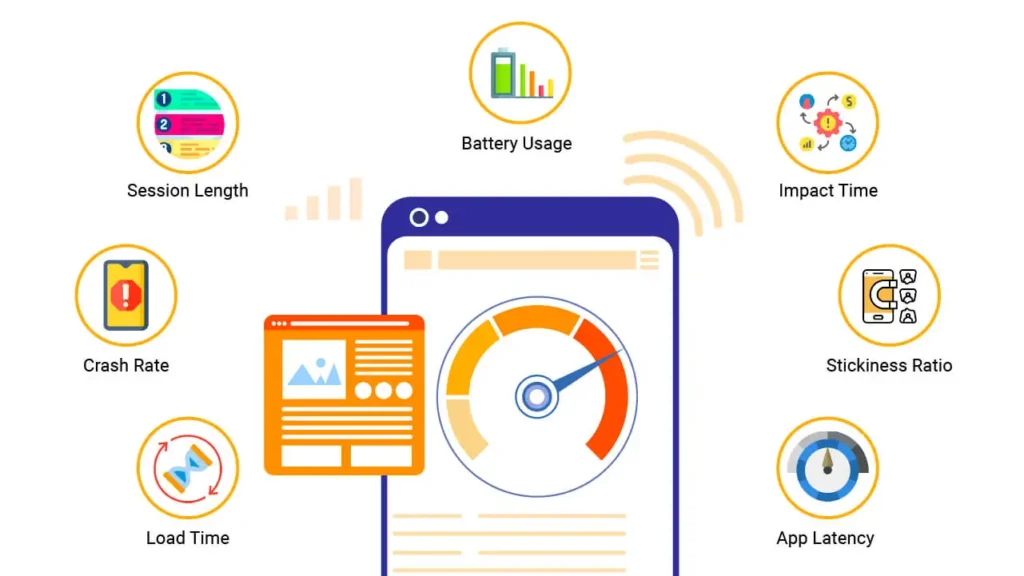
The greatest architectural shift in recent years is Flutter’s transition from the Skia Graphics Engine to Impeller.
For years, developers have battled “shader compilation jank”—those micro-stutters that occur during the first run of an animation. Impeller solves this by pre-compiling a smaller, more efficient set of shaders at build time.
How Impeller Rewrites the Rules
- Predictable Performance: By using Vulkan on Android and Metal on iOS, Impeller utilises modern GPU features to ensure that frame budgets (typically 16.6ms for 60fps) are never exceeded.
- Reduced Memory Footprint: Impeller avoids the heavy runtime overhead of Skia, making it ideal for low-end devices and Embedded Systems.
- Concurrency: It leverages multi-threaded rendering, offloading complex path tessellation to the GPU, freeing up the UI Thread for application logic.
For developers, this means that complex CustomPainters and Lottie animations, which used to struggle on older iPhones, now run with buttery smoothness.
When profiling your app in DevTools, you will notice a significant reduction in “GPU Wait Time,” a direct result of Impeller’s streamlined command buffer.
FAQs About Flutter App Development
Still thinking about Flutter? Let me answer a few of the most commonly asked questions about it:
How does Flutter 2026 handle different screen sizes (Foldables/Tablets)?
Flutter utilises adaptive layouts and the LayoutBuilder widget. In 2026, the TwoPane widget is standard for handling foldable devices like the Pixel Fold or Samsung Galaxy Z Fold, allowing content to shift seamlessly between folded and unfolded states.
Is Dart still the only language for Flutter?
Yes, Dart is the core language. However, with FFI (Foreign Function Interface) and JNI, you can easily call C++, Rust, or Swift/Kotlin code for highly specific platform-native features or high-performance libraries.
What is the best way to handle app security in 2026?
Always use Code Obfuscation (--obfuscate) and the flutter_secure_storage package for sensitive keys. For enterprise apps, integrate Biometric Authentication (FaceID/Fingerprint) using the local_auth package.
Can I build a full-stack app using only Dart?
Absolutely. Dart Frog and Serverpod enable you to write backend code in Dart, allowing you to share models and logic between your Flutter frontend and API, thereby significantly reducing development time.
How do I optimise the size of a Flutter app?
Use the --split-debug-info flag, remove unused assets with flutter_gen, and leverage App Bundles (.aab) on Android to ensure users download only the code relevant to their device architecture.
Does Flutter work for existing projects or just new apps?
When used for greenfield app development, Flutter works exceptionally well; it also provides tooling & guidance that allow developers to integrate this technology into legacy codebases through gradual migration techniques.
What IDEs and tools does Flutter support?
While fully integrated into Android Studio & Visual Studio Code (VSCode), Dart plugins allow utilising any text editor or integrated development environment (IDE). Some examples include IntelliJ IDEA, Emacs & Sublime Text, among others.
What platforms does Flutter currently target?
Natively mobile (iOS/Android), web, desktop (Windows/macOS/Linux), and embedded/IoT devices. It has partnerships with OEMs such as Toyota and Samsung for use in their vehicles and appliances.
What UI kit does Flutter use?
Flutter ships with its own set of highly composable and customisable UI widgets that follow Material Design and iOS Cupertino design paradigms while also being portable.
Can I build games with Flutter?
Yes! Demon Crawler is one example, but there are many others. This is because Flutter supports creating games that run at high performance, regardless of whether they are rendered on low-end or high-end hardware, in 2D or 3D.
What are the most significant downsides or limitations of Flutter?
It allows you to develop apps across multiple platforms simultaneously. Using a non-native language/framework will always come with trade-offs, e.g., limited access to native device APIs/SDKs and less flexibility when customising certain aspects of your application’s appearance. Possibly more significant binary/bundle sizes compared to fully platform-native applications. However, most teams don’t find these tradeoffs unacceptable since they save time and money.
Wrapping Up
That was an epic deep dive into the world of Flutter development! I hope this comprehensive guide helped demystify Flutter’s cross-platform capabilities and highlighted some key advantages over traditional native mobile app development.
From game-changing development velocity and performance boosts to cost savings and skills that transfer across platforms, Flutter is an incredibly compelling solution for any company investing in serious mobile, web, or desktop app development.
With the framework’s rapid adoption trajectory and backing from industry titans like Google, there has never been a better time to become skilled in Flutter and ride this game-changing wave.
So what are you waiting for? Download the Flutter SDK, spin up a code editor, and build fantastic cross-platform apps today! The future is Flutter-powered.

