The 25+ Essential Branding Tools for Agencies & Designers
Every week, a new SaaS platform promises to revolutionise your workflow, automate your creativity, or fix your broken client relationships. Most of them are digital paperweights.
As an agency, we have tested nearly every platform on the market. We have cancelled more subscriptions than I care to admit.
Why? Because a tool is only valuable if it reduces friction or increases profit. Everything else is overhead.
Branding isn’t just about creating a visually appealing logo; it’s also about establishing a consistent identity. It is a messy, complex ecosystem involving market research, psychological strategy, precise visual execution, and rigorous consistency management.
If your tool stack doesn’t support that entire lifecycle, you are working harder than you need to.
This guide isn’t a regurgitation of product features. It is a curated list of branding tools that actually survive in a professional environment—the ones we use, the ones we respect, and the ones that will help you avoid looking like an amateur.
- Prioritise strategy: use research tools (AnswerThePublic, BuzzSumo, Miro) to define audience, problems and brand positioning before designing.
- Use professional design tools: create vector-first identities with Adobe Illustrator or Affinity; Figma for digital systems and collaboration.
- Ensure consistency: manage colours, fonts and assets with Pantone, FontBase and a DAM (Frontify/Brandfolder or well-structured Drive).
- Present and operate like a pro: sell with mockups/looms, manage projects (Asana/Slack), and consolidate tools to avoid waste and data silos.
What Are Branding Tools? (And What They Are Not)
Before we start spending your budget, let’s define the terms.
Branding Tools are the software, platforms, and resources used to construct, visualise, and manage a brand’s identity and strategy.
They fall into three rigid categories:
- Strategy & Research: The “Why.” Tools that uncover market gaps and audience desires.
- Visual Identity & Execution: The “What.” Software for creating logos, typography, and assets.
- Management & Consistency: The “How.” Platforms that ensure the brand doesn’t fall apart six months after launch.
What they are not: A magic wand. Buying a subscription to the Creative Cloud does not make you a designer, any more than buying a scalpel makes you a surgeon. These are instruments; you still need the skill to wield them.
Phase 1: Research & Strategy Tools
The bedrock. If you skip this, the logo doesn’t matter.
You cannot design a solution if you haven’t diagnosed the problem. These tools prevent you from building a brand based on guesswork.
1. AnswerThePublic
Best For: Understanding customer pain points.
Cost: Free / Paid Tiers

Designers often design for themselves. This is fatal. AnswerThePublic scrapes Google’s autocomplete data to visualise exactly what people are asking about a specific topic. If you are branding a coffee shop, you don’t just guess what customers want; you look here and see queries like “why is craft coffee so acidic” or “sustainable coffee packaging UK”. This provides you with direct insight into the consumer’s psyche, enabling you to position the brand as the solution to their specific needs.
2. BuzzSumo
Best For: Competitor analysis and content strategy.
Cost: Paid (High tier)
You need to know what noise your client is competing against. BuzzSumo allows you to analyse what content is performing best for competitors. For a branding agency, this is gold. It shows you the tone of voice that resonates in that sector. Are the top-performing posts emotional and story-driven, or data-heavy and clinical? This dictates the brand personality before you even open a sketchbook.
3. Miro
Best For: Remote workshops and strategy mapping.
Cost: Free / Subscription

The days of physical whiteboards are largely behind us, especially with remote clients. Miro is the infinite canvas where strategy happens. We use it to map out user personas, brand archetypes, and customer journeys. Its strength lies in collaboration; clients can stick “post-it notes” on ideas in real-time, making them feel involved in the process. When a client feels ownership of the strategy, they are less likely to reject the design later.
4. Typeform
Best For: Client intake and audience surveys.
Cost: Free / Subscription
A poorly written brief often results in subpar work. We use Typeform to extract information from clients. Its conversational UI feels less like an interrogation and more like a chat, which tends to yield more honest, nuanced answers. We also use it for external brand perception surveys, asking the public what they think of our current logo before we rebrand it. The data doesn’t lie, even if the client does.
Phase 2: Visual Identity & Design Software
The heavy lifting. This is where the craft happens.
This is likely where you will spend the bulk of your budget. For a deeper dive into the technical nuances of these platforms, we recommend reading our guide on graphic design software. However, here is a breakdown of the essential stack.
5. Adobe Illustrator (The Industry Standard)
Best For: Vector logo design and typography.
Cost: Subscription (Creative Cloud)
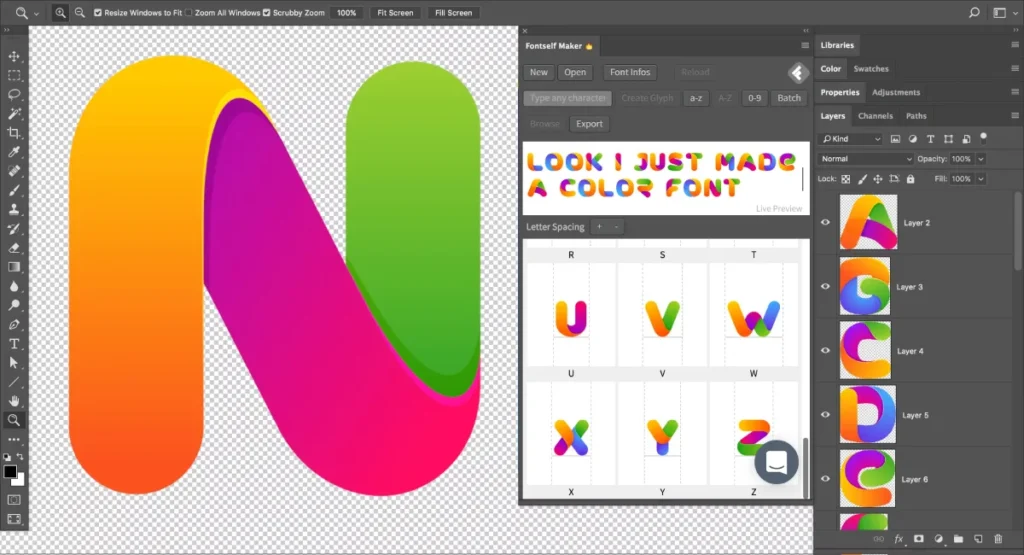
There is no way around this. If you are serious about branding, you need Adobe Illustrator. It is the standard for vector graphics. Logos must be scalable—from a favicon on a browser tab to a billboard in Piccadilly Circus. Raster tools (like Photoshop) cannot do this. Illustrator’s precision with Bézier curves, pathfinder operations, and Artboards makes it the non-negotiable tool for professional identity design.
6. Adobe Photoshop
Best For: Mockups, image manipulation, and texturing.
Cost: Subscription (Creative Cloud)
While you shouldn’t design logos here, Photoshop is essential for selling them. A flat vector logo on a white background looks boring. A logo mocked up on a textured business card, a shop front, or an embroidered uniform appears to be a brand. Photoshop is where we add the grit, the shadow, and the reality to the concept.
7. Affinity Designer 2
Best For: The one-time purchase alternative.
Cost: One-off fee (No subscription)
For freelancers sick of the “Adobe Tax,” Affinity Designer is the only viable contender. It handles vectors and raster brushes in the same persona, which is a massive workflow speed boost. It is fast, lightweight, and produces professional-grade SVGs and PDFs. If you are starting an agency on a bootstrap budget, this is your weapon of choice.
8. Figma
Best For: UI/UX branding and collaborative design.
Cost: Free / Subscription

Branding is digital-first now. Figma has overtaken Sketch as the primary tool for interface design. Its real-time collaboration is unmatched. We use it to build digital brand guidelines and UI kits. The “Components” feature ensures that if you change the brand’s primary button colour in the master asset, it updates across all 50 mockups instantly. This consistency is crucial for digital branding.
Consultant’s Note: Do not try to design print brochures in Figma. It lacks CMYK support. Use the right tool for the job.
9. Procreate
Best For: Sketching and organic illustration.
Cost: One-time (iPad only)
Sometimes the mouse is too clumsy. Procreate on the iPad Pro is the digital sketchbook. It’s perfect for the initial “messy phase” of logo exploration or creating custom, hand-drawn brand assets that feel organic and human—a trend that is currently surging as a reaction against the sterility of AI-generated designs.
Phase 3: Colour & Typography Tools
The details that define the subconscious.
10. Pantone Connect
Best for: Maintaining colour consistency across print and digital.
Cost: Subscription
This used to be a physical book; now it’s a plugin. Pantone Connect ensures that the red you see on your screen is the red that comes off the printing press. Colour conversion (RGB to CMYK) is where most amateur branding fails. This tool bridges that gap, although Adobe’s recent removal of free Pantone libraries has made this a controversial, yet necessary, expense for print-heavy brands.
11. Coolors.co
Best For: Generating colour palettes fast.
Cost: Free / Paid
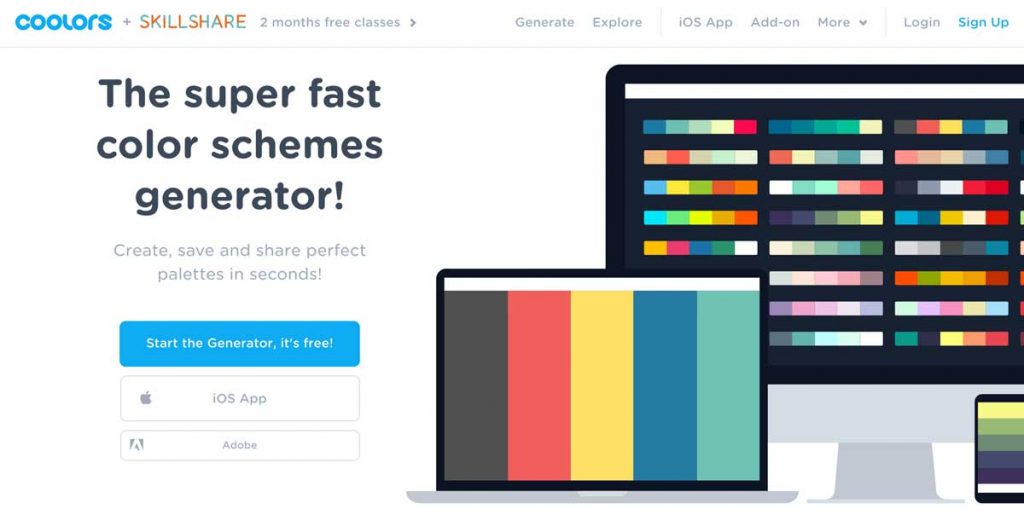
Sometimes you hit a creative wall. Coolors allows you to lock specific colours you like and cycle through matching options for the rest. It’s excellent for finding unexpected secondary and tertiary palettes that support the primary brand colour. It also has accessibility checkers built in to ensure your colour combinations are legible for colour-blind users.
12. FontBase
Best For: Managing thousands of fonts without crashing your PC.
Cost: Free / Subscription
If you are a designer, you likely have 5,000 fonts installed. If you activate all of them, your computer will crawl. FontBase allows you to activate fonts only when you need them. You can organise them by project or style (e.g., “Client X Serif”). It is a simple utility that saves hours of load time.
13. WhatTheFont (MyFonts)
Best For: Identifying fonts in the wild.
Cost: Free
You see a competitor’s packaging and think, “That serif is perfect.” WhatTheFont uses image recognition to identify the typeface (or a close match). It’s an essential research tool for understanding typographic trends in specific industries.
Phase 4: Asset Management & Delivery (DAM)
Stopping the “Can you resend the logo?” emails.
The project isn’t done when you send the invoice. It’s done when the client can use the assets without needing to contact you.
14. Frontify
Best For: Enterprise-level brand guidelines.
Cost: High (Enterprise)
PDF brand guidelines are dead. Nobody reads a 50-page PDF. Frontify creates a living, breathing digital brand home. It hosts logos, fonts, code snippets, and tone-of-voice rules in a web-based portal. Developers can grab CSS, marketers can grab JPEGs, and nobody uses the wrong version.
15. Brandfolder
Best For: Organising complex asset libraries.
Cost: Paid
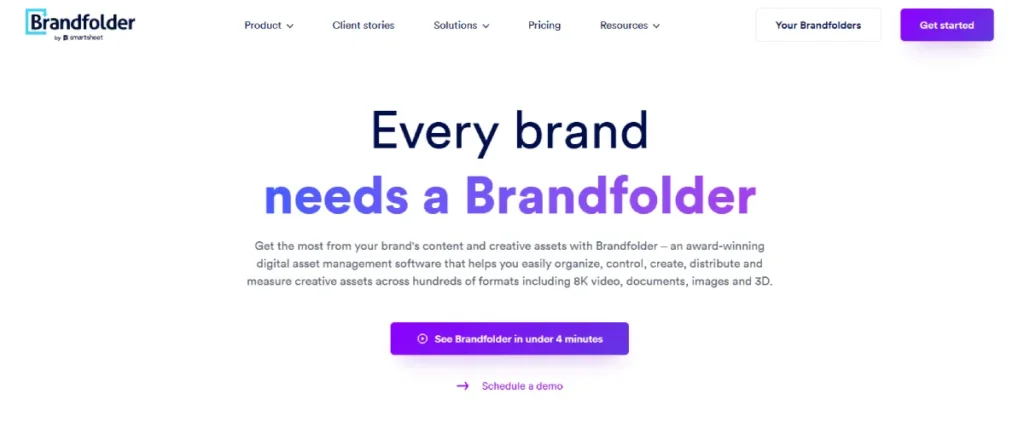
For larger organisations, Brandfolder utilises AI to automatically tag images. It tracks who is using which asset and provides analytics on asset usage. This is overkill for a small coffee shop, but for a mid-sized tech firm, it prevents brand dilution.
16. Google Drive / Dropbox (The Standard)
Best For: Simple, reliable file delivery.
Cost: Free / Subscription
Don’t overcomplicate it. For 90% of SMB clients, a well-organised Google Drive folder is sufficient. The key is structure. Do not just dump files. Create a hierarchy:
- 01_Logos (Print/Web)
- 02_Fonts
- 03_Brand_Guidelines
- 04_Social_Assets
This structure is a “tool” in itself.
Phase 5: Presentation & Mockups
Selling the dream.
17. Placeit
Best For: Rapid mockups without Photoshop.
Cost: Subscription
If you need to show a client their logo on a t-shirt, a mug, and an iPhone in 5 minutes, Placeit is the fastest route. It’s browser-based and renders high-quality composites. While it lacks the custom lighting control of Photoshop, the speed is unbeatable for quick concept validation.
18. Rotato
Best For: Stunning 3D device mockups.
Cost: One-time / Free version
Static images are fine, but video converts. Rotato lets you drag and drop your UI design onto 3D device models and animates them effortlessly. It appears that you spent £5,000 on a motion designer, but it only took you 10 minutes.
Phase 6: Project Management & Client Communication
Keeping the sanity.
19. Asana
Best For: Task management and timelines.
Cost: Free / Subscription

Branding projects have hundreds of moving parts. Asana allows you to create a “Branding Template” project with all the standard steps (Discovery, Concepts, Revisions, Finalisation). This ensures you never miss a step. It also allows clients to see the timeline, reducing the “is it done yet?” emails.
20. Slack
Best For: Internal team comms.
Cost: Free / Subscription
Email is for contracts and final deliverables. Slack is for “Hey, does this blue look too purple?” Keep the creative chatter out of the inbox.
21. Loom
Best For: Presenting concepts asynchronously.
Cost: Free / Subscription
Never email a logo design without explanation. The client will hate it. Always present it. If you can’t meet live, record a Loom video walking them through the rationale. Hearing your voice explain the strategy behind the design increases approval rates drastically.
Phase 7: The AI Frontier (The New Reality)
Adapt or die.
There is a lot of fearmongering about AI. Read our thoughts on AI design tools here. The reality is that AI is a force multiplier for branding, not a replacement for strategy.
22. Midjourney
Best For: Moodboarding and concept generation.
Cost: Subscription (Discord)
Midjourney is the most powerful image generator currently available. We use it not to create final assets, but to generate “vibes.” You can generate 50 different variations of “cyberpunk coffee shop interior” in minutes to show a client a mood direction. It saves days of scouring Pinterest.
23. ChatGPT / Claude
Best For: Copywriting and brand voice testing.
Cost: Free / Subscription

A brand is visual and verbal. ChatGPT helps generate taglines, mission statements, and audience personas. The trick is to treat it as a junior copywriter. It generates the volume; you curate the quality.
The Amateur vs. The Pro Stack
It is easy to get lost in features. Here is the difference between a hobbyist workflow and a professional agency workflow.
| Feature | The “Amateur” Stack | The “Agency” Stack | Why It Matters |
| Vector Creation | Canva / Photoshop | Adobe Illustrator / Affinity | Vector files (.EPS/.SVG) are required for trademarking and large-format print. |
| Colour Management | Hex Codes only | Pantone + CMYK + RGB | Hex codes don’t print accurately. You need physical colour matching. |
| Typography | Google Fonts | Adobe Fonts / Licensed Foundries | Uniqueness. Everyone uses Open Sans. Custom licensing protects exclusivity. |
| Asset Handoff | Zip file via Email | Frontify / Cloud Server | Clients lose emails. A dedicated portal ensures longevity. |
| Mockups | Flat JPEGs | 3D Renders / Photoshop Smart Objects | Context sells. Clients need to see the brand in the real world. |
The State of Branding Tools in 2026: The “Dynamic” Shift
We are seeing a massive shift away from “Static Branding” toward “Dynamic Branding.”
Historically, a logo was a stamp. You made it once, and it never changed. In 2025/2026, we are seeing the rise of Generative Branding. Tools like Processing or custom scripts in After Effects are being used to create logos that morph based on data.
For example, a music venue’s logo might change shape based on the decibel level of the concert inside, or a weather app’s branding might shift colour palettes based on the live temperature.
Agencies that stick to static PDFs will find themselves outpaced by those delivering responsive, code-based brand systems. This requires a new set of tools—often borrowing from the developer’s toolkit (CSS, JavaScript, Python) rather than the traditional designer’s toolkit.
The “Shiny Object” Syndrome
I have audited dozens of agencies. I often walk in and see subscriptions for 40 different tools.
- They have Trello and Asana.
- They have Zoom and Teams.
- They have Dropbox and Google Drive.
This is bleeding money. It also creates “Data Silos”—your fonts are in one place, your briefs in another.
My advice is simple:
- Audit your stack: If you haven’t opened it in 30 days, cancel it.
- Consolidate: If one tool can do 80% of what two tools do, pick the one.
- Master the basics: An expert in Illustrator can out-design a novice with the entire AI suite.
Don’t buy tools to procrastinate doing the work. Buy tools that help you finish it.
Conclusion: The Verdict
The best branding tool is your brain. No software can compensate for a lack of empathy, strategy, or taste. However, the right stack removes the friction between your brain and the final output.
For the visual heavy lifting, Adobe Illustrator (or Affinity) remains king. For strategy, Miro and AnswerThePublic provide the data you need to back up your decisions. And for management, a solid DAM like Frontify (or a tidy Drive) ensures your hard work doesn’t get butchered by the client’s intern.
If you are struggling to build a cohesive brand identity or if your current tools are just producing noise, it might be time to bring in the experts.
Would you like me to audit your current brand assets and tell you exactly where your identity is losing money?
Request a Brand Audit Quote Here or explore our full list of services.
Frequently Asked Questions (FAQ)
Can I use Canva for professional logo design?
Technically, yes, but we advise against it for primary logos. Canva creates difficulties with trademarking (as many elements are stock) and often lacks the precise vector export settings required for professional printing (like Pantone separation). It is excellent for social media graphics, but not for brand origination.
What is the difference between a vector and a raster file?
Vectors (AI, EPS, SVG) utilise mathematical equations to create lines, allowing them to be scaled infinitely without quality loss. Raster files (JPG, PNG) use pixels; when you zoom in, they become blurry. Branding must be created in vector format first.
Do I really need to pay for Adobe Creative Cloud?
If you are working professionally with other agencies or printers, the answer is likely yes. It is the industry standard format. However, Affinity Designer is a powerful, one-time-purchase alternative that is compatible with most standard file types, making it ideal for independent work.
How do I choose the right colour palette for a brand?
Don’t choose based on personal preference. Use colour psychology and competitor analysis. Tools like Coolors or Adobe Colour help generate harmonious colour schemes, but the choice should be strategic—e.g., Blue for trust (Finance), Orange for energy (Fitness).
What is a Digital Asset Management (DAM) system?
A DAM is a centralised platform where companies store, organise, and share their brand assets. It ensures that everyone in the company uses the correct, most up-to-date version of the logo, rather than an old file from an email chain.
Will AI replace brand designers?
Unlikely. AI is a generator, not a strategist. It can create images, but it cannot understand the cultural nuance, client politics, or long-term business goals required to build a resilient brand. It replaces the “grunt work,” not the “head work.”
Why do agencies charge so much for branding?
You aren’t paying for the time it took to draw the logo; you are paying for the research, strategy, licensing, technical file preparation, and expertise to ensure the brand doesn’t infringe on existing trademarks.
What is the best tool for remote brand workshops?
Miro or FigJam. Both offer infinite canvases that allow clients and designers to collaborate in real-time, using sticky notes, voting systems, and diagrams to visually map out brand strategy.
How do I present a logo to a client remotely?
Never send a file alone. Use a video recording tool like Loom to talk through the design, or present live via Zoom. Context is key. Showing the logo on mockups (using tools like Placeit or Photoshop) helps the client visualise the end result.
What file formats should I deliver to a client?
A professional “Logo Pack” should include: CMYK vectors for print (.EPS/.AI), RGB files for screens (.PNG/.JPG), a Favicon, and White/Black reverse versions. Always include a “Read Me” file that explains which format to use.
How important is typography in branding?
Crucial. Typography communicates tone of voice as much as the words themselves. A serif font feels traditional and trustworthy; a sans-serif feels modern and clean. Tools like FontBase help manage the thousands of options available.
Can I use free fonts for a commercial brand?
Be careful. Many “free” fonts are only free for personal use. Always check the End User License Agreement (EULA). For commercial branding, it is safer to use Google Fonts (Open-Source) or license a font properly to avoid potential legal issues later.


