Project Management for Designers: Guide to Process & Profit
If you think project management is just for people in grey suits looking at spreadsheets, you are already losing money.
In the creative industry, there is a dangerous misconception that “process kills creativity.” Designers, and the clients who hire them, often believe that the best work happens in a chaotic fervour of inspiration.
This is a lie. Chaos does not produce consistent results; it produces missed deadlines, stressed teams, and bloated budgets.
For entrepreneurs and SMB owners, the stakes are higher. When you commission a rebrand or a web design project, you are not buying a piece of art; you are purchasing a commercial asset designed to address a specific business problem. If the process of creating that asset is flawed, the ROI evaporates before the launch date.
We see this constantly at Inkbot Design. A client approaches us after a failed engagement with another agency. The complaint is rarely “the logo was ugly.” It is almost always: “We ran out of time,” “They didn’t listen to feedback,” or “The cost doubled halfway through.”
Effective project management for designers is not about stifling the spark. It is about building a fireplace so that the spark doesn’t burn the house down. This guide is an exhaustive look at how to structure, manage, and deliver creative work without losing your mind—or your margin.
- Define and lock Scope early; changes require corresponding time or budget adjustments to prevent scope creep and profit erosion.
- Use a phased hybrid process: Waterfall for strategy and delivery, Agile for concept iteration to balance consistency and flexibility.
- Centralise tools and feedback (Asana/ClickUp, Figma, DAM) to keep a single source of truth and contextual visual comments.
- Protect margins with clear SOWs: limited revision rounds, kill fees, and transparent pricing (fixed vs hourly) with time tracking.
What is Project Management for Designers?

Project management for designers is the strategic application of processes, methods, skills, knowledge, and experience to achieve specific creative objectives within agreed parameters.
Unlike construction or software development, design PM must account for high levels of subjectivity. A brick is either laid correctly, or it isn’t. A logo, however, can be “technically” perfect yet rejected because the CEO “doesn’t feel it.” Therefore, design project management is less about managing tasks and more about managing expectations and consensus.
The Three Pillars of Creative Control
To succeed, any creative workflow must balance three competing forces:
- Scope: Exactly what is being made (and what is not being made).
- Timeline: The rigid chronological sequence of drafting, reviewing, and refining.
- Resources: The budget, the talent, and the technical assets required.
If you expand the Scope (e.g., “Can we add an animated version?”), You must either extend the Timeline or increase the Resources (Budget). Ignoring this trade-off is the primary cause of project failure.
The “Scope Creep” Epidemic: Why Projects Fail
Before we discuss tools or methodologies, we must address the single greatest threat to creative projects: Scope Creep.
Scope creep occurs when new requirements are added to a project after the initial Scope of Work (SOW) has been signed, without a corresponding increase in budget or time.
According to the Project Management Institute’s (PMI) Pulse of the Profession report, nearly 50% of all projects experience scope creep, and it is a leading cause of project failure. In design, this manifests as:
- “Can we just see it in blue?” (The endless variation trap).
- “We decided to target a different demographic.” (The mid-stream pivot).
- “My partner wants to see a version that looks like Apple.” (The stakeholder ambush).
The Financial Impact of “Just One Tweak”
Let’s quantify this. Imagine a web design project priced at £10,000 with a 20% profit margin (£2,000).
- The project is estimated to take 100 hours at £80/hour (£8,000).
- The client asks for “one small change” to the navigation menu.
- This change requires:
- 1 hour of design.
- 2 hours of development.
- 1 hour of QA testing.
- 1 hour of project management communication.
- Total: 5 hours x £80 = £400.
You have just lost 20% of your total profit on “one small change.” If this happens five times, you are working for free.
Methodologies: Waterfall vs. Agile in a Creative Context
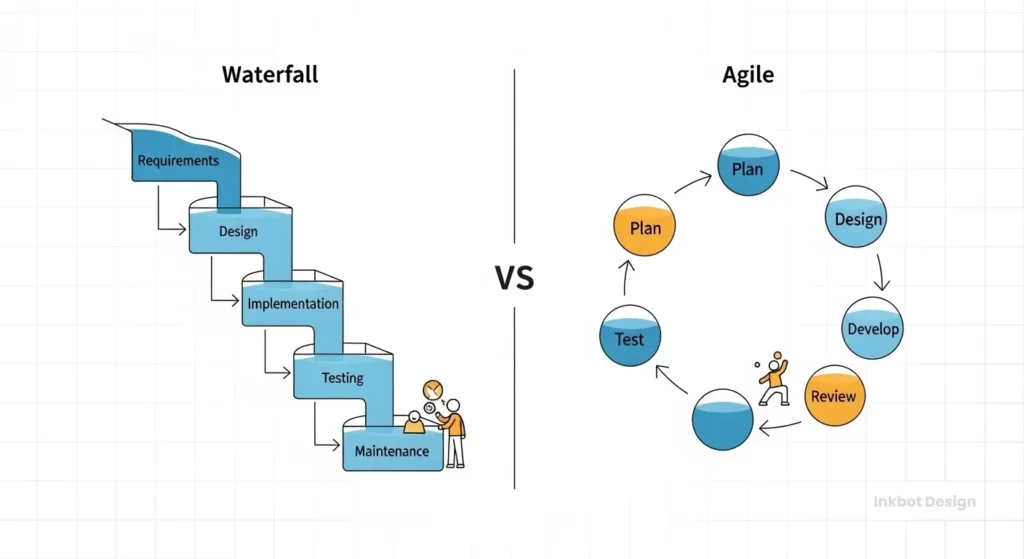
There is an ongoing debate in the industry regarding the most effective design methodology. The truth is, neither pure Waterfall nor pure Agile is perfect for creatives. You need a hybrid.
1. The Waterfall Model (The Traditional Approach)
In the Waterfall method, the project progresses downward, much like a waterfall. Phase 1 must be 100% complete and signed off before Phase 2 begins.
Discovery → Strategy → Design → Development → Launch.
Pros: Excellent for fixed-price contracts. It protects the agency from scope creep because going back to “Strategy” once “Design” has started triggers a Change Order fee.
Cons: Rigid. If the client realises in the Design phase that the Strategy was wrong, it is expensive to fix.
2. The Agile Model (The Modern Approach)
Agile breaks the project into small “sprints” (usually 2 weeks). You design, test, gather feedback, and iterate.
- Sprint 1: Homepage Wireframe.
- Sprint 2: Homepage UI.
- Sprint 3: About Page.
Pros: Highly flexible. The client sees progress constantly.
Cons: terrible for “holistic” projects like Branding. You cannot design a logo in “sprints.” A brand identity must be consistent across all touchpoints. If you design the business card in Sprint 1 and the website in Sprint 5, you might realise the logo doesn’t work on mobile, forcing you to redo the Sprint 1 work.
The “Inkbot Hybrid”
For most SMB projects, we recommend a Phased-Gate approach.
- Discovery & Strategy: Waterfall. (Do not start designing until the strategy is locked.)
- Concept Development: Agile. (Iterate rapidly on sketches and ideas).
- Execution & Production: Waterfall. (Once the concept is chosen, execute it linearly to save costs.)
Consultant’s Note: I once audited a digital agency that tried to use “Scrum” for a corporate identity project. They ended up with a logo that looked different on the website than it did on the letterhead because two different teams were “sprinting” in isolation. Design requires unity, not just speed.
The Tech Stack: Tools of the Trade
You cannot manage a modern design project via email. Email is where information goes to die. It is unstructured, unsearchable, and disconnected from the visual work.
To maintain sanity, you need a robust ecosystem. We have covered this extensively in our guide to project management tools; however, here is a concise breakdown for a design-centric workflow.
1. The Source of Truth (Task Management)
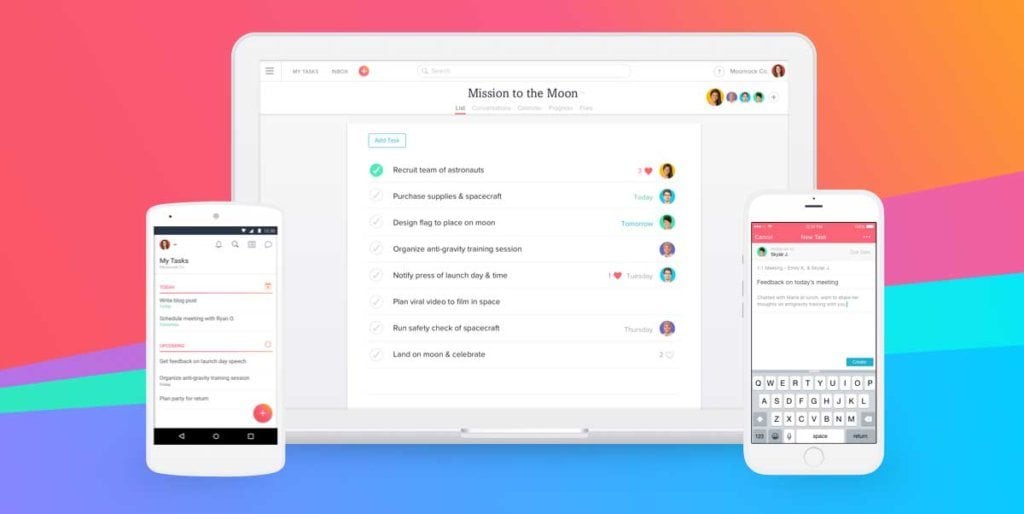
You need a central database where every task lives.
- Asana/ClickUp: Ideal for complex agencies. They allow for “Dependencies” (e.g., the developer cannot start “Build Header” until the designer finishes “Design Header”).
- Trello: Visual and simple (Kanban style). Great for smaller teams or single projects.
- TaskFord: One place for task tracking, project management, resource planning, time tracking, and cost management!
2. The Visual Feedback Layer
This is the most critical tool for designers. Never accept feedback like “make the logo bigger” in an email body. You need visual context.
- Figma: The industry standard for UI/UX. It allows real-time multiplayer editing and commenting directly on the canvas.
- InVision / Adobe XD: Older, but still widely used for prototyping.
- Pastel: excellent for live website feedback. It overlays a live URL, allowing clients to click and comment on elements.
3. Asset Management (DAM)
Where do the files live? “Final_Logo_v2.zip” in an email chain is a recipe for disaster.
- Google Drive / Dropbox: The basics. Ensure you have a strict folder hierarchy (01_Admin, 02_Drafts, 03_Finals).
- Brandpad: Great for hosting Brand Guidelines online, so clients always have access to the correct hex codes.
The 4-Stage Project Lifecycle
Effective project management for designers follows a predictable rhythm. Deviating from this path usually leads to the “Scope Creep” issues discussed earlier.
Stage 1: Discovery & Definition (The “Why”)
This is the most skipped phase, and skipping it is fatal. Before a single pixel is pushed, you must define the problem.
- The Creative Brief: This is not a suggestion; it is a contract. It defines the target audience, the competitors, and the aesthetic preferences.
- Stakeholder Interviews: Identify the decision-makers early. If the CEO needs to sign off on the logo, they must be involved in the briefing. Do not let a Marketing Manager filter the CEO’s feedback—it acts like a game of ‘Chinese Whispers’ and ruins the output.
Stage 2: Strategy & Concept (The “What”)
Here, we translate words into visual directions.
- Mood Boards: Curated collections of images to align on “look and feel.”
- Stylescapes: A step above mood boards. These are curated designs that appear to be a brand identity but utilise dummy content. They bridge the gap between abstract strategy and concrete design.
Stage 3: Design & Iteration (The “How”)
This is where the work happens.
- The “One Concept” Rule: Many agencies present three to five options. This is often a mistake. It forces the client to play the role of “Art Director” and mix and match parts of Option A with Option B to create a Frankenstein monster (Option C). A confident expert presents the best solution, often accompanied by one alternative.
- Controlled Feedback Rounds: The SOW should specify “Two rounds of revisions.”
- Round 1: Major structural changes (e.g., “Change the layout”).
- Round 2: Minor polish (e.g., “Adjust the font size”).
- Round 3+: Billable by the hour.
Stage 4: Delivery & Handoff (The End)
The project isn’t complete until the client can use the assets without needing to contact you.
- File Formats: Provide everything. CMYK for print, RGB for screens. Vector (EPS/SVG) and Raster (JPG/PNG).
- Brand Guidelines: A PDF or web page explaining how to use the logo. This prevents the client from stretching the logo or using it on a background that clashes with it in the future.
Dealing with “The Client from Hell” (Stakeholder Management)
In project management for designers, soft skills are 80% of the job. You are managing human egos, insecurities, and subjective opinions.
The “I’ll Know It When I See It” Client
This client refuses to give clear direction but rejects everything you present.
- The Fix: Force them to use negative selection. If they can’t tell you what they want, ask them to show you 5 competitor sites they hate and explain why. It is often easier for non-creatives to articulate dislike than to express a preference.
The “Design by Committee”
The client sends the design to their wife, their postman, and the intern for feedback.
- The Fix: The Consolidated Feedback Rule. Your contract must specify that all feedback must be directed through a single point of contact. If five people have opinions, that contact must hold an internal meeting, discuss the options, and send you a unified list of requested changes. You should never be the referee between the client’s marketing director and their sales director.
The “HiPPO” (Highest Paid Person’s Opinion)
The project is going well, the marketing team loves it, and then the CEO swoops in at the 11th hour and hates the colour blue.
- The Fix: Involve the HiPPO at the Stylescape phase (Stage 2). Do not let them wait until the final website launch to see the visual direction. If they sign off on the Stylescape, they cannot legally reject the final design based on style without incurring a change fee.
Financial Management: Pricing and Profitability
Project management is ultimately about protecting profit. How you structure your pricing determines how you manage the project.
Fixed Price vs. Hourly
- Fixed Price: The client pays £5,000 for a logo.
- PM Risk: If you spend 100 hours on it, you make £50/hr. If you spend 10 hours, you make £500/hr. Efficiency is the goal.
- PM Strategy: Strict scope limits. Every extra request must be met with “I can do that, but it will require a separate quote.”
- Hourly / Retainer: The client pays for your time and expertise.
- PM Risk: The client may scrutinise your timesheets. “Why did it take 4 hours to choose a font?”
- PM Strategy: Detailed time tracking (using tools like Harvest or Toggl). Transparency is key.
The “Kill Fee”
What happens if the client cancels halfway through?
Your contract must include a Kill Fee. Usually, this means the deposit (50%) is non-refundable. If the project is cancelled after the Concept Phase, 75% of the total is due. If cancelled during Production, 100% is due. This protects you from reserving time for a client who changes their mind at the last minute.
Amateur vs. Professional Project Management
To illustrate the difference process makes, let’s compare two approaches to the same hypothetical task: “Design a Brochure.”
| Feature | The Amateur Approach | The Professional Approach (Inkbot Way) |
| Briefing | “Just make it look cool.” | Written Creative Brief signed by stakeholders. |
| Communication | WhatsApp messages and scattered emails. | Centralised dashboard (Asana/Trello). |
| Files | Final_v2_USETHISONE.pdf sent via email. | Cloud-hosted folder with version control. |
| Revisions | Endless (“Just one more thing…”). | Fixed rounds (e.g., 2) are defined in the SOW. |
| Feedback | “I don’t like the vibe.” | Specific, actionable notes on a visual platform. |
| Outcome | Late, over budget, resentful relationship. | On time, profitable, repeat business. |
The State of Project Management for Designers in 2026
The landscape is shifting. As we look towards 2026, Artificial Intelligence (AI) is becoming a “junior project manager.”

AI-Driven Scheduling
Tools like Motion and Reclaim.ai are now integrating with designer calendars. They automatically reshuffle tasks based on priority. If a client meeting runs over, the AI automatically moves the “Logo Sketching” block to the next available slot, protecting the designer’s “Deep Work” time.
Generative Fill as a Placeholder
In 2024/2025, we saw the rise of Adobe Firefly. In project management, this allows designers to put high-fidelity placeholders into drafts instantly. Instead of writing “Image of happy couple here,” the designer generates it. This reduces friction during client reviews because clients no longer have to “imagine” the final photography. It speeds up approval times significantly.
Automated Admin
The days of manually chasing invoices are coming to an end. Modern CRMs (like Dubsado or HoneyBook) now use automated workflows to send contract reminders, deposit requests, and “feedback due” nudges. This removes the emotional burden from the designer. It’s not you nagging the client; it’s the system.
Critical Case Studies: Lessons in Failure and Success
1. The Sydney Opera House (The Cost of Poor Estimation)
While an architectural marvel, it is the poster child for project management failure.
- Original Estimate: $7 million, 4 years.
- Actual Cost: $102 million, 14 years.
- The Lesson: The “Scope” was not defined before construction began. The architect, Jørn Utzon, was designing the solution while it was being built. In graphic design, this is equivalent to coding a website before the layout is designed. It is ruinously expensive.
2. The Gap Logo Redesign (2010) (The Failure of Stakeholder Confidence)
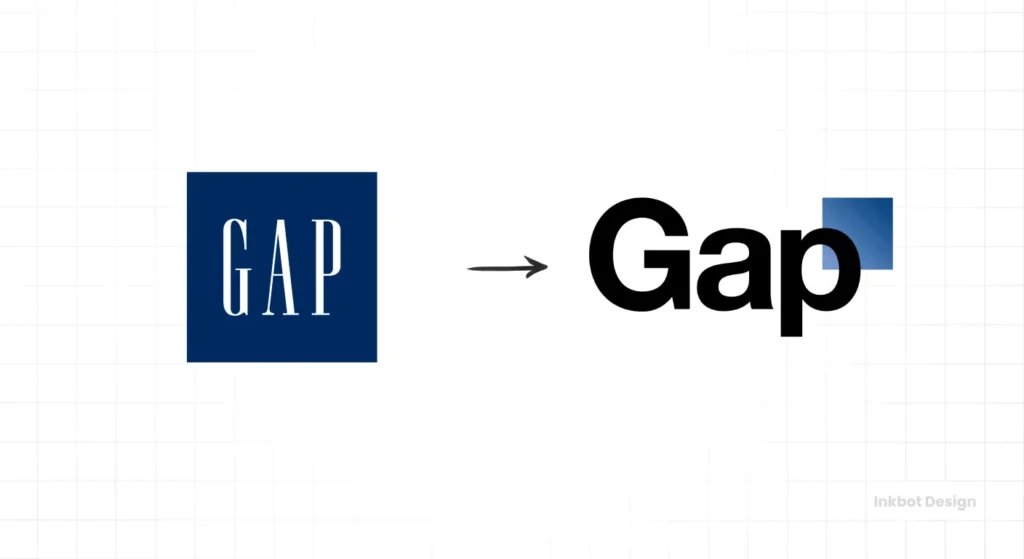
Gap released a new logo (Helvetica with a blue gradient box) without proper stakeholder alignment or customer testing.
- The Backlash: The public hated it. Gap reverted to the old logo within 6 days.
- The Cost: Estimated at $100 million in rebranding costs and lost brand equity.
- The Lesson: Project management isn’t just about “doing the work.” It’s about validating the work. A proper PM process would have included focus groups or a “soft launch” strategy rather than a sudden, jarring switch.
Consultant’s Reality Check
I often get asked by business owners, “Why is your agency more expensive than the freelancer I found on Upwork?”
The answer is rarely about raw talent. There are incredibly talented kids on Upwork. The difference is risk mitigation.
When you hire Inkbot Design, you are not only paying for Brand Identity Services, but you are also paying for the assurance that we will remain committed to your project. You are paying for the fact that we have a file server with backups. You are paying for the contract that protects your IP. You are paying for the project management layer that ensures the logo we design today will actually work on the billboard you buy tomorrow.
In my experience, “cheap” design is usually the most expensive kind, because you end up paying for it twice: once to get it wrong, and once to get a professional to fix the mess.
How Big Things Get Done
Your ambitious projects are failing—late and over budget—because you think you can rush the process. You’re wrong. This book is the fix. It’s the research-based playbook that reveals the rules for success: plan slow, act fast, and master the unknown unknowns. Stop guessing and get your project done on time.
As an Amazon Partner, when you buy through our links, we may earn a commission.
The Verdict
Project management for designers is not an administrative burden; it is the framework that allows creativity to be a viable business product.
If you are a designer, your process is your product. If you cannot deliver reliably, your talent is irrelevant.
If you are a client, respect the process. The boundaries, timelines, and revision limits are there to ensure you get the best possible result, not to annoy you.
Mastering this discipline requires a shift in mindset. You must move from being an “Artist” to being a “Problem Solver.” Artists work when the muse strikes; Problem Solvers work when the schedule dictates. Only one of those models scales.
Ready to elevate your brand?
If you are tired of chaotic projects and want to work with a team that values process as much as creativity, we should talk. Check out our Brand Identity Services or Request a Quote today. Let’s build something enduring, on time and on budget.
Frequently Asked Questions
What is the best project management software for designers?
For most design agencies, Asana or ClickUp are superior due to their ability to handle dependencies and integrate with visual proofing tools. For freelancers, Trello offers a simpler Kanban approach that is often sufficient.
How do I handle a client who continually requests changes?
Refer to your Scope of Work (SOW). Your contract should stipulate a specific number of revision rounds (usually two). Any changes beyond this must be billed at an hourly rate. This financial barrier usually stops unnecessary tweaks.
What is the difference between a Wireframe and a Prototype?
A wireframe is a low-fidelity static sketch of a layout (like a blueprint). A prototype is a high-fidelity, interactive simulation of the final product (allowing you to click buttons and navigate).
Why is scope creep so dangerous for creative projects?
Scope creep increases work without increasing revenue, directly eroding profit margins. In creative work, small subjective changes (“make it pop”) can cascade into hours of rework, turning a profitable job into a loss.
How do I estimate time for creative tasks?
Use historical data. Track your time on every project using tools like Harvest. Over time, you will learn that a “simple logo” actually takes you 15 hours, not 5. Always add a 20% “contingency buffer” to your estimates for unforeseen issues.
Should I use Agile or Waterfall for branding?
Use a hybrid. The waterfall method is best suited for the overall structure (Strategy -> Design -> Delivery) to ensure consistency. Agile concepts can be used during the sketching phase to iterate quickly, but avoid sprinting through final execution.
How do I manage feedback from multiple stakeholders?
Enforce a “Single Point of Contact” rule in your contract. The client must consolidate all internal feedback into one document before sending it to you. Do not accept conflicting feedback from different people.
What should be included in a design project handoff?
You should deliver all final source files (AI, PSD, INDD), exported assets for web and print (JPG, PNG, SVG, PDF), and a comprehensive Brand Guidelines document explaining usage rules.
How does AI affect design project management?
AI tools like Motion can automate scheduling, while generative AI (such as Adobe Firefly) can expedite the “mockup” phase. This reduces administrative overhead and accelerates the approval process by providing higher-fidelity drafts earlier.
What is a ‘Kill Fee’ in a design contract?
A Kill Fee is a clause that ensures the designer is paid for work done and time reserved if the client cancels the project early. It typically involves retaining the non-refundable deposit and charging a percentage of the remaining balance.
