10 Ways to Build a Productive Workplace at Home
The popular image of working from home is a lie.
It’s a carefully curated fantasy of laptops by the pool, pyjamas on Zoom calls, and boundless creative freedom.
For anyone trying to build a business from their spare room, the reality is a brutal, relentless fight against a single, powerful enemy: the Comfort Trap.
Your home is not designed for productivity. It’s engineered for leisure, relaxation, and distraction. The fridge, the television, the laundry pile, and the dog that needs walking are all saboteurs in a silent war against your focus.
Believing you can just open a laptop on your dining table and perform at an elite level is naive. It leads to blurred boundaries, 14-hour workdays with only four hours of actual output, and a creeping sense of burnout.
The solution isn’t a new productivity app or a motivational poster. The solution is to stop treating your home office as a temporary corner and start treating it as a professional asset. You must build a Ritualised Workspace—a fortress of focus built on rigid boundaries and intentional design.
Here are 10 practical, no-nonsense ways to do it.
- Create a hard physical boundary: dedicated room or Cloffice, a short commute and consistent start and shutdown rituals to separate work and life.
- Invest in ergonomics, calibrated lighting, and air and thermal control to prevent pain, brain fog and productivity loss.
- Tame your tech and ritualise deep work: one source of truth, ruthless notification control and scheduled 90 to 120 minute focus blocks.
1. Draw a Hard Line: The Physical Boundary

A desk in the corner of your living room isn’t a workplace. It’s a suggestion. A separate room with a door you can close? That’s a statement.
A physically distinct workspace is critical in creating a productive home environment. It’s non-negotiable. This isn’t about having a huge house; it’s about claiming a territory exclusively for professional output.
Your Brain Needs a Commute
The daily commute to an office served a crucial psychological function. It created a transition between “home self” and “work self.” When you work from home, that transition is gone, and your brain gets confused.
You must recreate it.
Walking into a specific room and closing the door signals to your brain that the context has changed. James Clear explains in Atomic Habits that your environment is a powerful trigger for your behaviour. A space dedicated solely to work primes your brain for focus. A couch where you also watch Netflix primes your brain for distraction.
Your commute might only be 10 steps, but making that journey is essential. When you cross that threshold, you are at work. When you leave, you are home.
Small Space Architecture: Mastering the “Cloffice” and Studio Flat
Telling someone to “use a spare bedroom with a door” is excellent advice, provided they actually have one. For many freelancers, particularly those living in high-density urban centres like London or New York, a dedicated room is an impossible luxury.
When your bedroom, living room, and kitchen exist within the same four walls, the psychological boundary between work and rest completely collapses. You must turn to Small Space Architecture to engineer artificial boundaries.
The Rise of the “Cloffice”
If you have a built-in wardrobe or a small closet, you possess the raw materials for a highly effective micro-workspace. The “Cloffice” (closet-office) is a masterclass in spatial efficiency.
By removing the clothing rail and installing a deep, reinforced shelf as a desk, you create a dedicated alcove. The psychological power of the Cloffice lies in its doors.
At 5:30 PM, when the workday is over, you physically close the wardrobe doors, hiding your monitors, keyboard, and to-do lists from view. This achieves the vital “out of sight, out of mind” dynamic required for a proper shutdown ritual, even if the Cloffice is located in your bedroom.
Zoning a Studio Flat
If a Cloffice isn’t viable, you must use furniture and visual cues to “zone” an open-plan room. Never let your work equipment bleed into your relaxation areas.
In a studio flat, sound and sightlines are your enemies. A desk pushed against a living room wall offers no protection from the visual distraction of your television or unwashed dishes. To fix this, utilise freestanding acoustic room dividers or slatted wooden screens. Position your desk facing the room divider, creating a physical wall between your eyes and the rest of your home. By covering the divider in sound-absorbing PET felt, you simultaneously deaden the harsh acoustic echo common in small flats, drastically improving your voice quality on calls while blocking the visual reminders of domestic chores.
Rules for Open-Plan Workspaces:
- The Daily Pack-Down: If your desk is in your living area, you must clear it completely at the end of the day. Put your laptop and notebooks into a drawer. A desk that looks like a blank table in the evening is far less anxiety-inducing than one littered with Post-it notes.
- The Rug Rule: Place a rug exclusively under your desk and office chair. This creates a distinct visual island. When you step onto the rug, you are at work.
- Directional Lighting: Use narrow-beam task lighting rather than flooding the corner with light. Illuminating only the desk surface creates a “stage” effect, drawing your focus inward and letting the rest of the room fade into the background.
2. Invest in Your Spine: Ergonomics Aren’t a Luxury

That stylish, minimalist chair you saw on Pinterest is probably destroying your back. The “aesthetic over function” trend is among the biggest productivity killers.
You will spend 8+ hours a day in this chair. If it causes you physical pain, your ability to concentrate plummets. Investing in proper ergonomic equipment is not an indulgence; it’s a direct investment in your capacity to do high-quality work for sustained periods.
The Designer’s Hardware Ecosystem: Specialised Ergonomics
The standard advice to “buy a good chair and put your monitor at eye level” is insufficient for freelance designers, video editors, and digital artists. Your hardware ecosystem is infinitely more complex than a standard laptop setup, and forcing specialist equipment into a generic ergonomic template will cause chronic injury.
Visual professionals must design workstations that accommodate multiple focal lengths, extreme-precision tools, and long periods of static muscle tension.
The Digitiser Dilemma: Wacom and Cintiq Integration
If you use a pen display like a Wacom Cintiq or an iPad Pro, you face a unique ergonomic nightmare: the conflict between looking ahead at a reference monitor and looking down at your hands.
Placing a heavy digitiser flat on your desk forces your cervical spine into severe forward flexion, practically guaranteeing neck spasms.
- The Drafting Angle: Your pen display must be mounted on a heavy-duty, articulated monitor arm (such as the Ergotron HX) and angled between 30 and 45 degrees. This mimics a traditional drafting table, allowing you to draw from your shoulder rather than your wrist, while keeping your neck in a neutral, upright posture.
- The Split Keyboard Setup: When a large tablet occupies the centre of your desk, typing becomes awkward. Designers should adopt a split mechanical keyboard (like the ErgoDox or ZSA Moonlander). You place one half on the left of the tablet for shortcuts and macros, and the right half out of the way, allowing your drawing arm completely unimpeded movement.
Calibrating the Visual Field
For graphic designers, screen real estate and colour accuracy are non-negotiable, but misaligning them ruins your posture.
A critical mistake designers make is mixing monitor sizes and resolutions without matching their physical focal depth. If you have a 32-inch 4K main display and a 24-inch 1080p secondary display positioned at the exact same distance from your eyes, your ciliary muscles are forced to micro-refocus thousands of times a day as your eyes dart between the two pixel densities. This causes severe asthenopia (digital eye strain) and tension headaches. To prevent this, align your monitors on a curved trajectory based on their pixel pitch, ensuring the optical distance to the centre of each screen is mathematically identical from your seated position.
Monitor Configurations for Creative Professionals
| Setup Type | Best For | Ergonomic Benefit | Drawbacks |
| Single Ultrawide (34″-49″) | Video editors, UI/UX designers, timeline work | Eliminates the central bezel; reduces neck rotation. | Curvature can warp straight lines in architectural/CAD work. |
| Dual 27″ (4K) | Print designers, multi-taskers, coders | Maximum pixel density; easy separation of workspace and tools. | Forces a seam down the middle, requiring constant neck panning. |
| Stacked (Over/Under) | Concept artists using large digitisers | Keeps reference material directly above the drawing surface; neutral neck. | The top monitor can cause upward neck strain if placed too high. |
The Science of Micro-Movements
Even with the perfect drafting angle and calibrated monitors, remaining static is dangerous. A £1,500 chair cannot save you if you sit in it rigidly for eight hours. You must engineer micro-movements into your day.
Invest in an active sitting element, such as a balance board (like a FluidStance) if you use a standing desk, or a dynamic footrest. These force your core muscles to make tiny, continuous adjustments to keep you stable.
This constant, low-level muscular engagement promotes blood flow to your lower extremities, prevents lactic acid from pooling, and keeps your brain oxygenated during long rendering times or client calls.
3. Control the Light, Control Your Focus
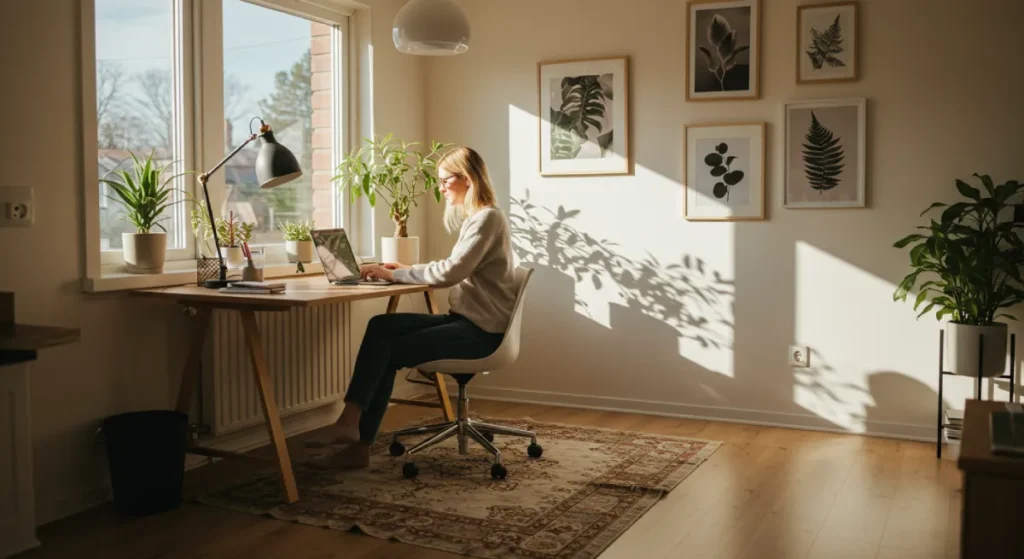
We are fundamentally biological creatures, and our energy levels are deeply tied to the light in our environment. Yet most home offices have terrible lighting—a single, dim, overhead fixture that casts shadows and causes eye strain.
Controlling your lighting is a simple but incredibly effective way to engineer your focus.
Cognitive Air Quality & Thermal Engineering
If you have perfectly calibrated your lighting, invested £1,500 in a chair, and locked your door, but you still feel a crushing wave of brain fog by 2:00 PM, the culprit isn’t a lack of caffeine. You are likely suffocating your cognitive function with your own breath.
When we talk about a productive home environment, we rarely discuss the air we breathe. But in 2026, air quality is recognised as a primary driver of knowledge-worker output.
Most modern home offices are small, converted bedrooms or box rooms. When you close the door to establish your physical boundary, you are sealing yourself inside a mildly airtight box.
The CO2 Concentration Crisis
As you breathe, you deplete oxygen and expel carbon dioxide (CO2). Outdoors, CO2 levels sit at roughly 400 parts per million (ppm). In a small, unventilated home office with the door shut, those levels can skyrocket to more than 1,500 ppm in less than 2 hours.
While standard building guidelines suggest keeping indoor CO2 below 1,000 ppm, recent environmental health data reveals a brutal truth for freelancers: cognitive function drops precipitously long before you feel ‘stuffy’. A landmark study by the Harvard T.H. Chan School of Public Health demonstrated that cognitive scores plummet by 50% when indoor CO2 reaches 1,400 ppm compared to 500 ppm. Specifically, strategic thinking and crisis response metrics are obliterated. If you are a designer pitching a complex rebrand or a developer debugging code in a sealed room, high CO2 is actively costing you money by slowing your processing speed and increasing error rates.
To combat this, you must engineer your airflow.
- Active CO2 Monitoring: Do not guess. Purchase a standalone desktop CO2 monitor (look for one with an NDIR sensor). If your monitor flashes above 800 ppm, your cognitive performance is already degrading.
- The Cross-Ventilation Protocol: Crack a window and keep the office door open for just five minutes every hour. This is often enough to flush the room and reset the CO2 baseline.
- HEPA Filtration: If you live in an urban environment where opening a window introduces traffic pollution or noise, a high-quality HEPA air purifier is essential. Ensure it is rated for the square footage of your room.
Thermal Engineering for Focus
Beyond air quality, temperature dictates your ability to sustain deep work. The human body uses an immense amount of energy simply regulating its core temperature. If your home office is too hot, your body diverts blood flow from your brain to your skin to cool you down, which can induce lethargy.
The ideal temperature for focused, sedentary desk work sits narrowly between 21°C and 22.5°C.
- Below 20°C: Typographical errors increase as your body tenses and distracts itself with maintaining warmth.
- Above 24°C: Productivity drops by roughly 2% for every degree increase, as lethargy sets in.
Take control of your local climate. Do not rely on your home’s central thermostat, which is likely reading the temperature in a hallway downstairs. Use a localised smart radiator valve (like Tado or Hive) in your office to maintain a strict 21.5°C during working hours.
If your room runs hot due to a powerful PC or afternoon sun, invest in a portable air conditioner or a high-velocity fan. Your brain requires a cool, oxygen-rich environment to execute complex, creative tasks.
4. Build a Digital Fortress: Tame Your Tech
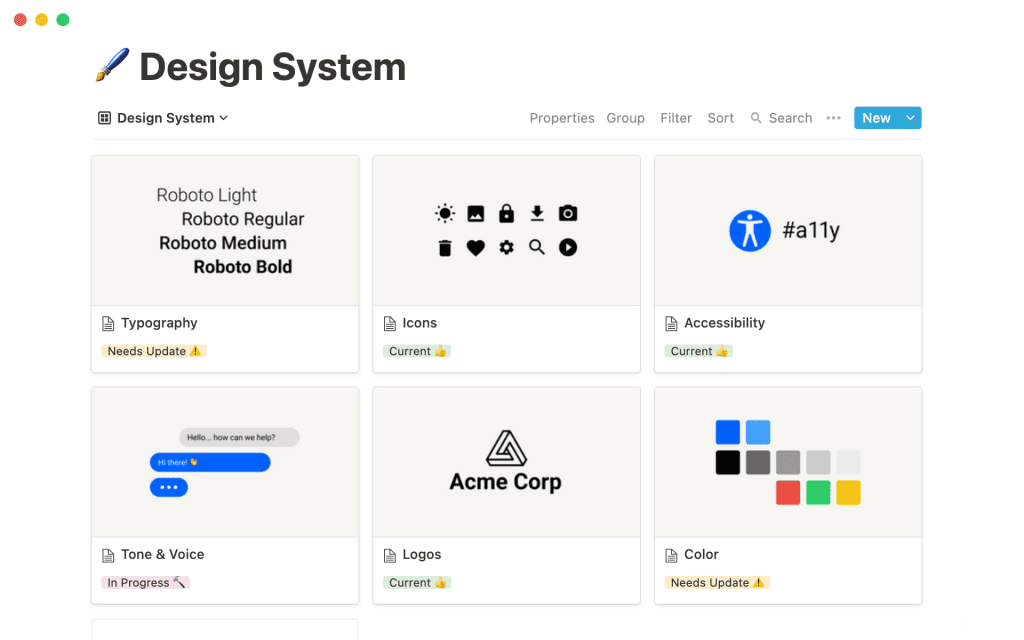
The idea that more apps and tools lead to more productivity is a lie peddled by software companies. Hopping between a dozen different platforms is just a modern form of procrastination. The goal is to build a simple, streamlined digital system and then master it.
One System to Rule Them All (For You)
You need a central “source of truth” for your projects, tasks, and notes. This could be Notion, Asana, Trello, or a physical notebook. The specific tool matters less than your commitment to it.
- Choose one system.
- Learn its features inside and out.
- Build your entire workflow within it.
Resist the urge to try a new app every week. The time you spend migrating tasks and learning new interfaces is not spent on actual work. A simple system you use consistently is a thousand times more effective than a complex system you’re constantly tweaking.
Building a functional brand presence requires a similar focus on a core system. Our expertise in graphic design ensures your visual identity is consistent and effective across all platforms. You can explore our graphic design services to see how we build cohesive brand systems.
The Unrelenting War on Notifications
Notifications are the assassins of deep work. Every ping, buzz, and pop-up is a tiny tear in your concentration. It can take over 20 minutes to fully regain focus after a single interruption.
You must be ruthless.
- Turn off all desktop notifications. All of them.
- Disable badges and banners on your phone for every app except phone calls and texts from your inner circle.
- Schedule specific times to check email and communication apps like Slack. For example, check at 11 AM and 4 PM. Outside of those blocks, they remain closed.
This isn’t about being unresponsive. It’s about taking control of your attention and responding on your schedule, not someone else’s.
5. The Power of the “Off” Switch: Ritualise Your End-of-Day

The most dangerous aspect of working from home is the absence of a clear end to the workday. It’s far too easy to let work bleed into evenings and weekends, leading to chronic stress and burnout.
You need to build a hard stop.
Create a Shutdown Ritual
A shutdown ritual is a sequence of actions you perform every day to signal the transition from work to home life. It’s the mental equivalent of locking the office door behind you.
Your ritual could include:
- Review your work and plan the top 3 priorities for tomorrow.
- Tidying your desk thoroughly.
- Close all work-related tabs and applications on your computer.
- Turning off your office light.
- Closing the door to the office.
The specific steps don’t matter. The consistency does. This ritual tells your brain, “The work for today is done. You are now released.”
No Cheating: The Post-Work Blackout
Once your shutdown ritual is complete, work is over. That means no checking email on your phone while watching TV. No taking “just one quick call” during dinner.
Violating this rule undermines your trust in yourself and invalidates the ritual. The discipline to truly disconnect allows you to recharge and return the next day with the energy needed to perform at a high level.
6. Master Deep Work: All Hours Are Not Created Equal
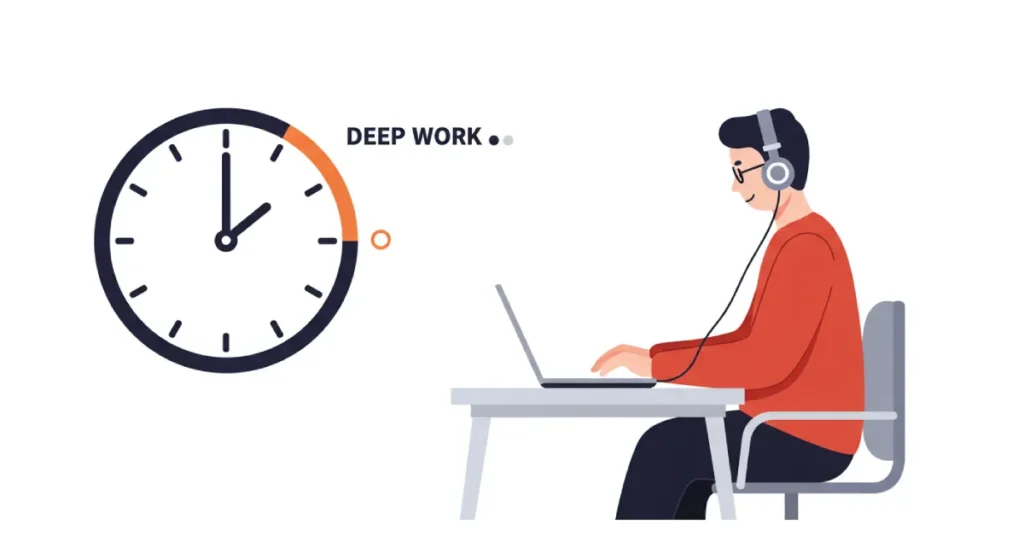
Being “busy” for eight hours is not the same as being productive. As author Cal Newport argues in his book Deep Work, the ability to focus without distraction on a cognitively demanding task is becoming increasingly rare and valuable.
Your home office must be a training ground for this skill.
The Time Block Imperative
Time blocking is scheduling your entire day into specific blocks of time. Instead of a to-do list, you have a calendar that dictates what you’re working on and when.
Schedule 90 to 120-minute “deep work” blocks for your most important tasks. During these blocks, you do nothing else. No email. No phone. Just the single, high-value task you’ve scheduled.
Even shallow work like answering emails should be blocked. This prevents it from interrupting your more important work. A time-blocked schedule leaves no room for ambiguity about what you should be doing at any given moment.
AI-Driven Deep Work & Context Switching
The classic Pomodoro Technique—working for 25 minutes and taking a five-minute break—was developed in the 1980s. While foundational, it is a blunt instrument. In 2026, forcing a complex design task into an arbitrary 25-minute window often shatters your flow state right when you are gaining momentum.
Furthermore, the greatest threat to your focus is no longer just losing track of time; it is Context Switching. Jumping from a graphic design software to an email client to a Slack channel and back again leaves “attention residue.”
Your brain takes roughly 23 minutes to fully re-engage with a deep task after a quick glance at an inbox.
Automating Your Focus Blocks
Instead of relying on willpower to ignore distractions, use software to build an impenetrable digital fence around your attention.
Modern focus applications (such as Motion, Sunsama, or advanced features in RescueTime) do more than block websites; they manage your entire digital state.
- Algorithmic Scheduling: Rather than guessing when you should take a break, use AI-assisted calendars that track your active keystrokes and application usage, prompting you to step away based on your actual cognitive load and ultradian rhythms (roughly 90-minute cycles), rather than a rigid kitchen timer.
- The Nuclear Option: Tools like Freedom or Cold Turkey can block your access to specific websites, social media, and even local applications across all your devices simultaneously. If you schedule a two-hour Deep Work block for writing or designing, the software physically prevents you from opening Twitter or your email client.
- Contextual Workspaces: Mac and Windows now offer profound “Focus Modes.” You can configure a “Design Focus” mode that hides all desktop icons, changes your wallpaper to a neutral colour, silences all notifications, and only allows incoming calls from your VIP client list.
7. Dress for the Job You Have

The idea that you can roll out of bed and be a peak performer in your pyjamas is a myth. What you wear has a documented psychological impact on your cognitive processes.
The Science of “Enclothed Cognition”
Researchers at Northwestern University coined the term “enclothed cognition” to describe how clothes systematically influence the wearer’s psychological processes. In their studies, subjects who wore a doctor’s lab coat showed increased attention and care in tasks.
Your clothes signal your brain: pyjamas and loungewear signal relaxation and sleep. Changing into clothes you would wear to a co-working space or a coffee shop signals that it’s time to work.
The Bare Minimum Is Still a Minimum
This doesn’t mean you need to wear a suit and tie. The goal is to distinguish between your “at rest” clothes and your “at work” clothes.
For some, this might mean jeans and a clean t-shirt. For others, it might be a button-down shirt. The specific uniform doesn’t matter. The act of changing into it does. It’s another small ritual that reinforces the boundary between your personal and professional self.
8. Engineer Your Soundscape

A traditional office has a consistent ambient hum. A home has a chaotic symphony of dogs barking, delivery drivers ringing the doorbell, and family members making noise. Taking control of your auditory environment is critical for sustained focus.
Active vs. Passive Noise Control
You have two lines of defence against unwanted noise.
- Passive Control: This involves physically blocking or absorbing sound. Closing your office door, adding a rug to a hardwood floor, or installing acoustic panels can help dampen external noise.
- Active Control: This is your most powerful weapon. A pair of high-quality, over-ear, noise-cancelling headphones is one of the best productivity investments you can make. They create a “cone of silence” that allows you to work uninterrupted, even in a noisy house.
Find Your Focus Frequency
Silence isn’t always the optimal state for focus. Many people work better with some form of ambient sound. Experiment to find what works for you.
- White/Brown/Pink Noise: These can mask distracting background sounds and help you focus.
- Instrumental Music: Playlists of classical, electronic, or film scores without lyrics can be highly effective.
- Binaural Beats / Focus Apps: Services like Brain.fm or Endel create functional soundscapes scientifically designed to enhance concentration.
Avoid music with lyrics, as the language processing part of your brain will inevitably get distracted.
9. Defeat Isolation: Manufacture Human Contact

Many entrepreneurs’ biggest downside of working from home is the profound sense of isolation. The spontaneous conversations, shared lunches, and casual brainstorming of an office environment are gone. If you don’t actively work to replace them, loneliness can set in and negatively impact your motivation and mental health.
Spontaneity Must Be Scheduled
This sounds like a contradiction, but in a remote work setting, it’s a necessity. You have to be intentional about creating social interactions.
- Schedule weekly virtual coffee chats with other entrepreneurs or colleagues.
- Join a mastermind group to discuss business challenges.
- Schedule one day a week to work from a co-working space.
Many modern coworking hubs rely on coworking space billing software to efficiently manage memberships, desk bookings, and payments, allowing professionals to focus on collaboration and productivity rather than administrative tasks.
These scheduled interactions break up the monotony and provide the crucial social connection for well-being.
Separate the Professional from the Personal
Make an effort to have conversations that aren’t about work. When you talk to your peers, ask about their hobbies, families, and weekends. Recreating the “water cooler” chat helps build genuine relationships and combats the feeling that all your interactions are transactional.
10. Review and Refine: The Weekly Systems Audit

A productive workspace is not a static creation. It’s a dynamic system that needs to be maintained and adjusted. What worked for you last month might not work this month. A weekly review is essential to keep your system optimised.
The 30-Minute Sunday Review
Set aside 30 minutes at the end of each week to audit your system. Ask yourself these questions:
- What part of my system worked best this week?
- What was the most significant source of distraction, and how can I eliminate it?
- Did I honour my start and end times? If not, why?
- Is my digital workspace getting cluttered? Does it need to be reorganised?
- What one small change can I make to improve my focus next week?
This regular check-in prevents your systems from decaying and ensures they evolve with your needs.
Permission to Abandon Ship
Don’t be dogmatic. If a tool, technique, or routine isn’t delivering results, eliminate it. Just because the Pomodoro Technique works for millions of people doesn’t mean it has to work for you. The goal is personal productivity, not adherence to a specific methodology.
Be a ruthless pragmatist. Keep what works, and discard what doesn’t.
Financial Engineering: Home Office ROI & Tax Deductions
A persistent psychological barrier to building a high-performance home office is the perceived cost. Dropping £2,000 on an ergonomic setup and acoustic treatment feels painful when your dining room table is free.
This is a failure of financial engineering. As a freelancer or independent business owner, your home office is not a consumer expense. It is a capital expenditure, a tax-deductible asset, and an engine for Return on Investment (ROI).
Calculating Your Uptime ROI
Every time you lose an hour of productive work due to back pain, eye strain, or a family interruption, you are leaking revenue.
Let’s assume your hourly freelance rate is £75. If a poor setup costs you just 30 minutes of focus a day, that is £37.50 lost daily. Over a 48-week working year, that equates to £9,000 in lost revenue.
Suddenly, a £1,200 Steelcase Gesture chair and a £500 pair of noise-cancelling headphones do not look like luxury purchases; they look like a £1,700 investment to plug a £9,000 annual leak. When you reframe your workspace equipment as tools that directly increase your billable output, underinvesting becomes the irrational choice.
Leveraging the Tax Code (2026 Guidelines)
In both the UK (HMRC) and the US (IRS), governments provide mechanisms to subsidise the cost of your home workspace, provided you meet the criteria for “exclusive and regular use.” (Note: Always consult a certified accountant for individual advice).
Most freelancers severely underclaim their home office expenses because they only calculate the exact square footage of their desk. However, under updated 2026 interpretations of mixed-use asset depreciation, if a room is designated exclusively for business, you can often claim a percentage of your total household utilities, high-speed broadband, and even rent/mortgage interest proportional to that room’s size relative to the house. Furthermore, high-end ergonomic equipment (chairs, standing desks, professional lighting) are no longer viewed simply as ‘furniture’ but can often be classed as ‘specialised plant and machinery’ under Annual Investment Allowances (AIA), allowing you to deduct 100% of the cost against your taxable profits in the year of purchase, rather than spreading it over years.
Key Deductible Categories to Track:
- Capital Assets: Laptops, external monitors, ergonomic chairs, standing desks, and dedicated office storage.
- Running Costs: A proportion of your heating, electricity, and water bills based on the office footprint.
- Communications: Dedicated business broadband lines, VoIP software, and VPN subscriptions.
- Aesthetics and Environment: Acoustic panelling, blackout blinds to prevent monitor glare, and even professional painting if it is exclusively for the office environment.
Keep meticulous digital receipts. Treat your home office procurement exactly as you would for a commercial lease. The goal is to build the highest-performing space possible while legally offsetting a significant portion of the cost against your tax liabilities.
Conclusion
Building a productive workplace at home is a design challenge. It’s not about finding the perfect app or the most beautiful desk lamp. It’s about intentionally constructing boundaries, rituals, and systems that protect your most valuable asset: focused attention.
It requires discipline to draw hard lines between work and life when they exist under the same roof. But the payoff is immense: the ability to produce high-value work consistently, control your schedule, and shut down at the end of the day, fully present for the life you’re working so hard to build.
Your home office isn’t just a room with a desk. It’s a statement about how seriously you take your work, time, and well-being. Treat it accordingly.
Building a productive workspace is an exercise in strategic design. The same intentionality and rigour applied to your brand’s visual identity can yield equally transformative results. A well-designed brand works tirelessly for you, communicating your value long after you’ve shut down your laptop for the day.
If you’re ready to build a brand with that level of purpose, you can start by exploring our graphic design services. You can request a quote here for tailored advice specific to your project.
Frequently Asked Questions (FAQs)
What is the most critical element of a productive home office?
A hard physical boundary. A separate room with a door is ideal, as it creates a clear psychological distinction between your “workplace” and your home. If a room isn’t available, use acoustic dividers and rugs to zone a specific area.
How does CO2 affect focus when working from home?
High CO2 destroys cognitive function. In a small, closed home office, CO2 can quickly exceed 1,400 ppm, which studies show drops strategic thinking scores by 50%. You must cross-ventilate your room every hour to maintain oxygen levels.
Is a standing desk worth it?
Yes, but only if used correctly. Standing all day is just as bad as sitting all day. The real benefit of a standing desk is the ability to easily transition between sitting, standing, and walking (using an under-desk treadmill) to maintain blood flow.
How much should I spend on a good ergonomic chair?
Expect to invest between £800 and £1,500. View this as a capital expenditure that pays for itself by preventing lost billable hours due to back pain. Brands like Herman Miller and Steelcase offer 10-12 year warranties, making the annual cost negligible.
How much should I spend on a good ergonomic chair?
Expect to invest between £800 and £1,500 for a new, top-tier ergonomic chair from brands like Herman Miller or Steelcase. While expensive, they come with extended warranties (10-12 years) and are a long-term investment in your health and productivity.
What is the best lighting for video calls and design work?
Bulbs with a Colour Rendering Index (CRI) of 95 or higher. This ensures colour accuracy for design proofs. For video calls, use a diffused key light positioned behind and slightly above your monitor, angled down at your face, to eliminate harsh shadows.
How to set up internet redundancy at home?
Use a Dual-WAN router. Connect your primary fibre broadband into one port, and a secondary 5G cellular router into another. Configure it for automatic failover, so if your main internet drops, the router instantly switches to cellular data, keeping you online.
Home office tax deductions for freelancers 2026?
You can deduct a percentage of your rent, mortgage interest, utilities, and broadband based on the proportion of your home used exclusively for business. High-end equipment such as chairs and PCs can often be written off entirely in the first year under the Annual Investment Allowance.
How to separate work and life in a studio flat?
Use visual and acoustic baffling. Place a freestanding PET felt room divider behind your desk so you face it while working, physically blocking your sightline to your bed or television. At the end of the day, pack your laptop away completely.
ADHD friendly home office setup?
Avoid sterile minimalism. Use open shelving so your projects remain visible, preventing “out of sight, out of mind” executive dysfunction. Incorporate visual timers and tactile stimulation tools at your desk to help regulate your dopamine and attention.
Are blue light glasses actually necessary?
Not if your environment is calibrated. The primary causes of digital eye strain are a lack of blinking and a fixed focal depth, not blue light. Follow the 20-20-20 rule and match your monitor brightness to your ambient room lighting to reduce strain.


