15 Best Keyboards For Graphic Designers
Let me ask you something…
How many hours a day do your fingers dance across your keyboard?
If you’re a graphic designer, the answer is probably “too many to count.” Yet most designers obsess over their monitors, tablets, and software while completely ignoring the one tool their hands touch more than anything else.
Your keyboard isn’t just an input device—it’s the bridge between your creative vision and digital reality. The right keyboard doesn’t just feel good; it removes friction, speeds up your workflow, and prevents repetitive strain injuries that can derail your career.
I’ve tested dozens of keyboards specifically for graphic design work. I’m about to show you the 15 best options that will transform your productivity, protect your health, and make you wonder how you ever worked without them.
Whether you need programmable keys for Adobe shortcuts, ergonomic designs for marathon sessions, or tactile feedback that makes every keystroke satisfying, this guide will help you decide what your future self will thank you for.
Let’s dive in…
- Keyboards are essential for graphic designers, enhancing speed, comfort, and preventing injuries during extensive work sessions.
- Choose a keyboard based on ergonomics, customisability, and layout to optimise your design workflow.
- Investing in a good keyboard significantly impacts your productivity and overall creative experience.
Importance of Keyboards in Graphic Design

Why should you care about keyboards as a graphic designer? It’s simple: your keyboard is your primary interface with your computer and, by extension, your creative world.
Picture this: you’re in the zone, working on a design, and each keystroke brings your vision to life. A good keyboard can streamline that process.
Here’s why keyboards matter.
- Speed and Efficiency: The right keyboard can drastically reduce the time required to complete tasks. Imagine navigating through layers in Photoshop or selecting options in Illustrator with just a few keystrokes. A well-designed keyboard can make these actions second nature.
- Comfort and Ergonomics: Long hours at the computer can lead to strain and discomfort. A keyboard designed with ergonomics in mind can help prevent injuries like carpal tunnel syndrome. Your hands should never feel like they’ve been in a boxing match after a day of designing!
- Multi-Functionality: Many graphic design software applications have specific shortcut keys. A keyboard with custom shortcuts or dedicated multimedia keys can enhance your workflow. You can switch between design elements or adjust your volume with a simple press.
- Creative Controls: Some keyboards, like the Logitech Craft, feature unique features such as a creative dial. This can control brush sizes, zoom levels, and more. Such tools result in a seamless design process.
So, it’s clear that the right keyboard can be a game-changer for graphic designers, improving comfort and performance.
Hardware Specifications for Precision Design Work
Visual design requires higher input precision than standard office typing. In 2026, three technical metrics define the efficiency of a Graphic Designer’s keyboard: Actuation Distance, Polling Rate, and Force Curves.
1. Actuation Distance and Reset Points
In Vector Illustration in Adobe Illustrator, a shorter Actuation Distance (1.0mm to 1.5mm) enables faster, rapid-fire commands.
- Linear Switches: Provide a smooth, consistent path. Best for Video Editing and 3D Motion Graphics.
- Tactile Switches: Feature a physical bump at the actuation point. Ideal for Layout Design, where confirmation of every keystroke prevents menu errors.
2. Polling Rates and Latency
A Polling Rate of 1,000Hz ensures the computer registers an input every 1 millisecond. While critical for gaming, it is now vital for Digital Painters using Wacom tablets alongside a keyboard. Low-latency 2.4GHz Wireless connections are superior to Bluetooth 5.0 for high-resolution canvas navigation, as they eliminate the “input lag” that disrupts creative flow.
3. Keycap Material: PBT vs ABS
Graphic Designers often rest their fingers on the same keys (V for Move, P for Pen, B for Brush).
- ABS Plastic: Standard on most keyboards. It develops a “shine” and loses texture within 6 months of heavy use.
- PBT Plastic: Highly resistant to skin oils and friction. PBT Keycaps maintain their texture and prevent finger-slip during precision tasks.
With all this in mind, you’re now armed with the knowledge to make an informed choice. Next, look at the best keyboards explicitly tailored for graphic designers. Ready to discover your next creative companion? Let’s go!
15 Best Keyboards For Graphic Design
Now that you understand a good keyboard’s critical role in graphic design, let’s explore some of the best keyboards available today. Each option brings something unique, perfect for various design styles and comfort levels.
Whether you’re a seasoned professional or just starting, these keyboards will help enhance your creative experience.
1 – Logitech Craft – Multi-function dial, wireless, ideal for creative controls.
First up is the Logitech Craft. This keyboard is a game-changer for creative professionals. The standout feature? The multi-function dial. This feature lets you control software tools, adjust brush sizes, or zoom in and out with effortless precision.
- Highlights:
- Wireless connectivity keeps your desk clutter-free.
- Bright illumination adjusts based on the lighting around you.
- Compatible with various creative applications like Adobe Creative Suite.
I remember using one during a design workshop. Instantly, the dial felt intuitive as I navigated through layers of a complex design. It’s like having a remote control for your creativity right at your fingertips.
2 – Keychron Q6 Max – Full metal build, QMK/VIA programmable, wireless connectivity.
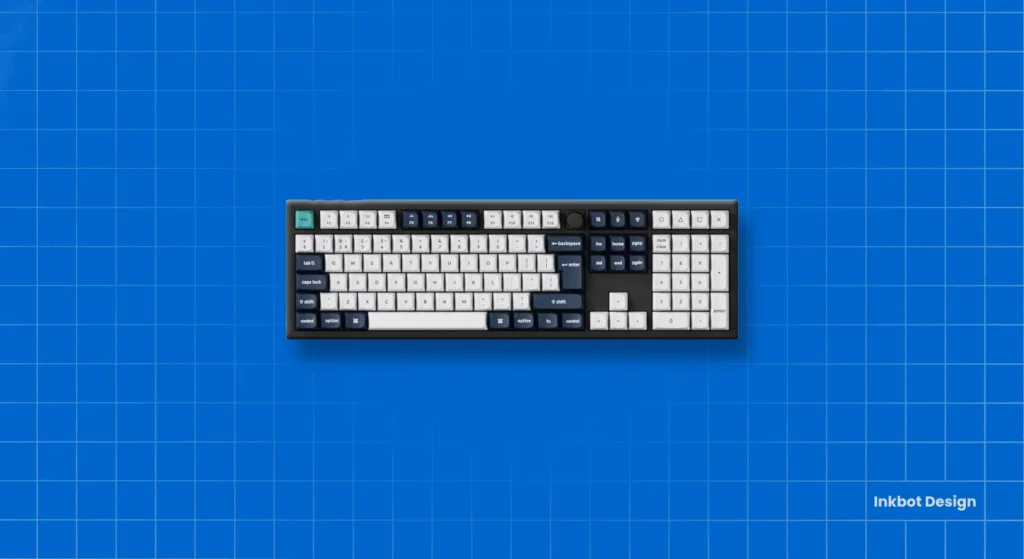
Next, we have the Keychron Q6 Max. If you want a sturdy build, this keyboard is your go-to. Crafted from high-quality metal, it exudes durability while feeling premium under your fingers.
- Highlights:
- QMK/VIA programmable keys allow for deep customisation.
- Wireless mode provides flexibility for your workspace.
- A compact layout saves space without sacrificing functionality.
When I first tried this keyboard, the keys’ solidity gave me a sense of reliability. Every keystroke felt deliberate, encouraging creativity without any interruptions from technical hiccups.
3 – Apple Magic Keyboard (Numeric Keypad) – Slim, quiet typing optimised for Mac users.
If you’re a Mac user, the Apple Magic Keyboard (with Numeric Keypad) is the epitome of sleek design. This slim keyboard fits naturally with Apple aesthetics and works seamlessly with macOS.
- Highlights:
- Low-profile keys make for quiet, comfortable typing.
- An integrated numeric keypad simplifies data entry.
- Uses Bluetooth for easy wireless connectivity.
In my early days of using Apple products, I adored how quickly I adapted to the Magic Keyboard. It felt like an extension of my Mac, and the quiet keys helped me focus without the noise overwhelming me.
4 – Logitech MX Mechanical – Low-profile mechanical switches, multi-device support.
The Logitech MX Mechanical offers comfort to mechanical switches in a low-profile format. This keyboard is excellent for anyone who wants the tactile feel of mechanical keys without the bulk.
- Highlights:
- Connects up to three devices; switch between them effortlessly.
- Backlit keys ensure visibility in any lighting.
- Quiet keystrokes make it office-friendly, too.
5 – Glorious GMMK Pro – Premium gasket-mounted design, hot-swappable switches.
Let’s discuss the Glorious GMMK Pro, known for its exquisite build quality. The gasket-mounted design delivers a unique typing experience, making it feel soft and responsive.
- Highlights:
- Hot-swappable switches let you easily replace them without soldering.
- Custom RGB lighting options to match your setup.
- Modular design allows for personalisation.
Once, I experimented with different switches on this keyboard and enjoyed changing the sound and feel with a simple switch. It’s a fascinating way to make the keyboard truly yours.
6 – SteelSeries Apex Pro Mini – Adjustable actuation, advanced customisation.
Next, the SteelSeries Apex Pro Mini is a compact option that packs a punch. The highlight? Adjustable actuation settings let you determine how sensitive the keys are to your touch.
- Highlights:
- RGB lighting for a vibrant atmosphere.
- A sturdy build ensures durability.
- A compact form factor saves space without losing functionality.
I had a blast trying out its various settings. Tailoring the actuation to my typing style was a great way to enhance my speed and efficiency.
7 – Kinesis Advantage2 LF – Ergonomic split design, optimised for long hours.
If comfort is your top priority, look no further than the Kinesis Advantage2 LF. Its ergonomic split design supports a natural hand position, which is crucial during long design sessions.
- Highlights:
- Tactile feedback switches reduce finger fatigue.
- Built-in palm supports ensure comfort.
- Programmable keys to create macros for everyday tasks.
8 – Keychron K2 – Compact mechanical keyboard with wired/Bluetooth modes.
The Keychron K2 is another fantastic compact mechanical keyboard. It allows users to connect via Bluetooth or wired USB, offering flexibility.
- Highlights:
- Compact layout suitable for smaller desks.
- Multiple switch types allow for personal preference.
- Affordable without compromising on quality.
I’ve taken the K2 on several trips, and its portability has been a lifesaver. Despite its small size, it’s incredibly responsive and reliable.
9 – Corsair K100 RGB – Mechanical keys, macro support, vibrant RGB lighting.
The Corsair K100 is for those who like their keyboards to be colourful! With mechanical keys and customisable macro support, it’s perfect for gamers and designers alike.
- Highlights:
- Fully programmable keys allow for complex commands.
- Durable aluminium frame for long-lasting performance.
- Intense RGB lighting can sync with games or applications.
10 – Logitech Ergo K860 – Curved ergonomic design for better posture.
Returning to ergonomics, the Logitech Ergo K860 takes it up a notch with its unique curved design that promotes better posture while typing.
- Highlights:
- A split keyboard layout increases comfort.
- Built-in wrist rest adds extra support.
- The adjustable angle helps rest your wrists naturally.
11 – Aula F75 Wireless Mechanical Keyboard – Tri-mode connectivity, long battery life.
The Aula F75 is an excellent budget option. This wireless mechanical keyboard offers tri-mode connectivity to stay connected wherever you are.
- Highlights:
- A long-lasting battery means less frequent charging.
- Compact mechanical keys provide a tactile experience.
- Affordable without sacrificing quality.
I was pleasantly surprised when I first tried this keyboard for those on a tight budget! It exceeded my expectations in performance and comfort.
12 – Costom WK75 – Compact 75% layout, customisable RGB lighting.
The Costom WK75 is perfect for users looking for style and substance. A compact 75% layout saves space while providing all the necessary keys.
- Highlights:
- Stunning RGB lighting design enhances aesthetics and mood.
- A high-quality build ensures a premium feel.
- The compact design fits comfortably on any desk.
This keyboard looks stunning on any setup. Whenever I’m deep into a design project, the ambience created by the RGB lights inspires creativity.
13 – Microsoft Sculpt Ergonomic Keyboard – Split layout with wrist support.
The Microsoft Sculpt Ergonomic Keyboard is aimed at those who need extensive wrist support. Its split design aligns with the use of your arms.
- Highlights:
- The cushioned palm rest provides comfort and support.
- The domed shape promotes a neutral wrist position.
- Wireless functionality allows for a flexible workspace.
14 – Logitech Wave Keys – A budget ergonomic option with a comfortable curved design.
Looking for a budget-friendly, ergonomically designed keyboard? The Logitech Wave Keys is your answer. With its wave-shaped keyframe and comfortable typing experience, this keyboard won’t break the bank.
- Highlights:
- The curved design supports hands naturally.
- Quiet keys mean less noise disturbance.
- Good quality at an affordable price.
15 – Logitech K350 – Wireless with wave-shaped keys and wrist rest for comfort.
Last but not least, the Logitech K350 rounds off our list. This keyboard’s unique wave-shaped design promotes a more natural typing posture.
- Highlights:
- Integrated cushioned wrist support for added comfort.
- Long battery life reduces the need for frequent changes.
- Smooth keys enhance the typing experience.
With these keyboards, you have a treasure trove of options tailored to your graphic design needs. Whether you prioritise ergonomics, customisation, or that tactile feel of mechanical keys, the right keyboard can make a difference in your creative output.
Investing in a great keyboard isn’t just about typing; it’s about complementing your creative workflow. It’s the little things that make a significant difference over time. Take your time when choosing, and ensure it aligns with how you work best.
Now, go out there and find the perfect keyboard that resonates with your design process!
Conclusion and Final Recommendations
We’ve journeyed through the expansive world of keyboards and how they can affect your graphic design experience. Each keyboard we explored offers unique advantages tailored to diverse needs and preferences.
Now, let’s wrap it all up and ensure you walk away with a clear understanding of which keyboards shine the brightest for graphic designers, along with some final thoughts and suggestions to guide your choice.
Summary of the Best Keyboards for Graphic Designers
Here’s a quick recap of the top keyboards we’ve discussed. This could help you decide which might best suit your style and workflow:
| Keyboard Model | Key Features | Ideal For |
|---|---|---|
| Logitech Craft | Multi-function dial, wireless, smart illumination | Creative controls |
| Keychron Q6 Max | Full metal build, QMK/VIA programmable | Customisation enthusiasts |
| Apple Magic Keyboard (Numeric) | Slim design, quiet typing, optimised for Mac | Mac users |
| Logitech MX Mechanical | Low-profile mechanical switches, multi-device support | Versatile users |
| Glorious GMMK Pro | Premium gasket-mounted design, hot-swappable switches | Custom keyboard lovers |
| SteelSeries Apex Pro Mini | Adjustable actuation, compact, customisable | Gamers and designers |
| Kinesis Advantage2 LF | Ergonomic split design, optimised for long hours | Those prone to wrist pain |
| Keychron K2 | Compact mechanical, wired/Bluetooth modes | Mobile designers |
| Corsair K95 RGB Platinum XT | Mechanical keys, macro support, vibrant RGB lighting | RGB lovers and gamers |
| Logitech Ergo K860 | Curved ergonomic design for better posture | Comfort seekers |
| Aula F75 Wireless | Tri-mode connectivity, long battery life | Budget-conscious users |
| Costom XVX M84 Coral Sea | Compact 75% layout, customisable RGB | Style-conscious users |
| Microsoft Sculpt Ergonomic | Split layout, wrist support | Ergonomics-focused designers |
| Logitech Wave Keys | Budget ergonomic option, comfortable design | Entry-level designers |
| Logitech K350 | Wireless, wave-shaped keys, wrist rest for comfort | Casual users |
Each keyboard has been handpicked based on its suitability for graphic design. Whether you work with Adobe Photoshop, Illustrator, or other design software, the right keyboard can improve your workflow, comfort, and overall productivity.
Optimising Workflow with Programmable Macros
The transition from a standard tool to a Holistic Design Hub occurs through Macro Programming. A Macro is a sequence of commands triggered by a single keystroke. In 2026, the most efficient designers use QMK/VIA or Logitech Options+ to map complex software actions.
Essential Shortcut Mapping for 2026
| Software | Manual Action | Macro Benefit | Suggested Key Map |
| Adobe Photoshop | Ctrl+Alt+Shift+E | Merge Visible to New Layer | Dedicated Macro Key 1 |
| Figma | Shift+A | Auto Layout | Thumb-accessible Key |
| Affinity Designer | Alt+Drag | Duplicate and Transform | Side-button / Dial |
| Blender | G -> Z -> [Number] | Precise Axis Movement | Numeric Keypad |
The Role of the Creative Dial
The Logitech Craft features an Input Dial that provides context-sensitive control. In Adobe InDesign, this dial manages kerning and leading. In Adobe Premiere Pro, it serves as a high-precision jog-shuttle for timeline scrubbing. This physical interface reduces the need for “mouse-hunting” small UI sliders, saving an estimated 45 minutes of active work time per day.
2026 Professional Keyboard Pricing: Value vs Performance
A professional Graphic Designer in 2026 allocates between £80 and £350 for a high-performance primary input device. This investment is amortised over a three-to-five-year lifecycle, directly impacting Workflow Velocity and physical health.
Current Market Valuation Benchmarks
| Category | Price Range | Expected Lifecycle | Products |
| Entry-Level Professional | £45 — £85 | 18–24 Months | Logitech K350, Aula F75 |
| Mid-Range Productivity | £90 — £160 | 3–5 Years | Keychron K2, Logitech MX Mechanical |
| High-End Studio Hub | £170 — £280 | 5+ Years | Logitech Craft, Keychron Q6 Max |
| Specialist Ergonomic | £250 — £400 | 7+ Years | Kinesis Advantage2, ZSA Voyager |
The True Cost of Cheap Hardware
Investing in a budget Membrane Keyboard (under £30) results in a cost-of-operation increase due to two factors:
- Actuation Decay: Membrane domes lose tactile consistency after 5 million keystrokes, leading to missed Adobe Photoshop shortcuts.
- Repetitive Force Trauma: Higher bottom-out force requirements increase strain on the Extensor Carpi Ulnaris tendons.
By 2026, Mechanical Keyboards with Hot-swappable PCBs (Printed Circuit Boards) will provide the highest Return on Investment (ROI). These devices allow replacing individual Mechanical Switches if a single key fails, extending the hardware’s life indefinitely.
Final Thoughts and Suggestions
Choosing the right keyboard can feel daunting, especially with so many options on the market. Personal experience taught me to make this choice based on comfort, usability, and the specific demands of my work.
As you contemplate your purchase, consider these thoughts and suggestions:
- Prioritise Comfort:
- Before anything else, think about comfort. An ergonomic keyboard can help mitigate fatigue and discomfort if you spend hours designing. Keyboards like the Kinesis Advantage2 LF or Logitech Ergo K860 are excellent for long-term comfort.
- Know Your Typing Style:
- Are you a fast typist? Do you prefer tactile feedback? Understanding your typing style can guide you to the correct keyboard switch type. Mechanical keyboards often provide satisfying feedback, enhancing both speed and confidence.
- Check Compatibility:
- Ensure your chosen keyboard is compatible with your operating system. Some keyboards work seamlessly with Mac, while others are tailored for Windows. The Apple Magic Keyboard is a solid choice for Mac users. At the same time, the Logitech MX Mechanical offers flexibility with multi-device support.
- Consider Layout and Size:
- Compact designs, like the Keychron K2 or Corsair K95, can save desk space and are portable. However, remember to weigh the importance of a numeric keypad for your work. You might want that extra number pad if your tasks involve extensive data entry.
- Explore Customisation Options:
- A keyboard with programmable keys can significantly enhance your workflow. For instance, the Glorious GMMK Pro and Keychron Q6 Max offer extensive customisation, allowing you to map keys to your specific needs.
- Set a Budget:
- Keyboards can vary widely in price. While it’s tempting to splurge on a fancy model, plenty of budget-friendly options, like the Logitech Wave Keys, perform exceptionally well. Set a budget that reflects your needs without compromising quality.
- Test Before You Commit:
- Try out different keyboards in-store or get hands-on with a friend’s keyboard. Typing and feeling the keys can help you make a more informed decision. You can get a real sense of what feels good for you.
- Read Reviews and User Feedback:
- Finally, do thorough research. Check reviews and feedback from other graphic designers. They often share insights that can guide your choice and clear misconceptions you might have.
Remember, your keyboard is more than just a tool; it’s a partner in the creative process. Investing time in choosing the right one can elevate your work and make those long hours at the computer more enjoyable.
Now, lean into your quest for the perfect keyboard. Explore, experiment, and find the one that resonates with your style and enhances your graphic design experience. Your creative journey deserves the best tools, so don’t settle for anything less.
Get ready to transform your workspace and unleash your creativity like never before!


